DailySpend - Spend & Split
Expense Tracker & Budgets
Designed for iPhone, iPad
Free
- Age rating4+
- CategoryFinance
- DeveloperJINGRUI FENG
- LanguagesEnglish+ 1 more
- Size6.2 MB
Links to the official App Store page
Download.org hosts no file of DailySpend - Spend & Split. The button opens its official App Store page, published by JINGRUI FENG. Listing last checked on Nov 22, 2026.
Screenshots

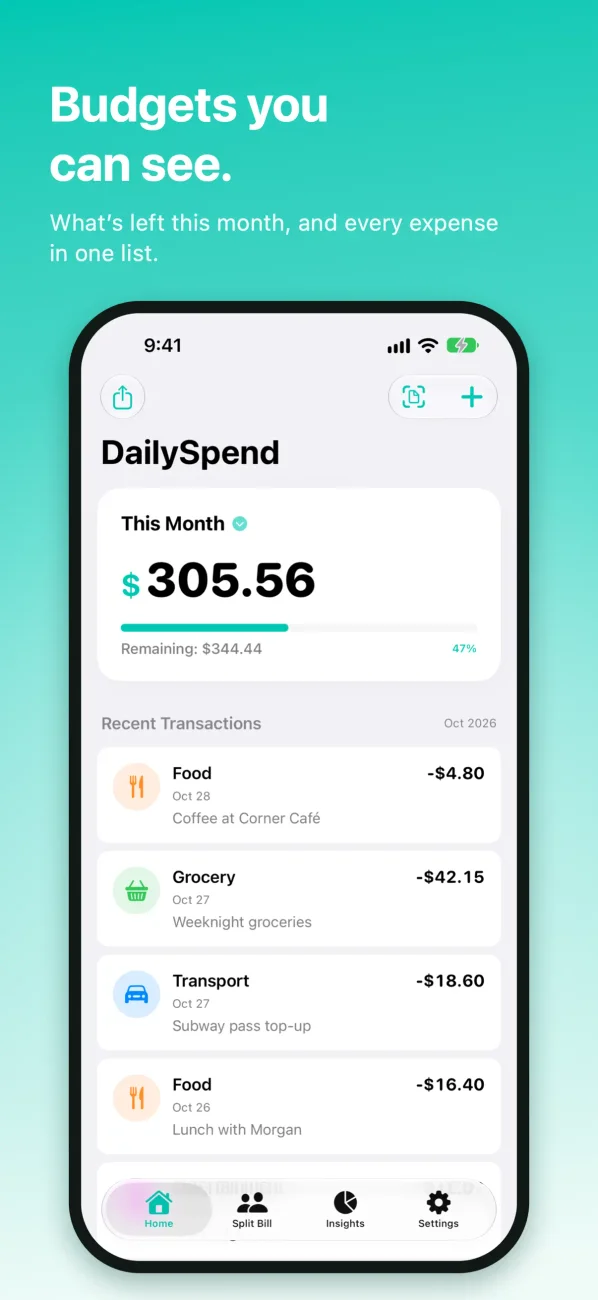
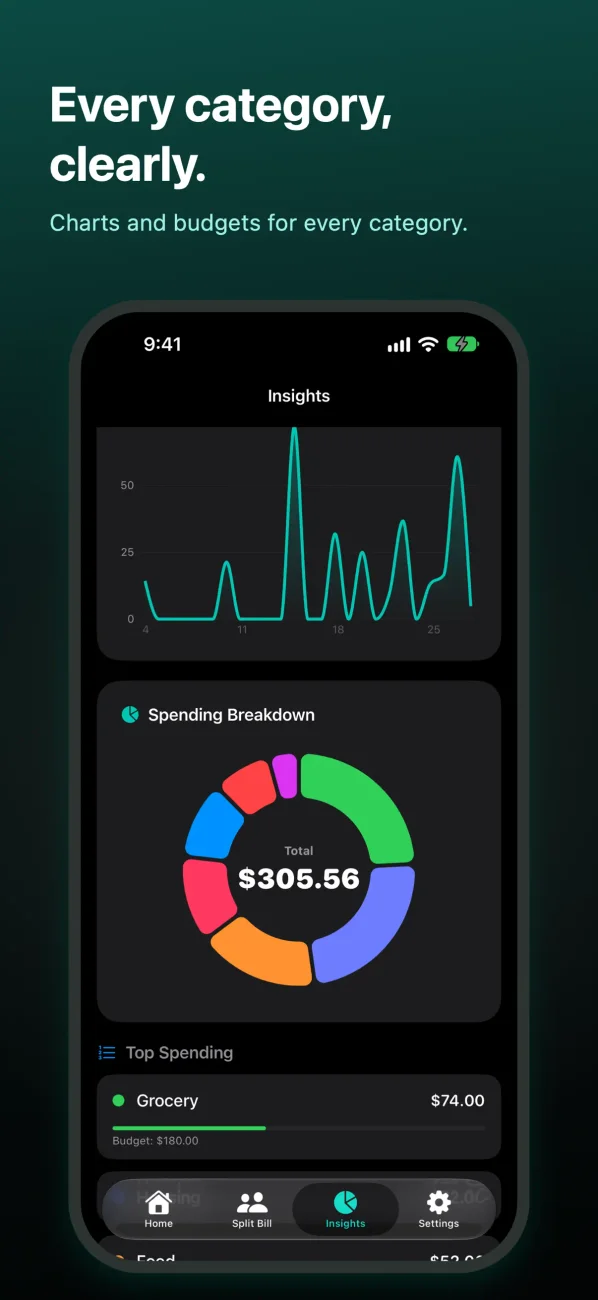
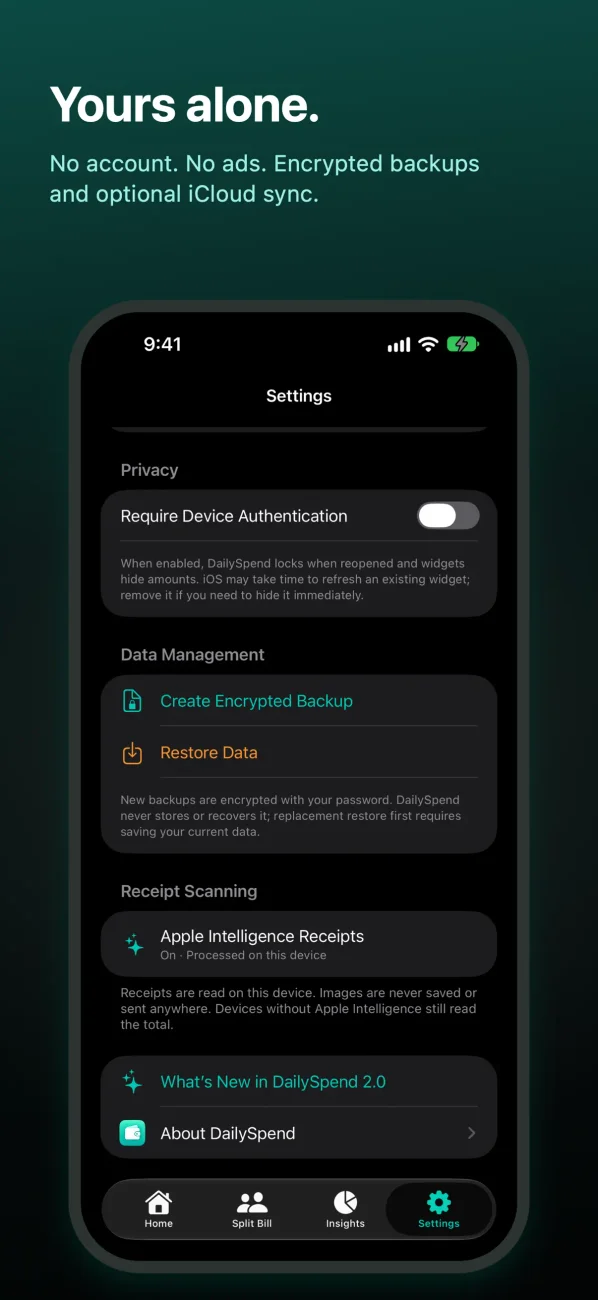
About
DailySpend is the simplest way to track spending and split bills with friends. Scan a receipt, or just type "Lunch with Alex 25", and DailySpend fills in the rest. Everything is worked out on your iPhone: no account, no ads.
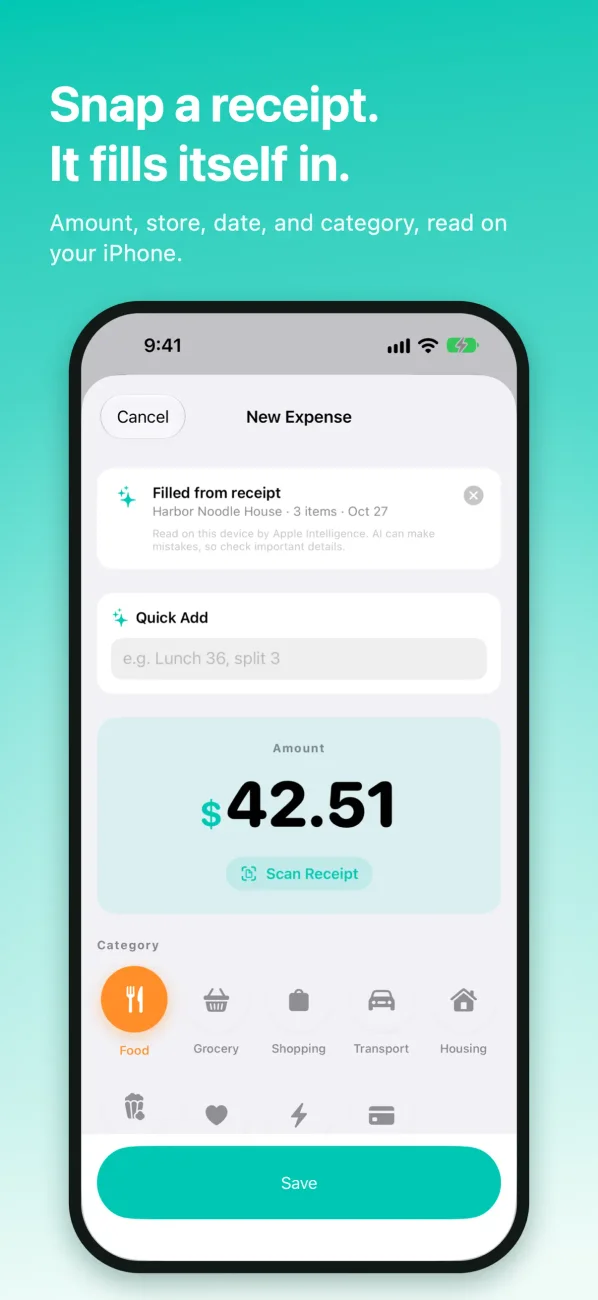
SNAP A RECEIPT Tap scan and the amount, store, date, and category are filled in. You check it, then save.
SPLIT IT FAIRLY Scan a restaurant bill into Split Bill. Use Quick Split for the total and tip, or By Item to tap who shared each dish. Tax and tip are divided to the cent.
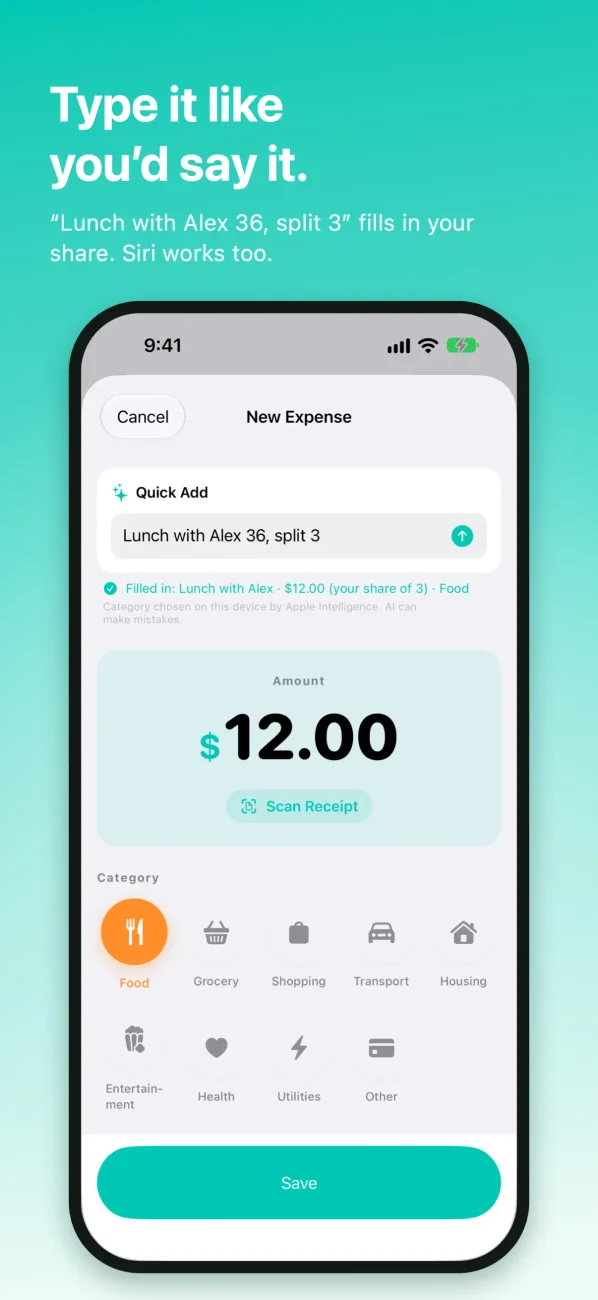
SAY IT, DON'T TYPE IT Quick Add understands everyday sentences. Siri, Shortcuts, Control Center, and the Action button log an expense or open the scanner in one step.
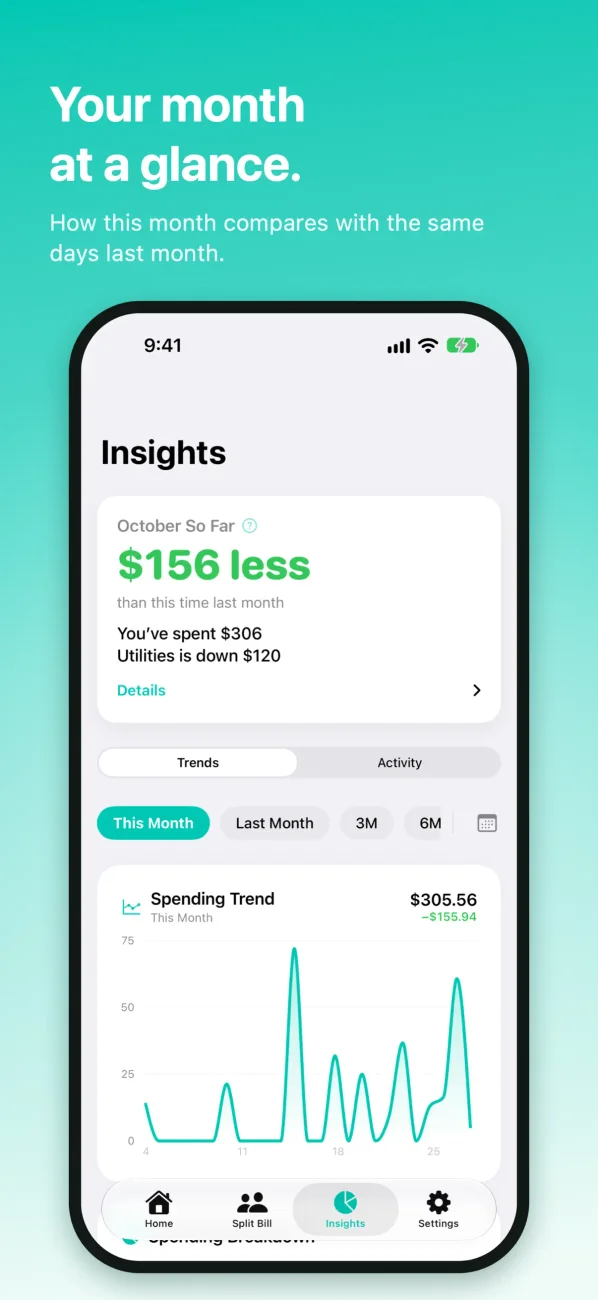
SEE YOUR MONTH Insights opens with a quick look: how this month compares with the same days last month, and which category moved most. Charts and details are a tap away.
STAYS YOURS Budgets, widgets, App Lock with Face ID, encrypted backups, and optional iCloud sync across your devices. DailySpend doesn't collect your data.
Item-by-item scanning and some summaries use Apple Intelligence on supported devices with iOS 26 or later. Every device can scan totals and use all other features.
What’s new
Version 2.0 · Nov 14, 2026
DailySpend 2.0 takes the typing out of tracking.
• Scan a receipt: tap the scan button on Home. The amount, store, date, and category are filled in for you to check. • Split from a receipt: scan into Quick Split for the total and tip, or By Item and tap who shared each line. Tax and tip are divided for you. • Quick Add: type it the way you'd say it, like "Lunch with Alex 25" or "Coffee 4.50". • Siri and Controls: "Log an expense in DailySpend", or add Scan Receipt and Add Expense to Control Center, the Lock Screen, or the Action button. • Insights quick look: see how this month compares with the same days last month, and what changed most. • A short tour shows what's new the first time you open 2.0, with a one-tap encrypted backup.
Receipts are read on your iPhone and never saved or sent. Scanning each item needs Apple Intelligence; every iPhone reads the total.
App privacy
What JINGRUI FENG declares on the App Store about how this app handles data.
-
Data not collected
The developer does not collect any data from this app.
Privacy practices may vary, for example with the features you use or your age.
Information
- Seller
- JINGRUI FENG
- Category
- Finance
- Version
- 2.0
- Updated
- Nov 14, 2026
- Released
- Sep 24, 2026
- Size
- 6.2 MB
- Requires
- iOS 17.0 or later
- Age rating
- 4+
- Price
- Free
- Languages
- English, Simplified Chinese
- Copyright
- © 2026 Jingrui Feng
You might also like
-
 SafeSpend Daily Budget TrackerSafe to Spend Until Payday
-
 Daily Spend AppDaily Spend
-
 The Smart BudgetExpense Tracker, No Bank Login
-
 Daily Budget - DaySpendSafe to spend tracker
-
 CurrenzyThe Modern Currency Converter
-
 Thingfolio: Item Cost TrackerPersonal Inventory & Wishlist
-
 人保V盟广东Finance
-
 BudgetGoal: Budget PlannerBeat Impulse Spending
-
 marketfeedStocks, Options, Advisory
-
 Day-to-day ExpensesAccount Payable Manager