DailySpend - Spend & Split
Expense Tracker & Budgets
Được thiết kế cho iPhone, iPad
Miễn phí
- Độ tuổi4+
- Danh mụcTài Chính
- Nhà phát triểnJINGRUI FENG
- Ngôn ngữTiếng Anh+ 1 ngôn ngữ khác
- Kích thước6,2 MB
Liên kết đến trang App Store chính thức
Download.org không lưu trữ tệp nào của DailySpend - Spend & Split. Nút này mở trang ứng dụng trên App Store, nơi JINGRUI FENG phát hành ứng dụng. Trang được kiểm tra lần cuối: 22/11/2026.
Ảnh chụp màn hình

Giới thiệu
Nhà phát triển chưa cung cấp nội dung này bằng ngôn ngữ của bạn.
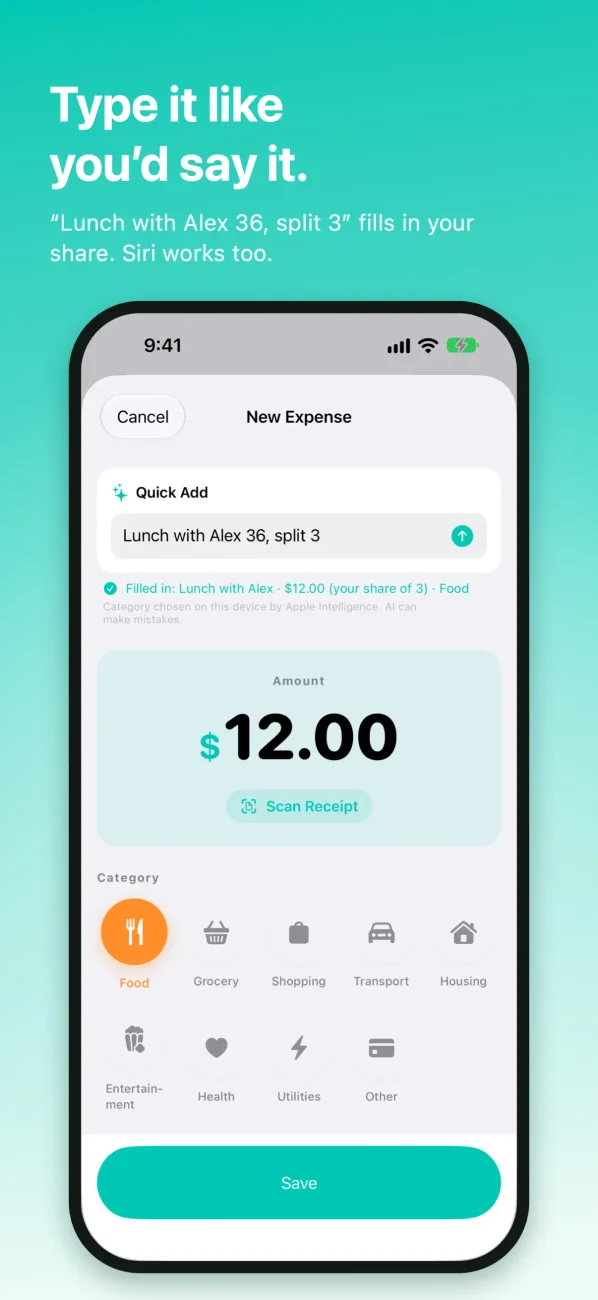
DailySpend is the simplest way to track spending and split bills with friends. Scan a receipt, or just type "Lunch with Alex 25", and DailySpend fills in the rest. Everything is worked out on your iPhone: no account, no ads.
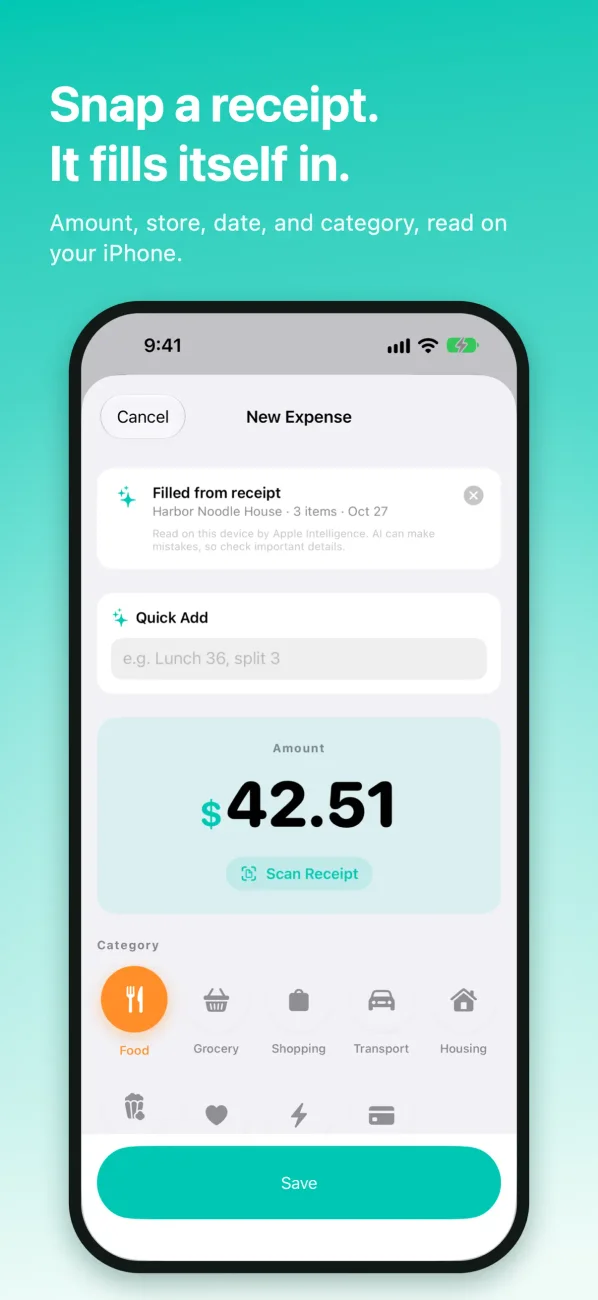
SNAP A RECEIPT Tap scan and the amount, store, date, and category are filled in. You check it, then save.
SPLIT IT FAIRLY Scan a restaurant bill into Split Bill. Use Quick Split for the total and tip, or By Item to tap who shared each dish. Tax and tip are divided to the cent.
SAY IT, DON'T TYPE IT Quick Add understands everyday sentences. Siri, Shortcuts, Control Center, and the Action button log an expense or open the scanner in one step.
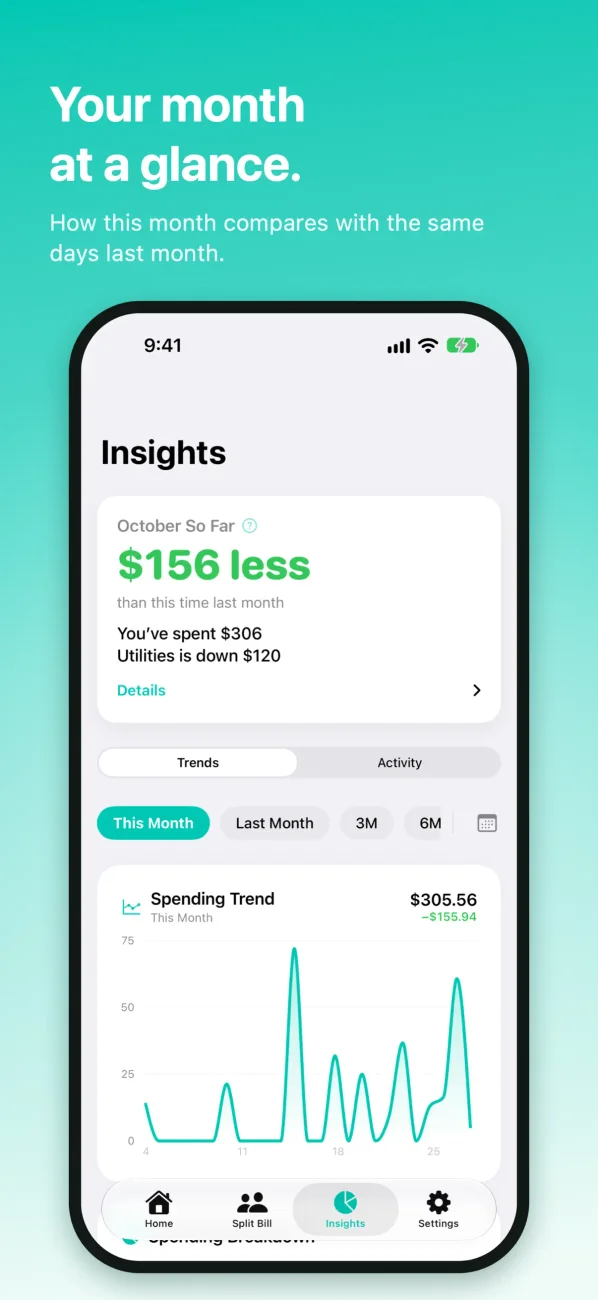
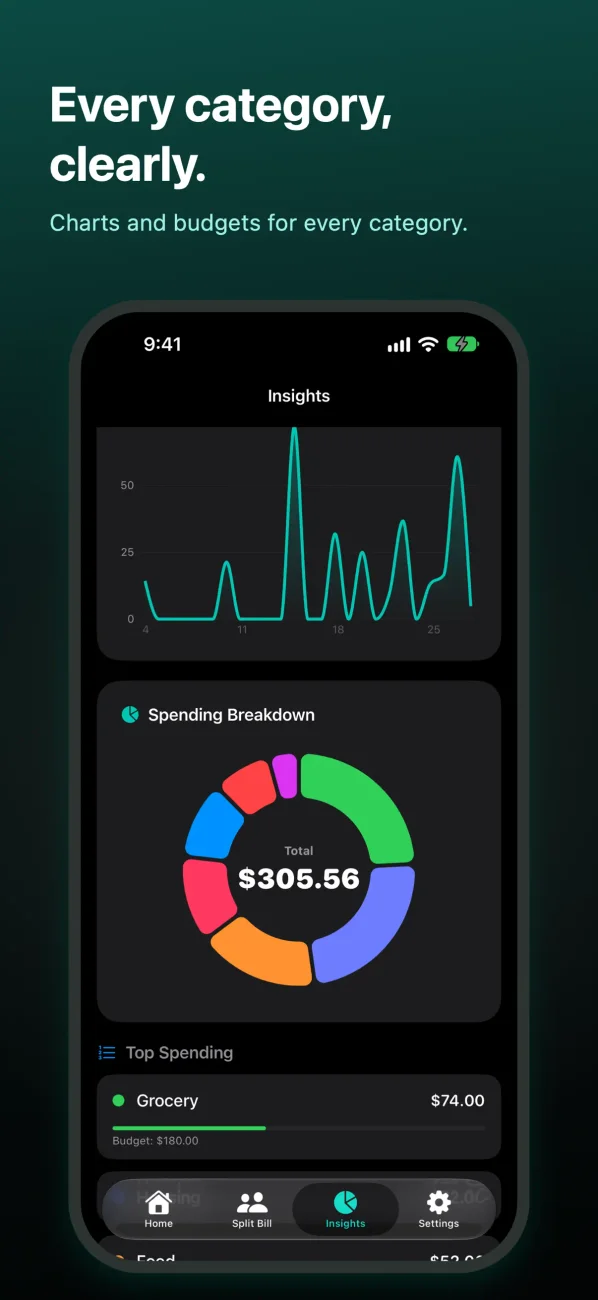
SEE YOUR MONTH Insights opens with a quick look: how this month compares with the same days last month, and which category moved most. Charts and details are a tap away.
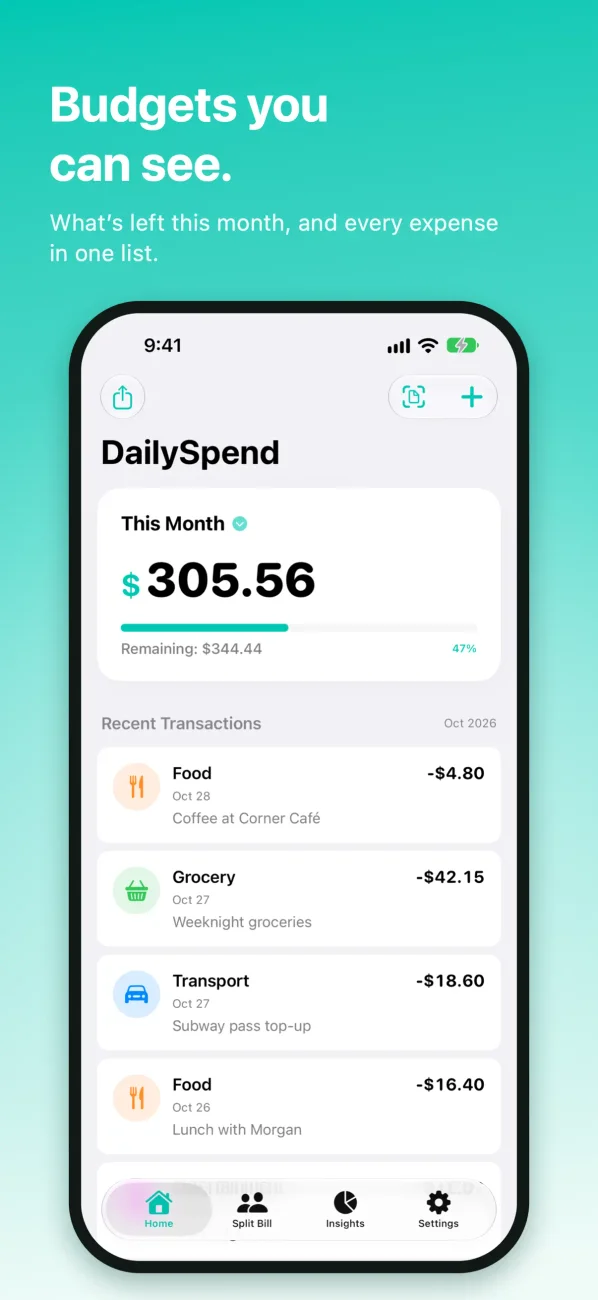
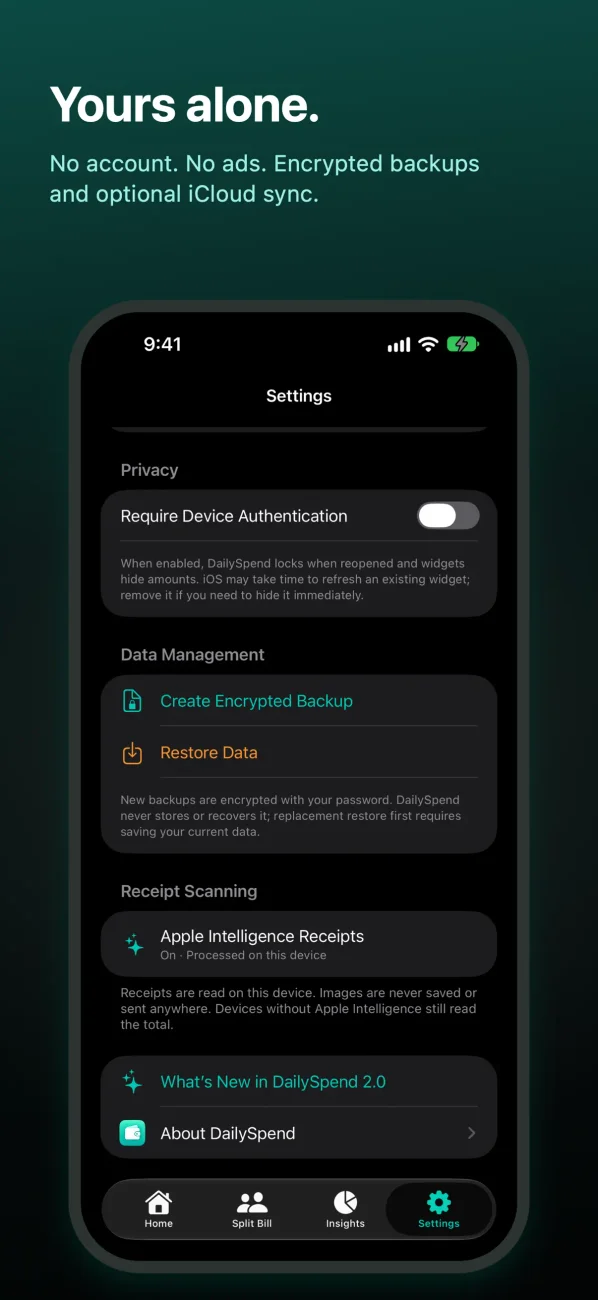
STAYS YOURS Budgets, widgets, App Lock with Face ID, encrypted backups, and optional iCloud sync across your devices. DailySpend doesn't collect your data.
Item-by-item scanning and some summaries use Apple Intelligence on supported devices with iOS 26 or later. Every device can scan totals and use all other features.
Có gì mới
Phiên bản 2.0 · 14/11/2026
DailySpend 2.0 takes the typing out of tracking.
• Scan a receipt: tap the scan button on Home. The amount, store, date, and category are filled in for you to check. • Split from a receipt: scan into Quick Split for the total and tip, or By Item and tap who shared each line. Tax and tip are divided for you. • Quick Add: type it the way you'd say it, like "Lunch with Alex 25" or "Coffee 4.50". • Siri and Controls: "Log an expense in DailySpend", or add Scan Receipt and Add Expense to Control Center, the Lock Screen, or the Action button. • Insights quick look: see how this month compares with the same days last month, and what changed most. • A short tour shows what's new the first time you open 2.0, with a one-tap encrypted backup.
Receipts are read on your iPhone and never saved or sent. Scanning each item needs Apple Intelligence; every iPhone reads the total.
Quyền riêng tư của ứng dụng
Những gì JINGRUI FENG khai báo trên App Store về cách ứng dụng này xử lý dữ liệu.
-
Dữ liệu không được thu thập
Nhà phát triển không thu thập bất kỳ dữ liệu nào từ ứng dụng này.
Phương thức đảm bảo quyền riêng tư có thể khác nhau, chẳng hạn như tuỳ theo các tính năng bạn sử dụng hoặc độ tuổi của bạn.
Thông tin
- Người bán
- JINGRUI FENG
- Danh mục
- Tài Chính
- Phiên bản
- 2.0
- Cập nhật
- 14/11/2026
- Phát hành
- 24/09/2026
- Kích thước
- 6,2 MB
- Yêu cầu
- iOS 17.0 trở lên
- Độ tuổi
- 4+
- Giá
- Miễn phí
- Ngôn ngữ
- Tiếng Anh, Tiếng Trung Giản thể
- Bản quyền
- © 2026 Jingrui Feng