
Dashboard: Desk Clock & Widget
Smart Desk Display & Clock
Designed for iPhone, iPad
Free · In-app purchases
- Age rating4+
- CategoryProductivity
- DeveloperMapletree Apps
- LanguagesEnglish+ 6 more
- Size33.7 MB
Links to the official App Store page
Download.org hosts no file of Dashboard: Desk Clock & Widget. The button opens its official App Store page, published by Mapletree Apps. Listing last checked on Nov 12, 2026.
Screenshots


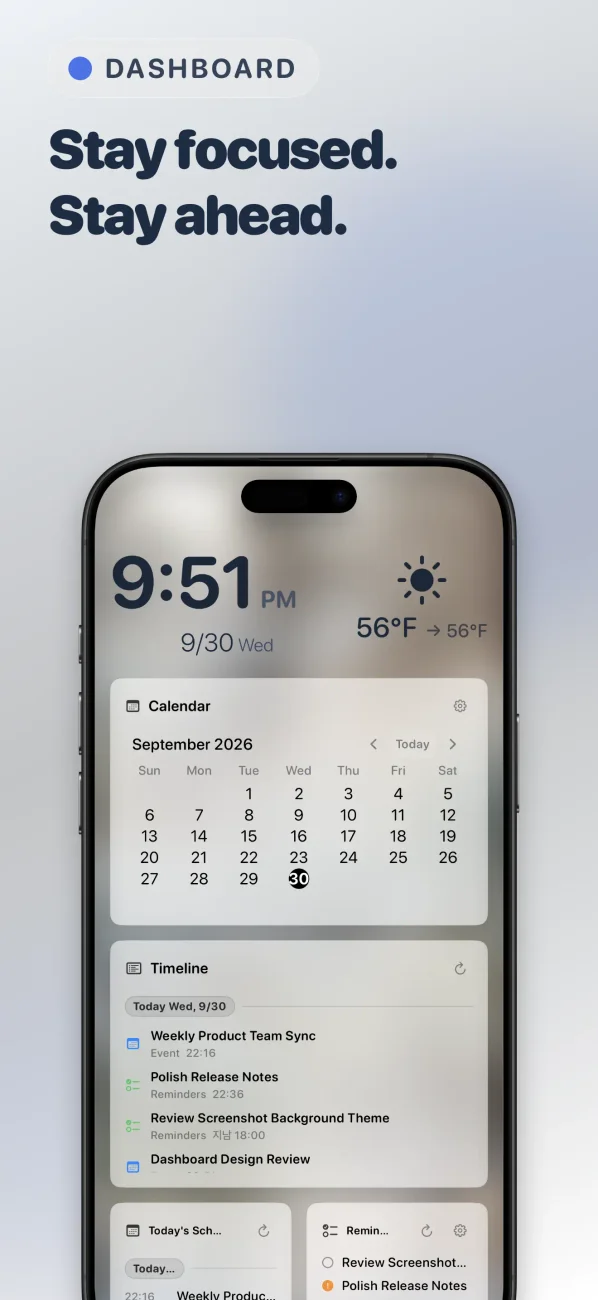

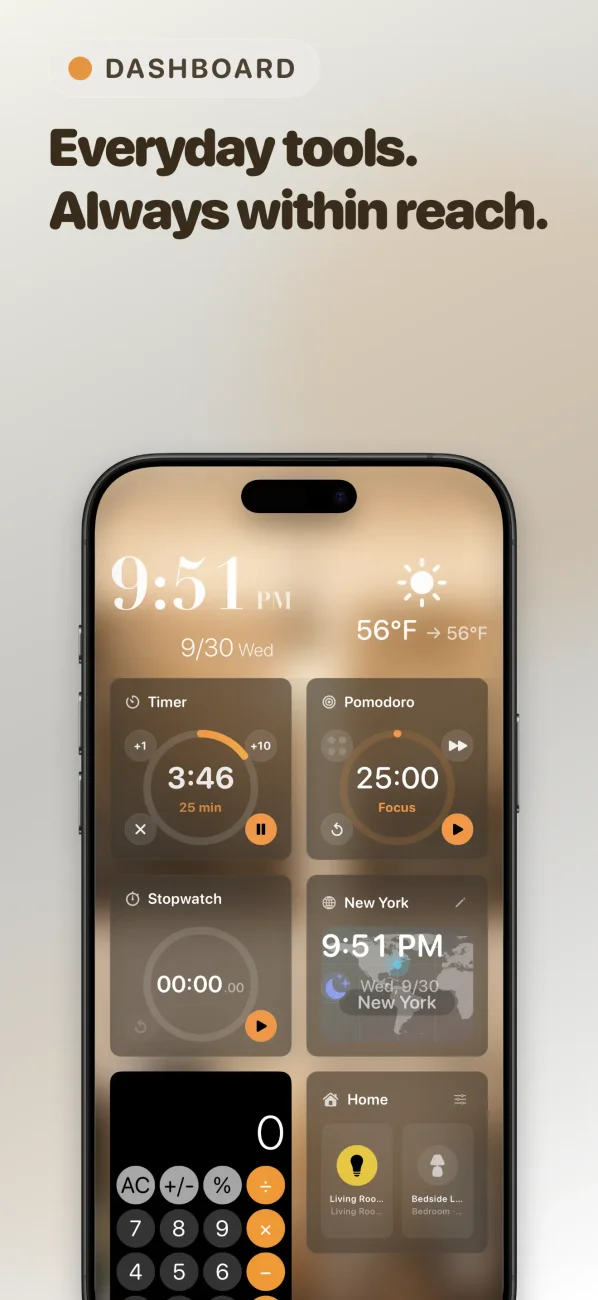
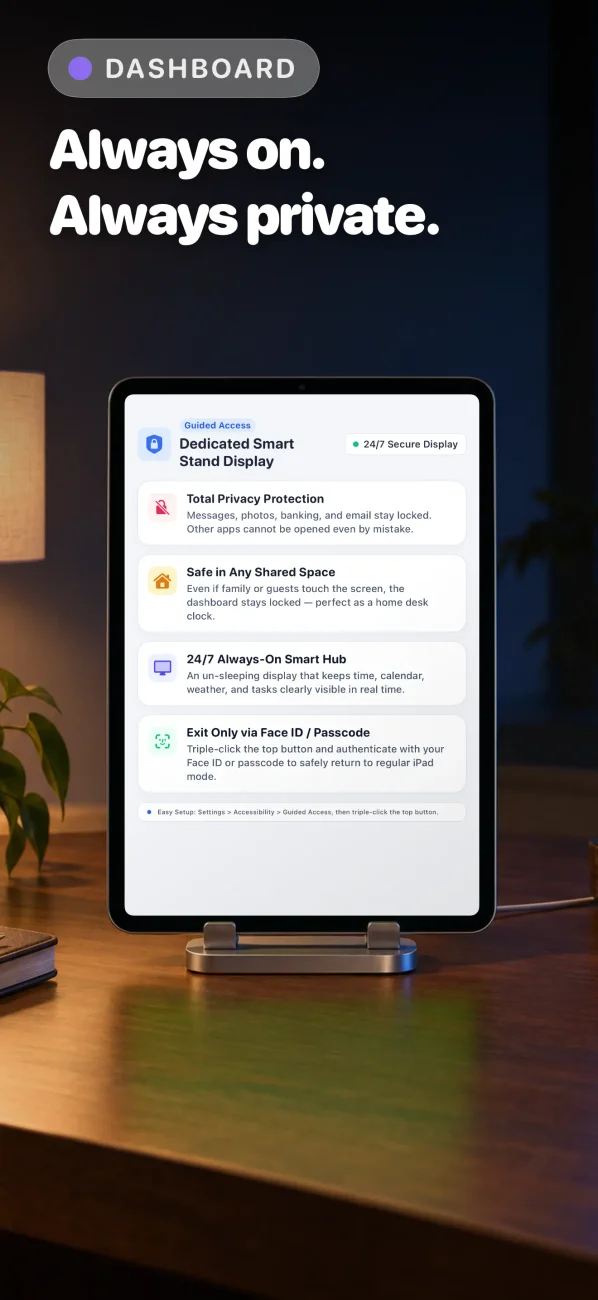
About
Transform your iPad or iPhone into a stunning, personalized smart desk display!
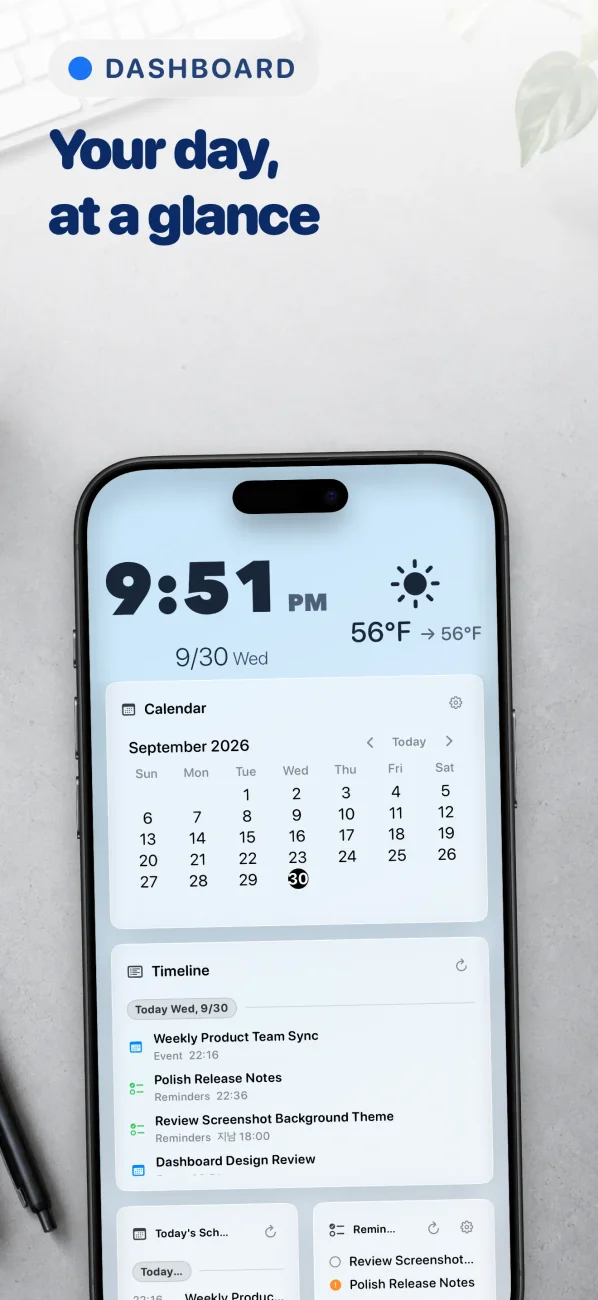
Whether sitting on your office desk, bedside nightstand, or kitchen counter, Dashboard brings together real-time weather, calendar events, clocks, news, stocks, and health data in one glanceable, beautiful screen.
— 15+ ESSENTIAL ALL-IN-ONE WIDGETS —
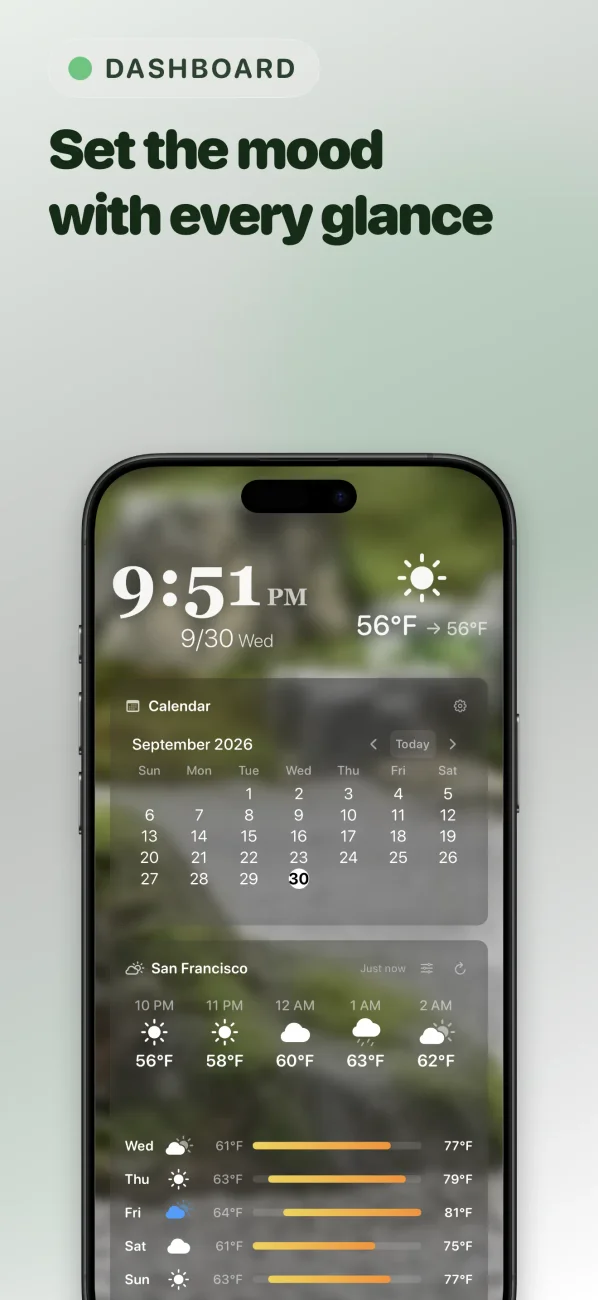
• Weather — Hyper-local conditions and hourly forecasts with Apple WeatherKit
• Calendar & Reminders — Today's schedule and to-dos neatly organized
• Desk Clock & World Clock — Beautiful time displays across multiple time zones
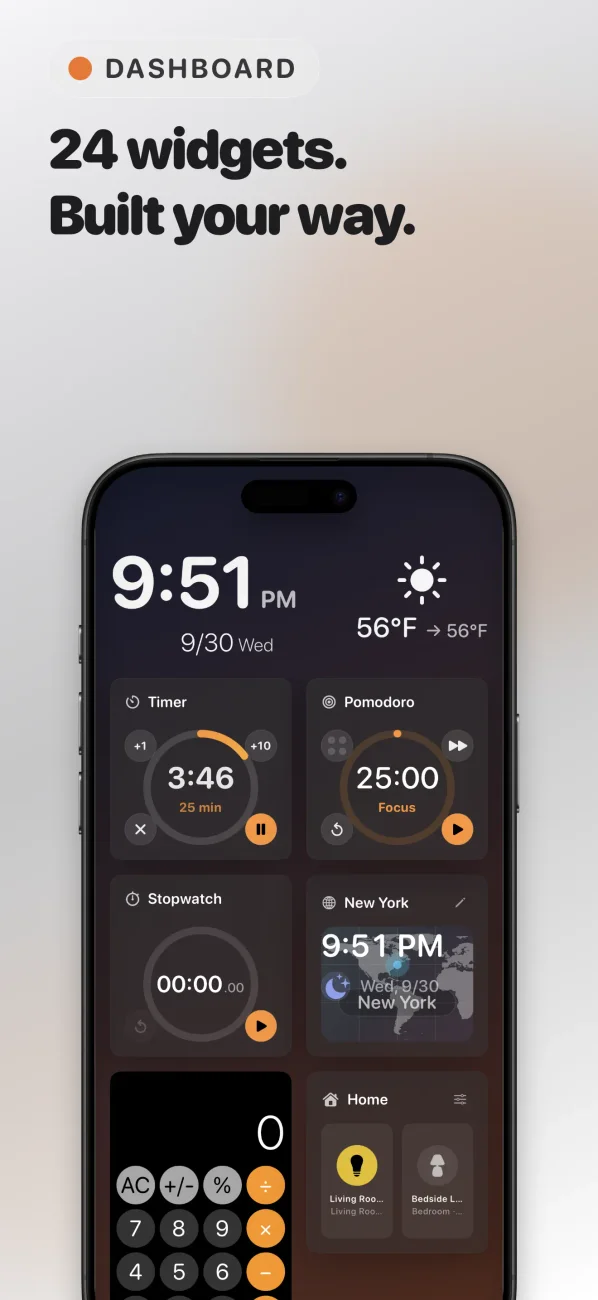
• Pomodoro Timer — 25-min focus and 5-min break routine for study and productivity
• Apple Health — Real-time Move, Exercise, and Stand activity rings
• Stocks & Forex — Daily market changes with mini trend charts
• D-Day Countdown — Count down to important deadlines and milestones
• Habit Tracker — 7-day dot matrix to maintain your daily streaks
• Smart Home — Instant one-tap control for HomeKit lights and accessories
• Everyday Utilities — Calculator, Unit Converter, Stopwatch, and Battery gauge
— COMPLETE PERSONALIZATION —
• Fully Customizable Layout — Drag, resize, and arrange widgets effortlessly
• Unlimited Pages — Organize dedicated screens for Work, Bedside, and Kitchen (1 page in Free, unlimited in Pro)
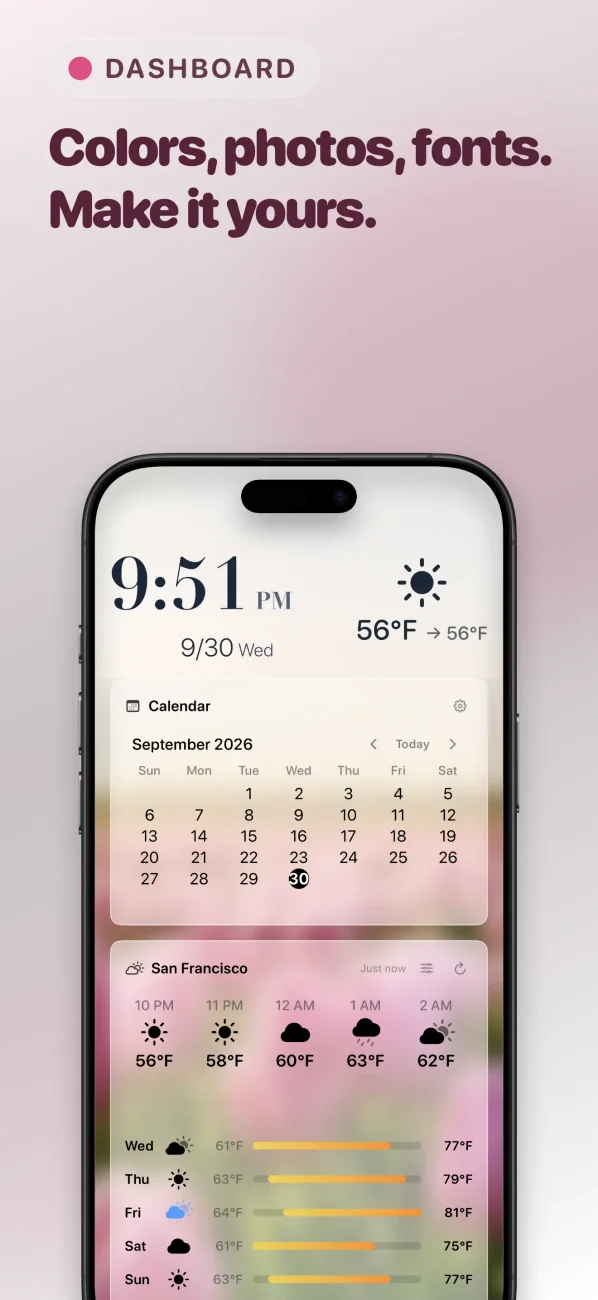
• Custom Photo Backgrounds — Turn your device into a dynamic digital photo frame
• Themes & Styles — Minimalist dark mode, clean light mode, and vibrant gradients
• Smart Display Protection — OLED burn-in prevention and Guided Access for kiosks
— FREE VS. PRO —
• Free: Complete dashboard experience with 1 page and ad-supported weather updates
• Pro:
- 100% ad-free experience
- Unlimited customizable pages for every room and routine
- Instant on-demand manual weather refresh anytime (auto-updates every 6 hours)
- Full access to all premium themes and advanced personalization
Download Dashboard today and make every glance at your desk inspiring and productive!
Terms of Use (EULA): https://www.apple.com/legal/internet-services/itunes/dev/stdeula/
What’s new
Version 1.0.1 · Oct 2, 2026
Bug fixes and stability improvements
App privacy
What Mapletree Apps declares on the App Store about how this app handles data.
-
Data used to track you
May be used to track you across apps and websites owned by other companies.
- Identifiers
- Usage data
-
Data not linked to you
May be collected but is not linked to your identity.
- Identifiers
- Usage data
Privacy practices may vary, for example with the features you use or your age.
Information
- Seller
- MapleTree Solution LLC
- Category
- Productivity
- Version
- 1.0.1
- Updated
- Oct 2, 2026
- Released
- Sep 26, 2026
- Size
- 33.7 MB
- Requires
- iOS 17.6 or later
- Age rating
- 4+
- Price
- Free
- In-app purchases
- Yes
- Languages
- English, French, German, Japanese, Korean, Simplified Chinese, Spanish
- Copyright
- Copyright © 2026 MapleTree Solution LLC
You might also like
-
 What’s Today? - Desk CalendarBig Date Daily Desk Calendar
-
 ImaDeruSmart checklist before leaving
-
 LifeOps: Personal ManagerVault, Subscriptions and Tasks
-
 Vellum InkHandwritten notes & journal
-
 ToachFamily calendar, chores & AI
-
 Life-OpsReminders, docs & deadlines
-
 Marrow CalendarProductivity
-
 Tap MANProductivity
-
 TellySynco: Family OrganizerFamily calendar,habits & tasks
-
 FamPad: Family Wall CalendarChore Chart & Meal Plan Hub