
- Age rating4+
- CategoryNavigation
- Developerhyunggue jeon
- LanguagesEnglish+ 45 more
- Size56.4 MB
Links to the official App Store page
Download.org hosts no file of DashLog GPS Drive Tracker. The button opens its official App Store page, published by hyunggue jeon. Listing last checked on Nov 15, 2026.
Screenshots
About
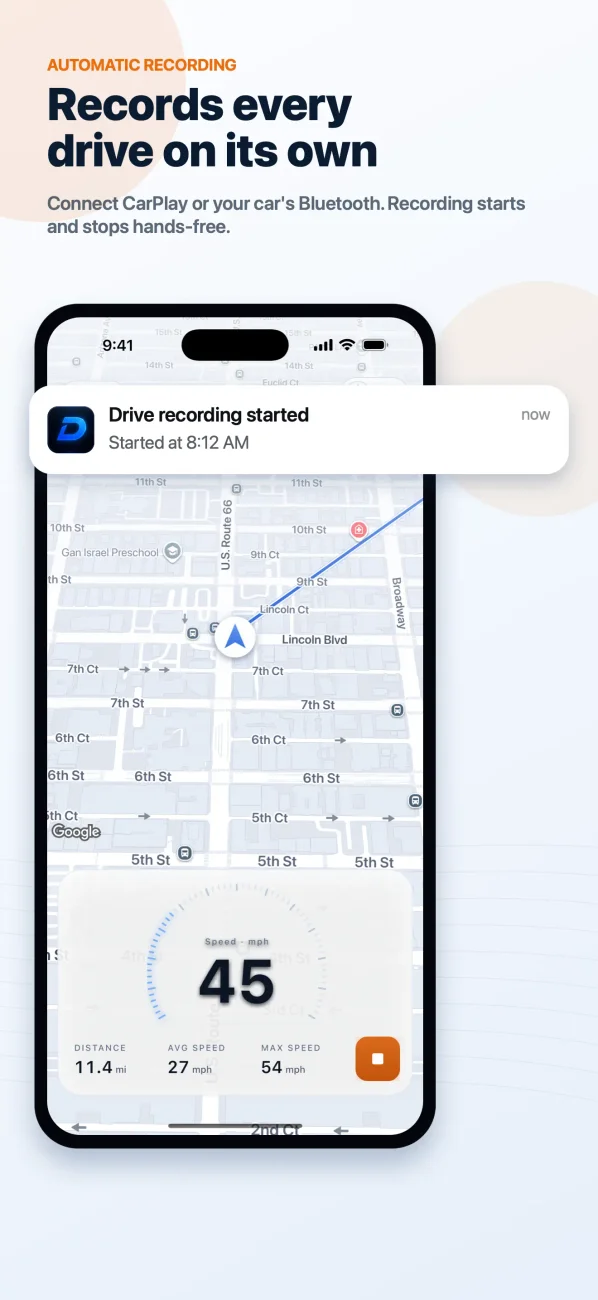
DashLog is a GPS ride and drive logbook that records car trips, motorcycle rides, and bicycle routes automatically. Connect to CarPlay or your vehicle's Bluetooth and recording starts on its own, then stops when you disconnect. Fully hands-free. You can also start and stop with a single tap.
Whatever you ride, DashLog saves your GPS route, distance, time, speed, altitude, and stats as a clean record. No account, no manual entry; your data stays on your device.
Features
Automatic recording (hands-free)
When you connect to CarPlay or your vehicle's Bluetooth, recording starts automatically and stops when you disconnect. Set it up once and it logs every ride without tapping.
Live recording
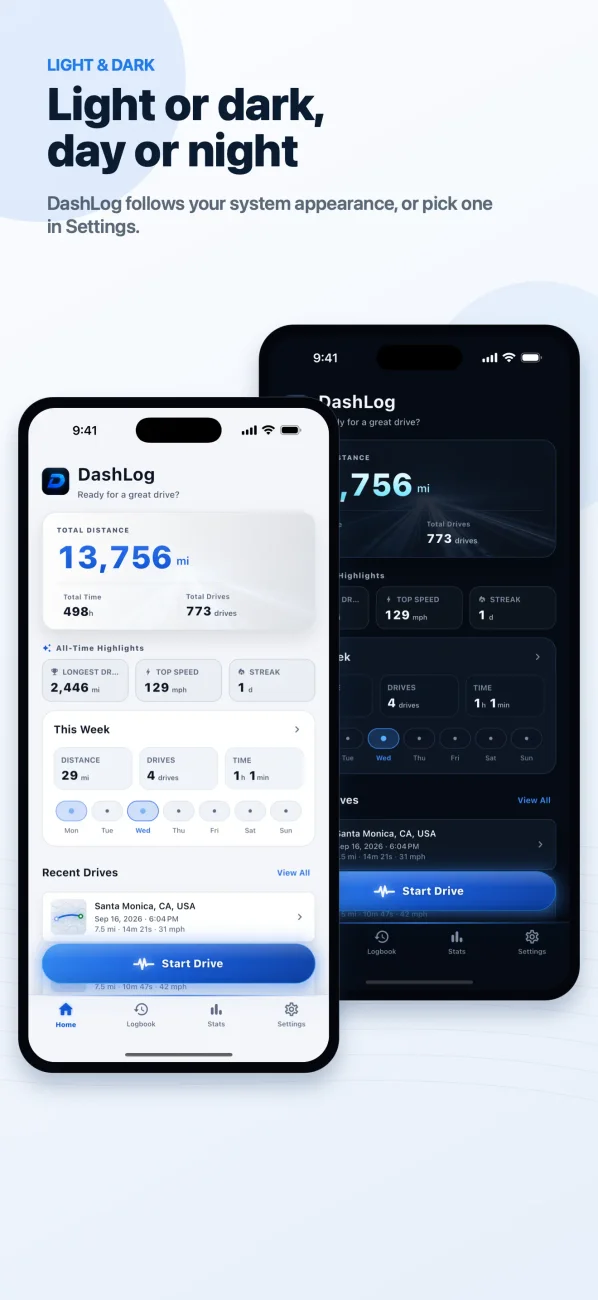
See your current speed, time, distance, and GPS status at a glance.
Automatic logbook
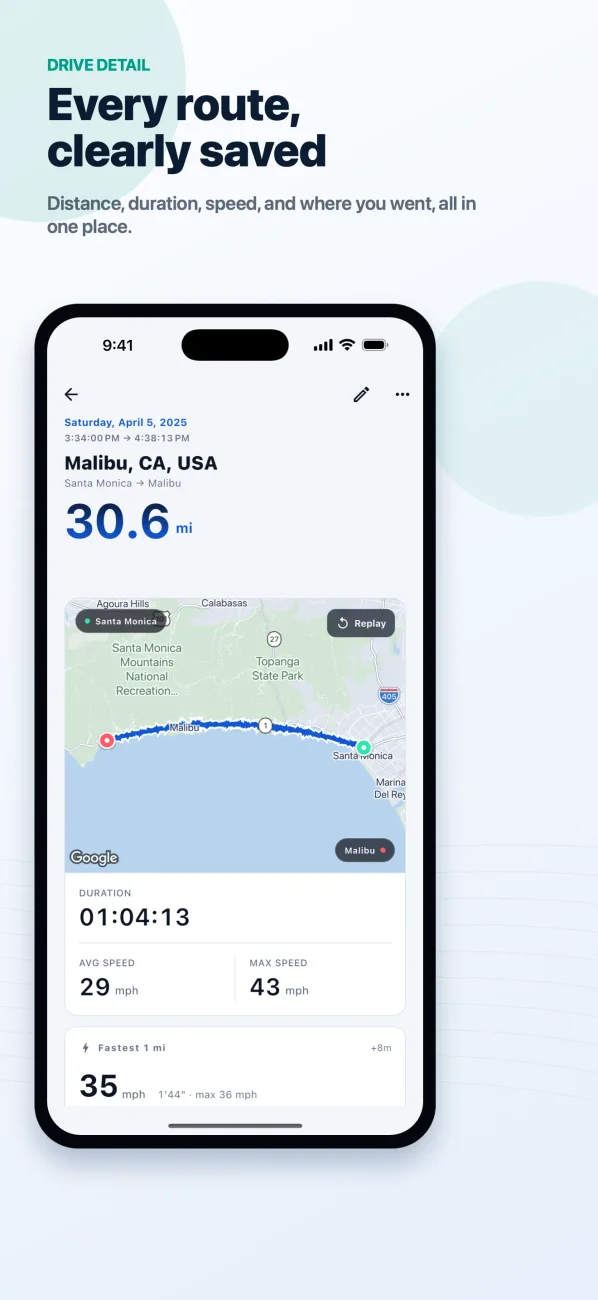
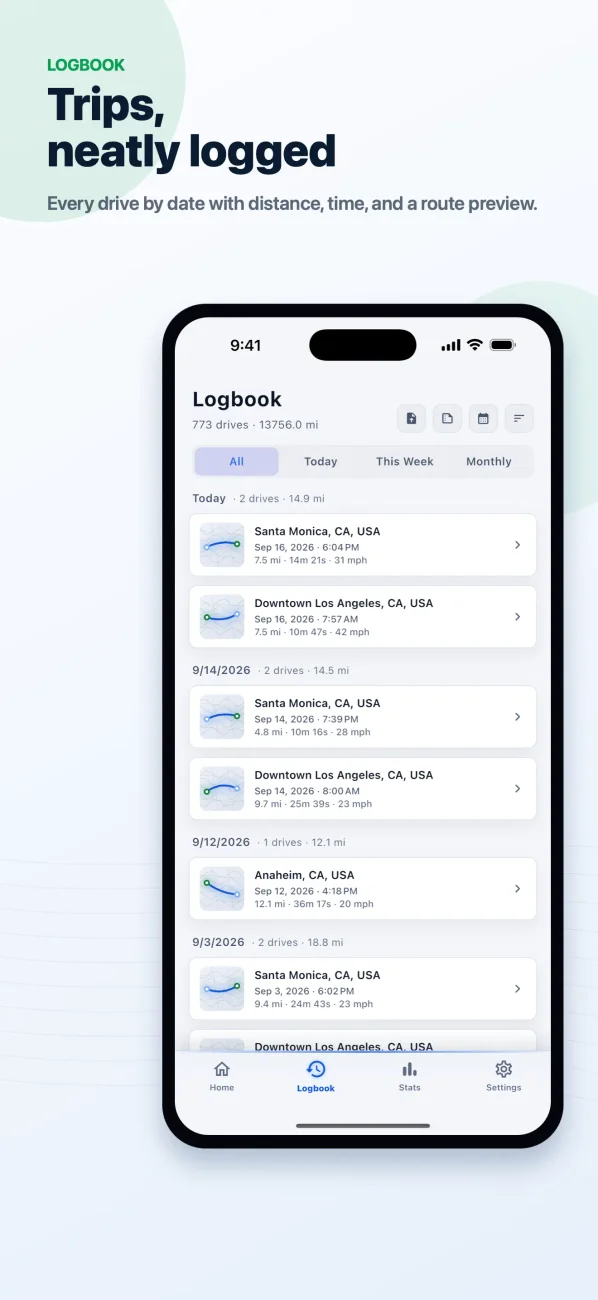
Every ride and drive is organized by date, with distance, duration, average and top speed, start, and destination.
Map route history & replay
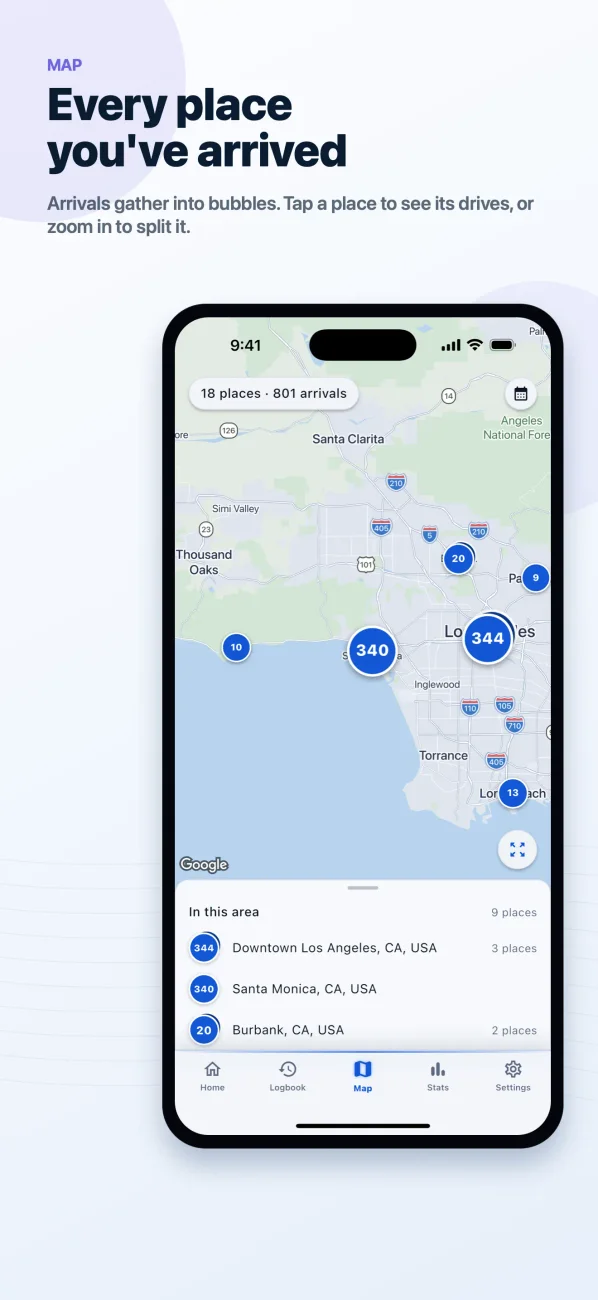
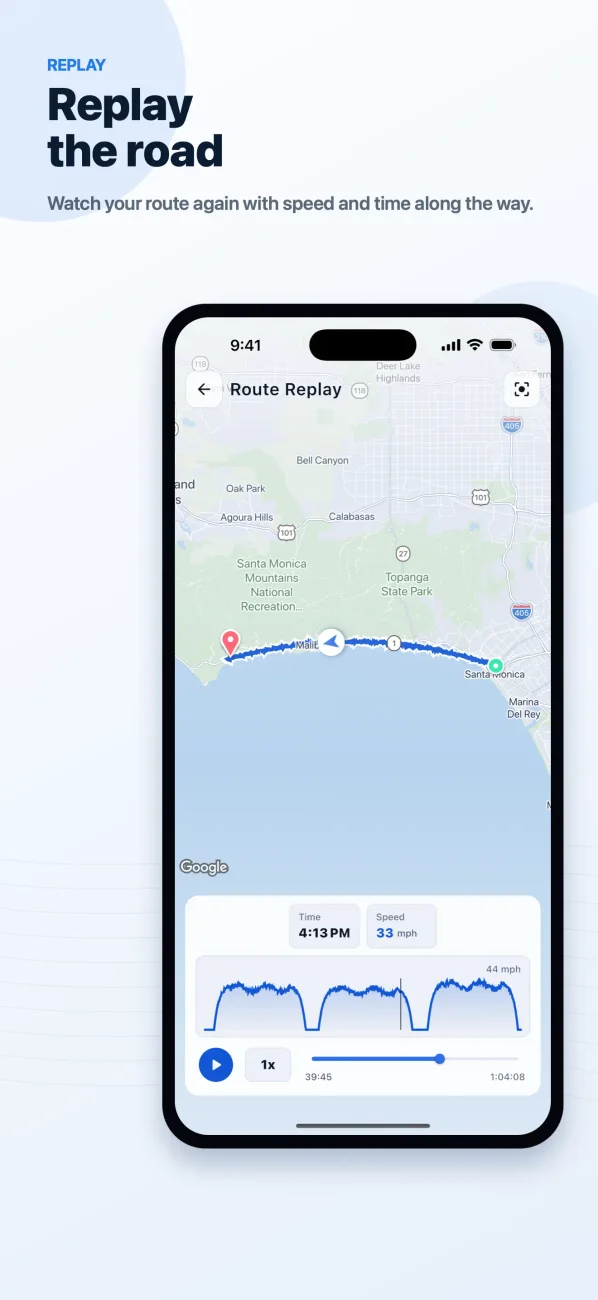
DashLog draws your route from GPS points and replays it with speed changes along the way.
Statistics
Review today, this week, this month, and all-time distance, time, and speed with clear charts.
Export & import
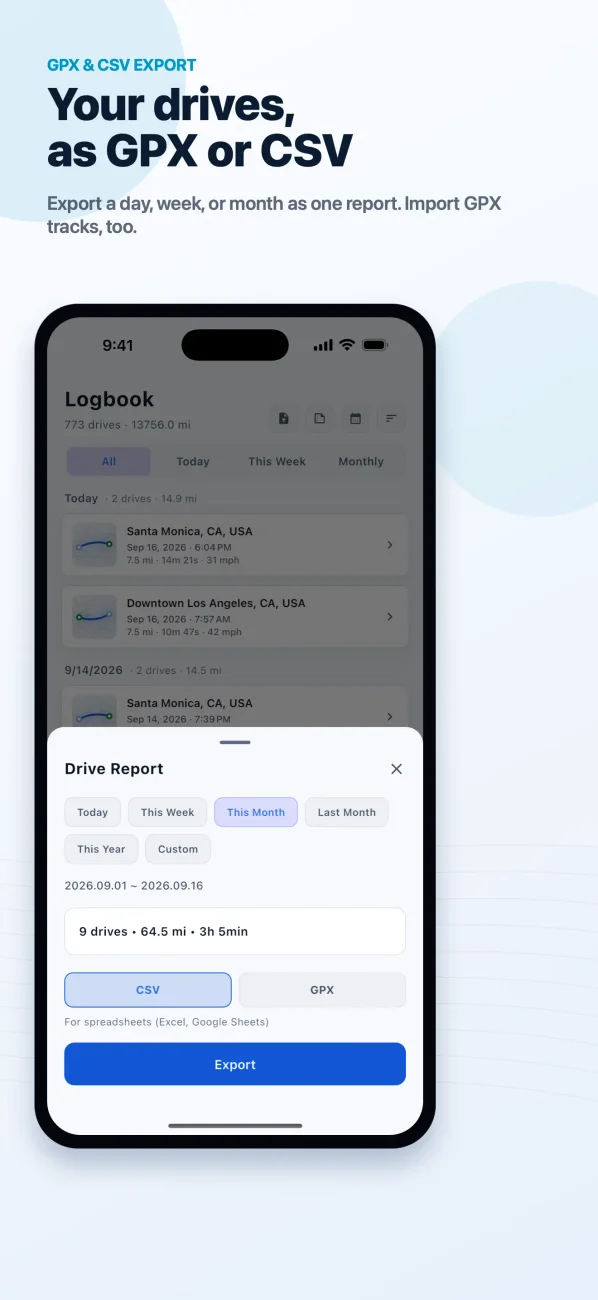
Export a single drive as GPX or CSV, or pick a period — today, this week, this month, last month, this year — and export it as one report.
You can also bring in a GPX file from another app or device and add it as a record.
Privacy
DashLog works without an account. Records are stored on your device by default. Analytics may be used to improve the app; see the Privacy Policy.
Ride more. Remember every route.
What’s new
Version 1.4.7 · Nov 4, 2026
• New Apple Watch app: start and end a drive from your wrist and see its state, time and distance. The iPhone still does the recording.
• Pause and resume a drive from the driving screen, the Live Activity or a home screen widget. Paused time and distance aren't recorded, and routes, replay and GPX files keep each pause as a break.
• Drive details show total ascent and descent and an elevation chart relative to the start.
• Auto-save to folder (Settings > Recording helper): save each drive's GPX file to a folder you choose when it ends.
• The drive screen opens more reliably after an automatic start or a tap on the “recording stopped” notification.
App privacy
What hyunggue jeon declares on the App Store about how this app handles data.
-
Data not linked to you
May be collected but is not linked to your identity.
- Usage data
- Diagnostics
Privacy practices may vary, for example with the features you use or your age.
Information
- Seller
- hyunggue jeon
- Category
- Navigation
- Version
- 1.4.7
- Updated
- Nov 4, 2026
- Released
- May 20, 2026
- Size
- 56.4 MB
- Requires
- iOS 16.2 or later
- Age rating
- 4+
- Price
- Free
- Languages
- English, Afrikaans, Arabic, Bengali, Bulgarian, Croatian, Czech, Danish, Dutch, Estonian, Filipino, Finnish + 34 more
- Copyright
- © 2026 GrayForge
You might also like
-
 AutoTrailGPS Trip & Route Tracker
-
 AutoTripsAutomatic car trip logger
-
 Motorbike Log - TouringTraceMaintenance & MOT Reminder
-
 DriveTrack - Track your drivesTravel
-
 ドライブログ - 走行ルート記録Navigation
-
 DriveTracker - Driving LogNavigation
-
 ツーリング・ドライブルート記録アプリ 車 バイク 自転車Travel
-
 GPS Tracks & Logger - MyGPSLogOffline GPX Log & CSV Export
-
 Spedo: Speed & Drive TrackerGPS Speedometer, 0-60, G Force
-
 WalkStampWalk Taiwan, stamp every visit