Datum: Private Data Tracker
Track anything, offline
Designed for iPhone, iPad, Mac
Free · In-app purchases
- Age rating4+
- CategoryProductivity
- DeveloperEKPQA, LLC
- LanguagesEnglish+ 1 more
- Size115.7 MB
Links to the official App Store page
Download.org hosts no file of Datum: Private Data Tracker. The button opens its official App Store page, published by EKPQA, LLC. Listing last checked on Nov 15, 2026.
Screenshots


About
The tracker that doesn't track you.
You're probably already tracking things: gas mileage in a ratty old notebook in your glovebox, a Note called "plant watering," your memory for the headaches. Plus a folder of single-purpose apps that each demanded an account.
Coffee. Mileage. Mood. Spending. Baby feedings. Practice hours. Pain levels. Sleep. Pull-ups. The sourdough starter.
TRACK ANYTHING
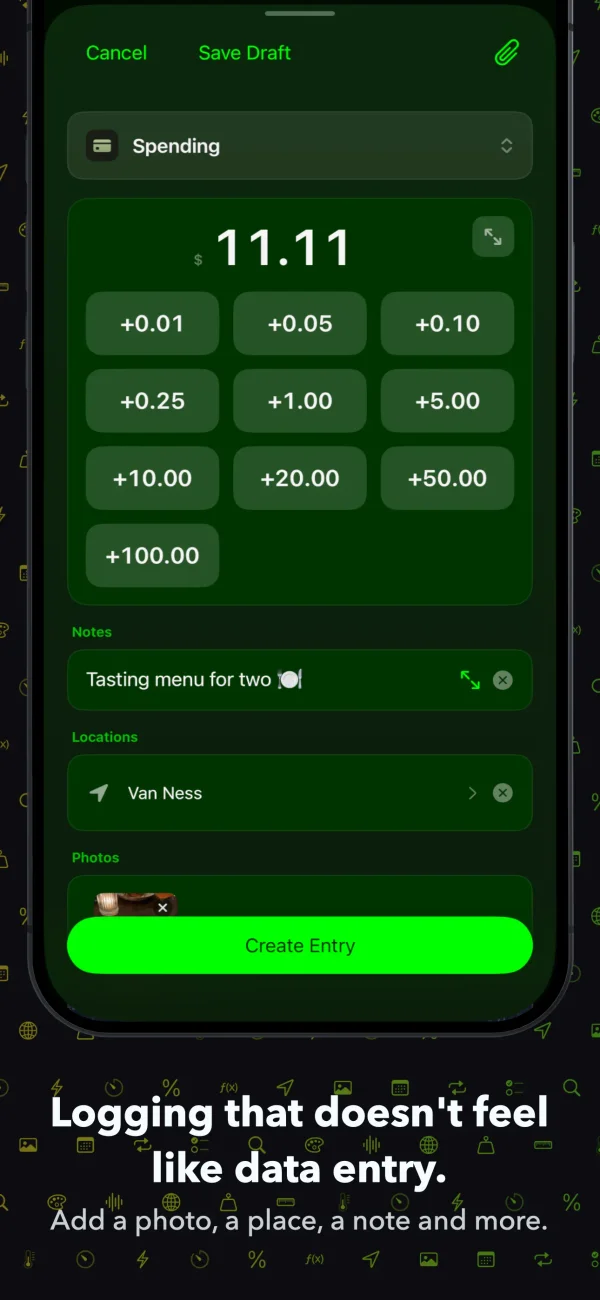
Create a tracker for anything in seconds. Pick its unit (miles, dollars, cups, °F, percent, or one you invent) and log with the capture style that fits: a stepper, a tally pad, a dial you spin. Yes/no habits, ratings, colors, and short notes work too.
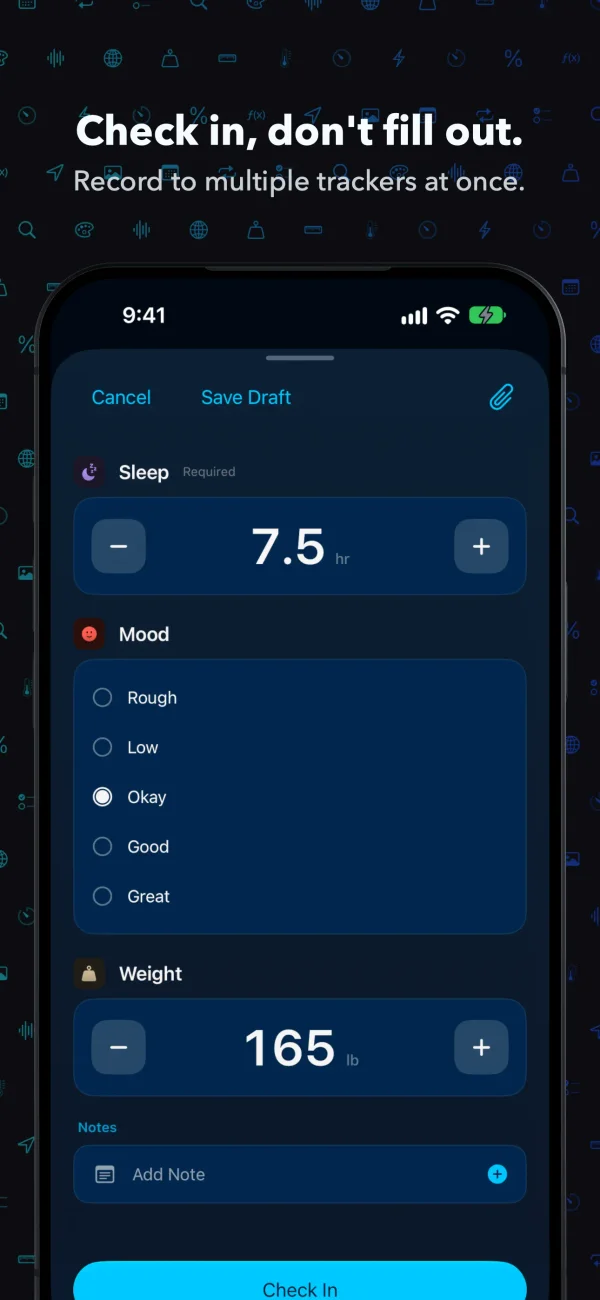
CHECK IN, DON'T FILL OUT
Bundle trackers into check-ins (a morning check-in, a workout, a refuel) and log them all in one pass, with the note, photo, and weather attached to the moment. Calculated fields do the arithmetic: price per gallon, cost per mile, days since.
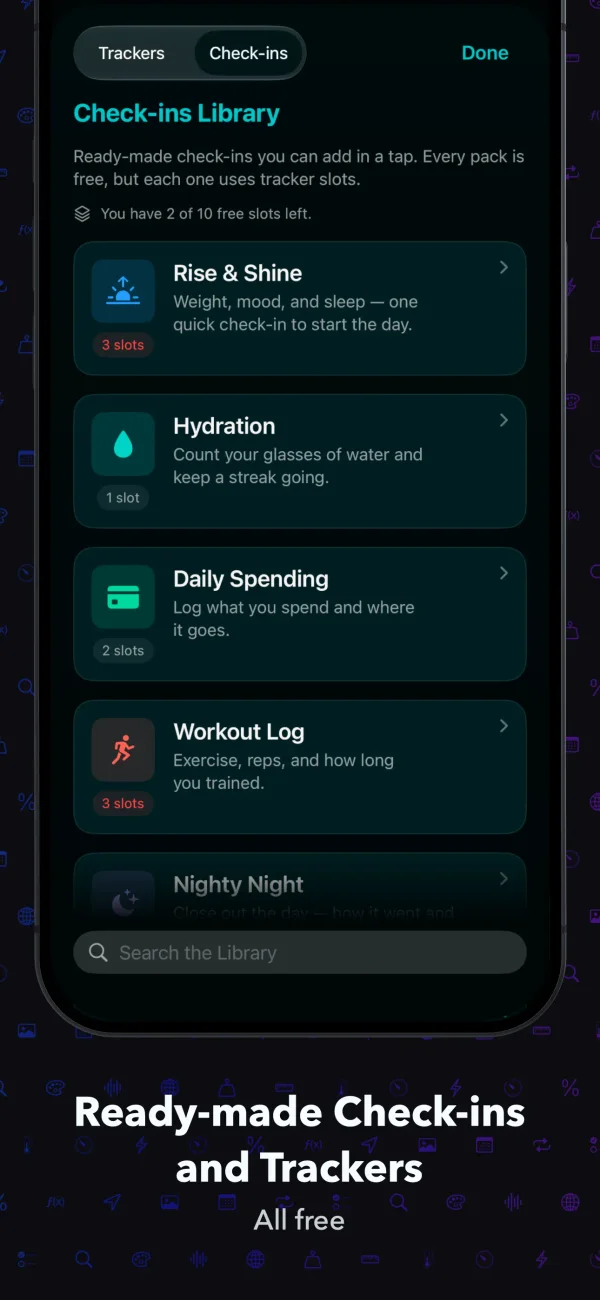
START FROM THE LIBRARY
Browse ready-made check-ins (Rise & Shine, Refuel, Baby Log, Plant Care) and make them yours. Everything in the Library is free.
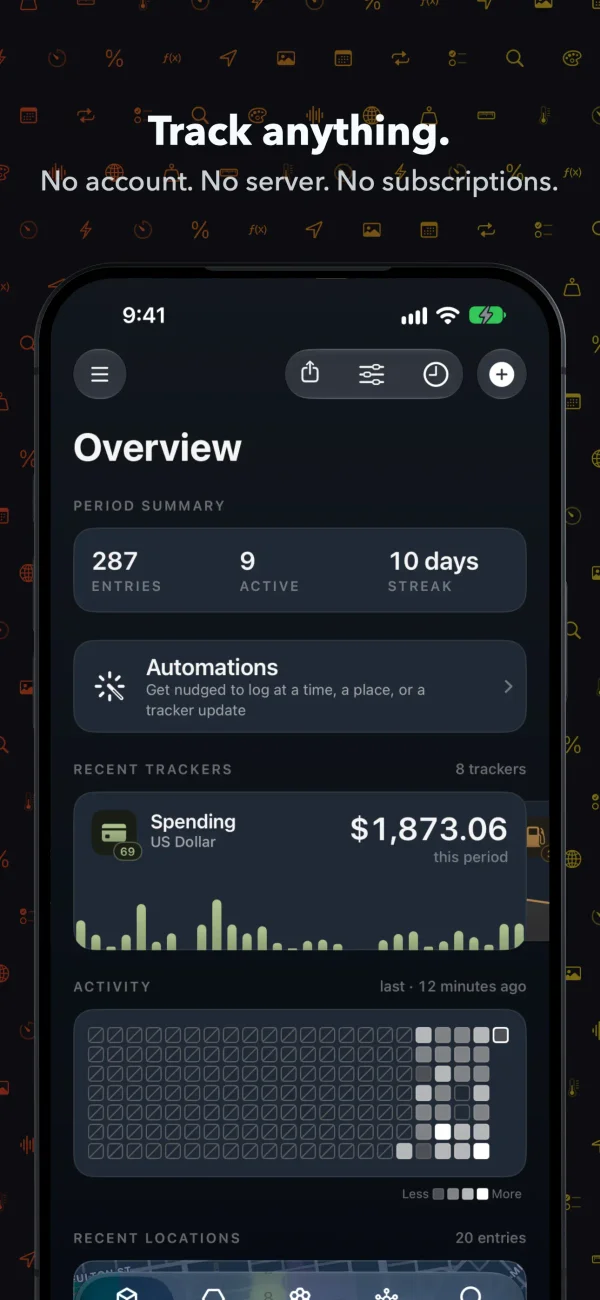
SEE WHAT IT ADDS UP TO
Trends, streaks, comparisons, distributions, heatmaps, and a map of where you've logged. Honest charts that never exaggerate your data, on a dashboard you arrange yourself. Scrub any chart with a finger. Every chart speaks VoiceOver. Share any view as an image.
EVERYWHERE YOU ARE
Free Home Screen widgets, including one that logs without opening the app. An Apple Watch app that logs with the Digital Crown. CarPlay buttons that log with one tap. And Datum for Mac, in step through your own iCloud.
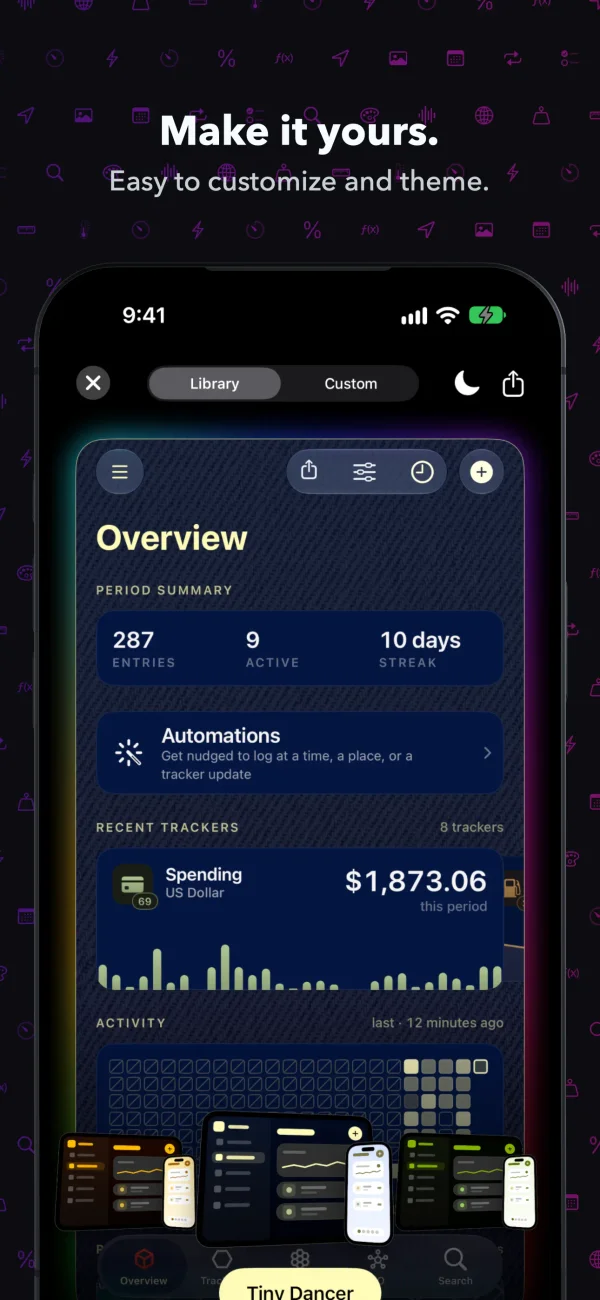
MAKE IT YOURS
Dye the whole app your color: any tint, any backdrop, light or dark, not just an accent on a button. Charts, heatmaps, every screen wears your theme. Even our logo will, if you let it. Save your looks as presets. Your Datum won't look like anyone else's.
MORE THAN NUMBERS
Attach photos, voice notes, and text. Let a tracker capture location, weather, or your calendar automatically, only where you say so. Mirror Apple Health, Photos, Calendar or Reminders into a read-only tracker that stays on your device, or pull numbers from a web source.
LET IT RUN ITSELF
Automations remind you to log, or log for you: on a schedule, when you arrive somewhere or leave, or when another tracker gets an entry.
PLAYS WELL WITH OTHERS
Log by voice with Siri or wire Datum into your Shortcuts. Send a photo, a link, or text from any app straight into an entry with the share sheet. Import years of spreadsheet history from CSV. Share a check-in as a small file a friend can open in their own Datum, trackers included.
YOURS. ACTUALLY YOURS.
No account. No sign-up. No server of ours holding your life. Your data stays on your devices and in your private iCloud, syncing across your iPhone, iPad and Mac. We couldn't read it even if we wanted to. Export everything to CSV or JSON, or as a PDF report, whenever you like. It's your data; leaving is easy, so we make staying worth it.
NO SUBSCRIPTIONS
Datum is free for up to 10 trackers, and check-ins are always free and unlimited. So are the widgets. Unlimited trackers, attachments like weather and calendar events, calculated fields, connected trackers and automations are one-time purchases, each priced in Settings › Purchases, or all together in Datum Pro. Attachments, calculated fields, connected trackers and automations each come with one free try. Nothing renews. Nothing is rented.
Track anything. Keep it yours.
What’s new
Version 1.1 · Oct 25, 2026
This one puts Datum on your Home Screen, your wrist, your car and your Mac.
HOME SCREEN WIDGETS, FREE
Six of them, on iPhone and iPad. Log Entry tallies, taps or picks a value without opening the app. The other five show a tracker's latest value and trend, your recent trackers, a check-in, your logging streak, and a map of where you've logged.
APPLE WATCH
Log from your wrist. Turn the Digital Crown to set a number, or tap yes, no, or one of your options.
CARPLAY
Choose up to four number trackers in Settings › Data › CarPlay. Each becomes a button on the car screen that logs its default value in one tap, with the place and the weather if the tracker captures them.
MAC
Datum for Mac has a sidebar, menus, keyboard shortcuts and a right-click menu on every card. It stays in step with your iPhone and iPad through your own iCloud.
ALSO NEW
• Datum is now available in Spanish.
• The cube in the corner is now a menu button: the Library, Connect a Source, Automations, Show Hidden and Settings, from any tab.
• Settings has a Purchases tab with everything for sale, its price, and Restore. Still no subscriptions.
• Export can make a Report: a PDF of your entries, with the count, average and range up top.
• Place automations now record where they fired, on trackers that capture location.
• Number trackers can total or average their entries. Counts and money add up over the period you're looking at.
• Tally and tap pads work with measured units too: mL of water, km run, 50 lb hay bales.
• On iPhone Duo, sheet buttons like Save and Cancel move into the side toolbar.
FIXED
• Changes from your other devices appear when iCloud delivers them, without a pull to refresh.
• "Syncing from iCloud" shows only when there's something to load.
• Backups keep your presets' background textures, and a failed restore says what went wrong.
• Launch is quicker.
App privacy
What EKPQA, LLC declares on the App Store about how this app handles data.
-
Data not linked to you
May be collected but is not linked to your identity.
- Purchases
- Identifiers
Privacy practices may vary, for example with the features you use or your age.
Information
- Seller
- EKPQA, LLC
- Category
- Productivity
- Version
- 1.1
- Updated
- Oct 25, 2026
- Released
- Sep 8, 2026
- Size
- 115.7 MB
- Requires
- iOS 26.0 or later
- Age rating
- 4+
- Price
- Free
- In-app purchases
- Yes
- Languages
- English, Spanish
- Copyright
- © 2026 EKPQA, LLC
You might also like
-
 Cerebro: Your Second BrainCapture, remember, resurface
-
 Notes: To do list & RemindersWrite Notes & Stay Organized
-
 Track Anything JournalCustom habit tracker, log book
-
 AITagger ProAI Stock Photography Metadata
-
 Align: Group Events, Made EasyPlan group events fast & easy
-
 Advance Planning Analysis AppProductivity
-
 PetDiary - Pet Health TrackerHealth, vet visits & reminders
-
 Form MemosCustomize Your Memo Templates
-
 Habit Hues: Habit TrackerDaily Routine, Goals & Streaks
-
 Home Stock: House InventoryHousehold Contents Tracker App