Daybook: Expense Tracker
AI Receipts, Budget & Splits
Designed for iPhone, iPad, iPod touch
Free · In-app purchases
- Age rating4+
- CategoryFinance
- DeveloperJin Zhang Low
- LanguagesEnglish+ 12 more
- Size138.1 MB
Links to the official App Store page
Download.org hosts no file of Daybook: Expense Tracker. The button opens its official App Store page, published by Jin Zhang Low. Listing last checked on Nov 24, 2026.
Screenshots

About
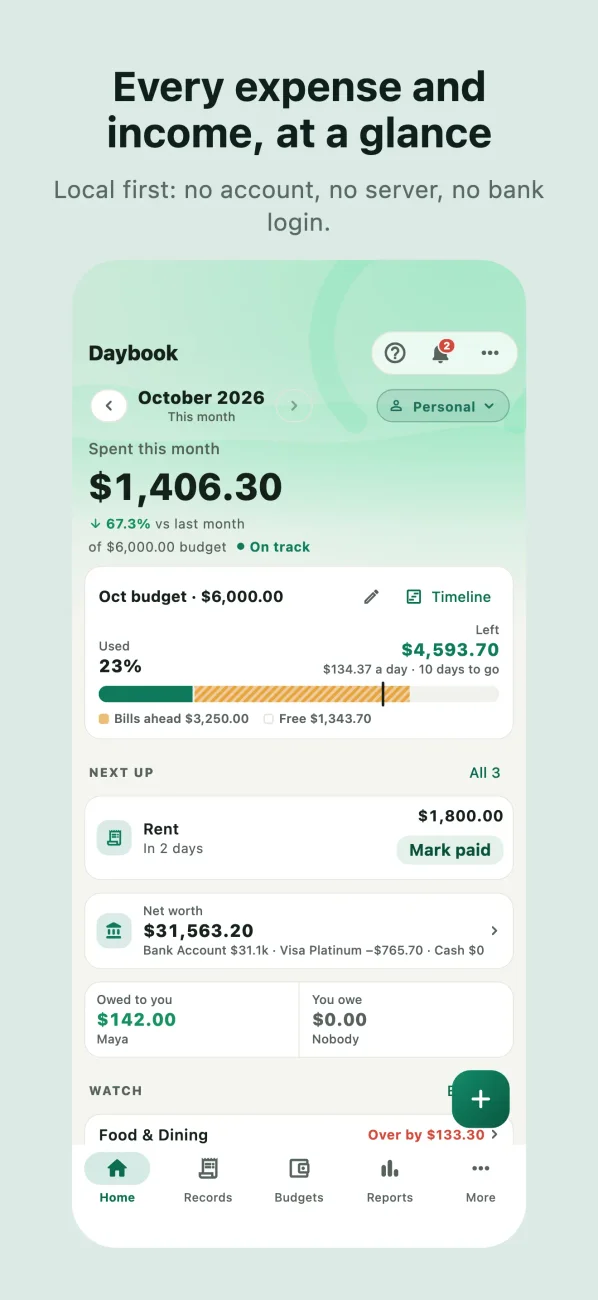
Daybook records every expense and income, keeps your tax relief ready, splits the bill with friends, and keeps your business books apart from your own. Local first: your records stay on your iPhone or iPad, with no account, no server of ours and no bank login.
EVERY EXPENSE AND INCOME, IN SECONDS
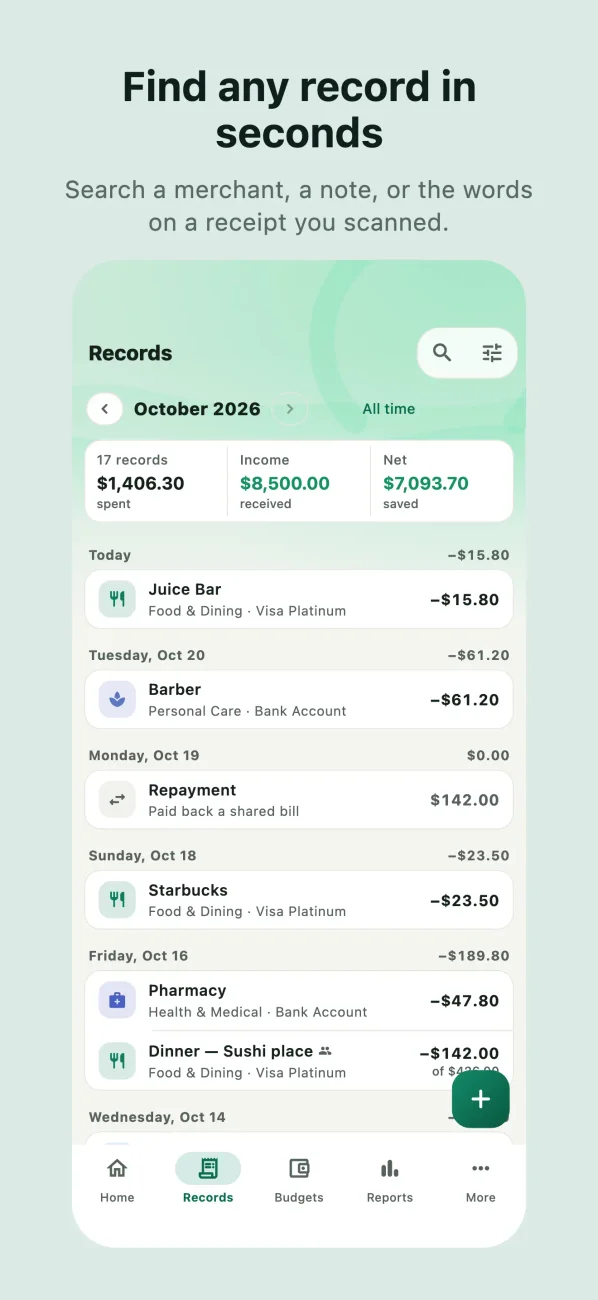
Add what you spend and what comes in, in a few taps. Daybook remembers each shop's category, so your morning coffee is filed correctly from the second visit.
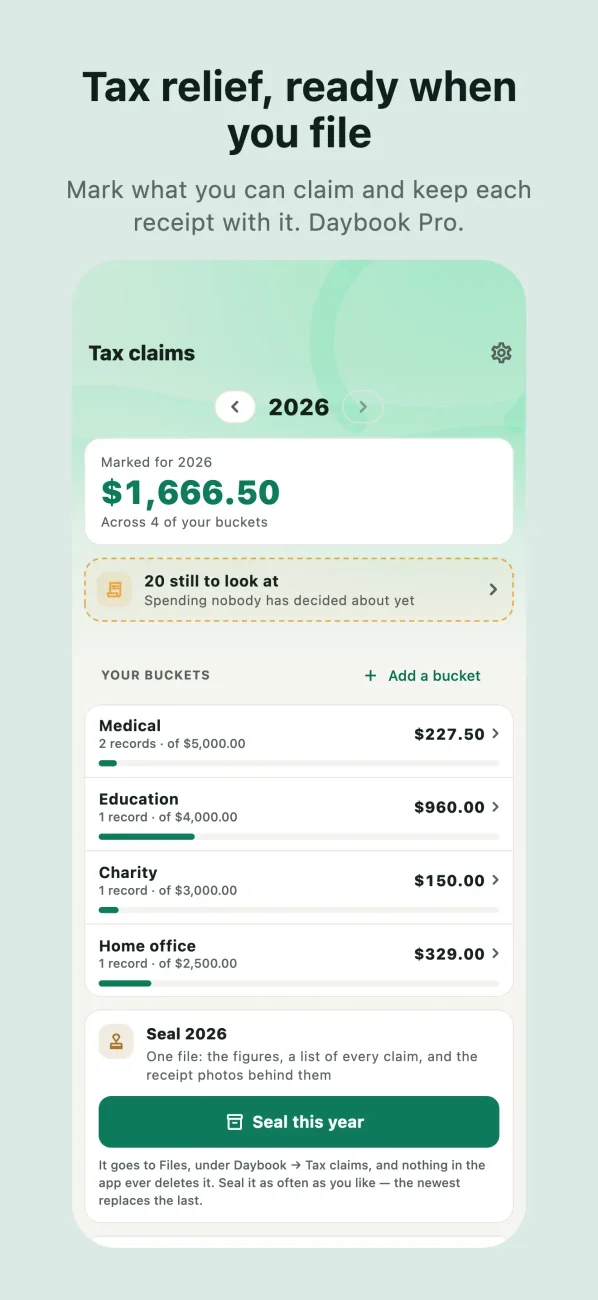
TAX RELIEF, READY WHEN YOU FILE (PRO)
Mark what you can claim as you go, under reliefs you name yourself, each with its own yearly limit, and keep the receipt with every claim. At year end, seal it into one file: the figures, every claim and its receipts.
SPLIT A BILL WITHOUT THE ARITHMETIC
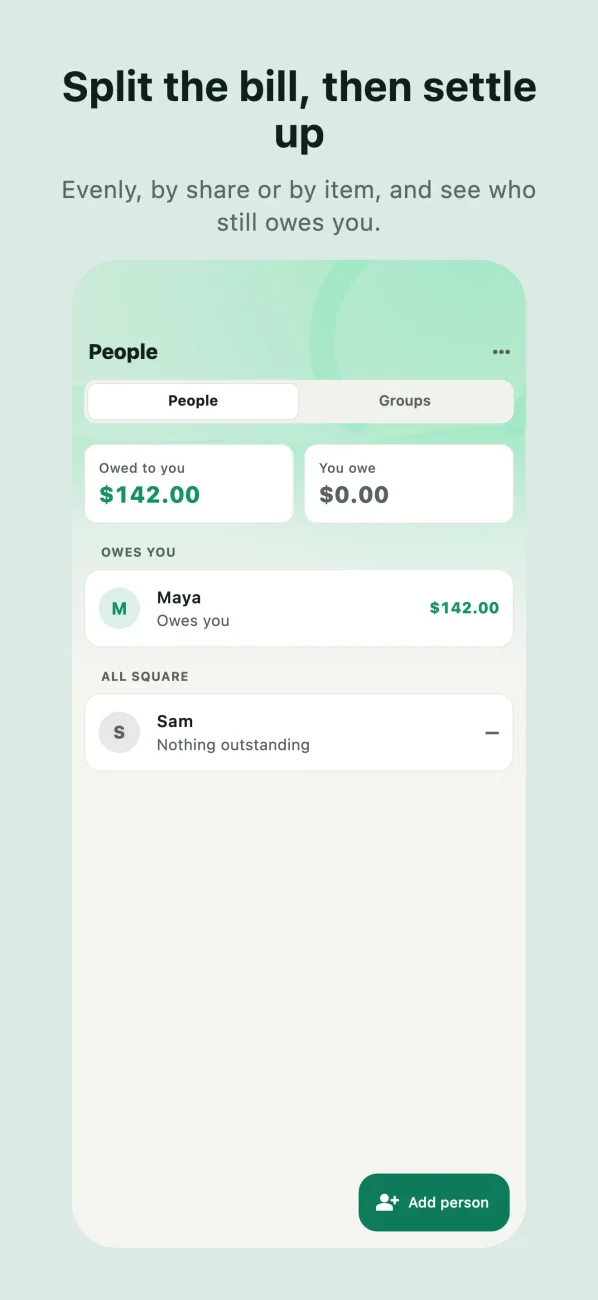
Equally, by share or by item straight off the receipt, with service charge and tax shared fairly. Say who paid, or that you paid for someone else, and see who owes whom on one People page. What friends owe you is kept apart from your own spending, so your budget only counts your share.
PERSONAL AND BUSINESS, KEPT APART (PRO)
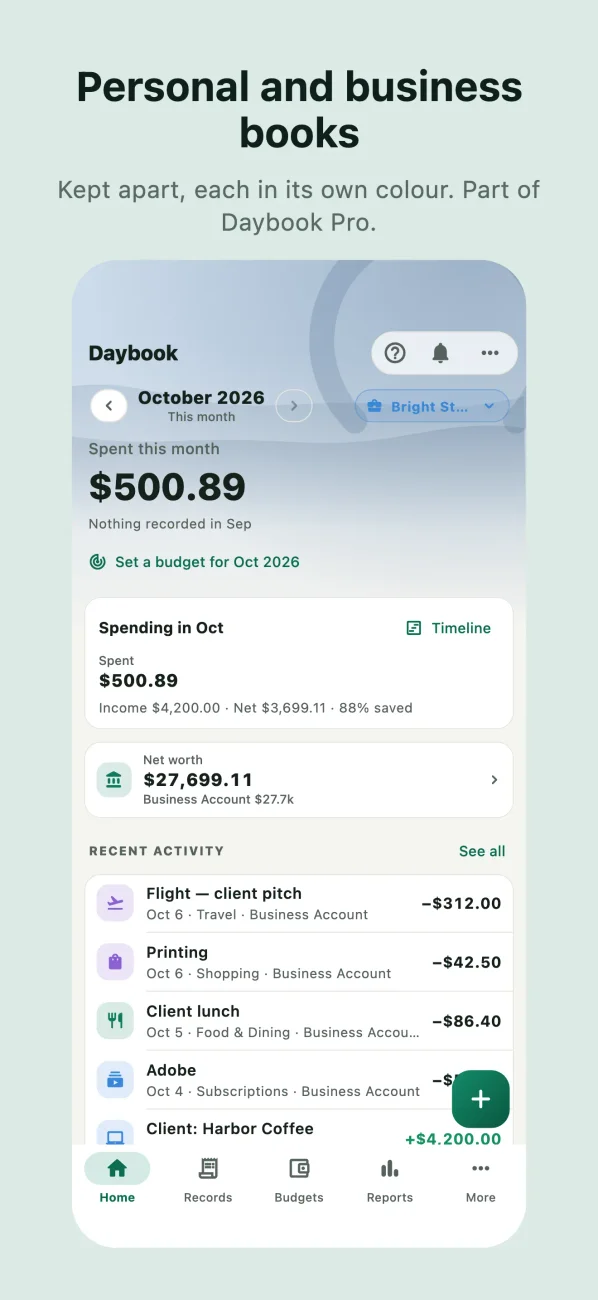
A second set of books for your business, with its own accounts, budgets, people and categories, one tap away. Paid for the business on your own card? The spending goes to the business, and it shows what it owes you back.
RECEIPTS READ ON YOUR DEVICE
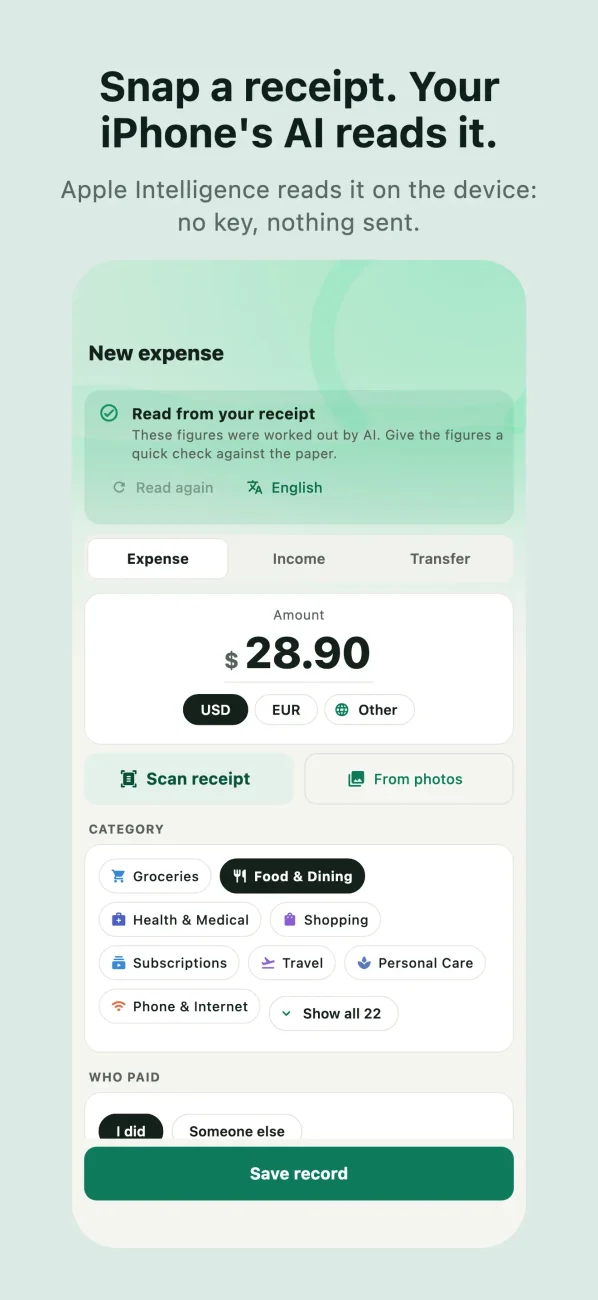
The shop, date, total, tax and line items are read on your iPhone or iPad. Where it has Apple Intelligence, Apple's on-device model reads the hard ones too, on its own: free, no key, and nothing leaves the device. Otherwise Apple's on-device text recognition reads them.
TELL DAYBOOK
Type what you spent, like "lunch 15 with Ali", or send a photo, and check the record before it is saved. Read by Apple Intelligence where your device has it, or with your own Gemini key. In Settings › Category notes, tell the AI how you file things.
PRIVATE BY DESIGN
No account, no analytics, no ads, and no bank login. Your records live on your device; backups go to your own iCloud, never to us. Face ID or Touch ID locks the app when you leave it, and your figures are hidden in the app switcher.
ON YOUR IPAD AND YOUR PC
Use Daybook on an iPad on its own, or pair it with your iPhone as a big-screen copy; Daybook for Windows pairs the same way. They stay in step over your own Wi-Fi, never through our servers. On a paired iPad or PC, seeing your records is free and changing them is Pro; scanning stays on the iPhone.
BILLS, CARDS AND PAY ON A SCHEDULE
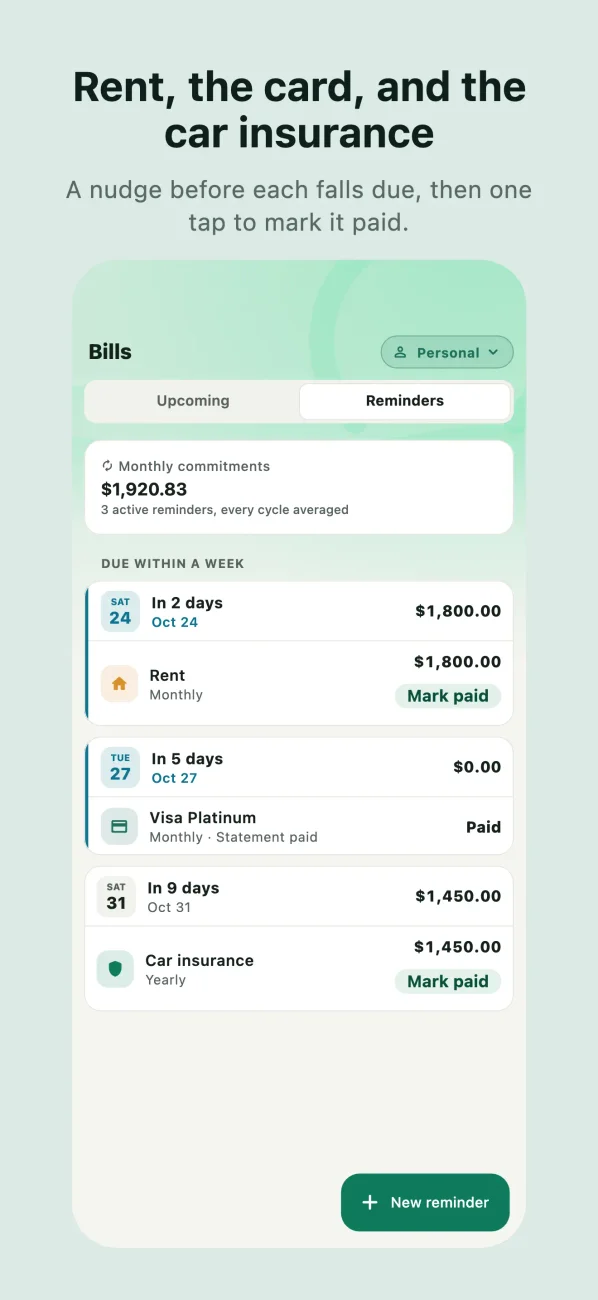
Reminders for bills and subscriptions, with Mark paid right from the alert. Auto-debits and your salary can record themselves on the day. On iPhone, one Shortcuts automation writes down every Apple Pay payment from your phone or watch, with a category suggested to check.
BUDGETS AND REPORTS
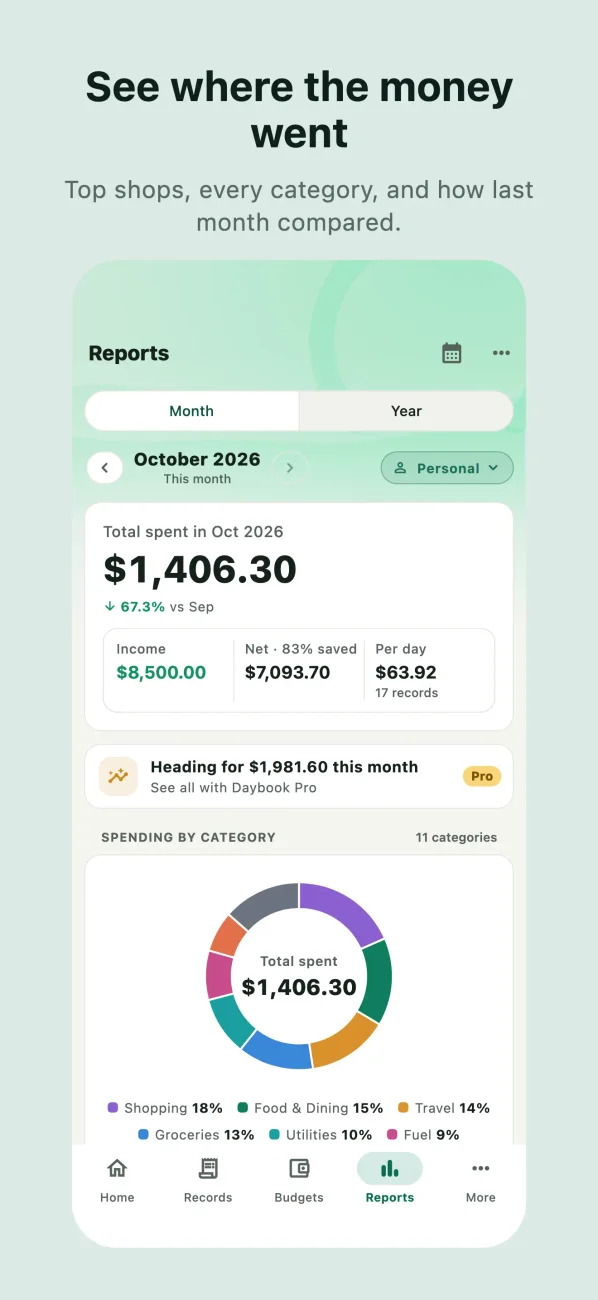
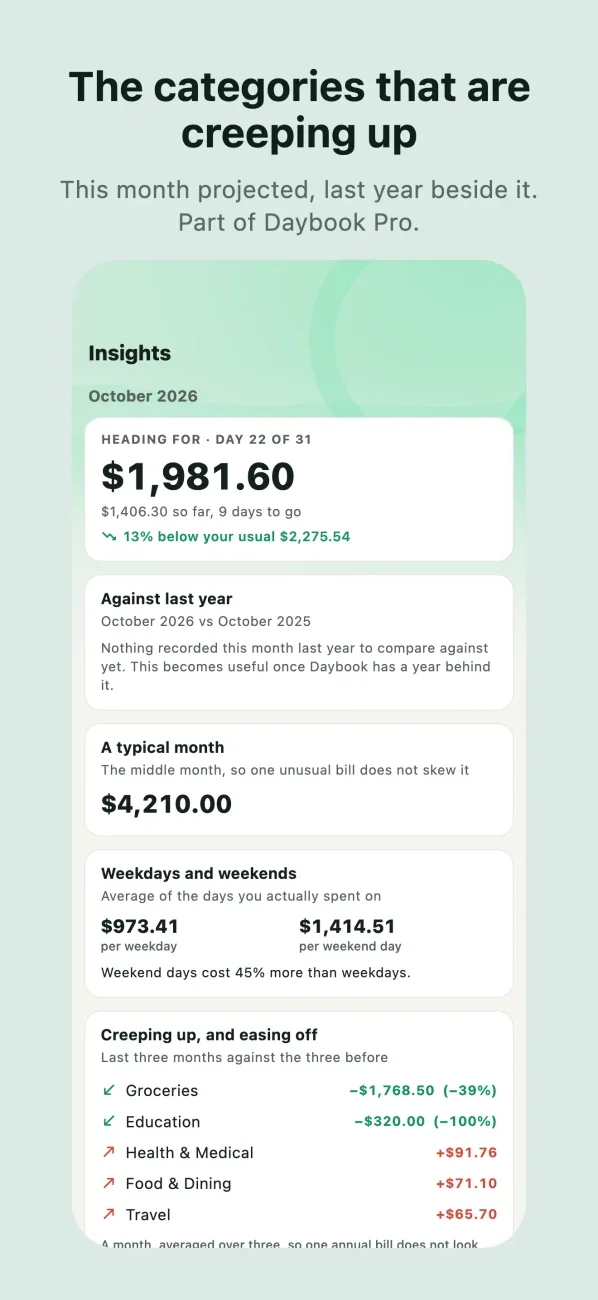
A monthly budget with per-category limits, unspent money rolling over, and bills still to pay counted before they land. Monthly and yearly reports, top merchants and trends.
PREFER A CLOUD AI? OPTIONAL
Add your own Google Gemini key and a receipt is sent only to Google, under your own account, only when you ask. On Google's free tier, Google may use what it is sent to improve its products; see our Privacy Policy.
WHEREVER YOU ARE
About 150 currencies. With Daybook Pro, keep an account in US dollars, euros or another currency, worth shown in yours.
FREE
Recording, receipts read on your device, budgets, reports, reminders, splitting bills, CSV export, backups, and AI reading with your own key.
DAYBOOK PRO
Tax relief claims, a second set of books for business, the Insights report, statements as PDF or spreadsheet, accounts in other currencies, rates looked up for you, no monthly limits, old receipt photos never need clearing, and changing records on a paired iPad or PC. Monthly, yearly or once outright; yearly starts with a free week.
Terms of Use (EULA): https://www.cortexbizsolution.com/products/daybook/terms
Privacy Policy: https://www.cortexbizsolution.com/products/daybook/privacy
What’s new
Version 1.17.0 · Nov 24, 2026
Sorry for so many updates lately. This one brings everything together, including Daybook for your computer.
Daybook on your Windows PC or iPad? Pair it with your iPhone by scanning a code. Your records stay in step over your own Wi-Fi when Daybook is open, never through our servers. Get it for Windows from the Microsoft Store: https://apps.microsoft.com/detail/9MVPCJ7PJQZR
Want to see what a trip or a hobby cost? Tag any record, like #trip, and Reports shows each tag's spending across categories.
Treated friends? In Split, choose My treat: Daybook keeps who you treated, and nobody owes you for it.
A category or account missing halfway through a record? Add it right there and carry on where you left off. You can also drag categories into your own order.
Paying a balance transfer by the minimum? Set the minimum and the day the 0% ends, and Daybook shows how much a month clears it in time.
Looking back at an earlier month? Home shows your net worth at that month's end.
Travelling? Records keep the time you saw, wherever you open them.
Also new since your last update: refunds come off the year's spending and tax; card refunds and cashback pay down your statement; close an account you no longer use; reminders can repeat twice a month, every 4 weeks or every 2 months; lend or borrow money with a Transfer; and receipts in Greek, Tamil, Telugu and more can be read on your iPhone once you download the reader.
App privacy
What Jin Zhang Low declares on the App Store about how this app handles data.
-
Data linked to you
May be collected and linked to your identity.
- Purchases
- Contact info
- User content
- Diagnostics
Privacy practices may vary, for example with the features you use or your age.
Information
- Seller
- Jin Zhang Low
- Category
- Finance
- Version
- 1.17.0
- Updated
- Nov 24, 2026
- Released
- Aug 20, 2026
- Size
- 138.1 MB
- Requires
- iOS 15.5 or later
- Age rating
- 4+
- Price
- Free
- In-app purchases
- Yes
- Languages
- English, French, German, Greek, Indonesian, Japanese, Korean, Malay, Portuguese, Simplified Chinese, Spanish, Thai + 1 more
- Copyright
- © 2026 Cortex Solution
You might also like
-
 Daybook: Money ManagerExpenses, budgets, net worth
-
 BillLog: Itemized SpendingReceipt Scan, Tags & Budgets
-
 RichAuntie: Expense TrackerBudget Planner & Money Manager
-
 MRE CashBook: Expense TrackerLedger, Debts & Receipts
-
 HeyJerni: Receipt ScannerPrivate Tax & Expense Tracker
-
 Daybook - Expense ManagerSimple, private & offline
-
 Kira - Expense TrackerVoice, Receipts & Insights
-
 Joyin: Portfolio & Net WorthStock & Fund Trade Tracker
-
 KiraKira - Bill SplitterMalaysian bills, split fairly
-
 Alfa Personal FinanceBudget & Expense Tracker