Daymark: Calendar Widgets
Lock Screen Notes & Planner
Designed for iPhone
Free · In-app purchases
- Age rating4+
- CategoryProductivity
- DeveloperSuper Bigly, LLC
- LanguagesEnglish+ 43 more
- Size32.9 MB
Links to the official App Store page
Download.org hosts no file of Daymark: Calendar Widgets. The button opens its official App Store page, published by Super Bigly, LLC. Listing last checked on Nov 24, 2026.
Screenshots

About
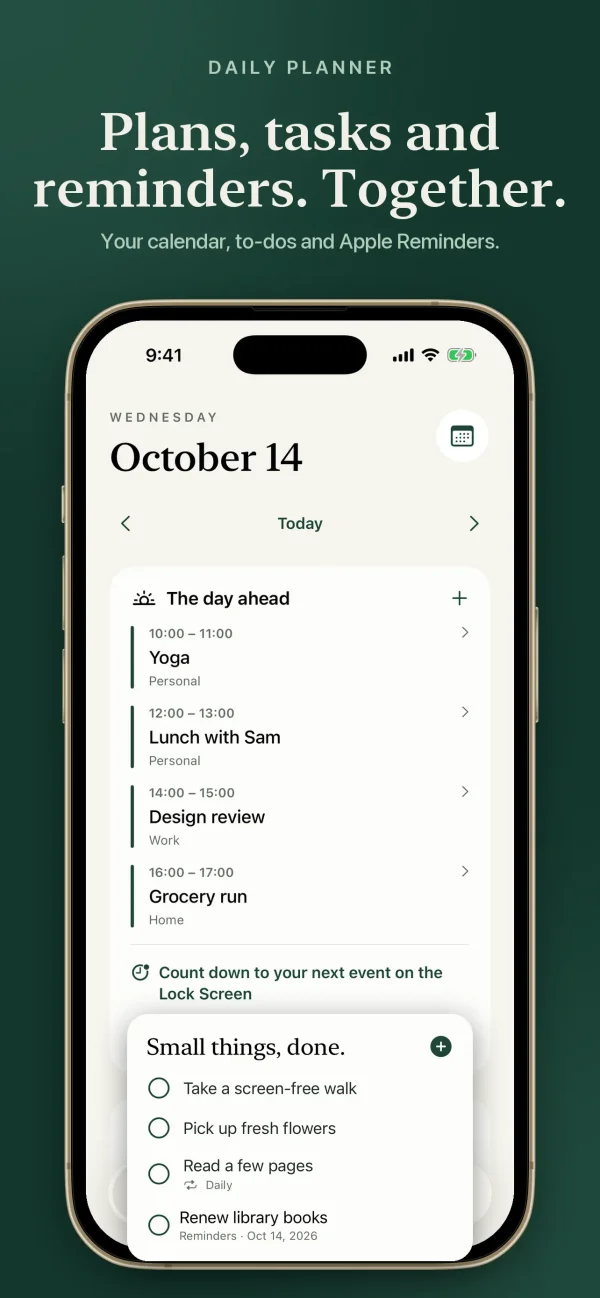
Your calendar, right where you look. Daymark puts your daily planner, sticky notes and next event on your Home Screen and Lock Screen. See your week in pastel event blocks, keep a note close, and make a calendar wallpaper that feels like yours.
SEE YOUR WEEK IN COLOR
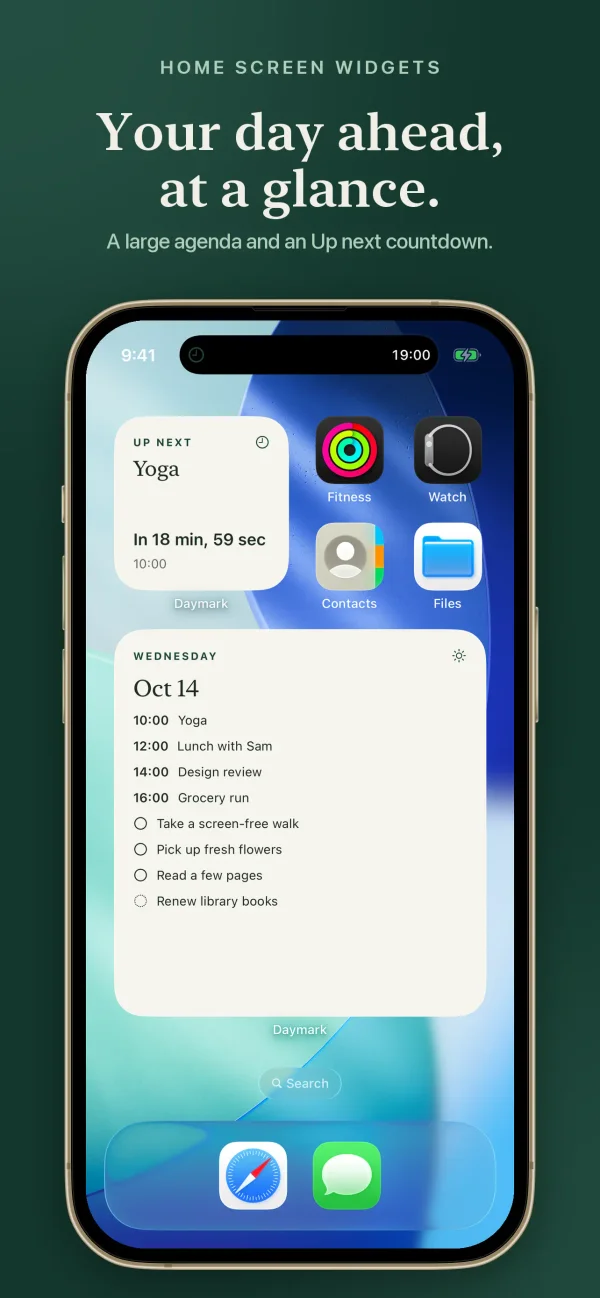
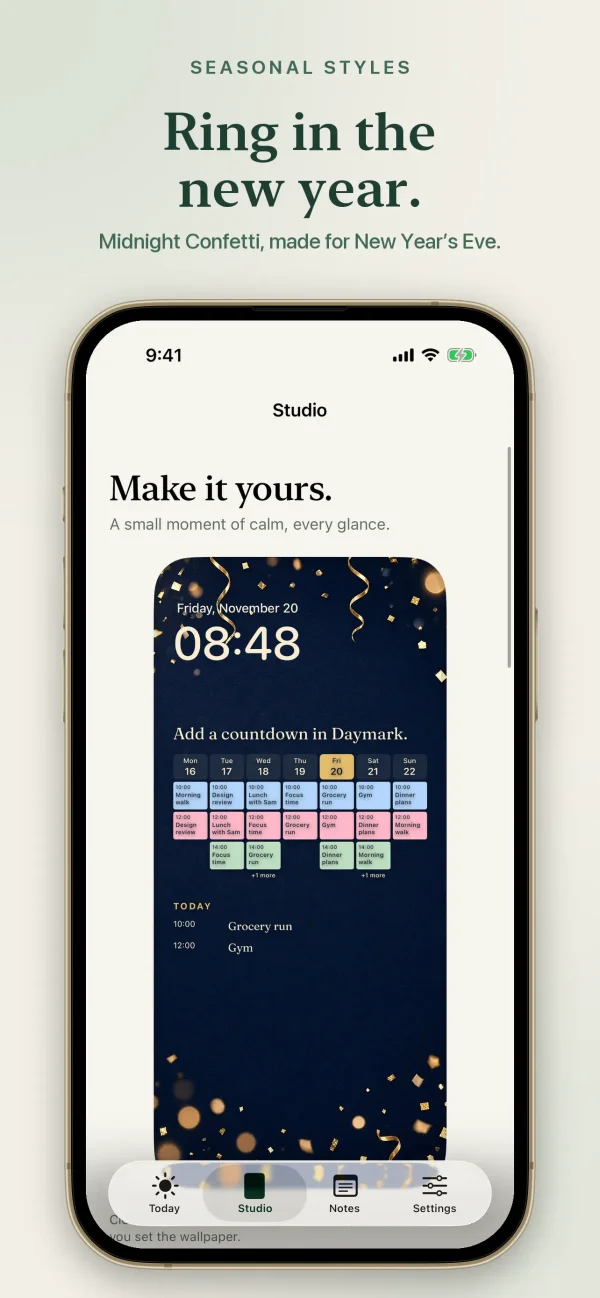
Plan around seven days of calendar events. The Week in color widget uses compact, colored blocks and shows an overflow count on busy days. Choose the large Home Screen widget for a short agenda below your week. Start on Sunday or Monday.
KEEP THE NEXT THING CLOSE
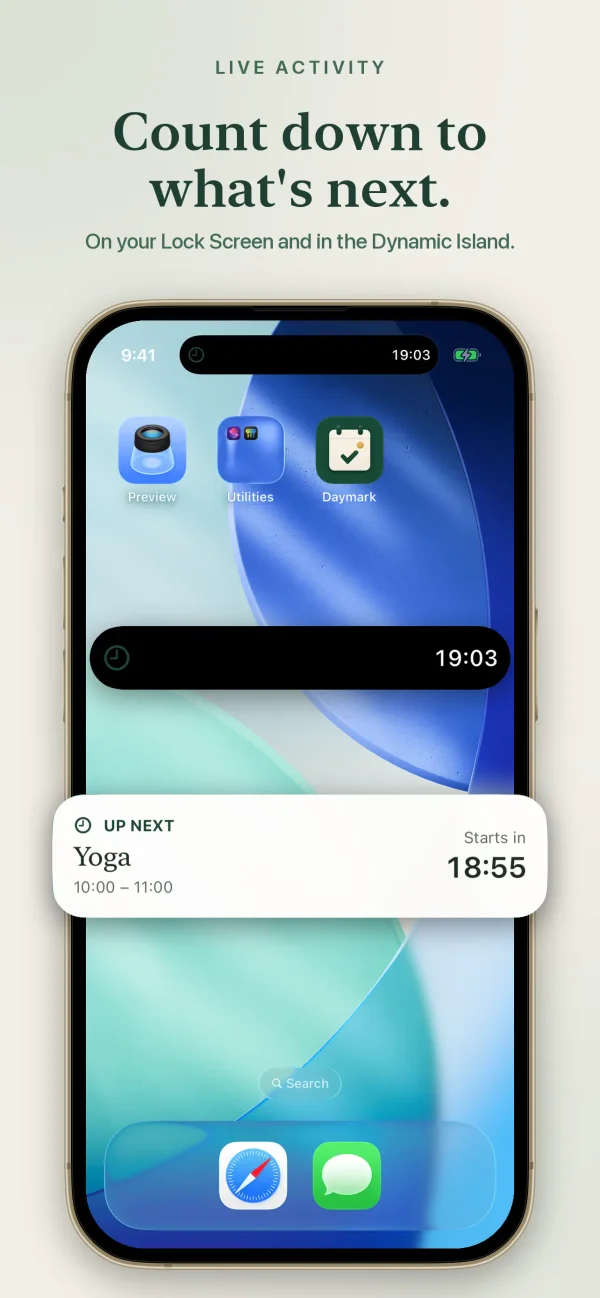
Check your next calendar event or a pinned note from a Lock Screen widget. Add a month calendar, daily agenda or notes widget to your Home Screen. Hide personal text when you would rather show counts.
MAKE TIME FEEL FAMILIAR
Choose System, 12-hour or 24-hour military time. Your time format carries through the agenda, widgets and wallpaper. See the time your way, from morning plans to an evening reminder.
MAKE A WALLPAPER YOURS
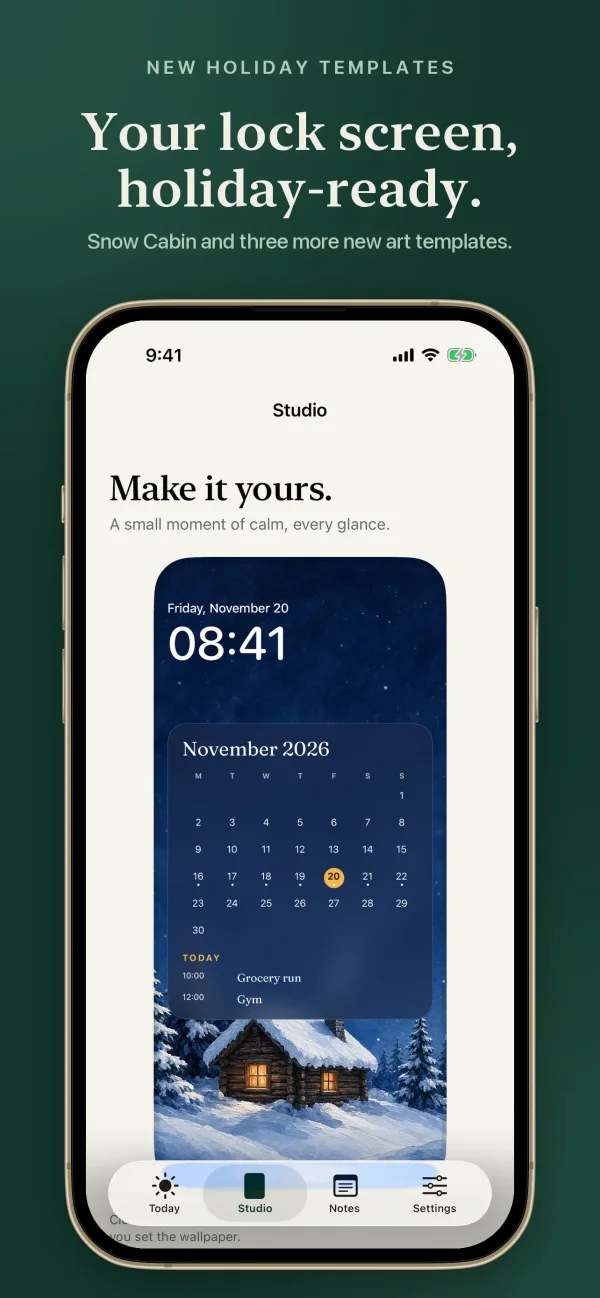
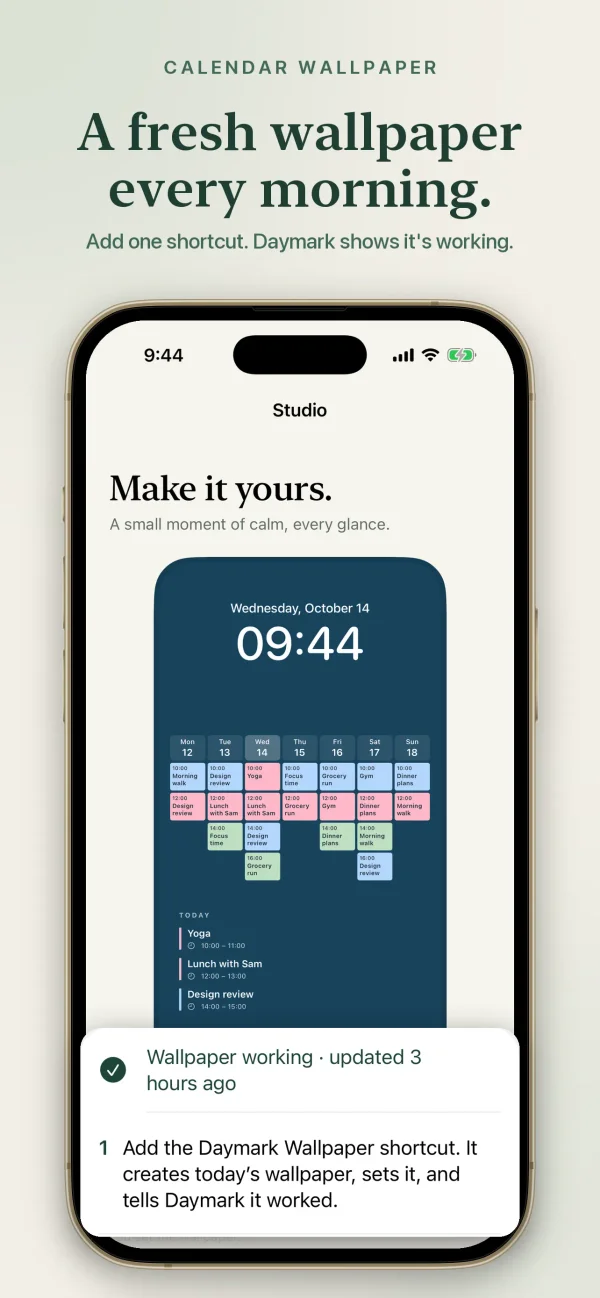
Choose a calm palette or your own photo. Adjust the dimming and export a week, month or agenda wallpaper. The clock in Studio is a preview; iOS adds the real clock when you set your wallpaper.
SMALL TASKS. LESS TO REMEMBER.
Keep a dated to-do list with daily or weekly repeats. Future tasks stay on their dates and overdue tasks are labeled. Complete local tasks from a Home Screen widget. Write and edit sticky notes, then pin the one you want to see.
USE YOUR EXISTING CALENDARS
Choose which iOS calendars appear in Daymark. Google and Outlook events work through accounts already added to Apple Calendar. Create and edit events with the familiar iOS calendar editor, including repeats and alerts. Connect dated Apple Reminders and complete them from your agenda.
WIDGETS WITHOUT A SHORTCUT SETUP
Native widgets use iOS timelines and request a refresh when you change Daymark. iOS controls update timing, so instant background refresh is not guaranteed. Calendar syncing is managed by iOS and your calendar provider.
Wallpaper exports are still images. For automatic replacement, use the included Create Daymark Wallpaper action with Apple's Set Wallpaper Photo action in a personal Shortcuts automation. The app includes setup instructions.
OPTIONAL DAYMARK PLUS
Save named calendar and appearance setups, then switch between them. Give each configurable widget its own saved setup or note. Plus is available as an auto-renewing annual or weekly subscription, or as a one-time lifetime purchase. Your current calendar, tasks, notes, basic widgets, photo and palette controls, and wallpaper exports stay free. Restore an eligible purchase from Settings or the upgrade screen.
YOUR DAY, YOUR DATA
No account required and no ads. Local tasks, notes, saved setups and selected photos stay on your device. Calendar changes use your existing iOS calendar services. RevenueCat handles purchase verification and restores; Superwall presents upgrade offers and measures their performance. These services process purchase records, pseudonymous identifiers and app/device information, not your calendar, task, note or photo contents. Read the privacy policy for details.
A little more room for today.
Terms of Use (EULA): https://www.apple.com/legal/internet-services/itunes/dev/stdeula/
Privacy Policy: https://daymark.superbigly.com/privacy
What’s new
Version 1.5 · Nov 23, 2026
• 20 new wallpaper templates for the season, including Snow Cabin, Gingerbread, Midnight Confetti and Holiday Lights.
• Templates now keep their own colors. Pick a palette any time to change them.
• New Thanksgiving and Holiday palettes.
• Save your wallpaper to Photos and share a matching Home Screen version from the same screen.
• A quick question when you set up helps you start with the right template.
• Send feedback from Settings and tell us what to fix next.
• Smoother Daymark Plus screen, now clearer in more languages.
App privacy
What Super Bigly, LLC declares on the App Store about how this app handles data.
-
Data linked to you
May be collected and linked to your identity.
- Purchases
- Location
- Contact info
- User content
- Identifiers
- Usage data
- Diagnostics
- Other data
Privacy practices may vary, for example with the features you use or your age.
Information
- Seller
- Super Bigly, LLC
- Category
- Productivity
- Version
- 1.5
- Updated
- Nov 23, 2026
- Released
- Sep 17, 2026
- Size
- 32.9 MB
- Requires
- iOS 17.0 or later
- Age rating
- 4+
- Price
- Free
- In-app purchases
- Yes
- Languages
- English, Arabic, Bengali, Catalan, Croatian, Czech, Danish, Dutch, Finnish, French, German, Greek + 32 more
- Copyright
- © 2026 Super Bigly, LLC
You might also like
-
 DayWall: Calendar WallpaperYour calendar on screen
-
 Daymark - Make every day countDays, Moments, Timeline, Goals
-
 Note Prime: Notebook & PDFDocument Scanner & Handwriting
-
 Oden — AI Todo AssistantTasks, Reminders & Calendar
-
 时笺:让生活更简单、更高效。Productivity
-
 Hilo: agenda diariaNo pierdas el hilo de tu día
-
 Big Calendar: Weekly ViewEvery event title, in full
-
 DayMark: Daily JournalProductivity
-
 Tabrik: AI Planner AssistantDaily planner & task reminders
-
 DayMark: Daily PrioritiesMeaningful progress in life