Encore - Countdown Widgets
Countdowns, habits, counters
Designed for iPhone
In-app purchases
- Age rating4+
- CategoryProductivity
- DeveloperDavid Calonne
- LanguagesFrench+ 4 more
- Size52.5 MB
Links to the official App Store page
Download.org hosts no file of Encore - Countdown Widgets. The button opens its official App Store page, published by David Calonne. Listing last checked on Nov 17, 2026.
Screenshots


About
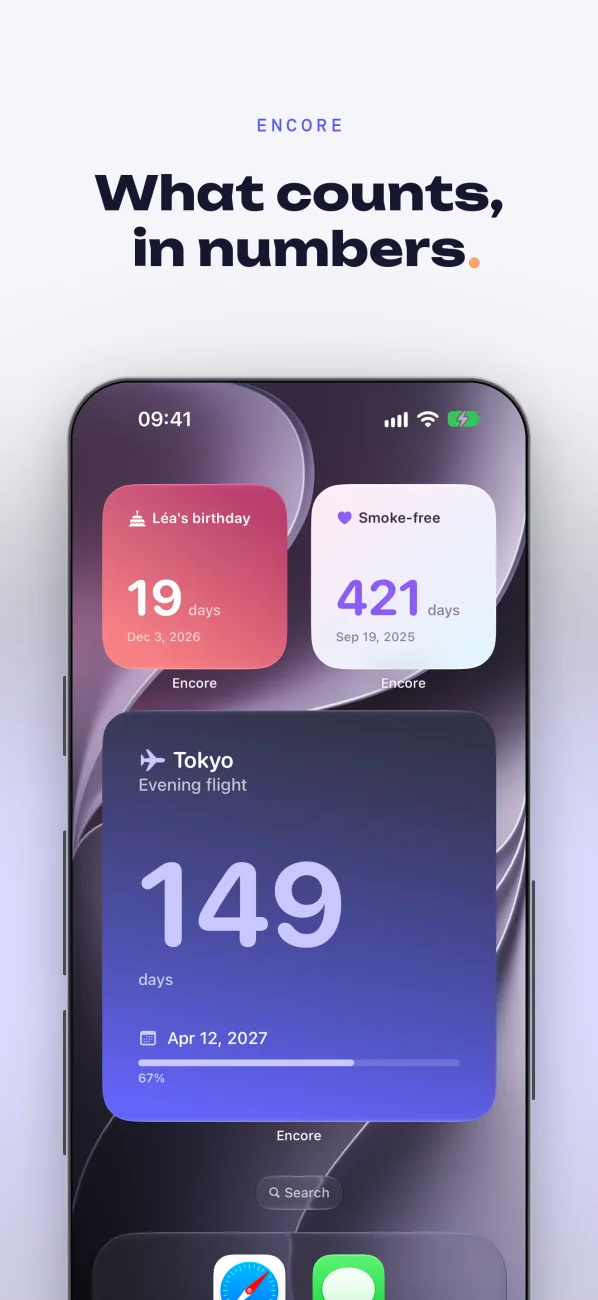
Encore turns the dates you care about into widgets you actually see.
Countdowns, habit trackers and counters — on your Home Screen and Lock Screen, where a number does more than a reminder buried inside an app.
THREE KINDS OF WIDGET
• Countdown — in days, or down to the second. When the day finally arrives, the widget says so instead of counting into the negative.
• Days since — the same widget, read the other way: 412 days without smoking, 90 days sober, a year since you started running.
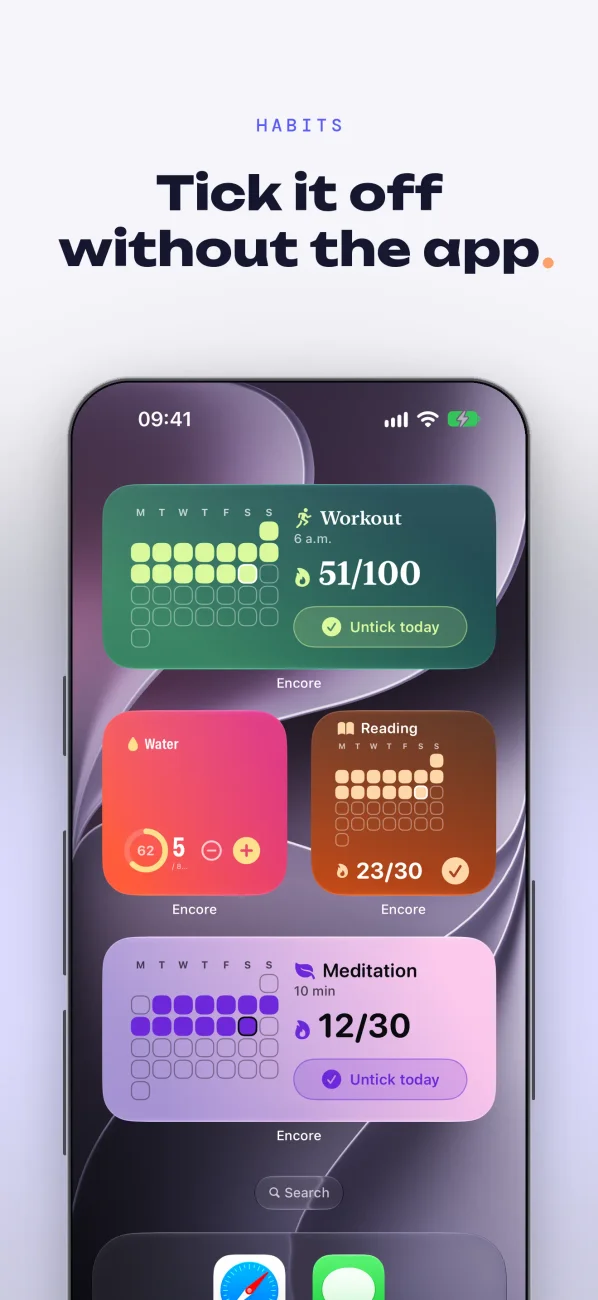
• Habit tracker — tick today straight from the Home Screen, without opening anything. A month grid, your current streak, your best run, and badges at 7, 30, 100 and 365 days.
• Counter — glasses of water, books read, cigarettes not smoked. One tap adds one, from the widget itself.
MADE TO LOOK LIKE YOURS
Eight themes, free colour choice, gradient backgrounds, your own photo behind the widget with blur and dimming, five typefaces, and control over every text colour.
BADGES YOU KEEP
Streak badges are earned on your best run ever — never on the current one. Losing a streak already stings; it should not take a badge with it.
NOTIFICATIONS, WITHOUT THE NAGGING
Three moments, all of them your own doing: a countdown arriving, a badge earned, a counter filled. Free, off until you ask for them, and nothing that begs you to come back.
NOTHING LEAVES YOUR PHONE
No account. No sign-up. No server. Everything is stored on your device, and the whole app works offline.
FREE
Unlimited countdowns, one habit tracker, one counter, two themes and the small widget — and the very first widget you make keeps every Pro option, for good. It is the only honest way to show what Pro looks like before asking.
FOCUS PRO — ONE PAYMENT, NO SUBSCRIPTION
• Unlimited habit trackers and counters
• All eight themes
• Any colour, gradients, and your own photos
• Five typefaces
• Medium, large and Lock Screen widgets
• Twenty-four symbols to tell your widgets apart
• A countdown's last 8 hours live on the Lock Screen and in the Dynamic Island
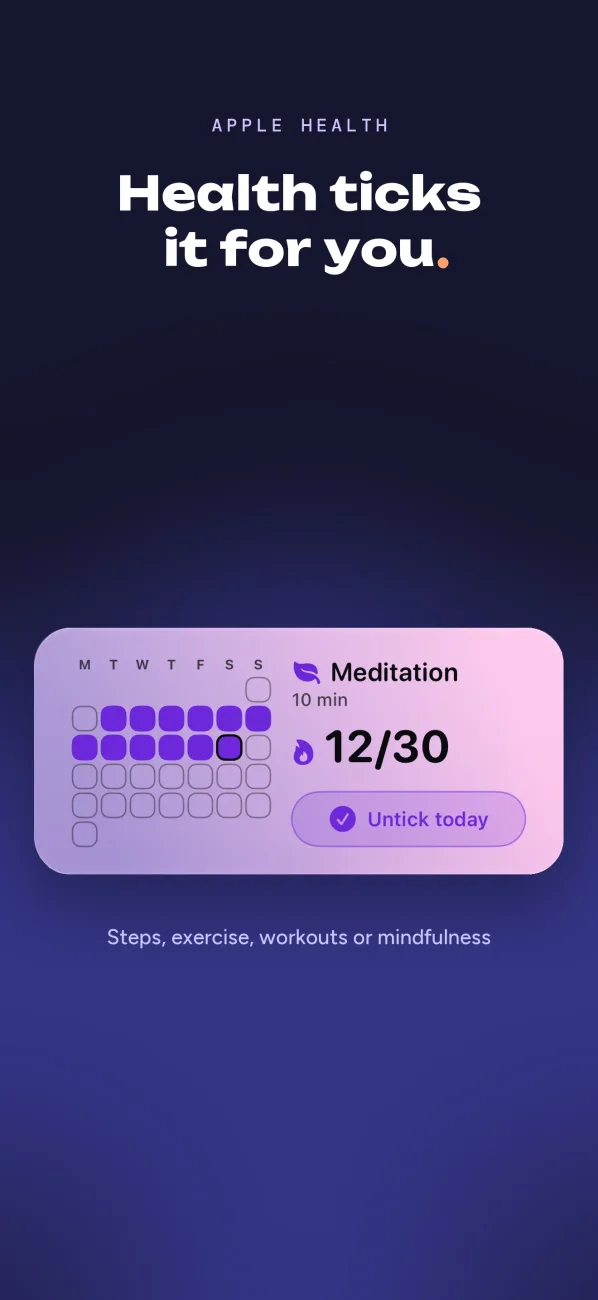
• Apple Health ticks your habits for you: steps, exercise, workouts, mindful minutes
• Goals of your own — any number of days, not just 7, 30 or 100
Available in English, French, Italian, Spanish and German.
What’s new
Version 1.4.0 · Nov 16, 2026
APPLE HEALTH (PRO)
Link a habit to your steps, exercise minutes, workouts or mindful minutes. Reach your threshold and the day ticks itself. Health only ever adds ticks — it never removes yours.
LIVE ON THE LOCK SCREEN (PRO)
In its last 8 hours, a countdown moves to the Lock Screen and the Dynamic Island, down to the second.
ICLOUD BACKUP
Your widgets follow you to a new iPhone: they come back on its first launch. Stored in your own iCloud, never on a server.
AT HOME ON EVERY HOME SCREEN
Clean in tinted and clear modes, readable in StandBy, and brought up by the Smart Stack when it matters — on the day itself, or in the evening when a habit is still waiting.
ALSO
• The Pro page keeps its button within reach
• The editor shows which symbol and which look are selected
• A broken streak no longer greets you with a zero: your record, and the next run to start
• Clearer VoiceOver labels
App privacy
What David Calonne declares on the App Store about how this app handles data.
-
Data linked to you
May be collected and linked to your identity.
- Purchases
Privacy practices may vary, for example with the features you use or your age.
Information
- Seller
- David Calonne
- Category
- Productivity
- Version
- 1.4.0
- Updated
- Nov 16, 2026
- Released
- Sep 15, 2026
- Size
- 52.5 MB
- Requires
- iOS 16.4 or later
- Age rating
- 4+
- In-app purchases
- Yes
- Languages
- French, German, English, Spanish, Italian
- Copyright
- © 2026 David Calonne
You might also like
-
 Snippet: Clipboard & TemplatesClipboard history & smart fill
-
 BreathGate: Pause ScrollingBreath Before You Open Apps
-
 HabitStreak - Goal TrackerGamified Daily Routine Planner
-
 Days: Countdown & Count upDay counter with widgets
-
 SagiccProductivity
-
 Tupp: Focus Timer & HabitsPomodoro, Study & Time Tracker
-
 HabitDesign: Habit TrackerHabit tracker, streak, widget
-
 FirstHabbit: To-Do & HabitsHabit Tracker & Daily Planner
-
 Tallyday • Milestone TrackerTrack anything that matters
-
 CountedDays: Countdown WidgetCount down to what counts