
Days-Left: Countdown Calendar
Event widgets & day counter
Designed for iPhone
Free · In-app purchases
- Age rating4+
- CategoryProductivity
- DeveloperKa Chon Chan
- LanguagesEnglish+ 5 more
- Size8.2 MB
Links to the official App Store page
Download.org hosts no file of Days-Left: Countdown Calendar. The button opens its official App Store page, published by Ka Chon Chan. Listing last checked on Nov 12, 2026.
Screenshots
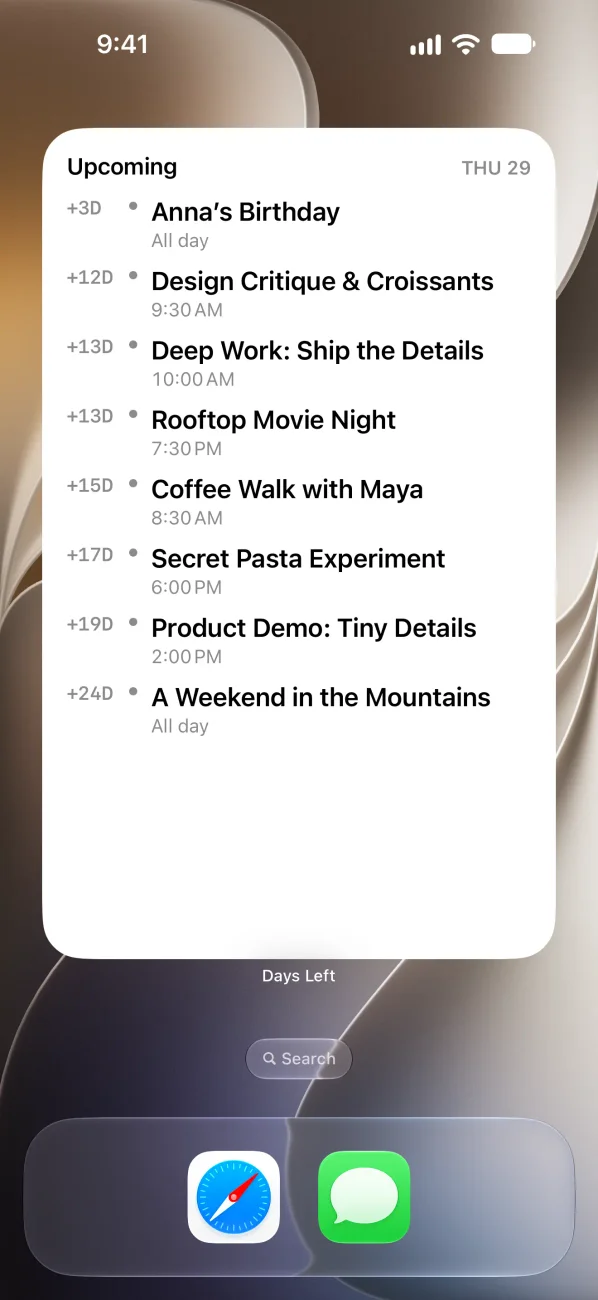
About
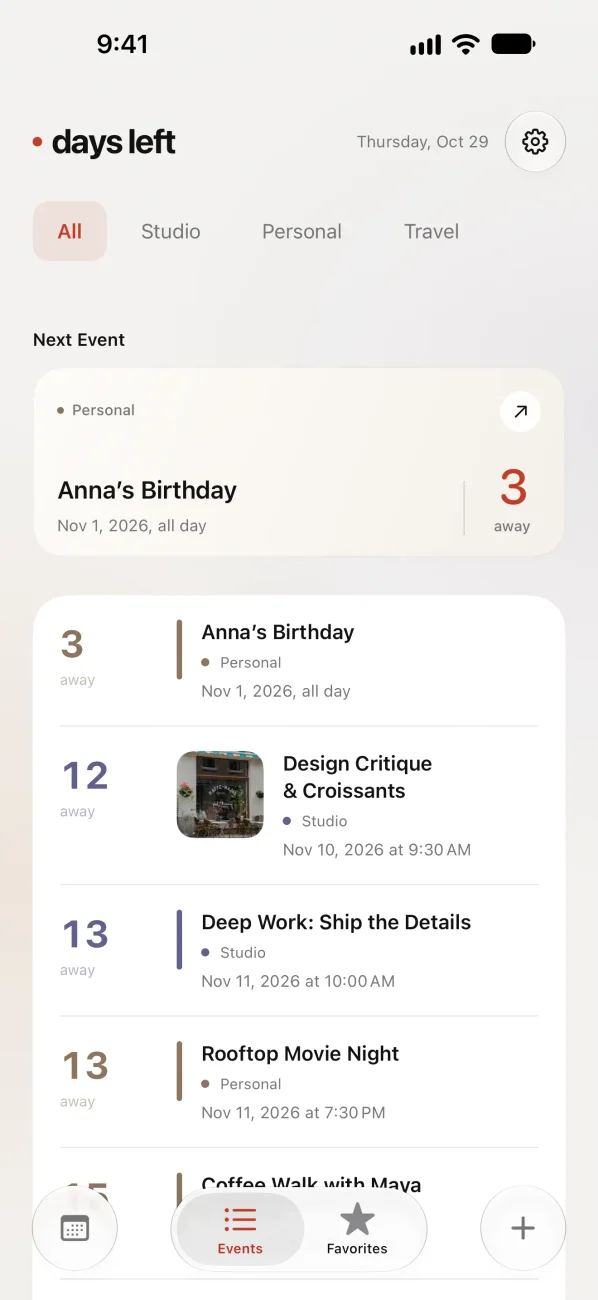
See how many days are left until the dates that matter. Days-Left turns events from your iPhone calendars into clear countdowns and Home Screen widgets.
YOUR CALENDAR, AT A GLANCE
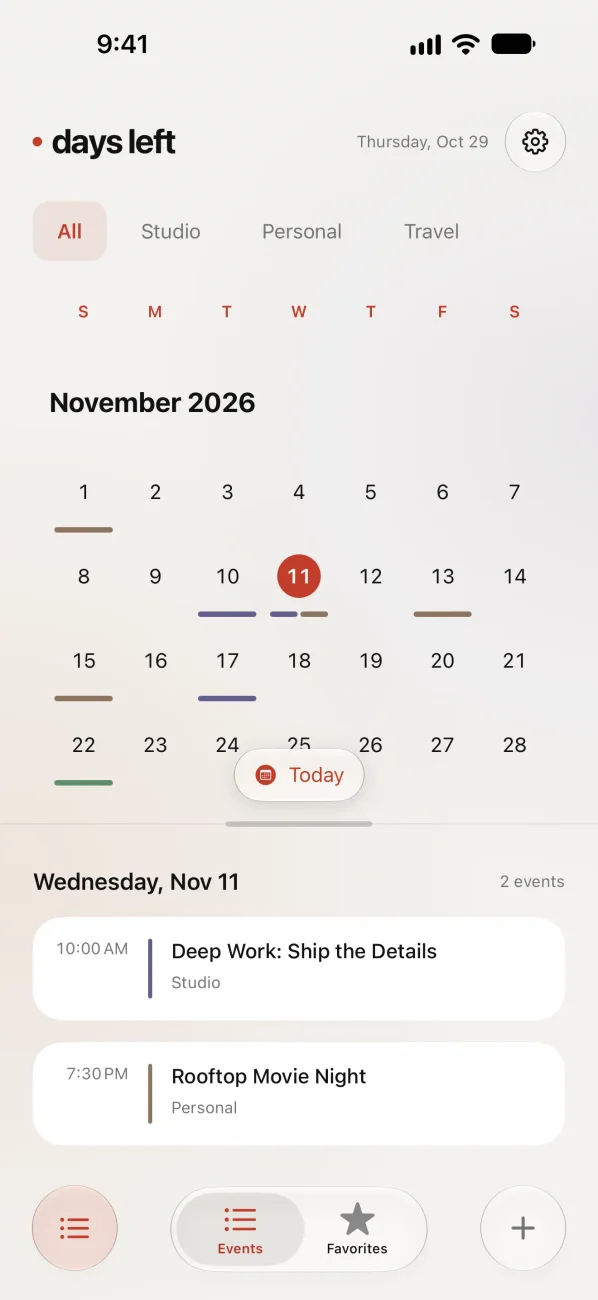
Browse events in a list or monthly calendar and choose which calendars to show. Count down to upcoming dates, look back at past events, and see how long a multi-day event has left.
KEEP FAVORITES CLOSE
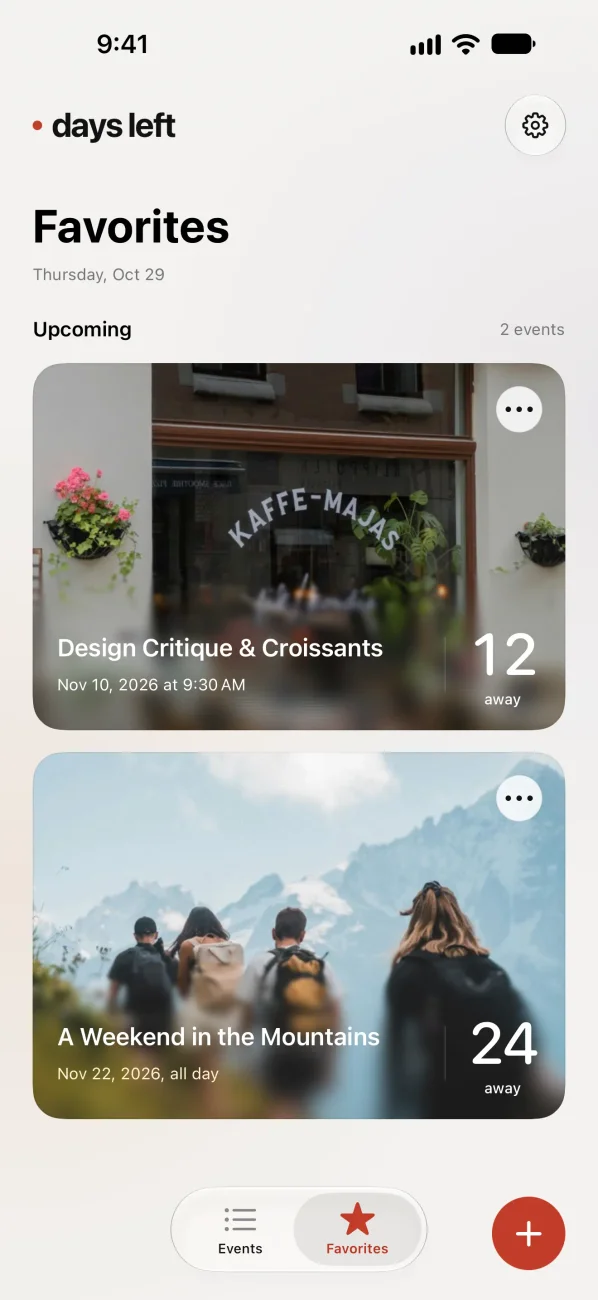
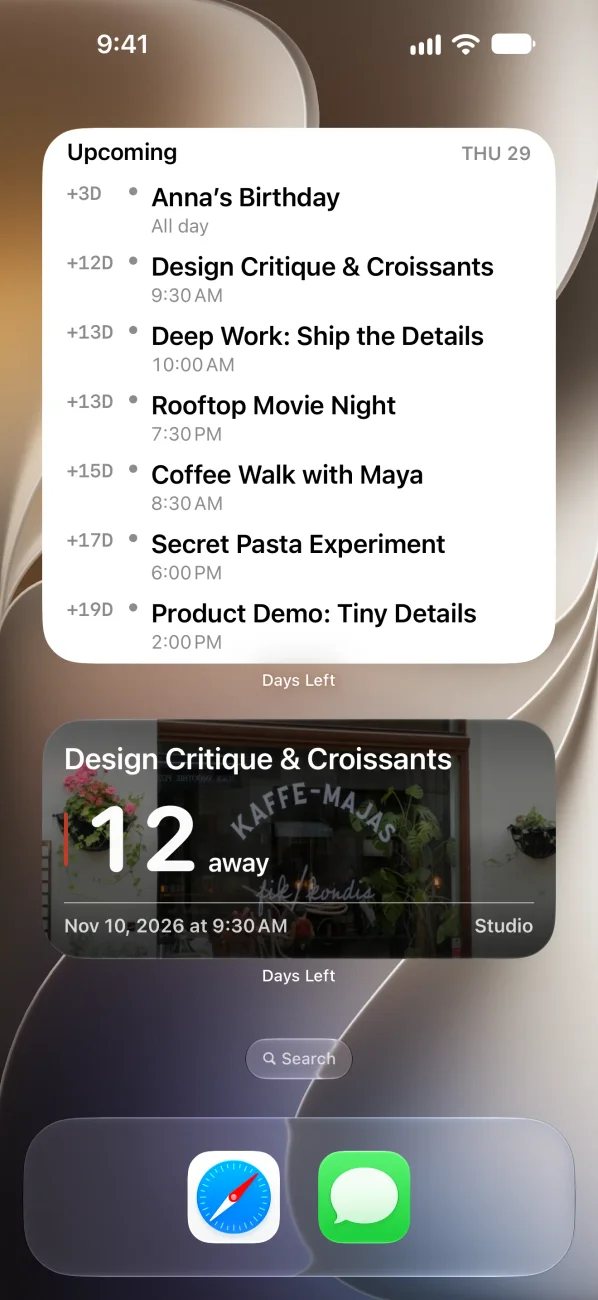
Save important events to Favorites. Add a personal photo and display a favorite event with its countdown in a Home Screen widget. Use it for a birthday, anniversary, trip, or another date already in your calendar.
SEE WHAT’S NEXT
The Upcoming Events widget shows events from all or selected calendars. Both widget types come in small, medium, and large sizes.
OPTIONAL LIFETIME UNLOCK
Browsing, Favorites, and widgets remain free. A one-time in-app purchase unlocks creating and editing events in writable calendars, creating calendars, calendar-color display, and shortcuts between an event in the list and its date in the calendar. No subscription. Restore your purchase from Settings.
Calendar access is required to display your events. Birthday countdowns use birthdays available in your calendars.
What’s new
Version 3.0 · Oct 30, 2026
A fresh design puts the countdowns to your important days up front.
• Switch quickly between events and the calendar, enjoy photo cards with progressively blurred backgrounds and readable text tinted to match and a clean layout when no photo is added, and use Dark Mode and Liquid Glass on supported iOS versions.
• New soft calendar colors keep each calendar’s hue and adapt to light and dark appearances.
• Choose whether to show the Next Event card in Settings while keeping the full event list.
• Improved VoiceOver support for the calendar, managing favorites, and browsing past events.
• The Upcoming Events widget keeps events that ended today visible for the rest of the day, so you can review your day’s schedule at a glance. They disappear the following day.
App privacy
What Ka Chon Chan declares on the App Store about how this app handles data.
-
Data not collected
The developer does not collect any data from this app.
Privacy practices may vary, for example with the features you use or your age.
Information
- Seller
- Ka Chon Chan
- Category
- Productivity
- Version
- 3.0
- Updated
- Oct 30, 2026
- Released
- May 12, 2022
- Size
- 8.2 MB
- Requires
- iOS 18.6 or later
- Age rating
- 4+
- Price
- Free
- In-app purchases
- Yes
- Languages
- English, German, Japanese, Korean, Simplified Chinese, Traditional Chinese
- Copyright
- © Ka Chon Chan
You might also like
-
 Scan & CopyScanning with text recognition
-
 Search Ninja for SafariSwitch Search Engine Instantly
-
 Don't Forget: Lock Screen MemoProductivity
-
 SuperX - PIP ExtensionPicture-in-Picture Everything
-
 WilliWidgetsA Widget For Everyone
-
 Shortcuts for Action Button 15Automation Commands for Siri
-
 Anybox - Bookmark & Read LaterSave and Organize Links
-
 Video SummarizerYouTube Summaries & Notes
-
 Paste – Limitless ClipboardCopy, Search, Manage, Share
-
 mymind – Extend your mindNever forget anything anymore.