
Daywright: Personal Planner
To-dos that fit your time
Designed for iPhone, iPad
Free · In-app purchases
- Age rating4+
- CategoryProductivity
- DeveloperJason Grant
- LanguagesEnglish
- Size9.8 MB
Links to the official App Store page
Download.org hosts no file of Daywright: Personal Planner. The button opens its official App Store page, published by Jason Grant. Listing last checked on Nov 19, 2026.
Screenshots

About
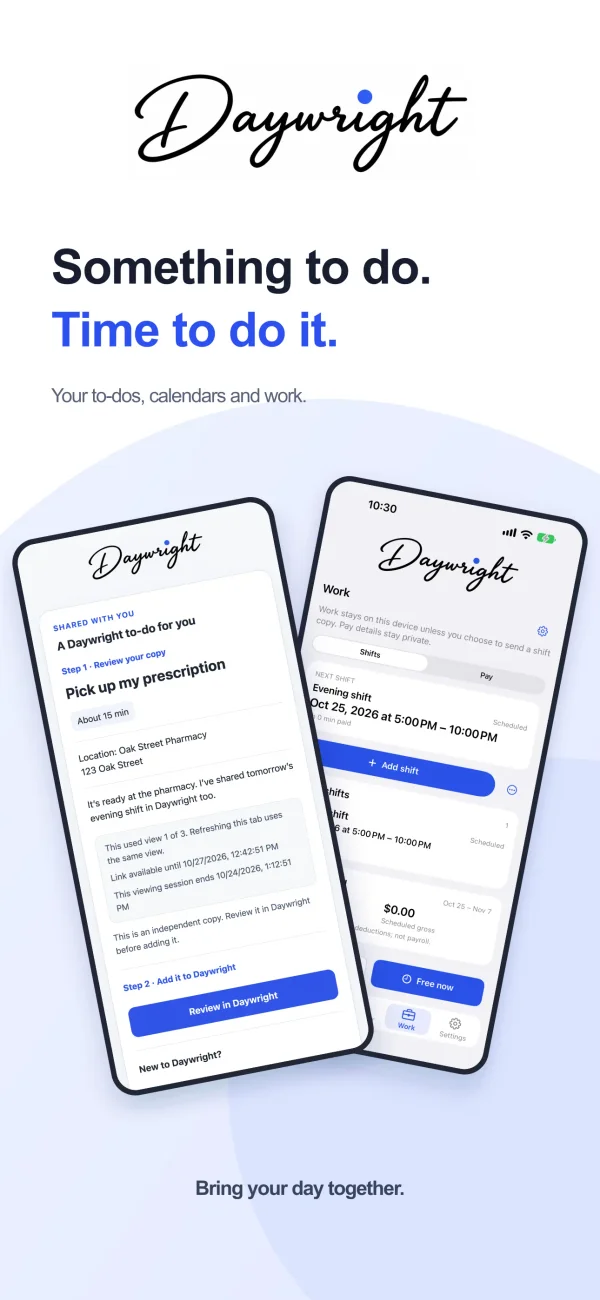
Something to do. Time to do it.
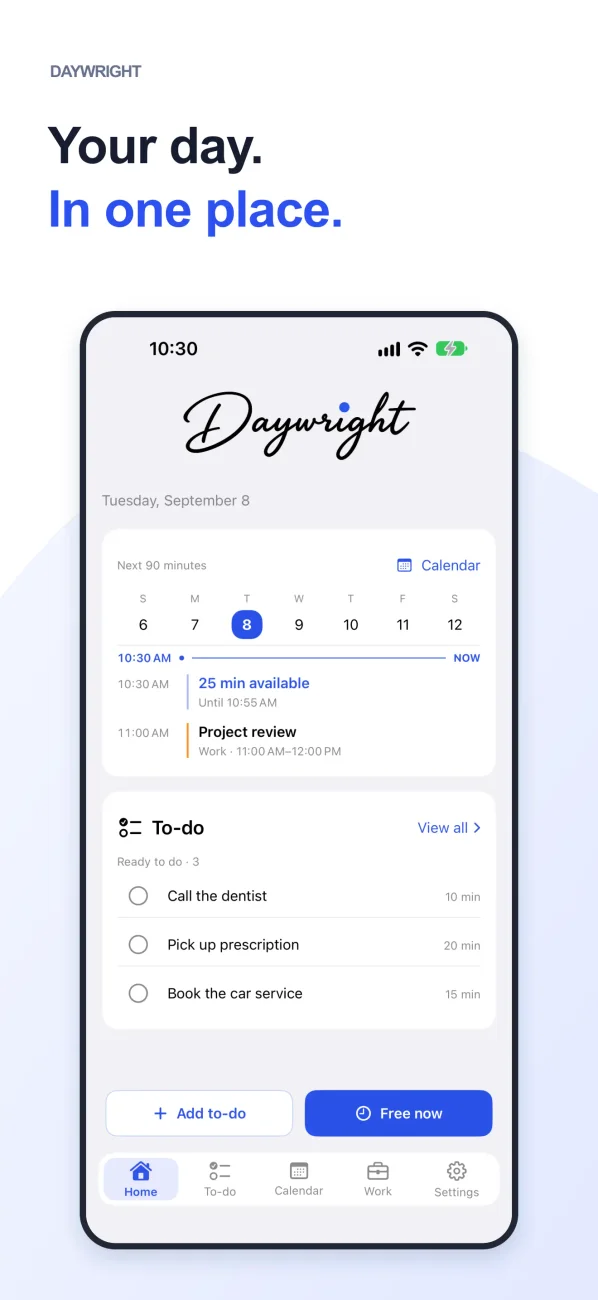
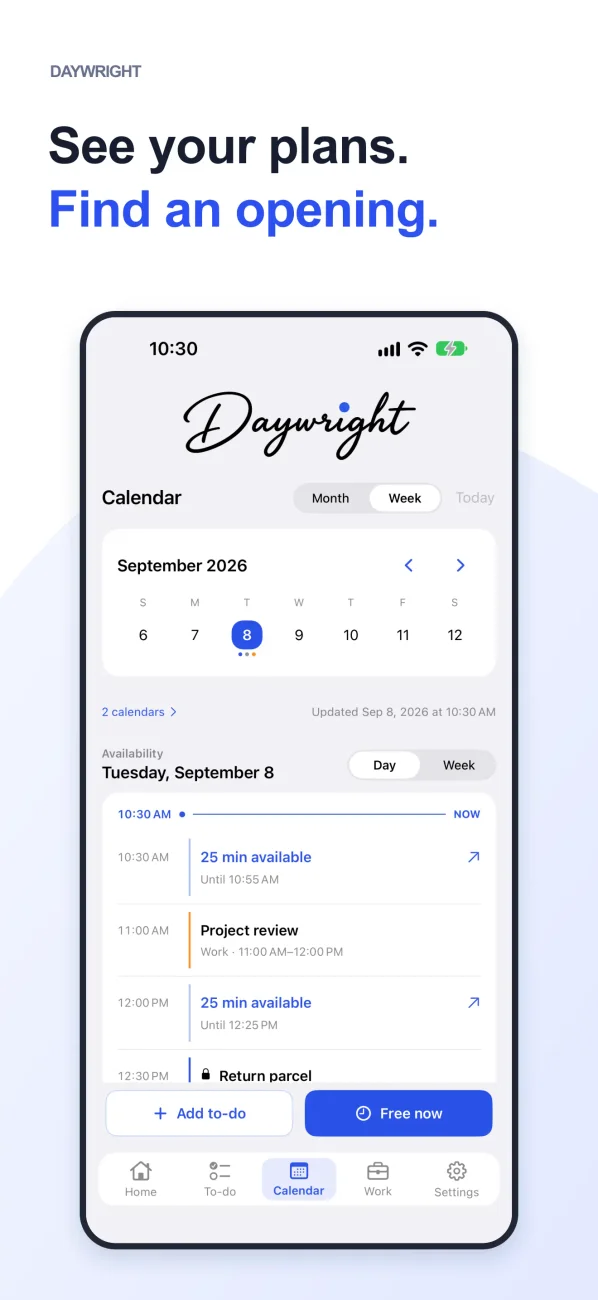
Bring your to-dos, calendars and work shifts together with Daywright. Find something that fits the time you have, keep your place when you stop, and send someone a private copy they can read in a browser.
START WITH A NAME AND AN ESTIMATE
Return a parcel. Book the car service. Add a to-do and say how long it might take. Free includes five active personal to-dos, basic editing, manual scheduling, ordinary repeats and reminders. Completed to-dos and received copies do not count toward that allowance. Share text or a web link from another app to review as a draft.
FIND SOMETHING THAT FITS
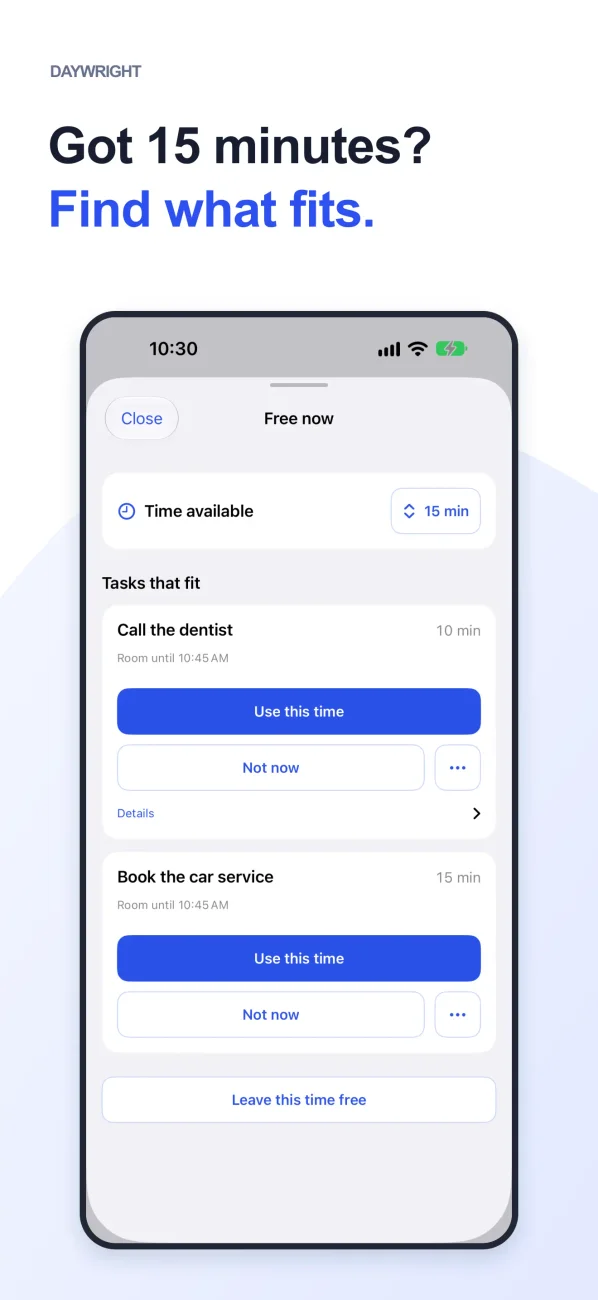
A gap before work? Twenty minutes between appointments? With Plus, Free now finds to-dos that fit your available time. Choose one and use that time. You decide what gets scheduled.
PICK UP WHERE YOU STOPPED
With Plus, record what you did and estimate what remains. Mark a to-do as waiting for a reply, delivery or something else, with an optional follow-up date. Search titles and notes, filter by status, and revisit completed work. A scheduled time ending never marks a to-do done for you.
SHIFTS, HOURS AND PAY
Add manual shifts with Free. Plus adds shift templates and rotations, actual hours, and gross-pay estimates using your rates and overtime rules. Pay figures are personal estimates, not payroll or take-home pay.
REMEMBER IT NEAR THE RIGHT PLACE
Save a place with a to-do. With Plus, enable a Nearby reminder for the parcel shop, pharmacy or another saved place. Reminders are optional and depend on location and notification permissions and device settings.
SHARE A PRIVATE COPY
With Plus, send an encrypted private link for a to-do or shift, including only the optional details you choose. For to-do links, choose expiry and viewing limits. Checking or stopping an existing link stays Free. Stopping or expiry prevents future retrieval; it cannot recall a copy someone already saved. Sharing a shift does not confirm coverage.
RECEIVE A TO-DO IN YOUR BROWSER
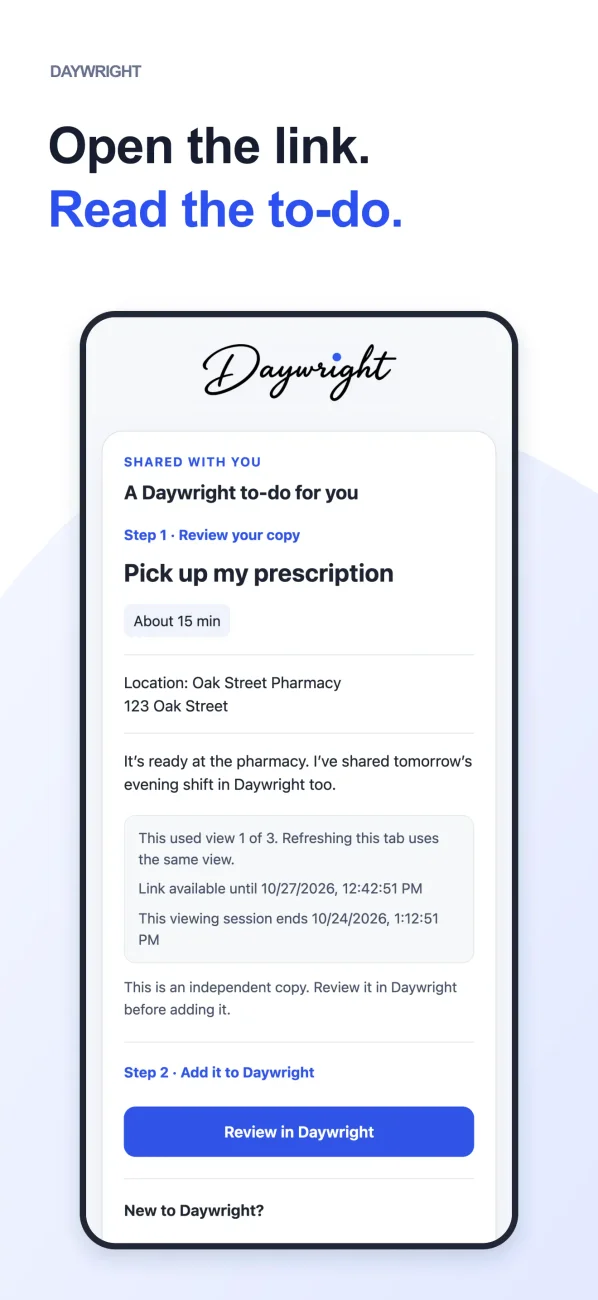
Open a private to-do link and choose View to-do. Read the shared details without installing Daywright. Install the app if you want to review and save your own independent copy for free.
CLOSE AT HAND
Use Siri and Shortcuts to add a to-do or show today with Free; finding something to do uses Plus. Choose immediate adding or review first. Free Home Screen and Lock Screen widgets keep work in view. Plus adds Live Activities. Widget and Live Activity titles have separate privacy controls. On iOS 18 or later, use Add to-do or Plus Free now from Control Center or a supported iPhone's Action button.
YOUR CALENDARS STAY YOURS
Choose the device calendars Daywright can read. Calendar access is optional; Daywright does not change source events. Your to-dos are stored on your device. Private sharing sends an encrypted copy you choose to share. No separate Daywright account, advertising or third-party analytics SDKs. System features and backups have their own data considerations, explained in the privacy policy.
MAKE IT YOURS
Follow your device’s appearance or choose light or dark, with Daywright Blue, Sage, Plum or Amber accents. The built-in Using Daywright guide helps you get started.
START WITH FREE. GO FURTHER WITH PLUS.
Plus removes the active personal to-do limit and adds the Plus features above. Choose a monthly or annual subscription or a one-time Lifetime purchase. Apple shows the price and terms before you confirm. If Plus expires, saved information and Free actions remain available, including reading existing progress and waiting details.
Subscriptions renew automatically unless canceled at least 24 hours before the current period ends. Manage or cancel in your Apple Account settings.
Privacy Policy: https://aroundfindout.com/daywright/privacy/
Terms of Use: https://www.apple.com/legal/internet-services/itunes/dev/stdeula/
What’s new
Version 1.0.2 · Nov 14, 2026
Visual refinements and subscription updates.
App privacy
What Jason Grant declares on the App Store about how this app handles data.
-
Data not linked to you
May be collected but is not linked to your identity.
- User content
Privacy practices may vary, for example with the features you use or your age.
Information
- Seller
- Jason Grant
- Category
- Productivity
- Version
- 1.0.2
- Updated
- Nov 14, 2026
- Released
- Oct 15, 2026
- Size
- 9.8 MB
- Requires
- iOS 18.6 or later
- Age rating
- 4+
- Price
- Free
- In-app purchases
- Yes
- Languages
- English
- Copyright
- © 2026 Jason Grant
You might also like
-
 Savvy PlannerProductivity
-
 Day in Order: Daily PlannerTasks, Habits & Goals
-
 Afterward - Daily PlannerADHD-friendly routines & focus
-
 Passion Planner by AaeshaA Planner Designed Around You
-
 Task Manager: Focus onePlanner, Reminders & Checklist
-
 Planix - Daily PlannerPomodoro & Project Management
-
 Next SevenSeven Days Week Planner
-
 Salta: Daily Task PlannerAI planner for goals & day
-
 Monthly Calendar & AgendaColor-coded plans that repeat
-
 CallyList: Calendar & TasksTo-Do & Agenda in One View