
dear vanity
Like a friend took your selfie
Designed for iPhone
Free · In-app purchases
- Age rating4+
- CategoryPhoto & Video
- DeveloperRytos
- LanguagesEnglish+ 12 more
- Size120.4 MB
Links to the official App Store page
Download.org hosts no file of dear vanity. The button opens its official App Store page, published by Rytos. Listing last checked on Nov 23, 2026.
Screenshots



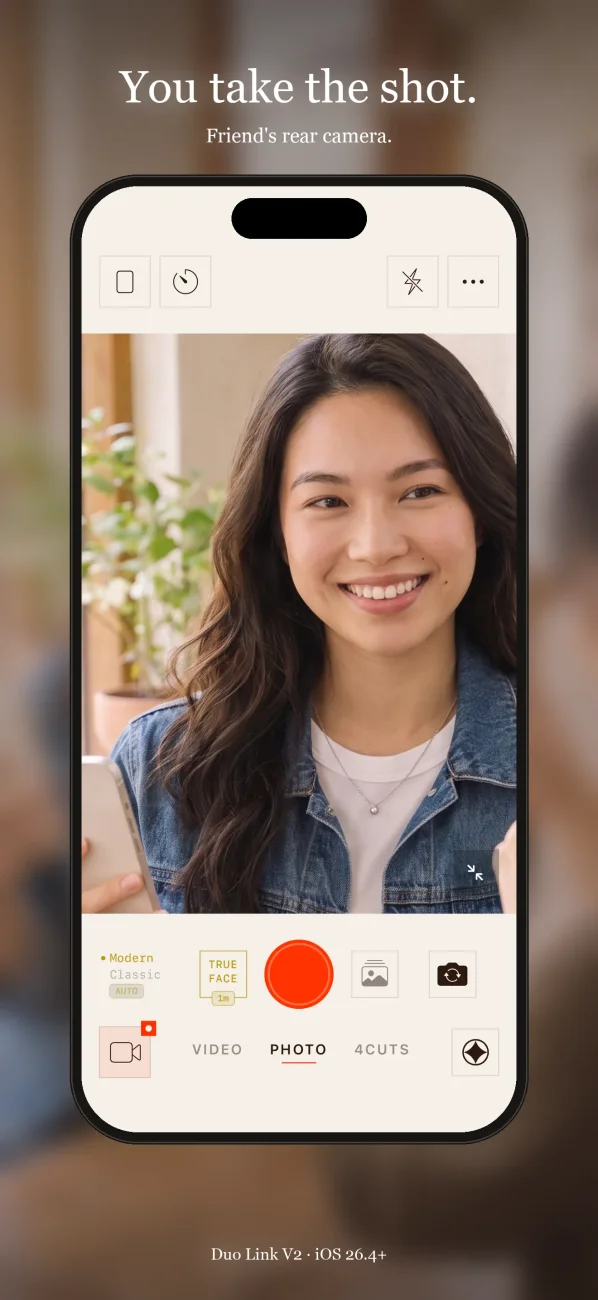

About
Selfies that look like a friend took them.
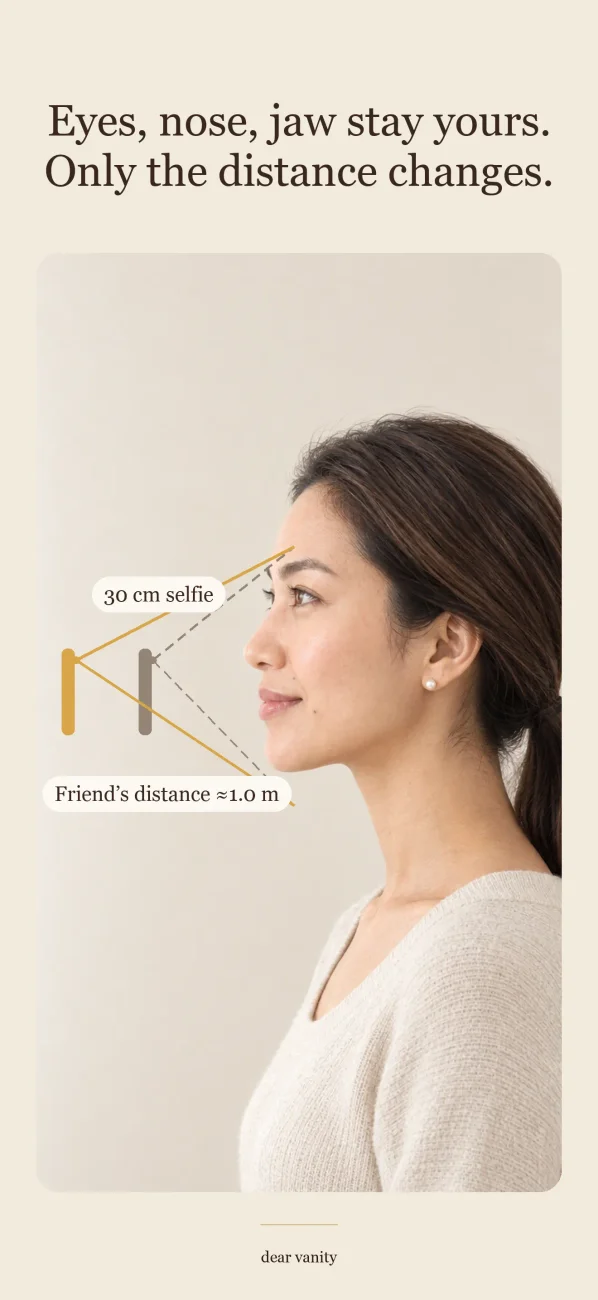
If your selfies look a little off, it isn't your face. It's the distance. At arm's length, whatever is closest to the lens comes out bigger.
dear vanity eases just that distance, as if a friend took the photo, and leaves your eyes, nose and jaw as they are.
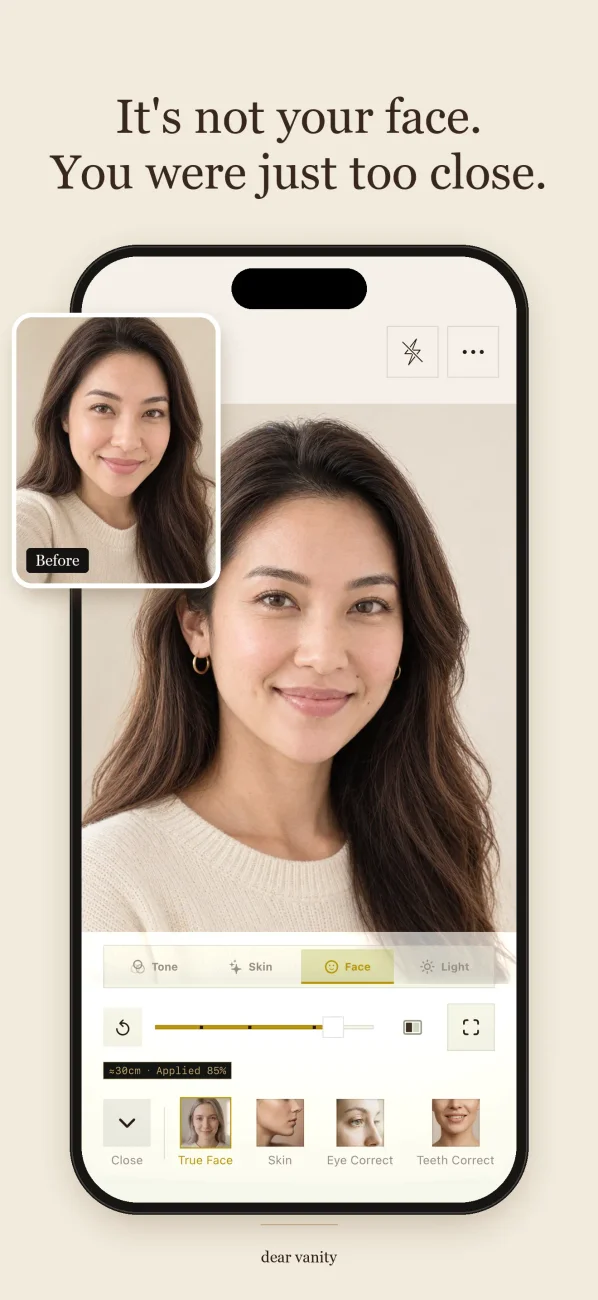
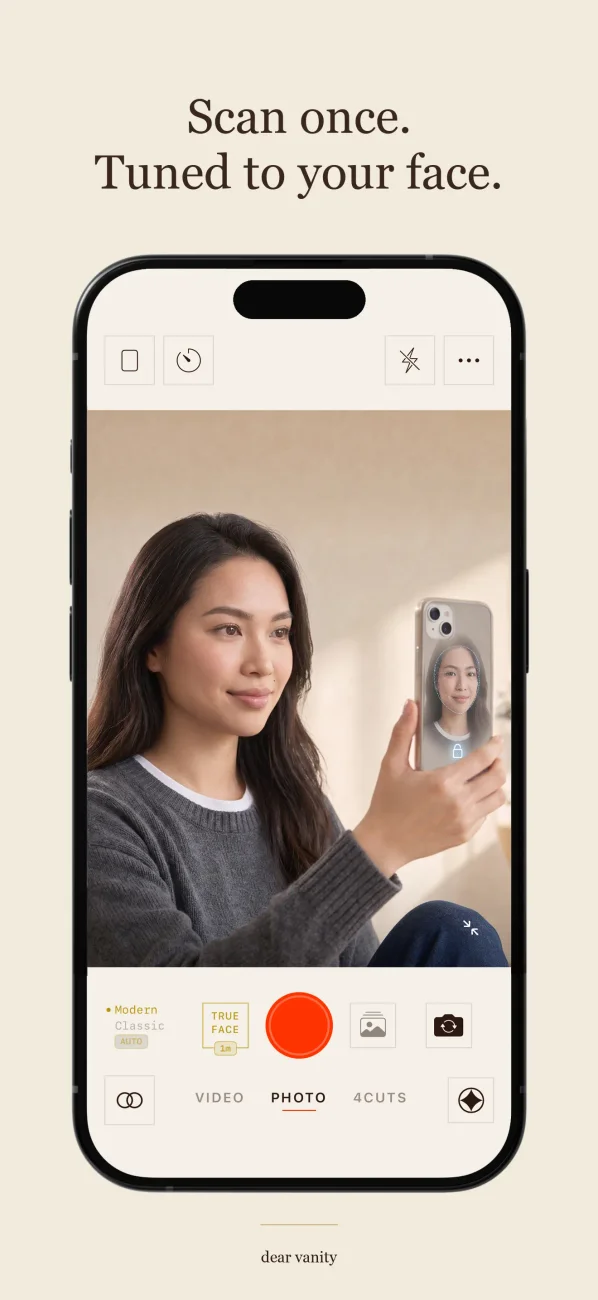
True Face: straightens out selfie-distance distortion live, as you shoot. A distance chip on screen shows how close you're shooting.
Light: move the direction of light with portrait lighting, or add a flash-like glow with AI Flash. Shape the light, not your face.
Skin and color: even out skin while keeping its texture, and set the mood with 20 color filters. Save a combination you love as My Look and bring it back in one tap.
New editor: apply True Face to photos already in your album. Skin Retouch keeps freckles and pores and clears only blotches, redness and shine. Remove a blemish with a single tap. Undo and redo included.
Duo Link V2: prop one iPhone up and frame the shot from the other. Pair once and it reconnects automatically next time; tap the shutter on either phone and the shot is saved on both. Phones connect directly, no internet needed. (iOS 26.4 or later; dear vanity on both iPhones)
4CUTS: four shots on one strip, photobooth style. Choose the cell orientation and the interval, or shoot with two phones to open Booth mode. The whole take is saved as a clip, too.
13 languages: use dear vanity in English, 한국어, 日本語 and 10 more languages.
What it doesn't do
It doesn't change the size or shape of your eyes, nose or jaw. No full-screen ads or popups that interrupt the shot. Face detection and photo processing happen on your device, and your photos are never sent to a server.
Founders Pack
Fine Tone (color temperature, mood, skin tone), Fine Light (highlights, shadows, color temperature), premium film filters, and every theme and app icon. One purchase, yours for good. No subscription.
Of course you do.
What’s new
Version 2.1.0 · Nov 18, 2026
dear vanity 2.1
• True Face V2: arm's-length selfies now look like they were taken from 1 m or 2 m away. Not just your face: your head and shoulders come back into proportion too, and the background behind you bends less. Your eyes, nose, and jaw stay yours. Tap next to the shutter to turn it on or off, or touch and hold to choose a distance.
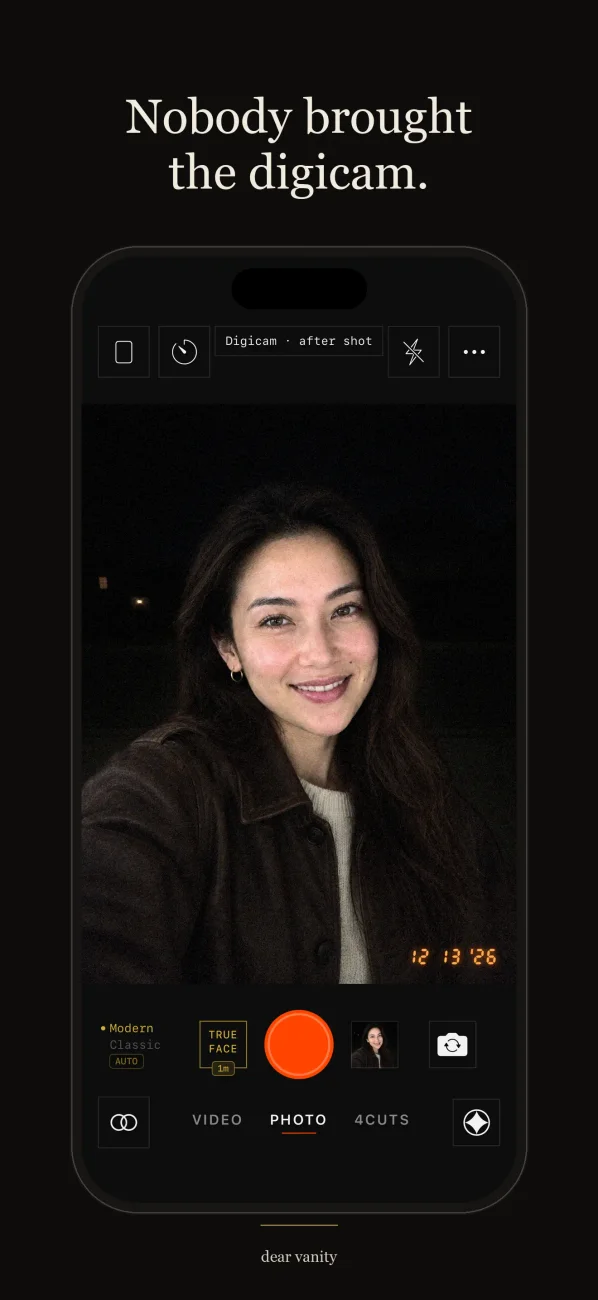
• Digicam Flash: turn it on and your shot gets the head-on flash look of a classic digicam. Pick the strength and warmth, and it works in 4CUTS frames too. Night shots light up like a real flash went off.
• Pick up where you left off: open a photo you saved from the editor in Recent, and your edits are right there for 30 days. Saved photos also keep the original date and location.
• Editor adjustments: new Tint, two-way Highlights that recover or brighten, more natural temperature and exposure, and saturation that protects skin tones. What you see is what gets saved.
• Light: relighting now follows the shape of your face more closely.
• Siri and Shortcuts: ask Siri to take a photo with dear vanity and it readies the camera and shoots. Turn on True Face, shoot 4CUTS, or edit a photo from Siri and Shortcuts, too.
• Open 4CUTS from Control Center, and pick dear vanity in another app's share sheet to open a photo in the editor.
• The first time you open the camera, turn True Face and Light on and off to see the difference for yourself.
• Photo and Video now each remember their own aspect ratio. Photo starts at 3:4 and Video at 9:16, and any ratio you change stays with that mode.
• If another app is using the camera, we tell you why and turn the camera back on as soon as it is free.
• Aperture, shutter speed, and ISO now appear when you turn on Capture Info in Settings.
• Bug fixes and improvements.
Selfies that look like a friend took them.
dear vanity 2.0.1
• 4CUTS: share straight from the result screen.
• Bug fixes and improvements.
dear vanity 2.0
• New editor: True Face for photos in your album. Skin Retouch keeps texture and clears blotches and shine, one-tap blemish removal, plus undo and redo.
• Duo Link V2: pair once, reconnect automatically. Tap the shutter on either iPhone and the shot is saved on both. Shoot PiP and side-by-side in landscape, too. (iOS 26.4 or later)
• 4CUTS: choose cell orientation and interval, and shoot with two phones in Booth mode.
• Camera: a True Face chip that shows your selfie distance, a lighter preview, and recordings where sound and picture stay in sync. Front camera landscape shots on iPhone 17 and later.
• The front camera preview always looks like a mirror; choose how photos are saved with Mirror Front Camera in Settings.
• iPhone Duo: made for folded and unfolded use. Folded, a 3:4 preview fills the screen, and camera, album, and editor controls line up along the right edge.
• 9 new filters (20 in all), cleaner shadows in existing ones, a new app icon, and 13 languages.
Selfies that look like a friend took them.
App privacy
What Rytos declares on the App Store about how this app handles data.
-
Data not linked to you
May be collected but is not linked to your identity.
- Purchases
- Location
- Identifiers
- Usage data
- Diagnostics
Privacy practices may vary, for example with the features you use or your age.
Information
- Seller
- OK Home
- Category
- Photo & Video
- Version
- 2.1.0
- Updated
- Nov 18, 2026
- Released
- Oct 27, 2026
- Size
- 120.4 MB
- Requires
- iOS 18.0 or later
- Age rating
- 4+
- Price
- Free
- In-app purchases
- Yes
- Languages
- English, French, German, Indonesian, Italian, Japanese, Korean, Portuguese, Simplified Chinese, Spanish, Thai, Traditional Chinese + 1 more
- Copyright
- © 2026 Rytos
You might also like
-
 Organic Camera: Photo & Video4K Open Gate & Selfie Light
-
 ApexShotFreeze fast motion, tack-sharp
-
 Noira Cam: Film & Grain CameraAnalog grain, RAW & LUT editor
-
 shot7x: G7X Camera StyleFlash, Digicam & Retro Looks
-
 Camera Fusion Ultra Zoom 100x#1 Super Zoom Tele Camera 100x
-
 Apertura - Pro CamPro Camera, Video & Editor
-
 D.Cut - Retro Film & CamcorderPhotos & Videos, in Retro Film
-
 SuperLens HD 1000x ZoomPro Zoom Camera & Video HD
-
 Cheese: Film Camera & FiltersDate Stamp,Photo Video Effects
-
 Luxa RAW CameraPro Manual Film Simulation LUT