- Age rating4+
- CategoryPhoto & Video
- Developer照 陈
- LanguagesEnglish+ 9 more
- Size69.2 MB
Links to the official App Store page
Download.org hosts no file of Luxa RAW Camera. The button opens its official App Store page, published by 照 陈. Listing last checked on Nov 24, 2026.
Screenshots
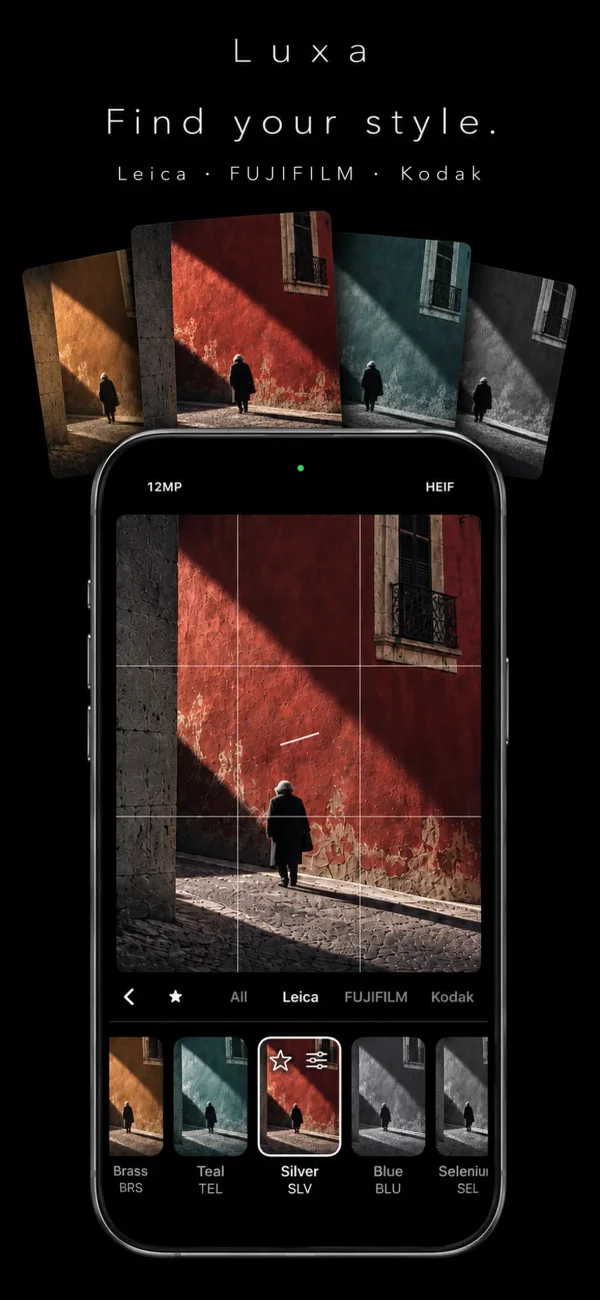
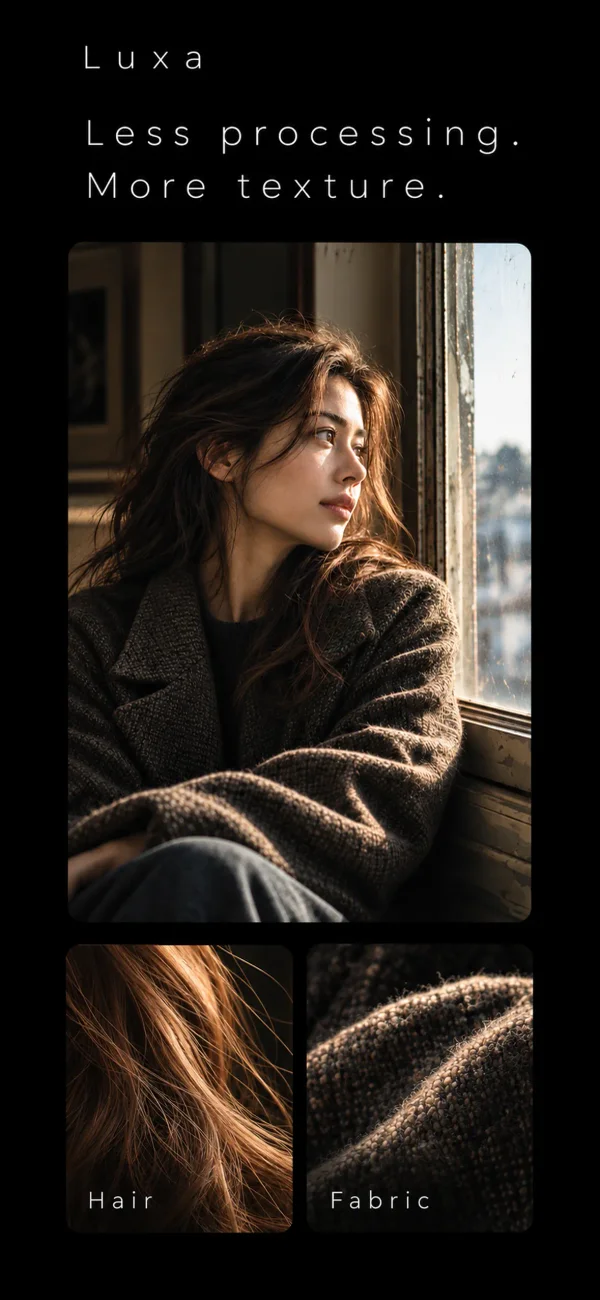


About
Natural RAW camera. Leica, FUJI & Kodak styles.
Luxa is an iPhone camera for natural texture, expressive color, and thoughtful control.
Choose how your photos are captured, explore film-inspired styles, and keep the experience simple—from framing the shot to saving the image.
YOUR CHOICE OF IMAGE PROCESSING
Choose from three imaging engines:
• Process Zero RAW — develop Bayer RAW with Luxa’s own rendering pipeline for a more restrained starting point.
• Apple ProRAW — combine RAW flexibility with Apple’s computational photography on supported devices.
• Apple Processed — use Apple’s image processing for ready-to-share HEIF photos.
RAW and ProRAW availability depends on your device and camera. The amount of Apple processing varies by engine.
PHOTOGRAPHIC STYLES
Explore looks inspired by Kodak, Fujifilm, and Leica—from warm film color and understated tones to expressive monochrome.
Choose a lighter touch or a stronger look with adjustable style intensity. Monochrome styles use their full effect to preserve their character.
Add grain with separate controls for amount, size, and roughness. Styles and grain are applied to the finished photo, so you can keep your attention on the scene.
CONTROL, WHEN YOU NEED IT
Adjust focus and white balance, or use manual shutter speed and aperture where supported by your device and iOS.
Stay in Auto for everyday moments, then take more control when the scene calls for it.
RAW MADE APPROACHABLE
Save in RAW, HEIF, or RAW + HEIF, depending on the selected engine.
Keep an original RAW file for editing, a finished HEIF for sharing, or both. When styles or watermarks require a rendered image, Luxa can save a HEIF companion alongside your RAW.
THE FINISHING DETAILS
Add a clean information-bar watermark with capture details and a signature. Use composition grids and a horizon level to help frame your shot.
Open the built-in gallery to browse your photos, mark favorites, and view capture information.
Less Processing. More Control. More Texture.
What’s new
Version 1.9.9 · Nov 22, 2026
- Updated for iOS 27.3 and fixed RAW decoding failures.
- Improved continuous shooting speed for faster, smoother capture.
- Refined the user interface for a more intuitive experience.
App privacy
What 照 陈 declares on the App Store about how this app handles data.
-
Data not linked to you
May be collected but is not linked to your identity.
- Identifiers
- Usage data
Privacy practices may vary, for example with the features you use or your age.
Information
- Seller
- 照 陈
- Category
- Photo & Video
- Version
- 1.9.9
- Updated
- Nov 22, 2026
- Released
- Sep 18, 2026
- Size
- 69.2 MB
- Requires
- iOS 26.0 or later
- Age rating
- 4+
- Price
- Free
- Languages
- English, French, German, Japanese, Korean, Portuguese, Simplified Chinese, Spanish, Traditional Chinese, Vietnamese
- Copyright
- © 2026 Zhao Chen
You might also like
-
 Add Watermark: Photo CopyrightLogo, QR, Sign Photos in Batch
-
 Dual Cam Recorder Pro One TakeOne Shot. Portrait + Landscape
-
 myGPS Map CameraStamp location on photos
-
 Trigger Keeper: Voice CameraHands-Free Photos & Selfies
-
 Video Background Change&EraserBG Remover, Replace, Cutout
-
 Blur Photo Editor: Face & TextBlur Background, Face & censor
-
 berkbrainAI Photo Editor
-
 MosinePhoto memories, less clutter
-
 Traxxtar VideoviewTap to Record, Instant Replay
-
 Photo Clean: Photo OrganizerSort by size & estimated date