
DeepDo
Multi-level project planner
Designed for iPhone, iPad, iPod touch
Free · In-app purchases
- Age rating4+
- CategoryProductivity
- DeveloperHIROSHI KAWASHIMA
- LanguagesEnglish
- Size33.5 MB
Links to the official App Store page
Download.org hosts no file of DeepDo. The button opens its official App Store page, published by HIROSHI KAWASHIMA. Listing last checked on Nov 20, 2026.
Screenshots
About
## App Overview
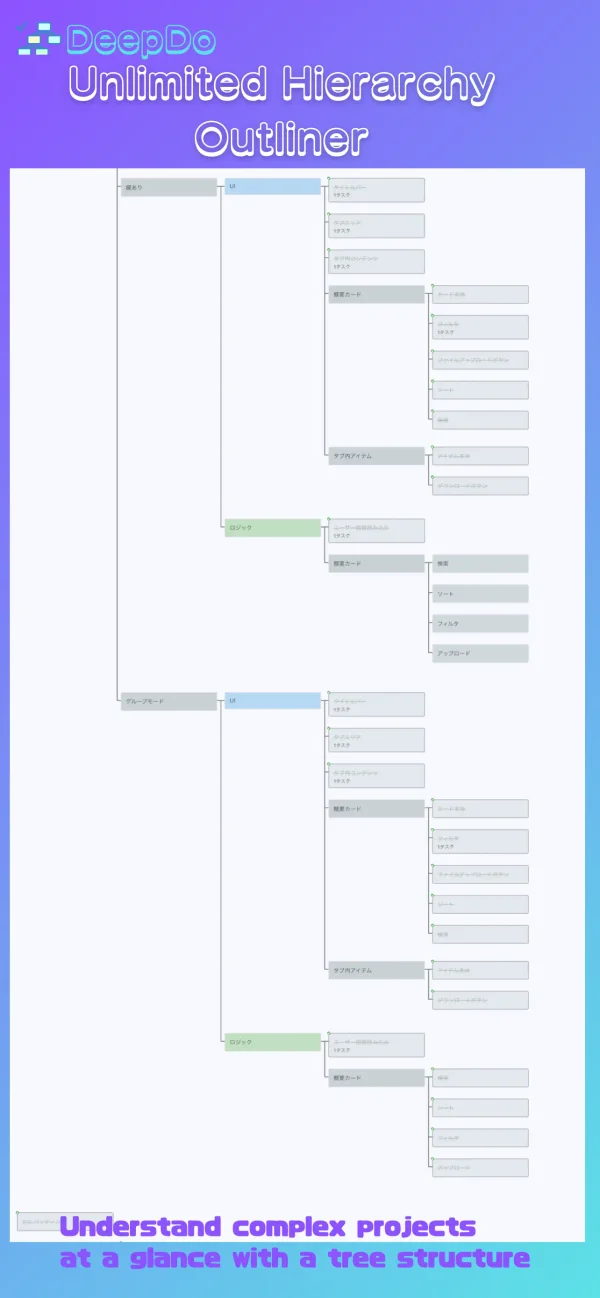
DeepDo is a powerful to-do app that lets you organize tasks and information in an unlimited tree structure.
Create subtasks within tasks, and add even finer tasks within those, so you can freely structure complex content. From personal task management to project management, learning, design, and information organization, you can manage your flow of thought as a tree.
DeepDo also supports AI-powered structure generation. Simply enter text or ideas, and complex content is automatically organized into a hierarchy.
Created structures can be saved, shared, and exported as PDF. Use cases range from sharing procedures and expanding to-do lists to organizing knowledge and visualizing structure—for both personal and team use.
## Main Features
* Add items (to-dos)
* AI structure generation
* Automatically convert ideas and text into a hierarchy
* Support for project planning, learning content, and work procedures
* Menu when tapping an item
* Select: Open a page based on the selected to-do
* Add list: Create a sub-to-do under the selected item
* Edit: Change title / price (numeric value) / color
* Save: Save the selected item and everything below it
* Delete: Delete the selected item and its children
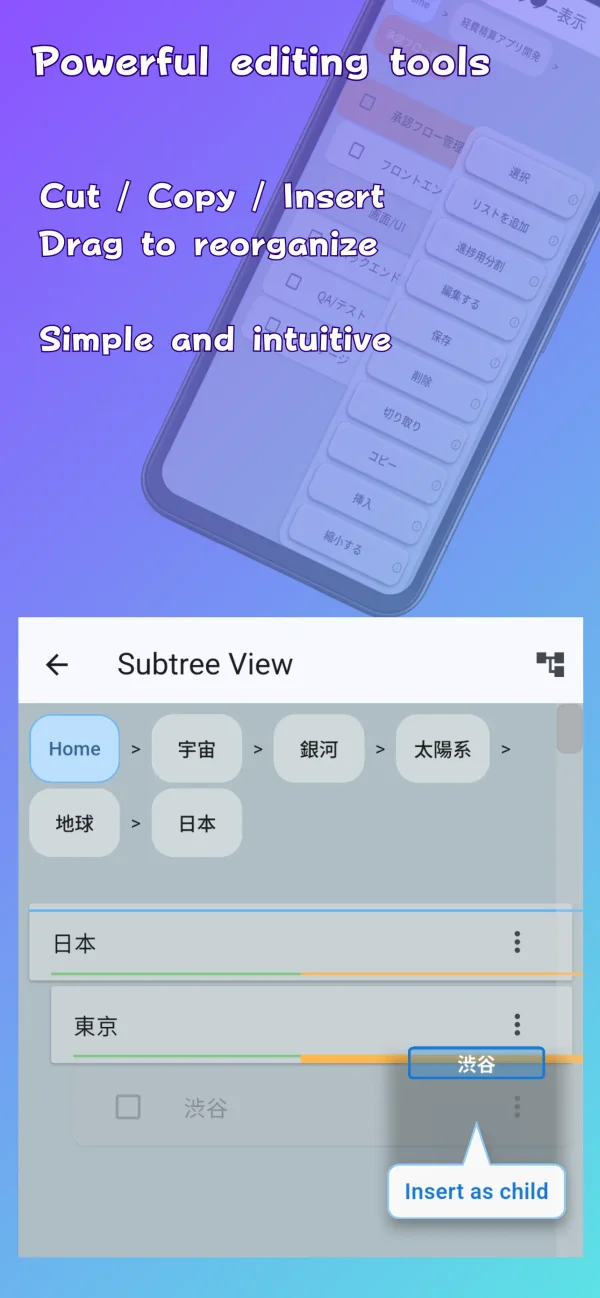
* Cut / Copy: Include children; paste anywhere
* Insert: Insert saved, cut, or copied items as children
* Bulk insert: Paste text and auto-create one item per line
* Progress split: Split a to-do with a value into children (original value is cleared)
* Hide / collapse children (swipe shortcut)
* Display in 3-level blocks (e.g. show levels 5–7; levels 1–4 in breadcrumbs at top)
* Drag to reorder and organize items
* Map mode: View the full structure; pan and pinch to zoom
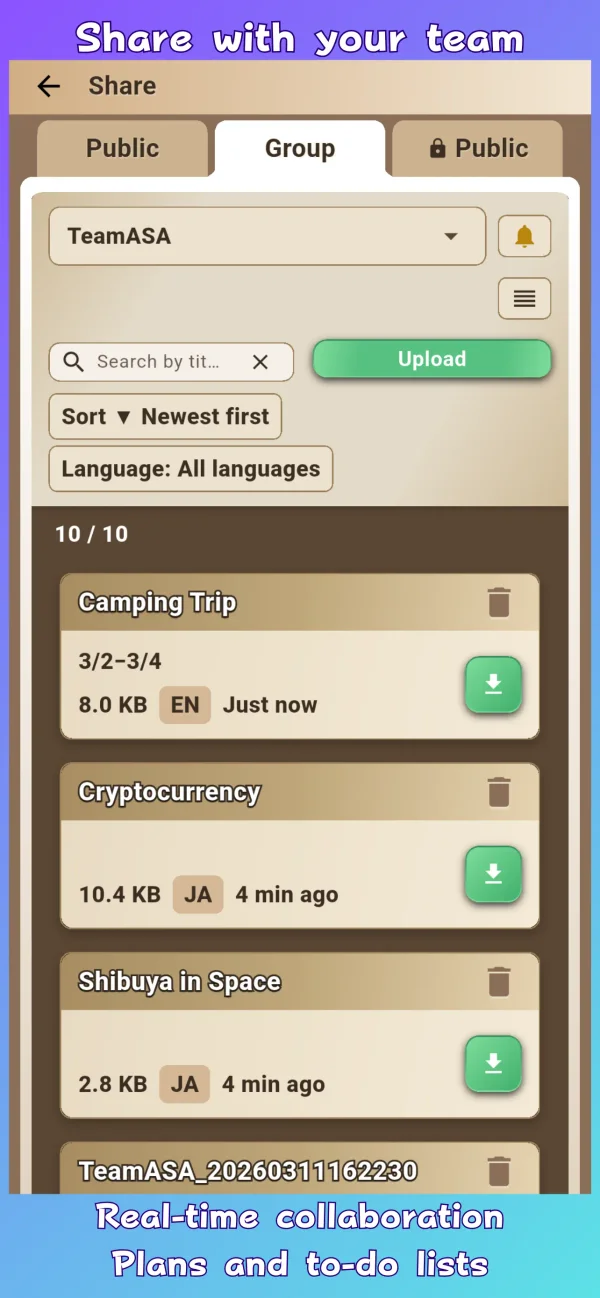
* Sharing mode: Online sharing via public, group, or limited access
* PDF export: Save as searchable, copyable PDF
* Backup to storage (folder organization supported)
* Backup list: Share / overwrite save / insert / restore / delete
* 47 languages (change anytime in settings)
## About Price (Numeric Values)
Price is a numeric value you can set on a to-do item.
Units can be changed in settings and used for workload, amounts, quantities, man-hours, and more.
Examples:
* yen
* $
* pcs
* tasks
* person-days
*Only leaf items can hold numeric values.
## Developer Intent
This app is built for people who think structurally.
It shines not only in task management but also when organizing complex information for planning, design, writing, learning, and research.
We continue to develop it as an app that supports structuring your thinking itself.
## What Sets DeepDo Apart
* Flexible structure management with unlimited hierarchy
* Automatic hierarchy generation with AI
* Flexible editing with cut / copy / insert at partial levels
* Progress and workload visibility with price (numeric values)
* Full-structure visualization in map view
* PDF export with search and copy support
* Online sharing for personal and team use
## Future Updates
* Ongoing improvements to AI features
* Expanded sharing capabilities
* Continuous iOS improvements
* More flexible, useful features based on user feedback
## Terms of Use and Privacy Policy
Terms of Use (EULA):
https://www.apple.com/legal/internet-services/itunes/dev/stdeula/
DeepDo Terms of Use:
https://deepdo.blue/en/terms
Privacy Policy:
https://deepdo.blue/en/privacy
What’s new
Version 7.8.7 · Oct 8, 2026
Settings “Basic settings” is now split into four tabs.
Basic: turn backup and display options on or off.
Language: choose the app language.
Display: set a nickname, characters before and after prices, and the total label.
Account linking: link a Google or Apple account.
App privacy
What HIROSHI KAWASHIMA declares on the App Store about how this app handles data.
-
Data not linked to you
May be collected but is not linked to your identity.
- Identifiers
- Usage data
Privacy practices may vary, for example with the features you use or your age.
Information
- Seller
- HIROSHI KAWASHIMA
- Category
- Productivity
- Version
- 7.8.7
- Updated
- Oct 8, 2026
- Released
- Mar 17, 2026
- Size
- 33.5 MB
- Requires
- iOS 15.0 or later
- Age rating
- 4+
- Price
- Free
- In-app purchases
- Yes
- Languages
- English
- Copyright
- © 2025 Kawashima
You might also like
-
 Stream — WBS & GanttEdit spreadsheet schedules
-
 Tiny Habit Log 微小习惯日记Productivity
-
 DearWikiLocal notes you own
-
 NestTime - Task & Time Tracker24-Hour Ring & Nested Tasks
-
 APLOWBS - WBS Task ManagerTodo Planner: Projects & Tasks
-
 memomer - Tree Notes+Tree Notes for Note Lovers
-
 Quick Notes: Ideas & TagsScribble now, sort it later
-
 inkling — dream journal, notesVoice diary & quick capture
-
 Project Planner - 計画管理Productivity
-
 GrapNoteQuickly capture your ideas.