DeltaClock: Time Zone Planner
Modern World Clock and Planner
Designed for iPhone, iPad
Free · In-app purchases
- Age rating4+
- CategoryProductivity
- DeveloperAmeliia Shekikhacheva
- LanguagesEnglish+ 18 more
- Size23.5 MB
Links to the official App Store page
Download.org hosts no file of DeltaClock: Time Zone Planner. The button opens its official App Store page, published by Ameliia Shekikhacheva. Listing last checked on Nov 12, 2026.
Screenshots
About
DeltaClock is a stylish world clock and time zone meeting planner built for people who work across multiple time zones. If you collaborate with teammates, clients, friends, or family in different countries, DeltaClock helps you compare cities, convert time zones, and schedule meetings without guesswork.
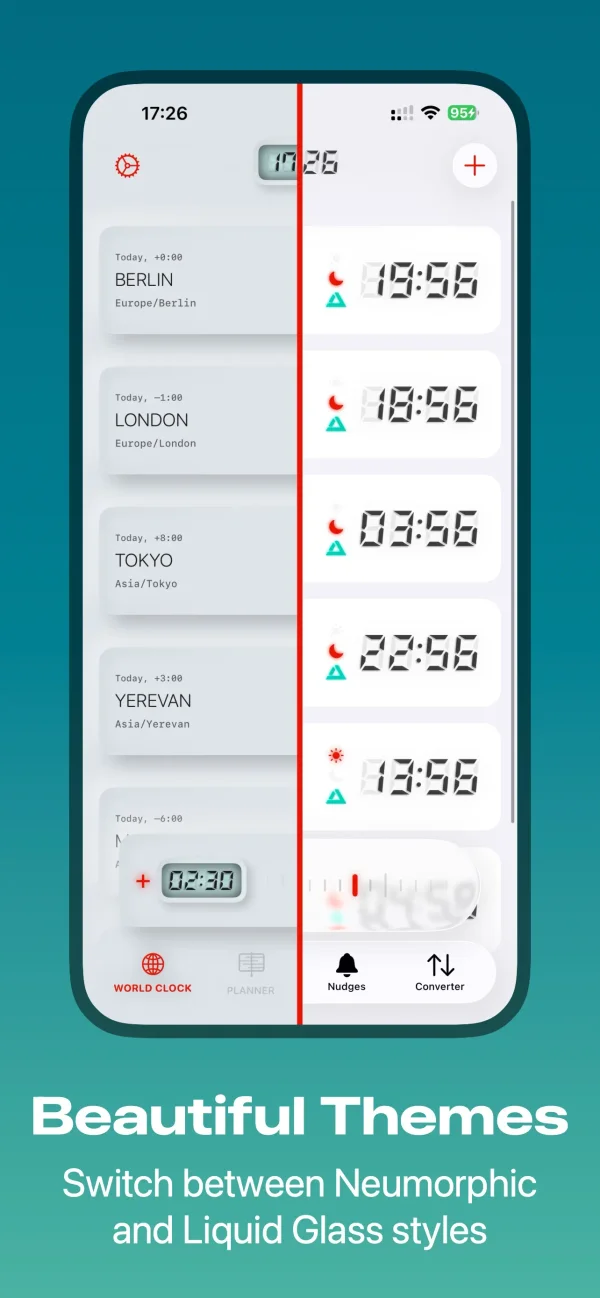
A WORLD CLOCK YOU CAN MOVE THROUGH TIME
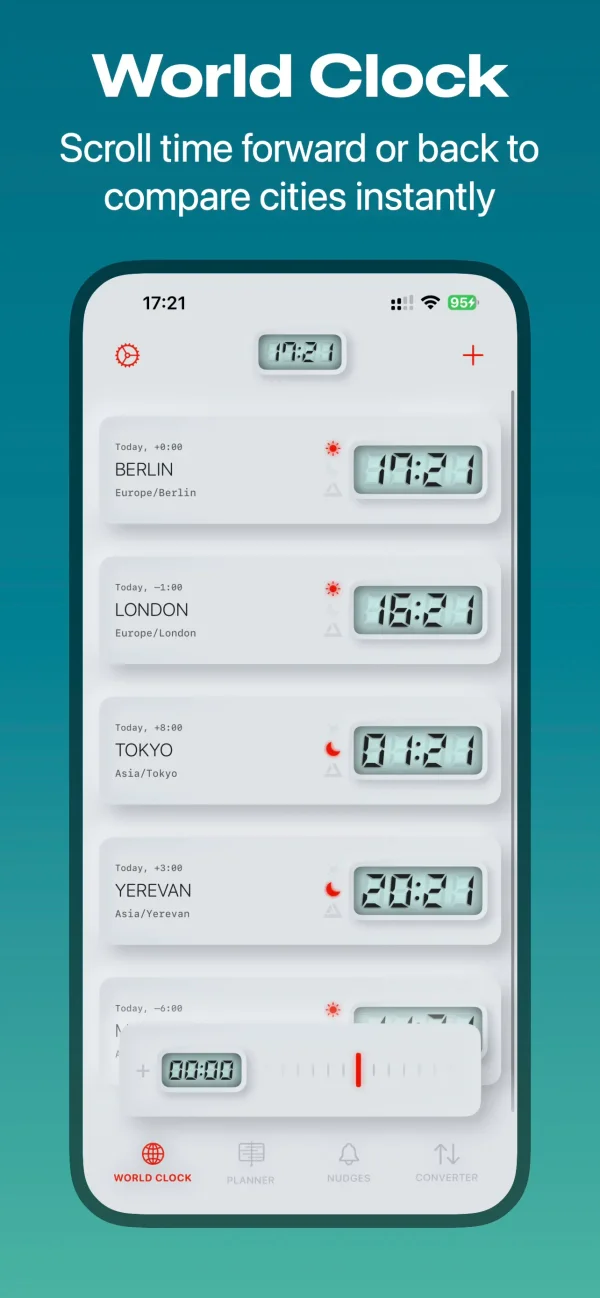
Most world clock apps only show “now”. DeltaClock lets you scroll time forward or backward to preview any moment:
• Add your key cities and instantly compare local time in each time zone
• Scrub the timeline to answer “What time will it be there?” in seconds
• See day and night changes, date rollovers, and time differences visually
• Reduce mistakes during daylight saving time changes (DST)
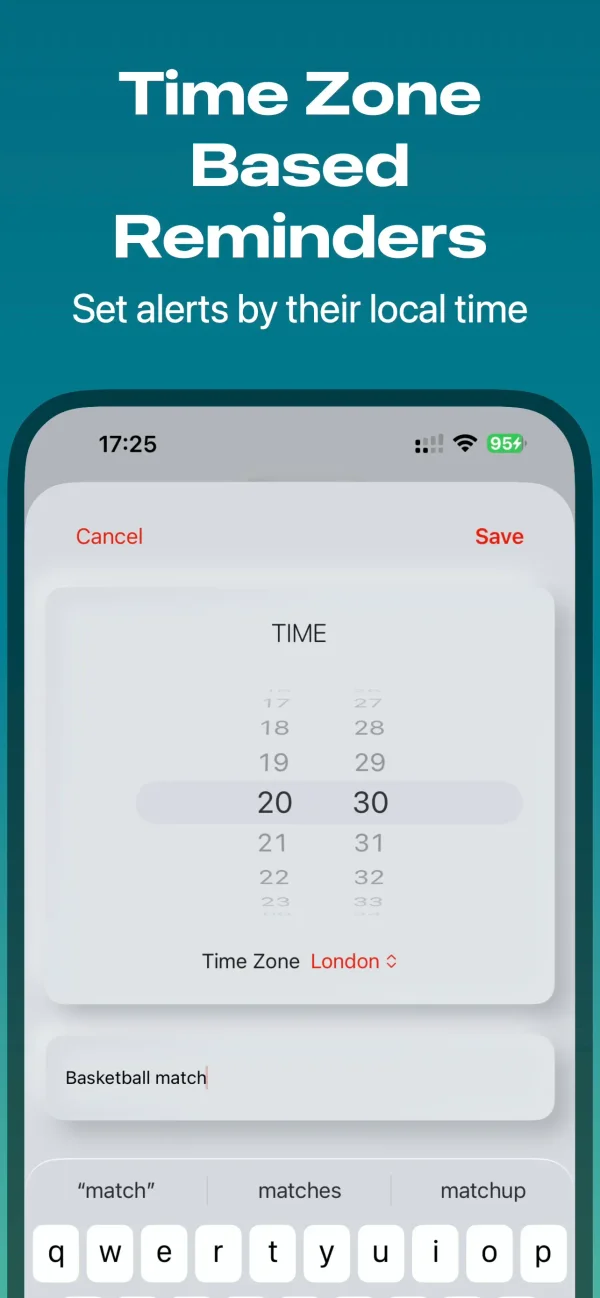
TIME ZONE REMINDERS THAT MAKE SENSE
Create reminders based on the time in another city, and DeltaClock converts it to your local time automatically.
• Schedule reminders for calls, deadlines, lessons, streams, and flights
• Set reminders by “their time” (for example 9:00 in New York) and avoid mental math
• Great for distributed teams, freelancers, and international routines
OVERLAP PLANNER FOR REMOTE TEAMS
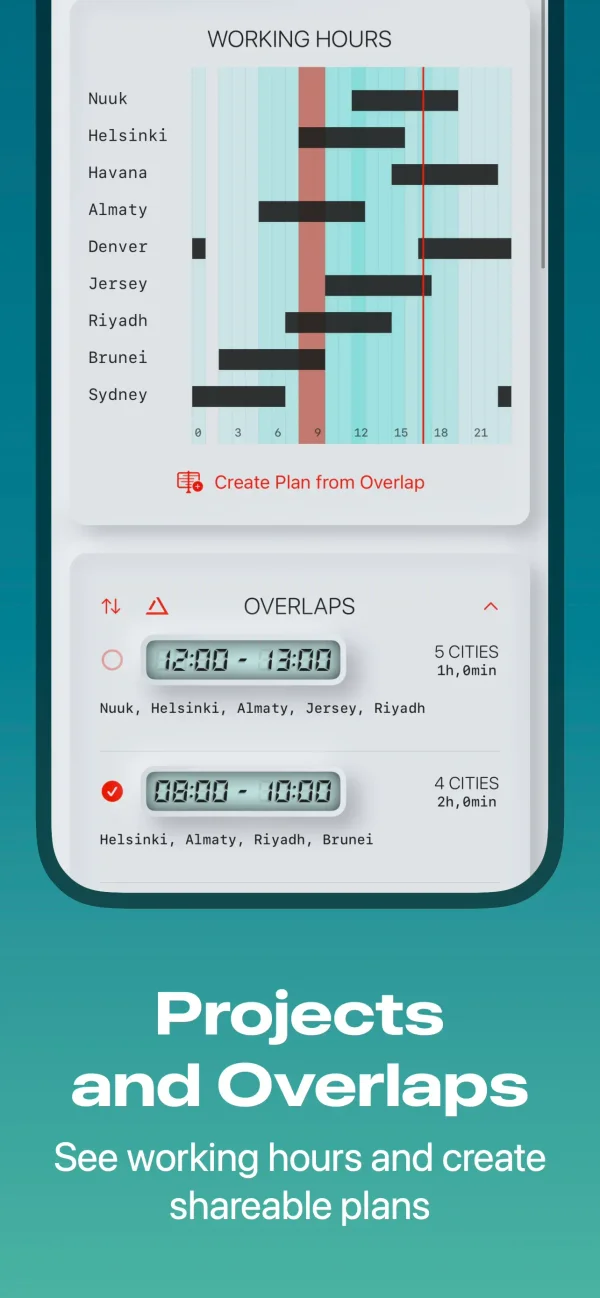
DeltaClock is also a meeting planner: it shows overlap windows across multiple time zones so you can pick a time that works for everyone.
• View overlaps for multiple cities in one planner
• Build plans from overlap blocks (for example best meeting window, handover time, deep work hours)
• Share plans as calendar events to keep everyone aligned
• Perfect for recurring meetings, standups, interviews, and cross border projects
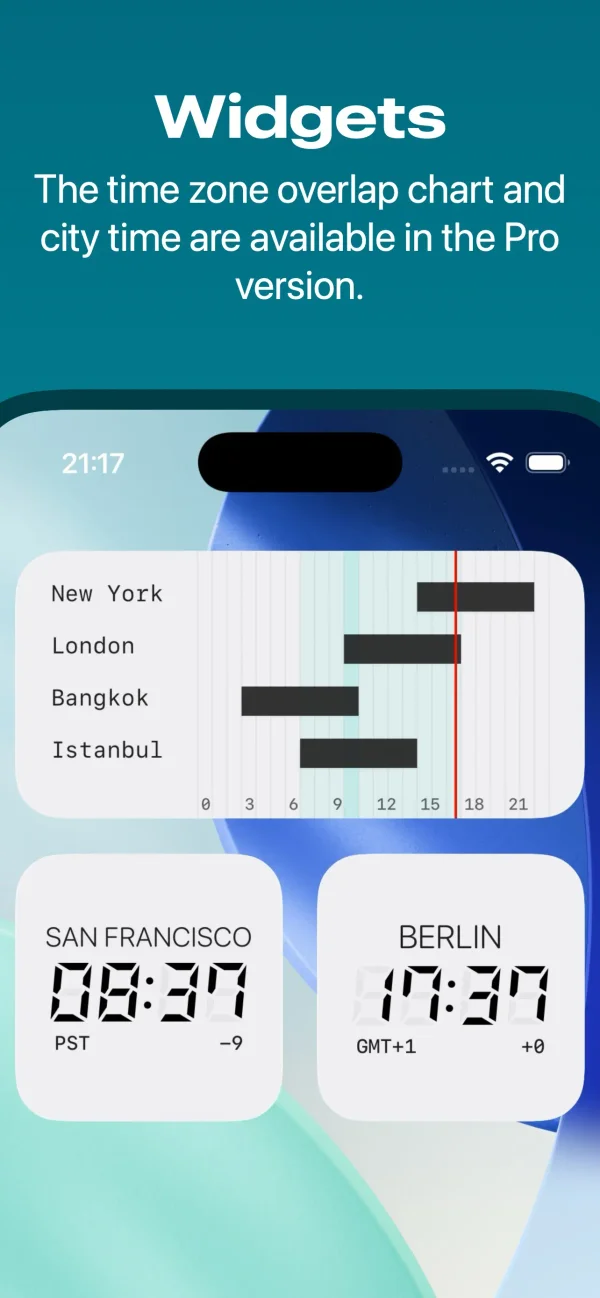
WIDGETS: SEE TIME AT A GLANCE
Add DeltaClock widgets to your Home Screen for instant time zone visibility:
• City Time Widget: a stylish widget that shows the current time in your chosen city (great for your key teammate or client location)
• Project Timeline Widget: a compact view that highlights overlap windows across your project cities so you can spot meeting friendly hours quickly
THREE BEAUTIFUL THEMES
Choose the look that fits your style:
• System / Liquid Glass
• Neumorphic
• Retro Neumorphic
A clean interface makes time zone conversion and scheduling feel effortless.
WHO IT’S FOR
DeltaClock is made for:
• Remote work and global teams
• Managers coordinating schedules across time zones
• Freelancers with international clients
• Students attending classes in another country
• Travelers planning itineraries and check ins
• Long distance relationships and families
WHY DELTACLOCK
DeltaClock combines a world clock, time zone converter, widgets, and meeting planner in one focused app:
• Fast setup: add cities, compare time zones, find overlap
• Visual timeline: understand time differences at a glance
• Fewer mistakes: avoid missed meetings caused by DST or date changes
• Calendar sharing: turn overlaps into real plans
• Widgets: your key cities and project overlaps always visible
Work across time zones with confidence. Compare time zones, plan meetings, and set time zone reminders with DeltaClock.
HOW IT WORKS
1. Add the cities you care about (work, home, clients, travel).
2. Use the World Clock timeline to slide into the future or the past.
3. Switch to the Overlap Planner to find shared working hours.
4. Create a plan and export it as a calendar event to share with others.
BUILT FOR CLARITY
DeltaClock focuses on the most common multi time zone tasks: world clock comparison, time zone conversion, and meeting planning. Instead of doing math, you see the answer:
• “Is it too late to message London?”
• “When does Sydney start work?”
• “What’s the best meeting time for New York, Berlin, and Tokyo?”
• “If the deadline is 17:00 in LA, what time is that for me?”
USE IT AS A TIME ZONE CONVERTER
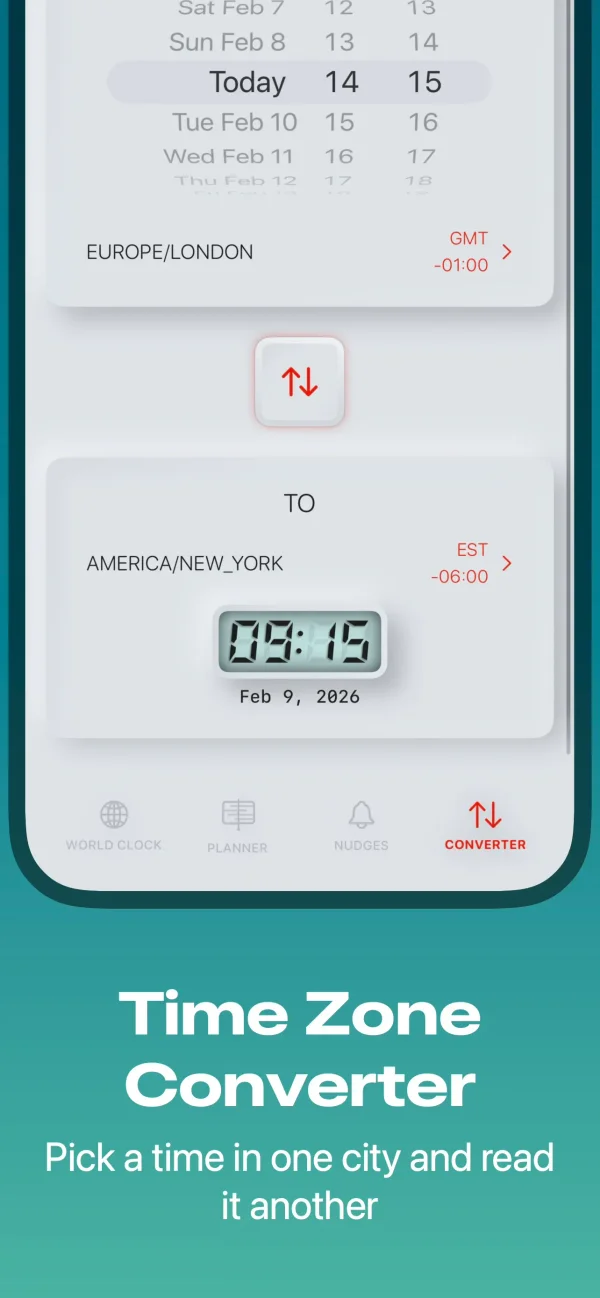
Need a quick time zone converter? Scrub to a time in one city and read the matching time in every other city. DeltaClock makes time zone conversion fast, visual, and reliable for daily scheduling.
EULA: https://www.apple.com/legal/internet-services/itunes/dev/stdeula/
What’s new
Version 1.1 · Mar 6, 2026
Minor tweaks to animations and the iPad UI.
App privacy
What Ameliia Shekikhacheva declares on the App Store about how this app handles data.
-
Data linked to you
May be collected and linked to your identity.
- Purchases
Privacy practices may vary, for example with the features you use or your age.
Information
- Seller
- Ameliia Shekikhacheva
- Category
- Productivity
- Version
- 1.1
- Updated
- Mar 6, 2026
- Released
- Mar 2, 2026
- Size
- 23.5 MB
- Requires
- iOS 18.0 or later
- Age rating
- 4+
- Price
- Free
- In-app purchases
- Yes
- Languages
- English, Arabic, Dutch, Finnish, French, German, Hebrew, Hindi, Hungarian, Japanese, Korean, Polish + 7 more
- Copyright
- © 2026 Ameliia Shekikhacheva
You might also like
-
 Timezone PlannerProductivity
-
 Flag Time - World ClockTime Zone Planner & Widget
-
 Rush Hour: Focus AppProductivity
-
 Time Zone Slider: World ClockMeeting Planner & Time Zones
-
 CtzoneKnowing World Time Zones
-
 TimeZone Vanguard: World ClockTime Zone Converter & Planner
-
 Now'n ThereCompare time zones, instantly
-
 Team Zones Timezone TrackerKeep track of your remote team
-
 LocalClockWorld time for people you love
-
 Daylight World ClockTime zones & when to meet