
DENDOU - Circuit Simulator
See electric current flow
Designed for iPhone, iPad
Free · In-app purchases
- Age rating4+
- CategoryEducation
- DeveloperFuji Bit Inc.
- LanguagesEnglish+ 72 more
- Size12.2 MB
Links to the official App Store page
Download.org hosts no file of DENDOU - Circuit Simulator. The button opens its official App Store page, published by Fuji Bit Inc. Listing last checked on Nov 22, 2026.
Screenshots


About
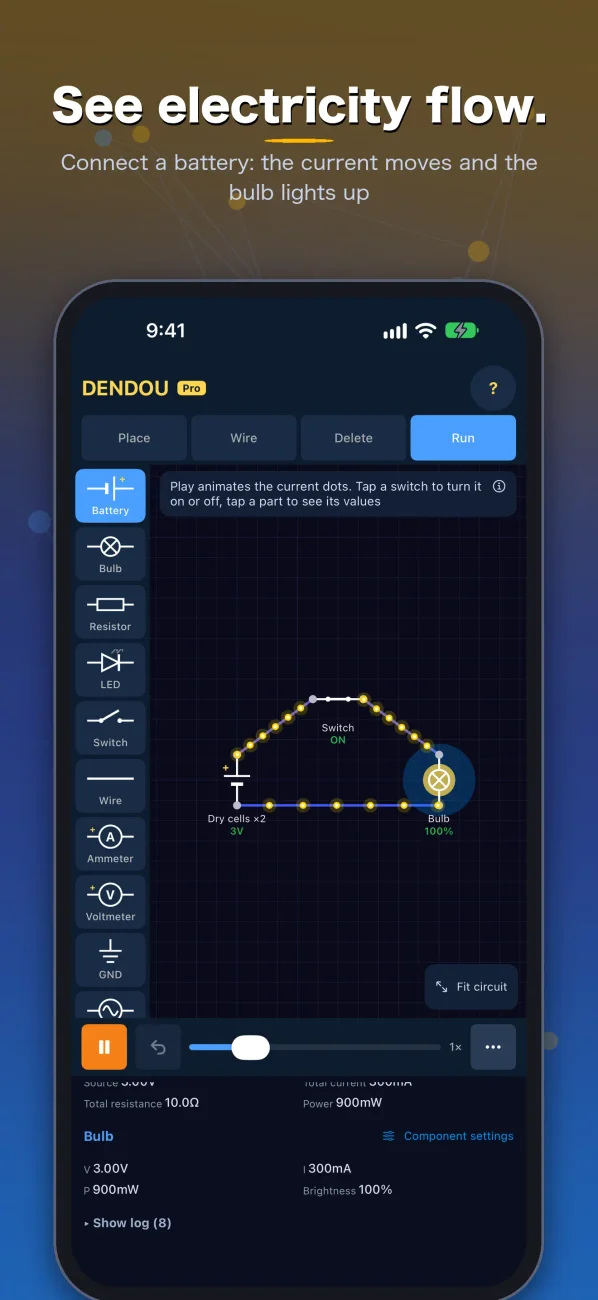
DENDOU is an electric-circuit simulator that lets you build a circuit, switch it on and see the current flow.
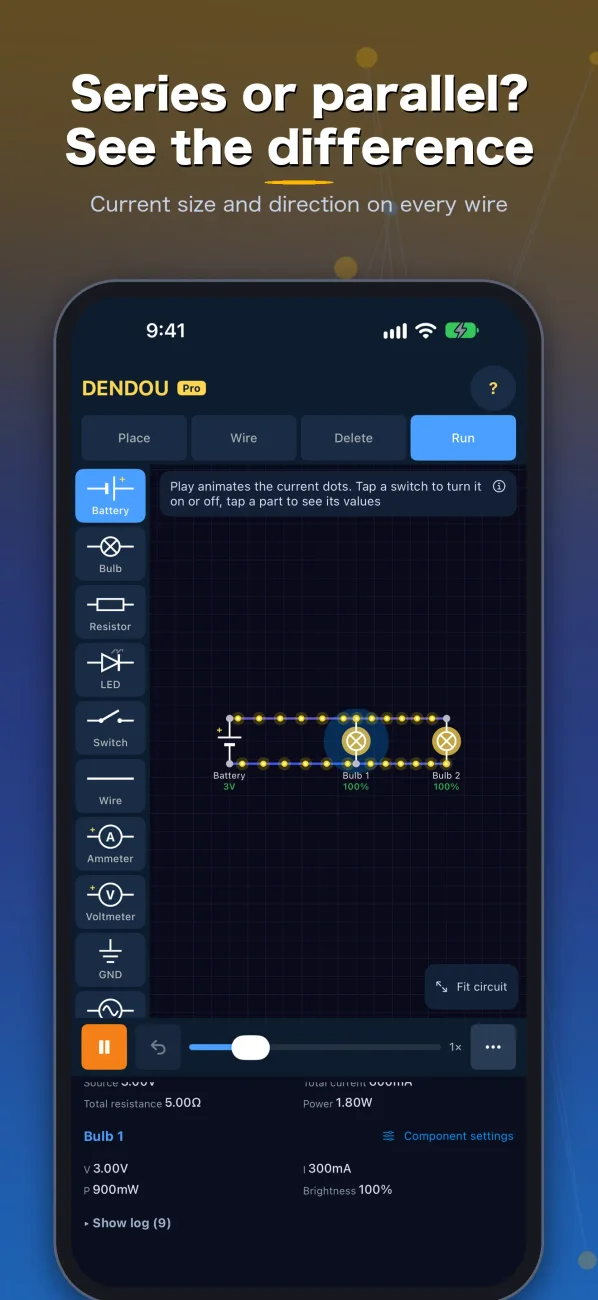
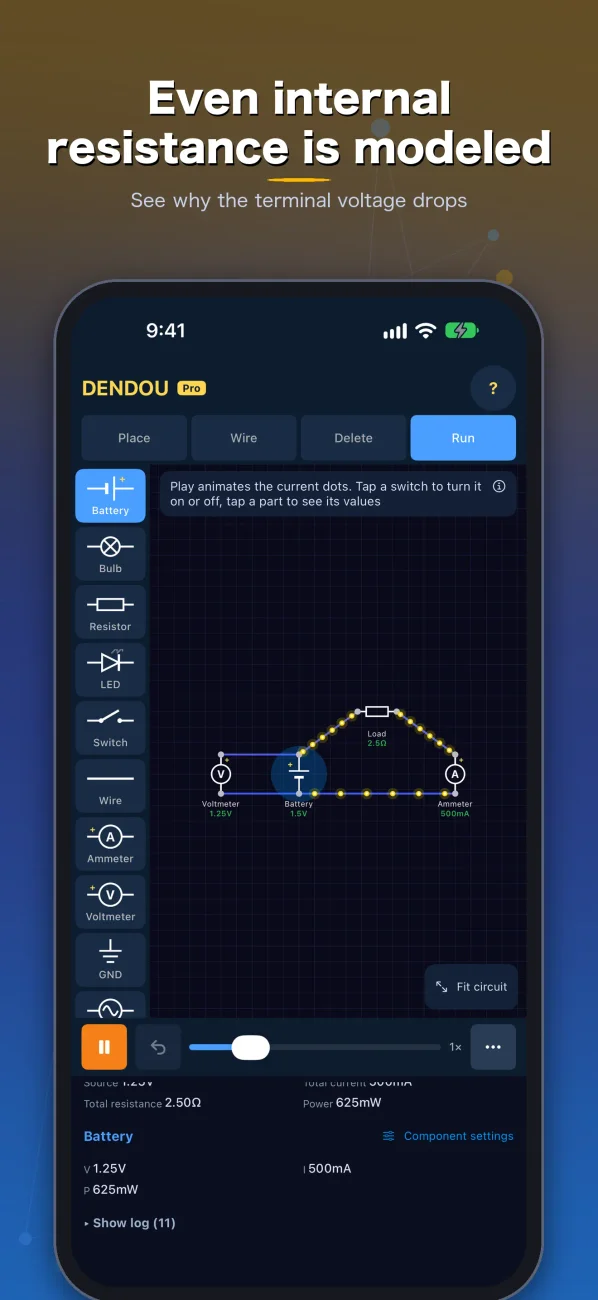
Place batteries, bulbs, resistors, LEDs, switches, ammeters and voltmeters on the screen and connect them with wires. The current flows as glowing yellow particles and bulbs light up according to their power. Components use the standard circuit symbols found in textbooks. Tap a switch to turn it on and off, or move a slider to change a value, and voltage, current and power update immediately.
WHO IT IS FOR
- Students learning Ohm's law, series and parallel circuits and Kirchhoff's laws
- Anyone preparing for electrician or electrical-engineering exams
- Teachers and parents who want to show how circuits behave
- Beginners in electronics building their first LED circuit
CONNECT, RUN, WATCH
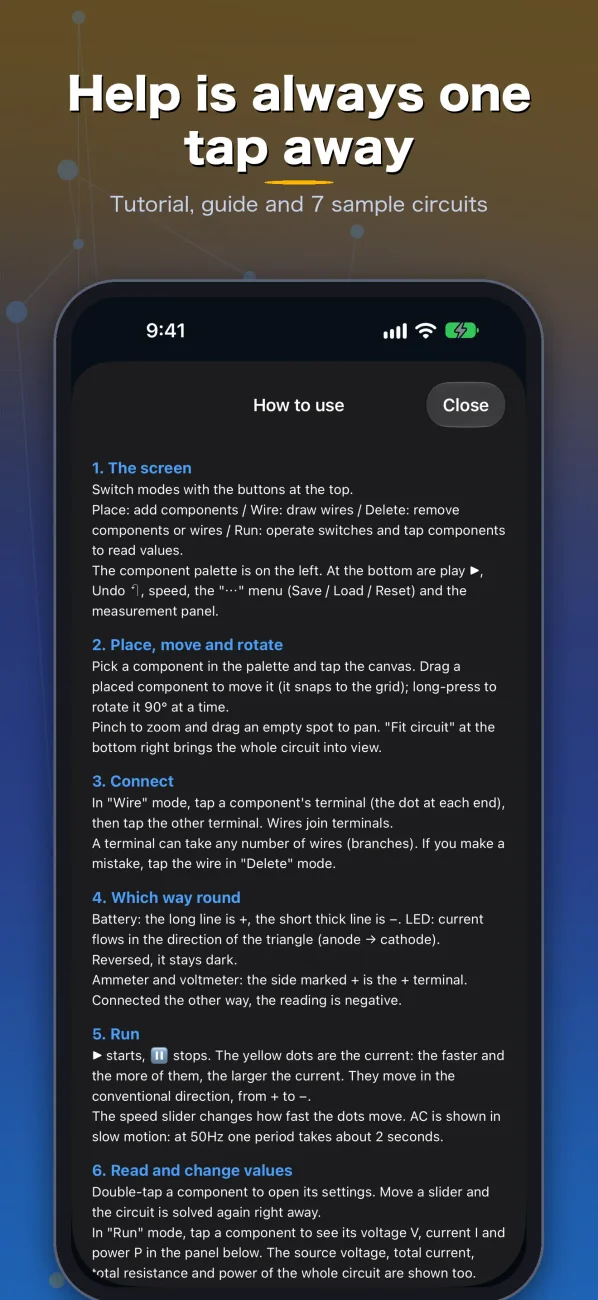
Pick a component in the palette and tap the screen to place it. In Wire mode, tap one terminal and then another to draw a wire. Press play: the speed of the particles shows how large the current is and their direction shows which way it flows. In Run mode, tap a switch to turn it on or off, or tap a component to see its voltage, current and power.
CHANGE VALUES LIVE
Double-tap a component to open its sliders. Change a voltage, a resistance or an LED's forward voltage and the circuit is solved again on the spot. "What happens to the current if I double the resistance?" takes one second to try.
LEARN FROM MISTAKES
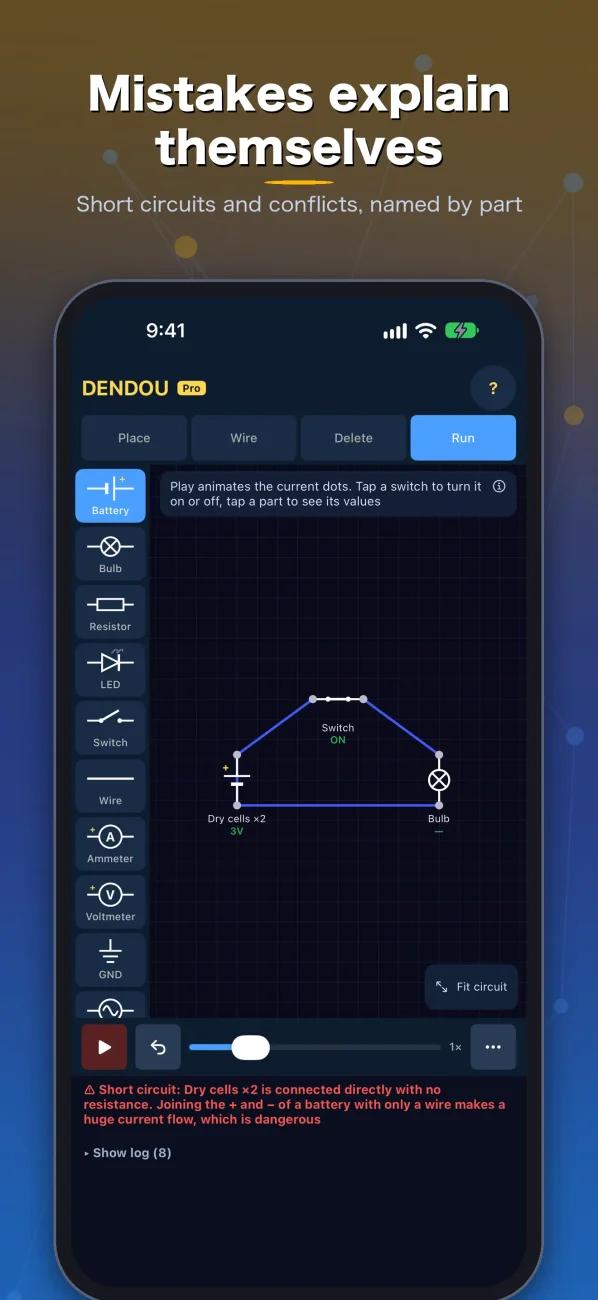
A short circuit, sources with different voltages in parallel, or an LED burning out above 50 mA are reported together with the component that caused them. A reversed LED stays dark, and an LED with too little voltage stays dark, just like the real thing. Deleted something by mistake? Use Undo.
AC TOO (PRO)
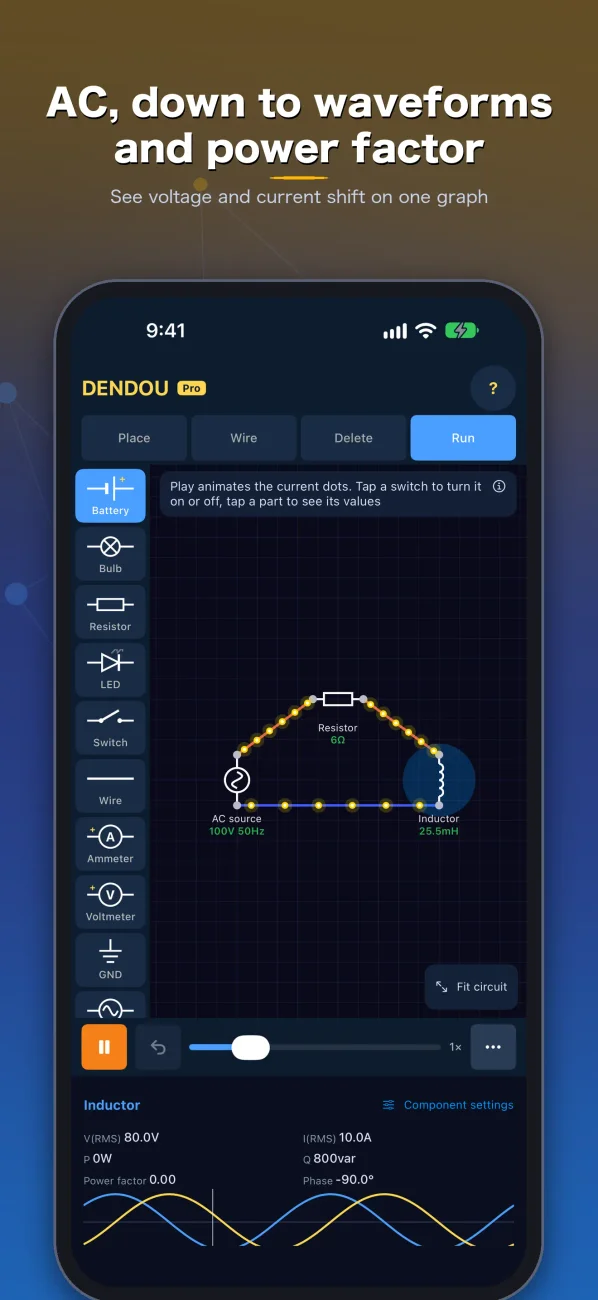
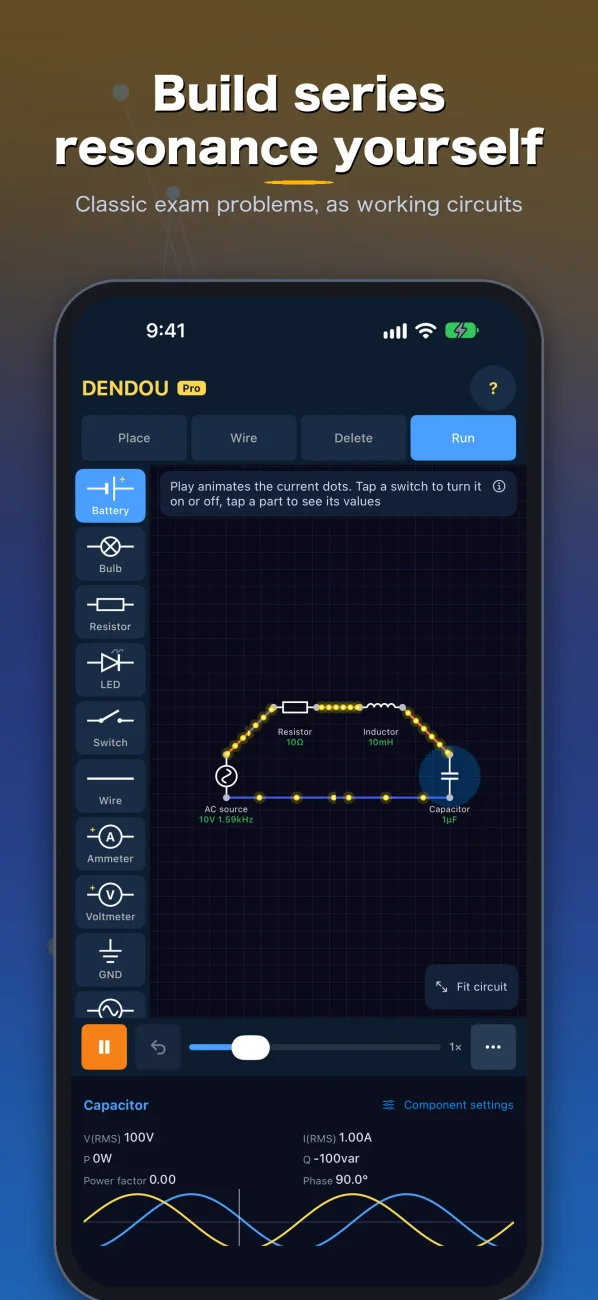
With an AC source, capacitors and inductors you can analyze AC circuits: RMS values, phase, active, reactive and apparent power, power factor, and the voltage and current waveforms. Build classic exam problems such as RL impedance or series resonance and check the answers.
ANSWERS THAT MATCH THE TEXTBOOK
The engine solves circuits with modified nodal analysis (MNA) and is checked by more than 100 automated tests based on school and exam problems, so its results match the theory.
FEATURES
- 12 components: battery, bulb, resistor, LED, switch, wire, ammeter, voltmeter, ground, AC source (Pro), capacitor (Pro), inductor (Pro)
- Standard circuit symbols; long-press to rotate, drag to move, pinch to zoom
- Measurement panel with a summary of the whole circuit
- 7 sample circuits, a tutorial and a guide
- Save and load circuits (Free: 1 slot, Pro: 5 slots)
- Available in 74 languages, following your device language
FREE AND PRO
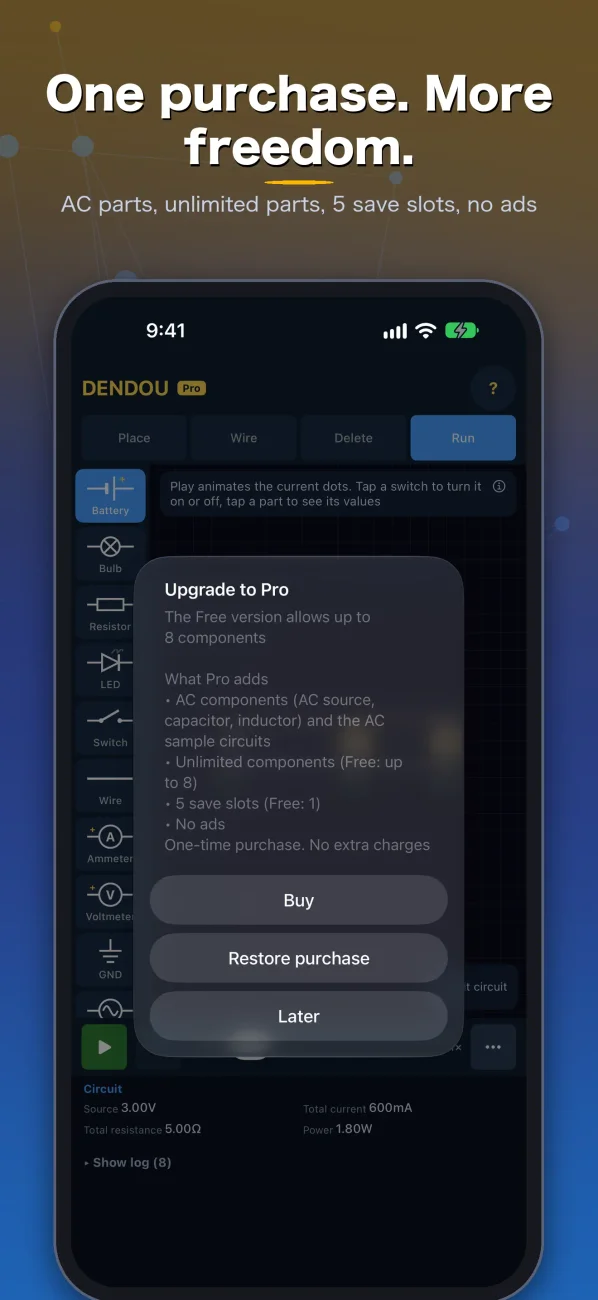
Free: 9 DC components (including the voltmeter and the bulb), up to 8 components per circuit, 1 save slot, with ads.
Pro (one-time in-app purchase): the AC source, capacitor and inductor and the AC sample circuits, unlimited components, 5 save slots, no ads.
Pro is not a subscription and supports Family Sharing. If you already bought it, tap "Go Pro" in the toolbar and choose "Restore purchase".
PRIVACY
No account is needed and your circuits stay on your device. The Free version shows ads, so the ad network (Google AdMob) receives data such as an advertising identifier. Ads are personalized only if you allow tracking in the system prompt shown at first launch, and you can change this at any time under "?" > "Ad settings". See the privacy policy for details.
What’s new
Version 2.0 · Nov 12, 2026
- Value input now tells you when the unit does not match the field (for example, "10V" in a resistance field).
- Loading a saved circuit now asks for confirmation before replacing the current circuit.
- Added "Parts and wires" to the "⋯" menu, so you can place, connect and delete parts with a screen reader too.
- Changed the ad provider and fixed small issues.
App privacy
What Fuji Bit Inc. declares on the App Store about how this app handles data.
-
Data used to track you
May be used to track you across apps and websites owned by other companies.
- Location
- Identifiers
- Usage data
-
Data linked to you
May be collected and linked to your identity.
- Location
- Identifiers
- Usage data
- Diagnostics
-
Data not linked to you
May be collected but is not linked to your identity.
- Purchases
- Identifiers
- Diagnostics
Privacy practices may vary, for example with the features you use or your age.
Information
- Seller
- Fuji Bit Inc.
- Category
- Education
- Version
- 2.0
- Updated
- Nov 12, 2026
- Released
- Nov 3, 2026
- Size
- 12.2 MB
- Requires
- iOS 16.0 or later
- Age rating
- 4+
- Price
- Free
- In-app purchases
- Yes
- Languages
- English, Afrikaans, Albanian, Amharic, Arabic, Armenian, Azerbaijani, Basque, Belarusian, Bengali, Bulgarian, Burmese + 61 more
- Copyright
- © 2026 Fuji Bit
You might also like
-
 電験三種 過去問と図解の問題集 - デンケンラボEducation
-
 おぼエル 電験三種の勉強Education
-
 Experimenters CircuitsElectrical engineering lab
-
 Circuit Simulator bitGateLabDC, AC and Laplace circuits
-
 Circuit Design & SimulationDraw, Simulate, Breadboard
-
 電験三種 過去問・合格予測Education
-
 Physics Class by HaloaCircuits, optics & mechanics
-
 English for Electricians USASpeak English on the Job
-
 電験三種 過去問Education
-
 電験三種 機械ドリル − 変圧器・誘導機の計算演習Education