
Experimenters Circuits
Electrical engineering lab
Designed for iPhone, iPad, Mac
Free
- Age rating4+
- CategoryEducation
- DeveloperVIKTOR GRIGOREV
- LanguagesEnglish+ 14 more
- Size195.7 MB
Links to the official App Store page
Download.org hosts no file of Experimenters Circuits. The button opens its official App Store page, published by VIKTOR GRIGOREV. Listing last checked on Nov 17, 2026.
Screenshots
About
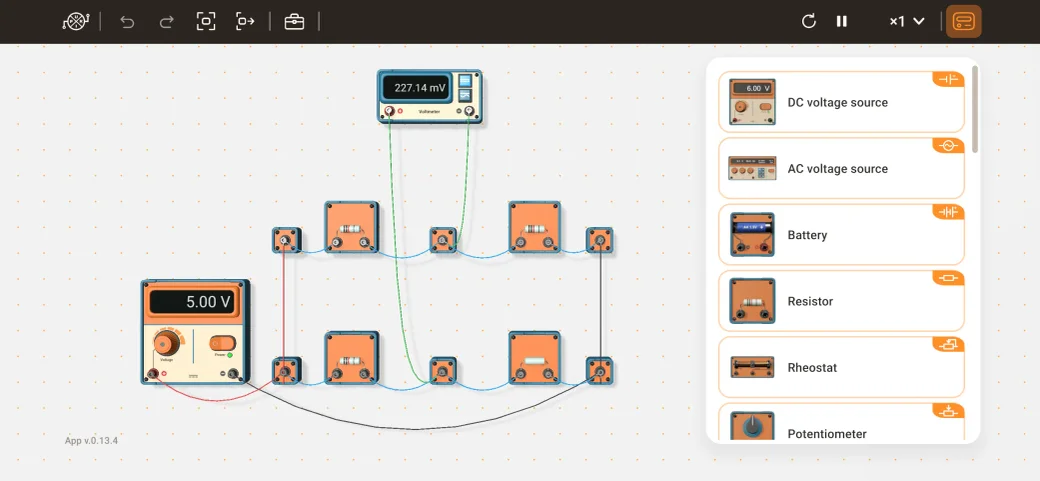
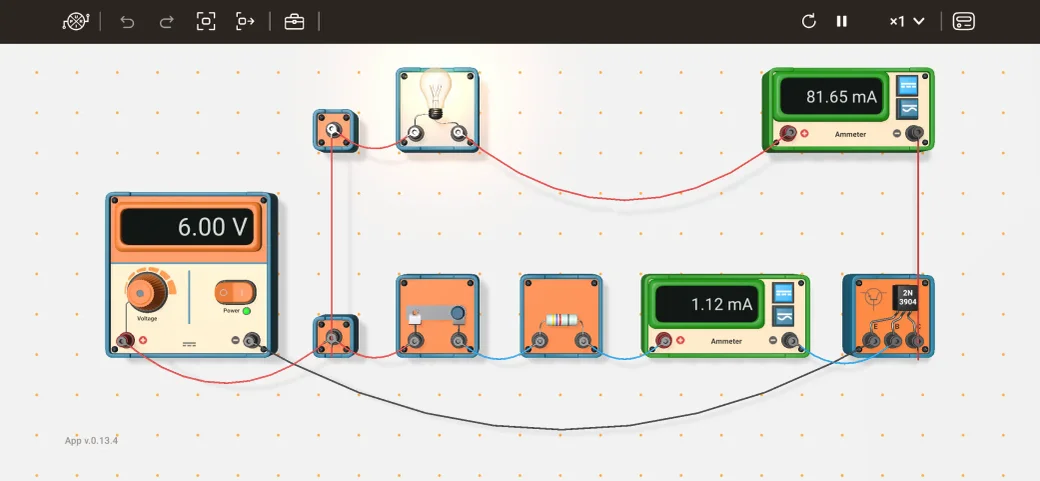
A circuit simulator for learning electricity and electronics. Pick components and instruments, place them in the workspace and connect their terminals with cables. The simulation runs while you build, so the meters and lamps respond to every new connection and every turn of a knob.
WHO IT IS FOR
Students studying electricity in school or at university, teachers demonstrating a circuit to a class, and anyone who wants to understand how a circuit works before building a real one.
WHAT YOU CAN DO
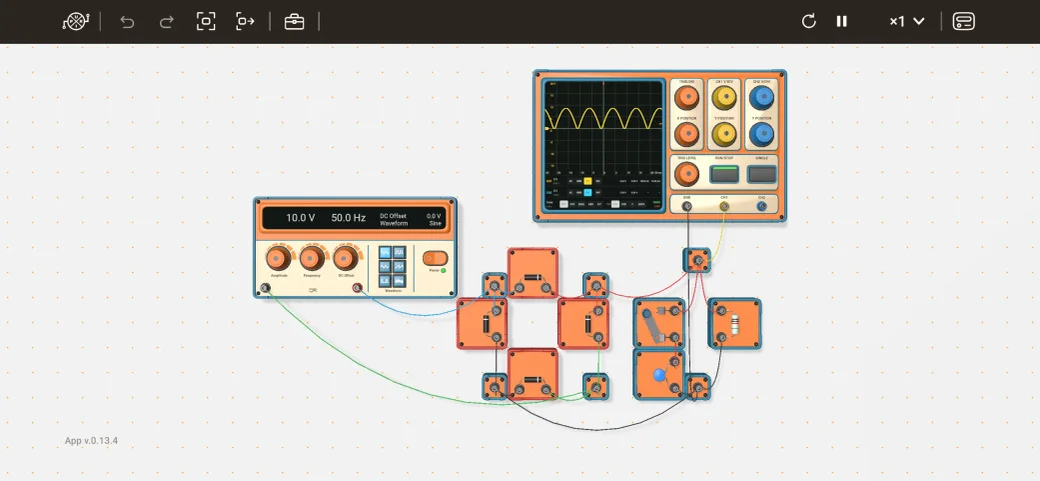
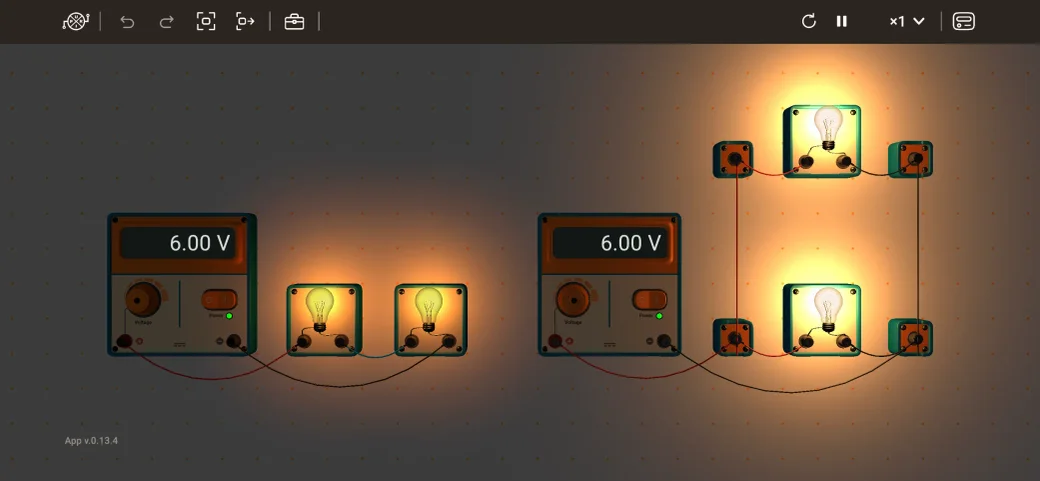
• Open a ready-made lab — Ohm's law, series and parallel circuits, capacitor charging, resonance, a rectifier, a transistor switch — and change it as you like.
• Build circuits from power sources, resistors, capacitors, inductors, transformers, diodes, transistors, lamps, LEDs, switches and fuses.
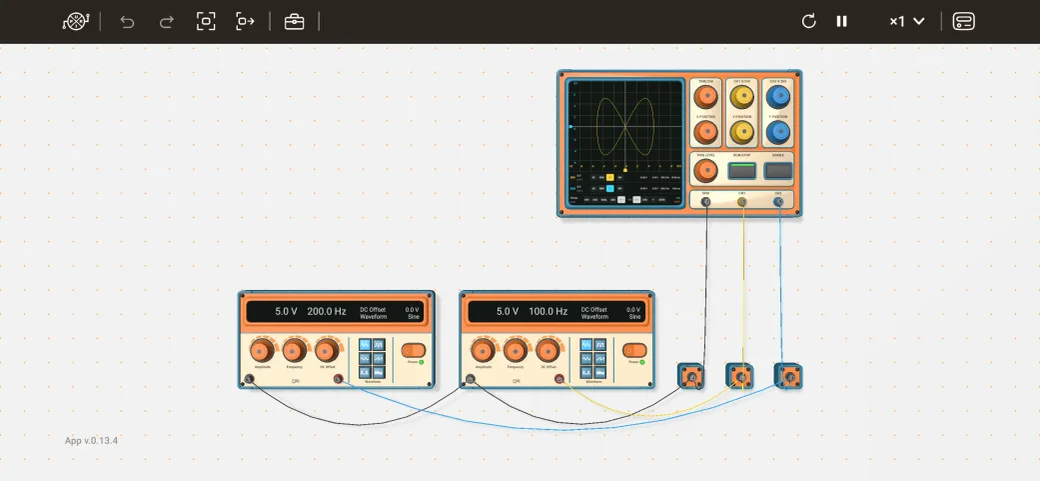
• Measure with an ammeter, voltmeter, wattmeter and oscilloscope.
• Operate each instrument with its own controls: turn knobs, flip switches and press buttons.
• Slow time down and watch what normally takes a fraction of a second.
• Turn off the room light and see the lamps and LEDs glow.
• Undo and redo your steps, copy part of a circuit and align everything to a grid.
WHEN SOMETHING GOES WRONG
The lab does not stop you from making a mistake. Short a power supply, and it switches itself off. Give a lamp too much voltage, and its filament flashes and burns out. An overloaded fuse blows. A source has internal resistance, a cable has a resistance of its own, and a meter slightly changes the circuit it measures.
GOOD TO KNOW
• Save your circuits and open them again later.
• No account is needed to build, measure and save.
• Remember: working with electricity in real life requires care.
What’s new
Version 0.13.4 · Nov 8, 2026
- A lamp and a fuse now make a sound when they burn out.
- Along with the broken filament, a burned-out lamp now darkens from a deposit on its glass.
- The lamp in the Elements panel now looks switched off.
- New switch model: a steel blade with a plastic handle.
- Take the lever of the switch or the two-way switch by its handle or anywhere along its blade, wherever it lights up.
- The two-way switch shows the numbers 1 and 2 next to its terminals, and they stay upright however you turn it.
- Ammeter and voltmeter in AC mode show true RMS: direct current and voltage read zero, and the reading no longer freezes at zero frequency.
- The simulation no longer stops with a very large capacitor on the board, and meters next to it read correctly.
- Circuits with a transistor terminal left unconnected no longer slow the simulation down.
- Knobs, levers and sliders on the instruments light up while you hold them, and on a Mac and in the browser also under the pointer.
- Lettering on the instrument panels stays in place when you look at the bench at an angle.
- Now you can delete your account right in the app.
- A free account now keeps more circuits in the cloud.
- The main menu now has a What's new window with the changes of every version.
- Current delay in an inductor: a higher supply voltage, so both lamps reach almost full brightness.
- Transformer and direct current: no cable in the circuit crosses another.
- Wheatstone bridge: the unknown resistor no longer gives its value away with colour bands.
- Black cables in the labs are now dark grey.
App privacy
What VIKTOR GRIGOREV declares on the App Store about how this app handles data.
-
Data linked to you
May be collected and linked to your identity.
- Location
- Contact info
- User content
- Identifiers
- Usage data
- Diagnostics
-
Data not linked to you
May be collected but is not linked to your identity.
- Diagnostics
Privacy practices may vary, for example with the features you use or your age.
Information
- Seller
- VIKTOR GRIGOREV
- Category
- Education
- Version
- 0.13.4
- Updated
- Nov 8, 2026
- Released
- Oct 9, 2026
- Size
- 195.7 MB
- Requires
- iOS 16.0 or later
- Age rating
- 4+
- Price
- Free
- Languages
- English, Arabic, French, German, Indonesian, Italian, Japanese, Korean, Polish, Portuguese, Russian, Simplified Chinese + 3 more
- Copyright
- © 2026 Viktor Grigorev
You might also like
-
 Perfboard LabSimulate & learn electronics
-
 PLC Simulator & Automation LabLadder Logic, Wiring & Motors
-
 Digital Electronics GuideDigital circuits made simple
-
 ElectroSim: Electrical WiringSimulator Practice & Circuits
-
 Circuit Simulator - VoltSimRealtime electronics lab
-
 VoltLab: Interactive PhysicsYour discovery lab
-
 Electrical Wiring SimulatorElectrician Circuit Trainer
-
 EE ToolKitElectronics Engineering
-
 Electrician Handbook — BasicsElectric circuit, voltage, ohm
-
 Ohmie: Learn EngineeringElectronics, Calculus & AI