
Device Kit: Phone Temperature
CPU Monitor & Battery Status
Designed for iPhone, iPad
Free · In-app purchases
- Age rating4+
- CategoryUtilities
- DeveloperShuyang Fan Ziyang Software Development Studio (Individually Owned Business)
- LanguagesEnglish+ 19 more
- Size36.8 MB
Links to the official App Store page
Download.org hosts no file of Device Kit: Phone Temperature. The button opens its official App Store page, published by Shuyang Fan Ziyang Software Development Studio (Individually Owned Business). Listing last checked on Nov 23, 2026.
Screenshots
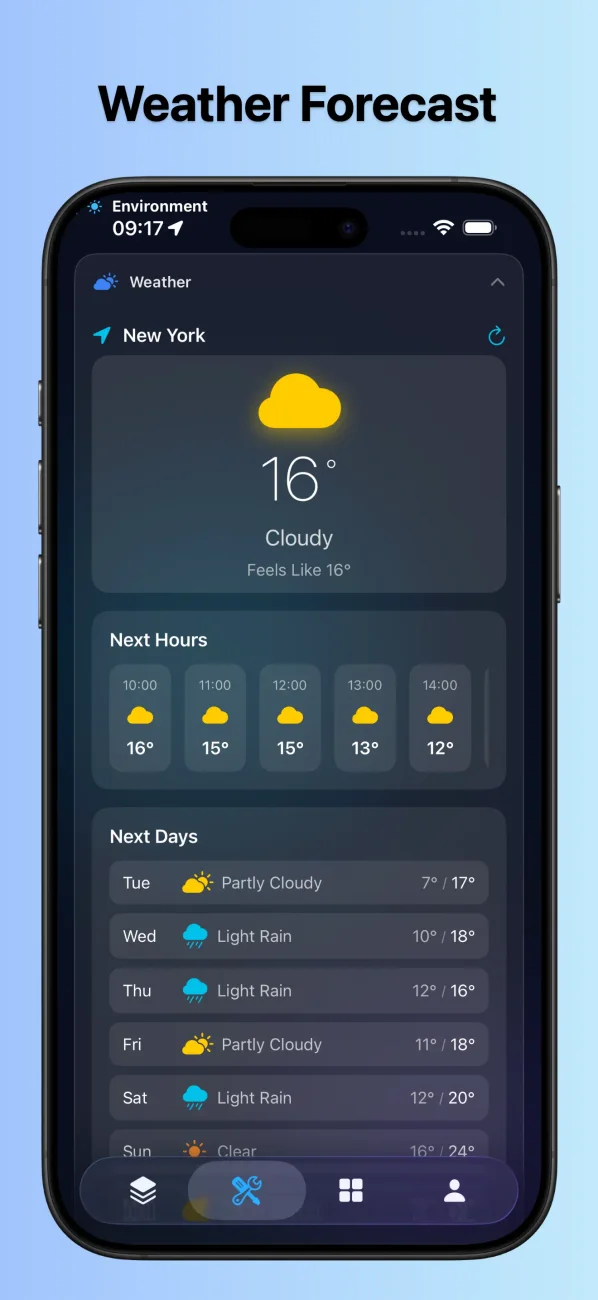
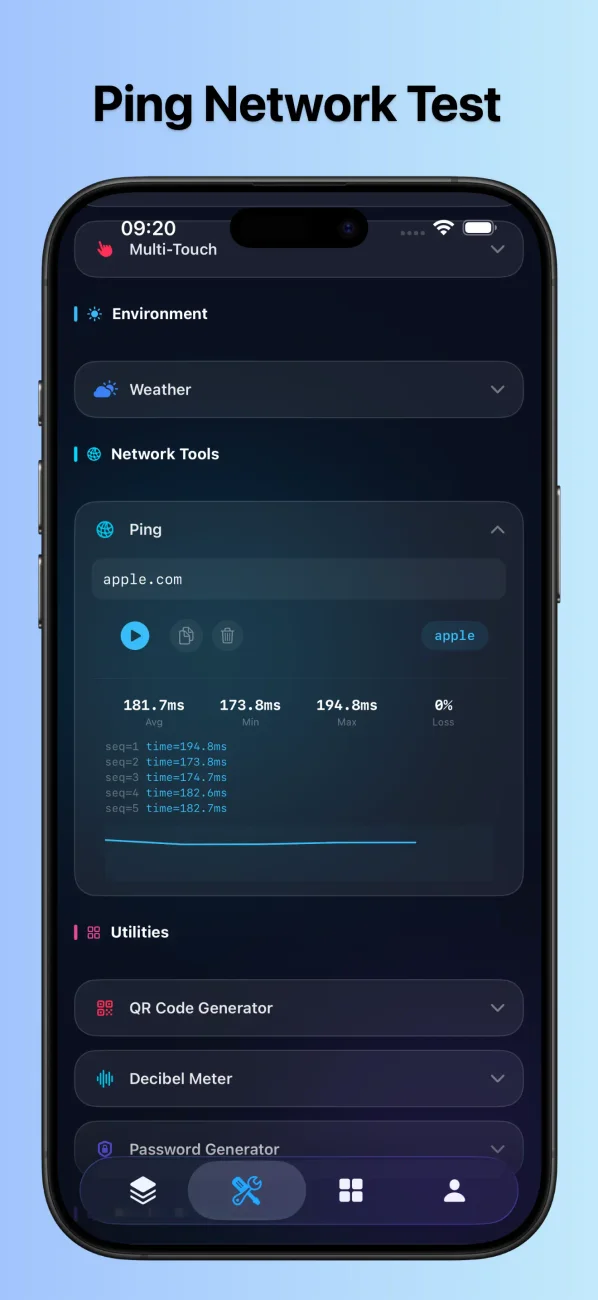
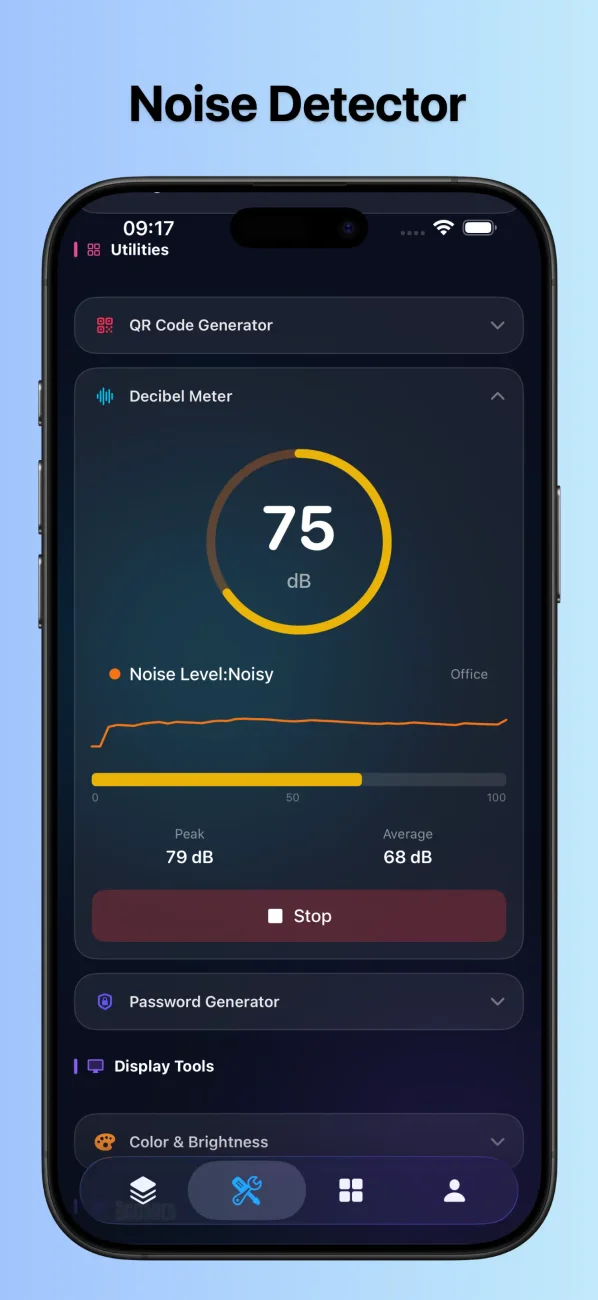


About
Device Kit — Your iPhone's All-in-One Health Checker, Take Full Control of Your Device in Real Time!
Ever wonder how hot your phone really is? How fast is it charging? Is your CPU about to max out? Is your network being throttled? Device Kit gives you the most intuitive, real-time, and comprehensive answers.
▸▸ Core Monitoring at a Glance ◂◂
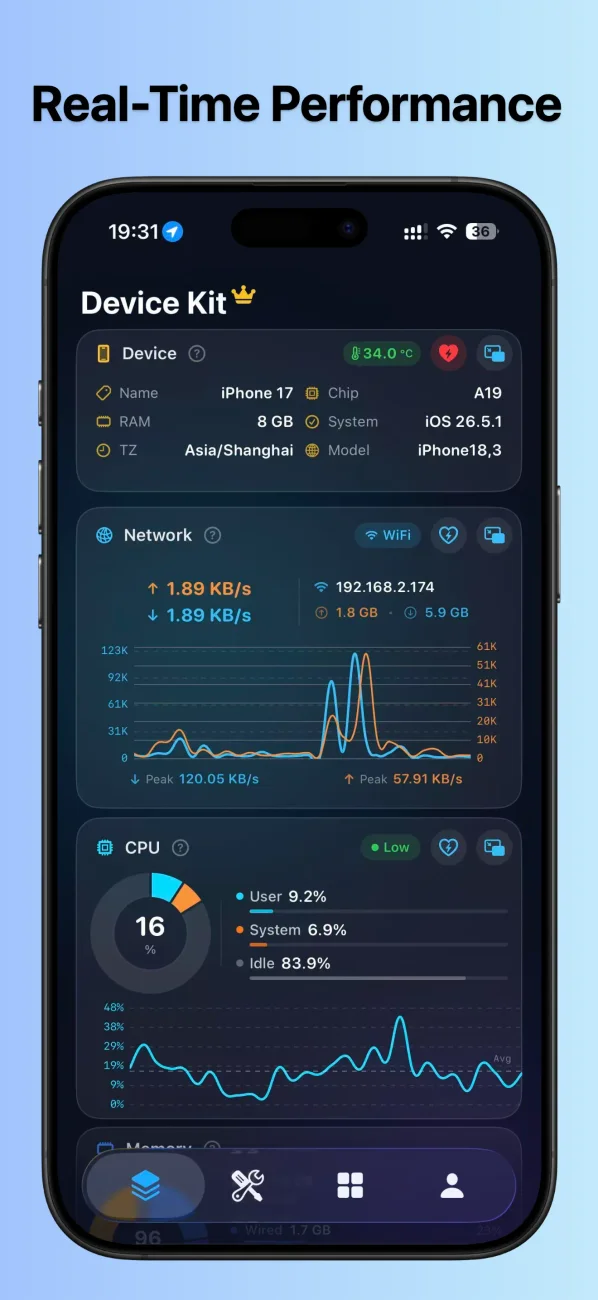
CPU Temperature — Real-time device temperature with smart estimates for battery and body temperature. 6-level thermal warning system alerts you before your phone overheats.
CPU Usage — Real-time CPU utilization monitoring with user/system/idle breakdowns, plus historical trend charts to track load changes.
Network Speed — Real-time speed for both Wi-Fi and cellular networks. Monitor upload/download speeds, peak speeds, and daily data usage stats.
Battery Status — Charge level, charging state, low-power mode, thermal status — full battery health insights.
Memory & Storage — Used/total capacity with breakdowns, storage usage percentage — say goodbye to storage anxiety.
▸▸ Dynamic Island & Floating Widgets — Desktop Monitoring ◂◂
Dynamic Island Live Monitor — No need to open the app. While your phone is locked or you're using other apps, the Dynamic Island shows real-time CPU temperature, network speed, and CPU usage with live updates.
Picture-in-Picture Floating Widget — A persistent floating window on your home screen monitors network speed, temperature, and CPU. Drag it anywhere, use it while doing other tasks — true desktop-level monitoring experience.
Motion Tracker on Dynamic Island — While recording motion trajectory, the Dynamic Island displays real-time distance, duration, and speed.
▸▸ Charging Power Detection ◂◂
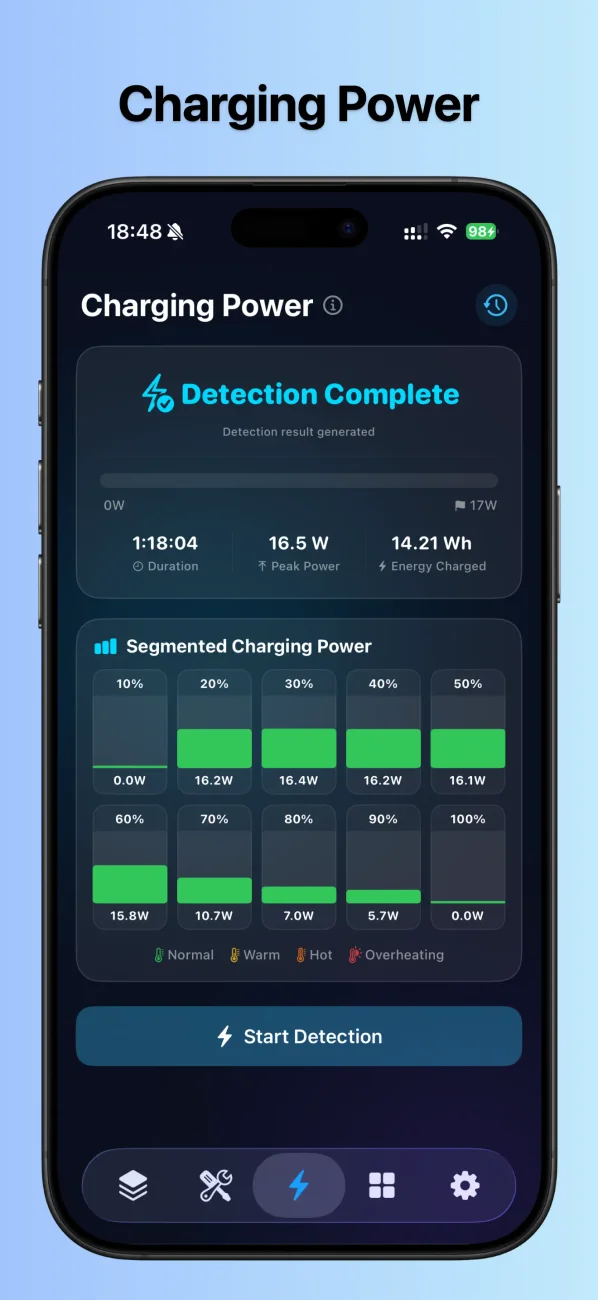
Real-time Power Estimation — Detects charging power (W) in real time, telling you whether it's slow charging, standard charging, or fast charging.
Charging Speed Rating — Slow / Standard / Fast / Ultra — clear at a glance.
Charging Statistics — Duration, peak power, and total energy charged — a complete charging report.
History Log — Every charging session is automatically saved for later review and comparison.
▸▸ 18 Practical Tools ◂◂
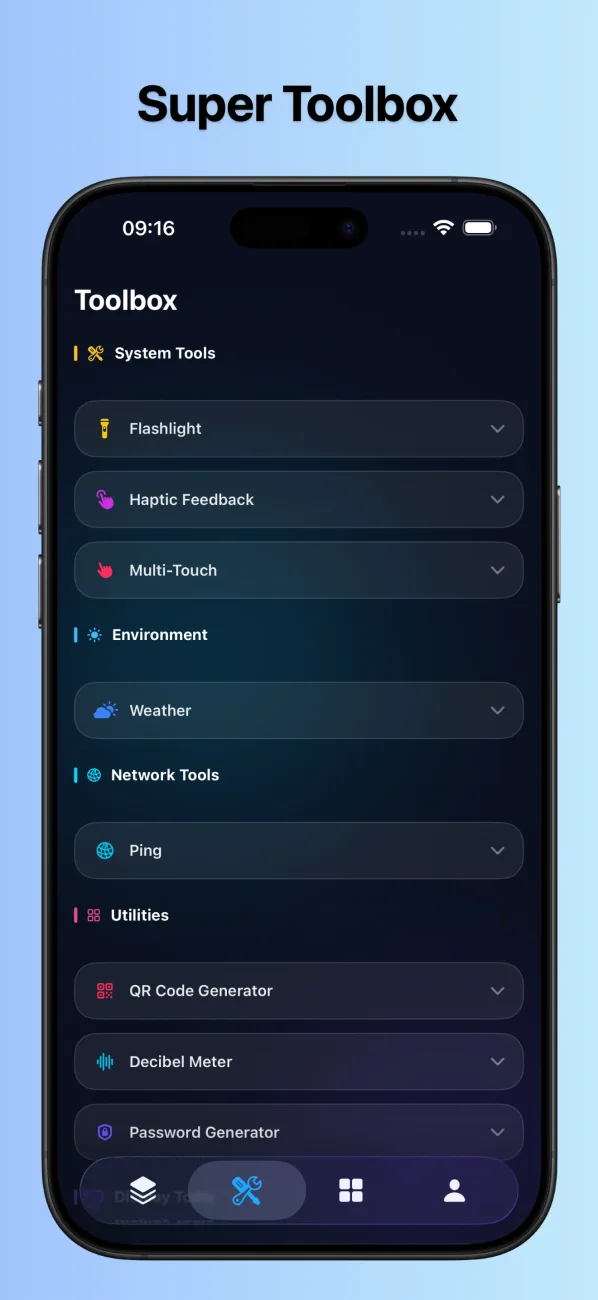
【System Tools】 Flashlight (9 blink modes with brightness adjustment), Haptic Feedback, Multi-Touch Test, Motion Tracker
【Network Tools】 Ping, Telnet, SSH (Pro)
【Utility Tools】 QR Code Generator, Decibel Meter, Password Generator
【Sensor Tools】 Compass, GPS, Gyroscope, Magnetometer, Barometer, Altimeter, Proximity Sensor
【Display Tools】 Color & Brightness Adjustment
【Environment Tools】 Weather (Pro)
▸▸ Home Screen Widgets ◂◂
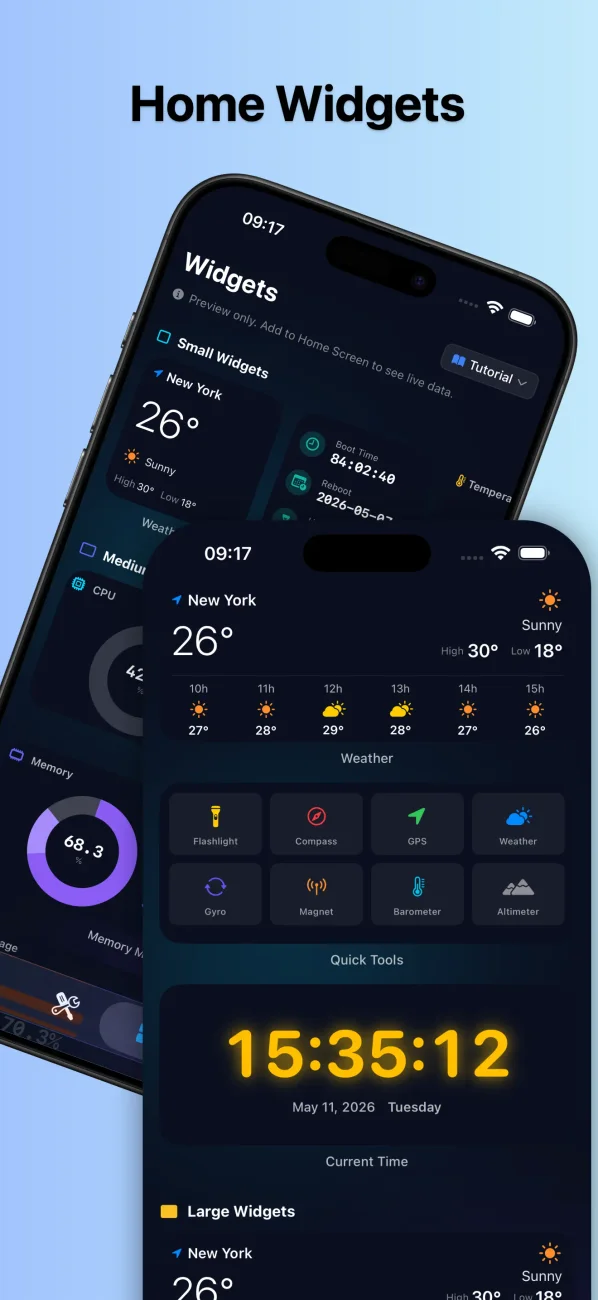
Home Screen Widgets — Uptime, Weather, CPU, Temperature, Memory, Storage, Clock, Device Info, Quick Actions. Available in Small, Medium, and Large sizes.
Lock Screen Widgets — Weather, Storage, Uptime — check key info without unlocking.
【Auto-Renewable Subscription Terms】
Pro membership is an auto-renewing subscription billed monthly or yearly.
Payment will be charged to your Apple ID account upon confirmation of purchase.
The subscription will automatically renew within 24 hours prior to the end of the current period unless auto-renew is turned off at least 24 hours before the end of the current period.
To cancel, please turn off auto-renewal in Settings > Apple ID > Subscriptions at least 24 hours before the current period ends.
You can manage or cancel your subscription anytime after purchase in your account settings.
Any unused portion of a free trial period (if offered) will be forfeited when you purchase a subscription.
【Privacy Policy & Terms of Service】
Privacy Policy: https://device-kit.pages.dev/private
Terms of Service: https://www.apple.com/legal/internet-services/itunes/dev/stdeula/
Download Device Kit and keep your device under your complete control!
What’s new
Version 2.1.6 · Nov 21, 2026
What's New
1、Optimized UI and interaction experience.
2、Added a Shortcut to turn off Dynamic Island / Live Activities.
3、Added a Siri feature to turn off Dynamic Island / Live Activities.
4、Added a restore purchase prompt for members to quickly restore purchased benefits.
5、Added a device temperature trend chart to view temperature changes.
App privacy
What Shuyang Fan Ziyang Software Development Studio (Individually Owned Business) declares on the App Store about how this app handles data.
-
Data not linked to you
May be collected but is not linked to your identity.
- Purchases
- Identifiers
- Usage data
Privacy practices may vary, for example with the features you use or your age.
Information
- Seller
- Shuyang Fan Ziyang Software Development Studio (Individually Owned Business)
- Category
- Utilities
- Version
- 2.1.6
- Updated
- Nov 21, 2026
- Released
- May 14, 2026
- Size
- 36.8 MB
- Requires
- iOS 17.0 or later
- Age rating
- 4+
- Price
- Free
- In-app purchases
- Yes
- Languages
- English, Danish, Dutch, French, German, Indonesian, Italian, Japanese, Korean, Malay, Norwegian Bokmål, Portuguese + 8 more
- Copyright
- © 2026 fanziyang
You might also like
-
 Temp Mail : Burner EmailDisposable OTP Inbox & Shield
-
 FileXipFiles, ZIP & Network Transfer
-
 Device Status⁺ CPU x Monitor zSystem|Widgets|Activity|Memory
-
 Neko Dash - Just a Dashboard连接并管理已有 Clash 控制器前端工具
-
 SideTVsADB Control, TV Casting
-
 Network Usage MonitorTrack WiFi and Cellular Usage
-
 Smart Home Manager - ItemiaQR Code Scanner & Storage
-
 SilentProof: Noise ComplaintEvidence Log for Renters
-
 Jinx - System-Wide Ad BlockerBlock ads &Fast Private Secure
-
 Scrolla: Screenshot StitcherScroll capture & long images