- Age rating4+
- CategoryBusiness
- DeveloperRockwell Automation
- LanguagesEnglish
- Size148.0 MB
Links to the official App Store page
Download.org hosts no file of DeviceTools. The button opens its official App Store page, published by Rockwell Automation. Listing last checked on Nov 18, 2026.
Screenshots



About
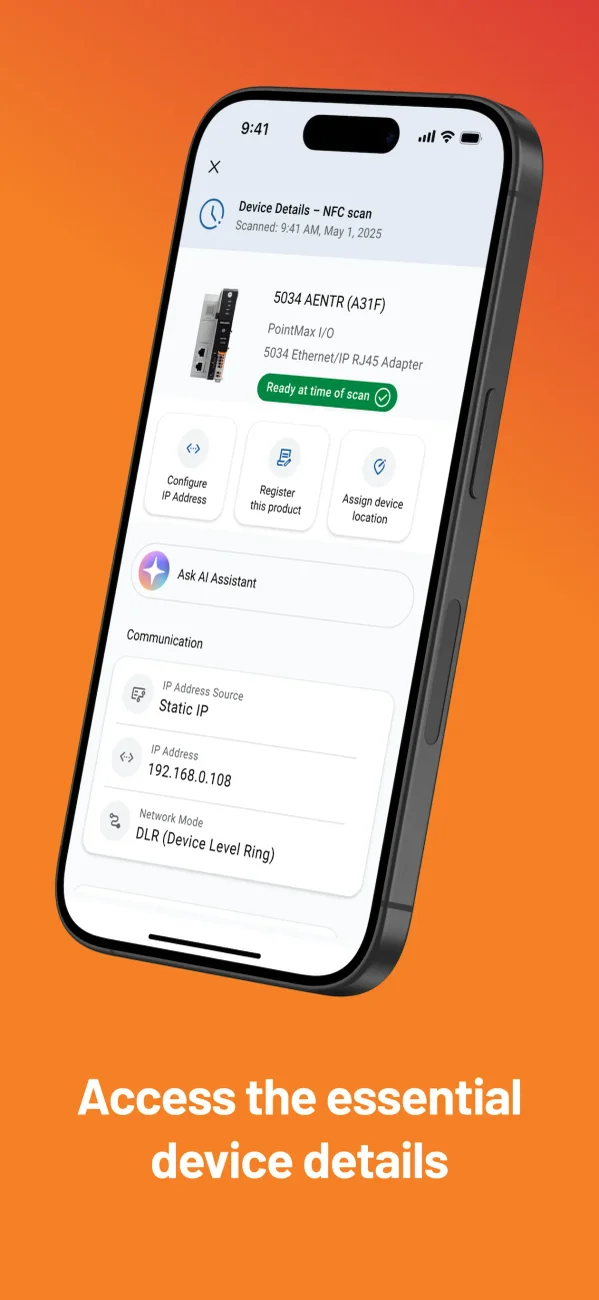
Set up, identify, register and troubleshoot supported Allen Bradley devices from your iPhone.
DeviceTools™ gives users a mobile way to complete supported device tasks at the point of work. View device information, configure supported settings, register products and get AI-assisted guidance.
SET UP FASTER
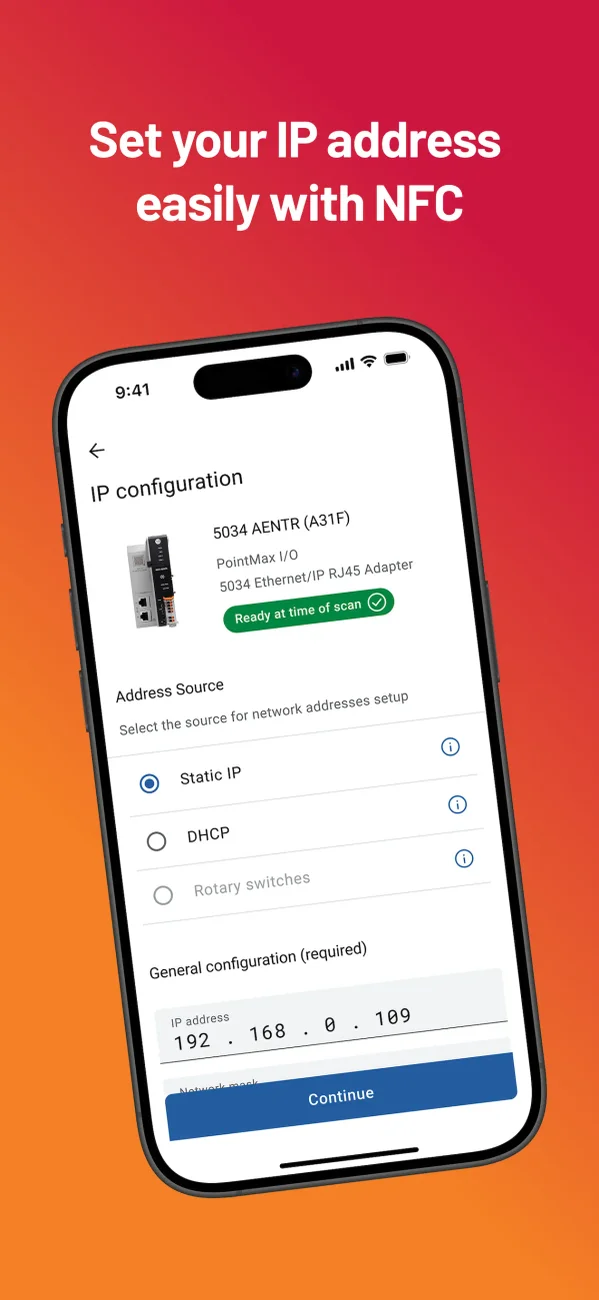
• Connect to supported PointMax™ I/O using NFC.
• View product information, installed modules, device status and network configuration.
• Set and auto-increment IP addresses across multiple modules, including supported unpowered workflows.
WORK AT THE DEVICE
• Access supported setup and troubleshooting workflows from your phone.
• Get clear product information and guidance without moving between multiple tools.
• Features and supported workflows vary by product. Follow applicable product documentation and safety requirements.
REGISTER PRODUCTS
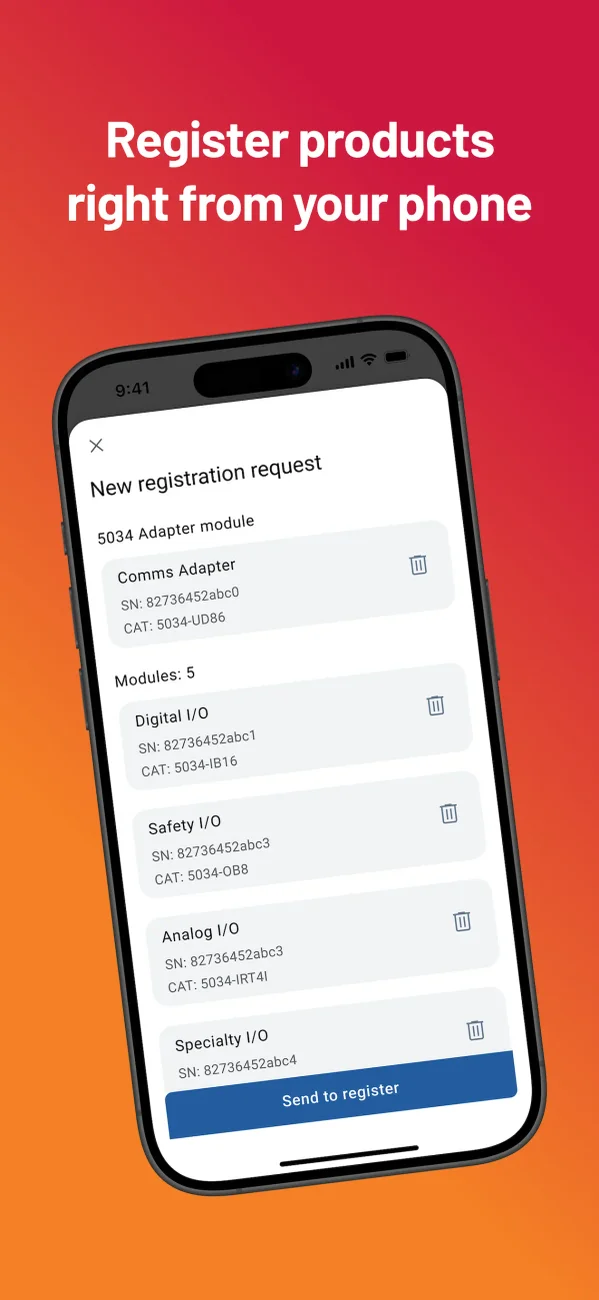
• Scan QR codes to register supported Rockwell Automation products.
• Add multiple products.
• Track registration and warranty status in one place.
GET DEVICE HELP
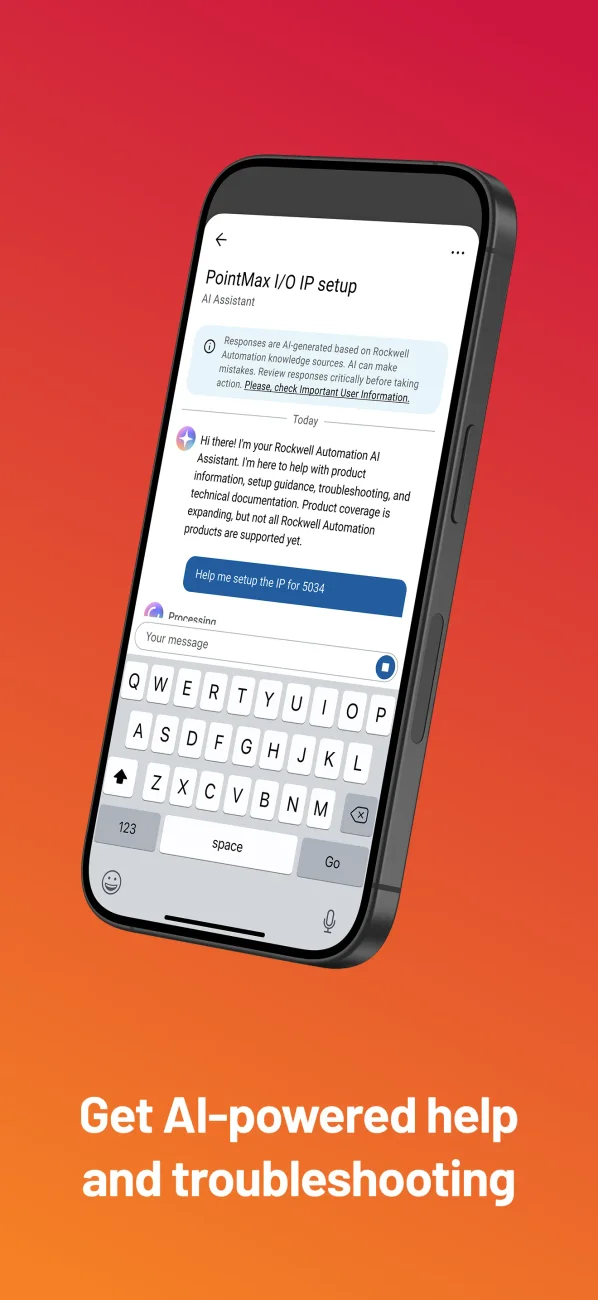
• Ask the AI Assistant questions about supported products.
• Continue conversations with chat history synced across devices.
• Share conversations and receive notifications when responses are ready.
Products Supported:
NFC Connectivity and Configuration
• Allen Bradley® PointMax™ I/O modules by Rockwell Automation
AI Assistant
• PowerFlex® AC Drives (523, 525, 753, 755, 755TS, 755TL and 755TR; and 755TM)
• Kinetix® 5700 Servo Drives
• E300™ Electronic Overload Relays
• 5034 PointMax™ and FLEX 5000® I/O Devices
• EtherNet/IP™ In-Cabinet Devices
• ControlLogix® 5000 Controllers
What’s new
Version 2.02.00 · Nov 13, 2026
• Product Registration: Scan a QR code to register supported Rockwell Automation products. Add multiple products, then track registration and warranty status.
• AI Assistant: Get expanded product support, chat history synced across devices, conversation sharing, and notifications when responses are ready.
• Fixes and improvements: Enhanced usability and overall app stability.
App privacy
What Rockwell Automation declares on the App Store about how this app handles data.
-
Data linked to you
May be collected and linked to your identity.
- Contact info
-
Data not linked to you
May be collected but is not linked to your identity.
- Location
- Identifiers
- Diagnostics
Privacy practices may vary, for example with the features you use or your age.
Information
- Seller
- Rockwell Automation, Inc.
- Category
- Business
- Version
- 2.02.00
- Updated
- Nov 13, 2026
- Released
- Oct 15, 2025
- Size
- 148.0 MB
- Requires
- iOS 16.0 or later
- Age rating
- 4+
- Price
- Free
- Languages
- English
- Copyright
- © 2026 Rockwell Automation, Inc. All Rights Reserved.
You might also like
-
 ShowUp Lead RetrievalBusiness
-
 ISN Events HubBusiness
-
 Endress+Hauser SmartBlueBusiness
-
 moneo|blueParameterize process data
-
 Honeywell EasySetProductivity
-
 Remote PLCCLICK PLC monitor and control
-
 DrivetuneBusiness
-
 Endress+Hauser OperationsBusiness
-
 Inductive Automation EventsBusiness
-
 AMS Device ConfiguratorBusiness