
DiagramFlow Studio
Visual maps from Markdown
Designed for iPhone, iPad
In-app purchases
- Age rating4+
- CategoryProductivity
- DeveloperYu Shiung Jiang
- LanguagesTraditional Chinese+ 1 more
- Size5.3 MB
Links to the official App Store page
Download.org hosts no file of DiagramFlow Studio. The button opens its official App Store page, published by Yu Shiung Jiang. Listing last checked on Nov 14, 2026.
Screenshots
About
Move from outline to diagram without losing the structure of your idea.
DiagramFlow Studio is a local-first visual workspace for mind maps, flows, system sketches, and project outlines.
BUILD VISUALLY
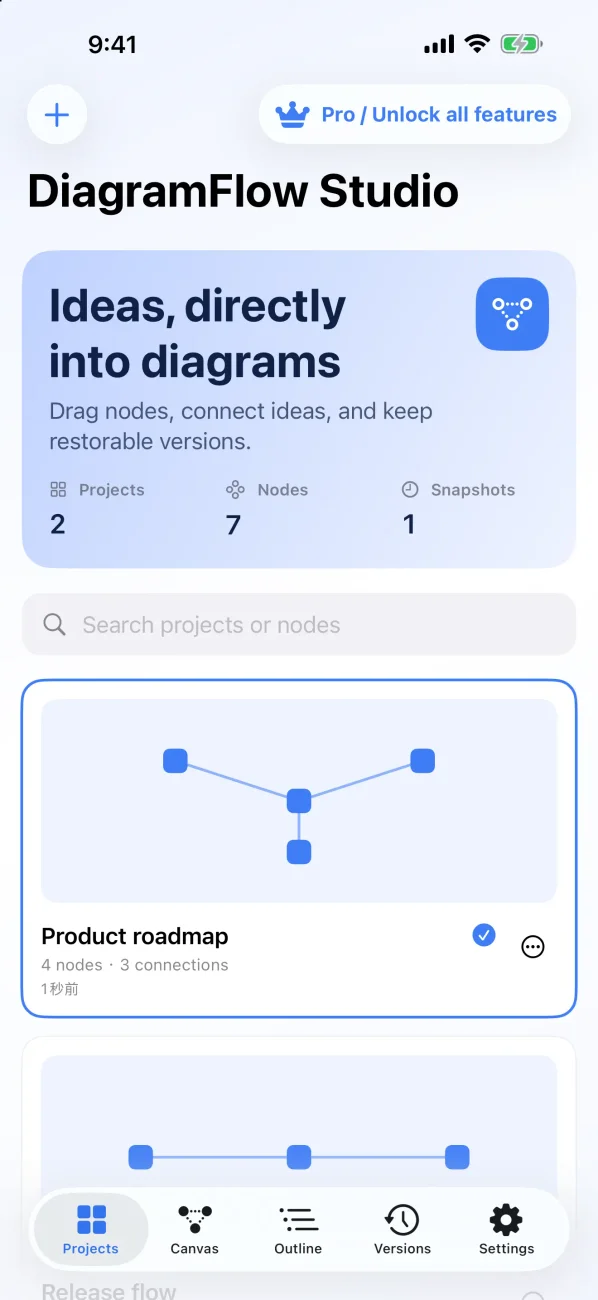
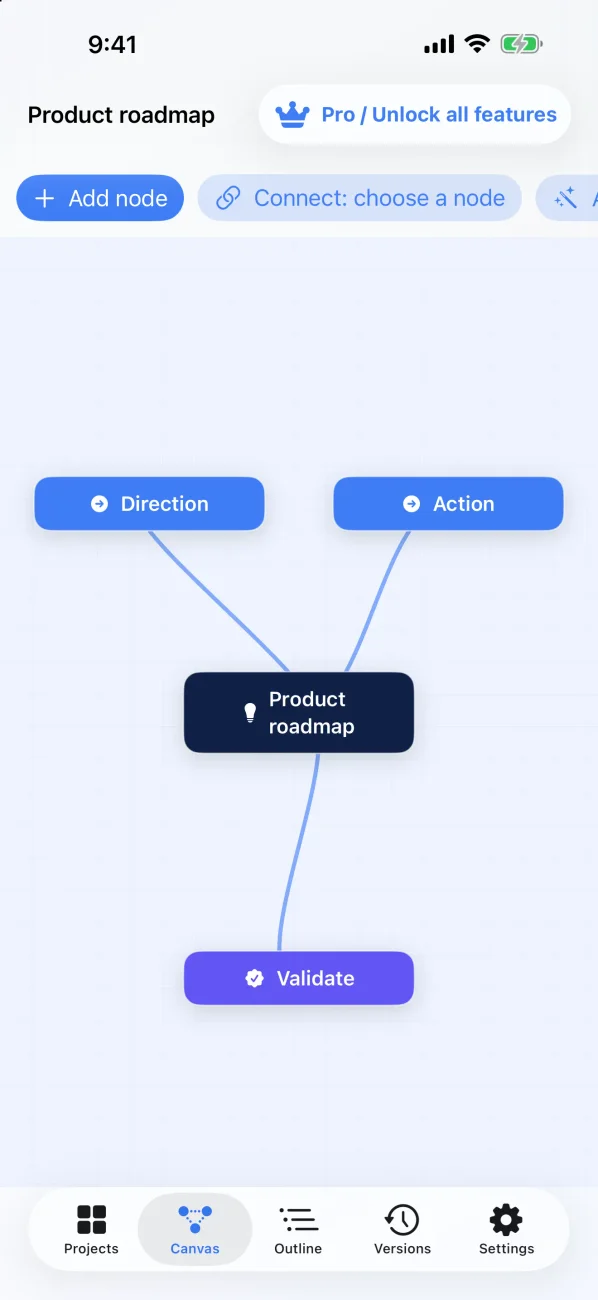
• Create projects with connected nodes
• Drag nodes around the canvas
• Add, edit, and connect ideas
• Apply an automatic layout when you want a clean starting point
START FROM TEXT
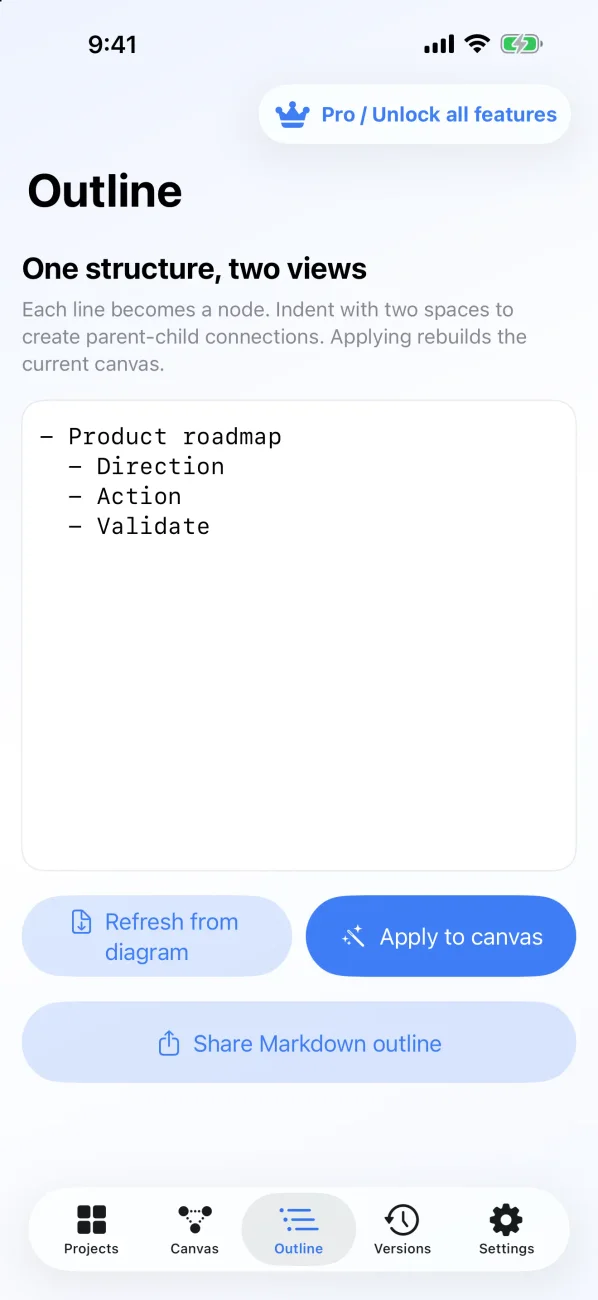
• Convert a Markdown outline into diagram nodes
• Keep a readable outline alongside the visual canvas
• Search and organize your project library
SAVE AND DELIVER
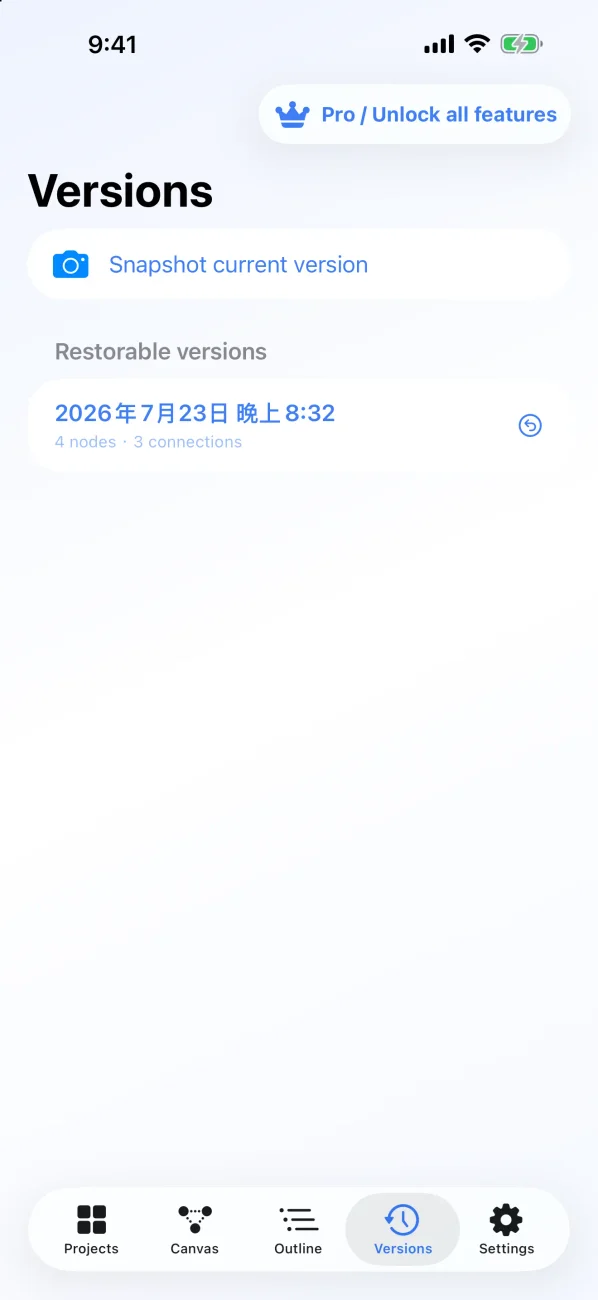
• Create named version snapshots
• Export the complete project as Markdown, SVG, or JSON
• Share only when you choose
PRIVATE BY DEFAULT
Projects and snapshots are stored locally. DiagramFlow Studio does not include advertising or cross-app tracking.
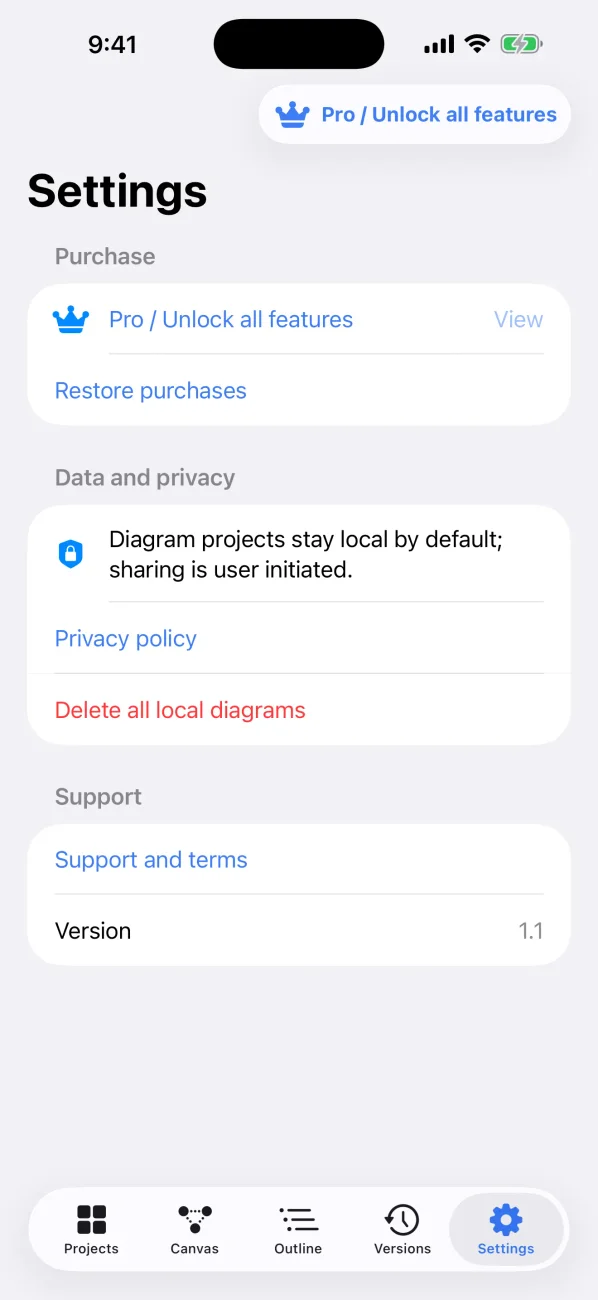
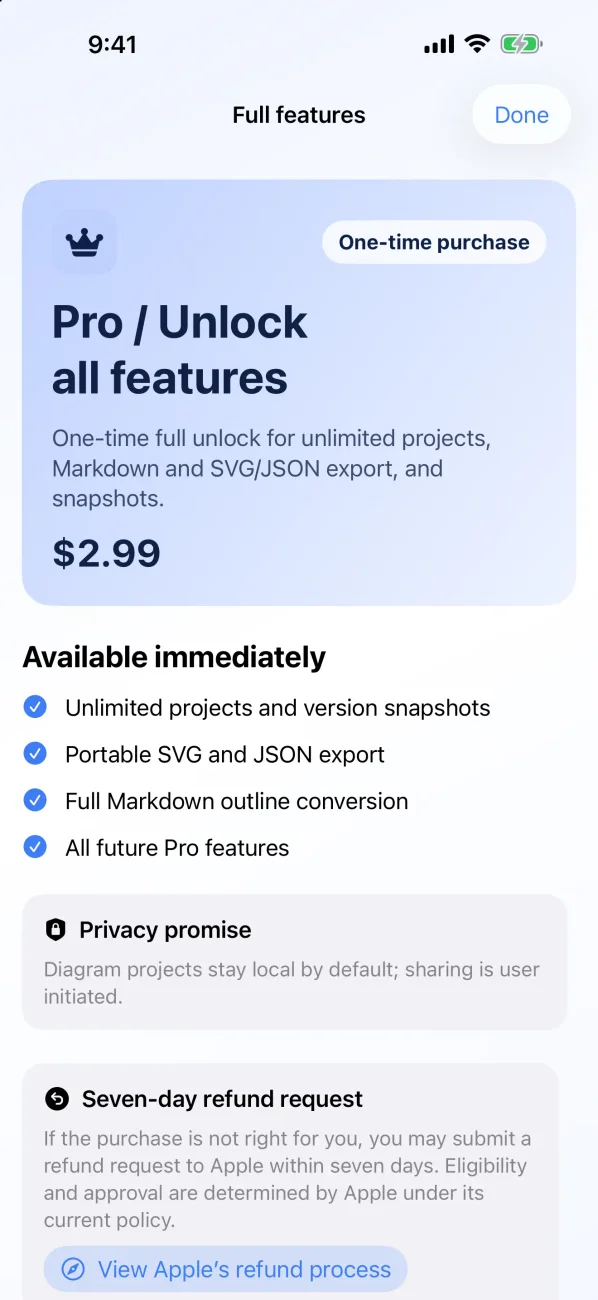
The free version includes the core workflow. Pro is a one-time in-app purchase that unlocks unlimited projects and snapshots, complete exports, and future Pro features. Price and availability are shown by the App Store.
The Pro screen includes Restore Purchases and a direct link to Apple’s refund-request process, including guidance for requests submitted within seven days. Eligibility and approval are determined by Apple.
What’s new
Version 1.1 · Jul 26, 2026
Version 1.1 turns DiagramFlow Studio into a more capable visual workspace. Create draggable nodes, connect ideas, apply automatic layouts, keep a Markdown outline in sync, restore version snapshots, and export Markdown, SVG, or JSON. This update also adds a clearer Pro explanation, purchase restoration and refund guidance, smoother interactions, accessibility improvements, and a new app icon.
App privacy
What Yu Shiung Jiang declares on the App Store about how this app handles data.
-
Data not collected
The developer does not collect any data from this app.
Privacy practices may vary, for example with the features you use or your age.
Information
- Seller
- Yu Shiung Jiang
- Category
- Productivity
- Version
- 1.1
- Updated
- Jul 26, 2026
- Released
- Jun 20, 2026
- Size
- 5.3 MB
- Requires
- iOS 17.0 or later
- Age rating
- 4+
- In-app purchases
- Yes
- Languages
- Traditional Chinese, English
- Copyright
- © 2026 Yu Shiung Jiang
You might also like
-
 Arg0Streamline Your Whole Workflow
-
 ConceptMap - Mind MapperVisual Mind Maps & Ideas
-
 ArchFlowyProductivity
-
 ViewMindThe Ultimate Mind Map App
-
 Scriptum - Notebook CreatorCustom Covers, Paper & Writing
-
 Mind Ace: Mind Map, BrainstormVisualize Thoughts & Ideas
-
 MindLogic: AI Workflow EngineLogic Maps & AI Workflows
-
 Note to Whiteboard DiagramVisual Learning Made Simple
-
 Skill Trees ProVisualize your goals