
Digit 3D CAD
CAD & 3D Modeling Anywhere
Designed for iPhone, iPad
Free · In-app purchases
- Age rating4+
- CategoryGraphics & Design
- Developer运保 罗
- LanguagesEnglish+ 10 more
- Size84.8 MB
Links to the official App Store page
Download.org hosts no file of Digit 3D CAD. The button opens its official App Store page, published by 运保 罗. Listing last checked on Nov 23, 2026.
Screenshots

About
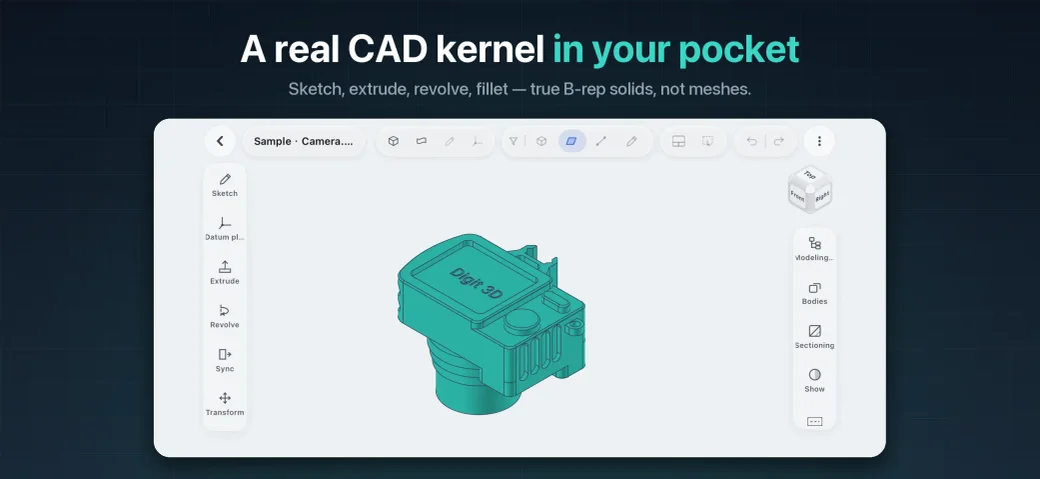
Digit 3D is parametric 3D CAD for iPhone and iPad: sketch, model, assemble and make drawings.
Sketch
• Lines, circles, arcs, splines, ellipses, polygons and slots, with dimensions and constraints
• Mirror; linear, circular and along-curve patterns; trim, extend, chamfer and fillet
• Apple Pencil support for precise drawing
Model
• Extrude, revolve, sweep, loft, shell, fillet, chamfer, hole, thread, pattern and mirror
• Auto boolean: cuts when it overlaps, joins when it touches, new body when apart
• Direct editing: move, rotate and copy faces, with adjacent fillets following along
• Surfaces, 3D curves and 3D splines
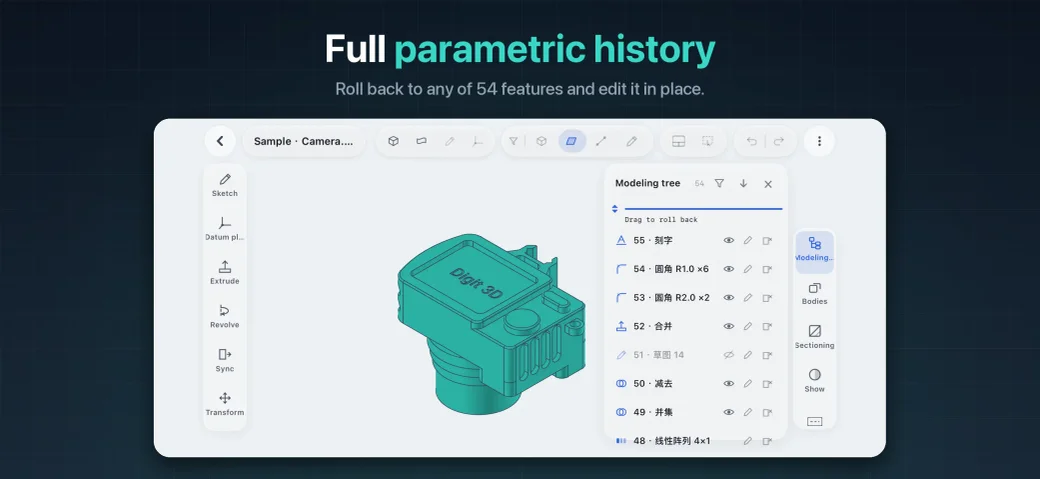
• Parametric history: edit any step at any time, and replay how the model was built
Assembly and drawings
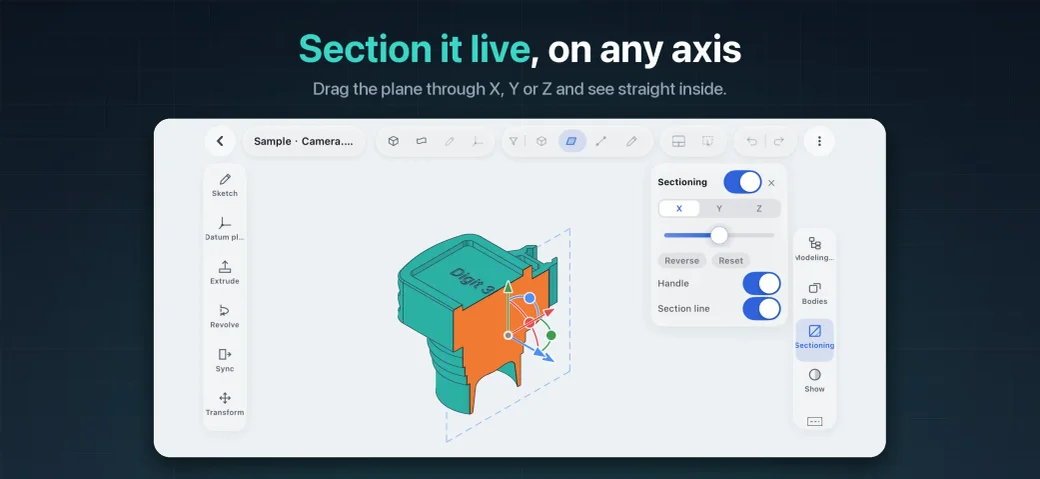
• Assembly lives in the modeling workspace: new parts, move parts, auto-detected mates, clash check
• 2D drawings with standard views, sections and dimensions; 3D annotations export with STEP
Two interfaces
• Full: every command, with customizable side rails
• Simple: tap a face and drag the arrow, easy for beginners
Files
• Import STEP, IGES, STL, OBJ, 3MF, 3DM, Parasolid (X_T) and DXF drawings
• Projects are saved as encrypted .d3d files
Privacy Policy: https://digit3d.top/privacy.html
Terms of Use: https://www.apple.com/legal/internet-services/itunes/dev/stdeula/
What’s new
Version 1.7.3 · Nov 23, 2026
More file formats
• Open .prt and .sldprt parts and assemblies directly, no conversion needed
• Original colors are kept
Modeling
• Move adds Align: mate faces, make cylinders concentric, or make lines coincide
• Measure in exploded view, with a wider explode range
• Export sketches from the feature tree to DXF
• 3D curves add arcs; 3D lines can be drawn from a point and a vector
Measure
• A more compact readout; collapse the left bar and panel while measuring
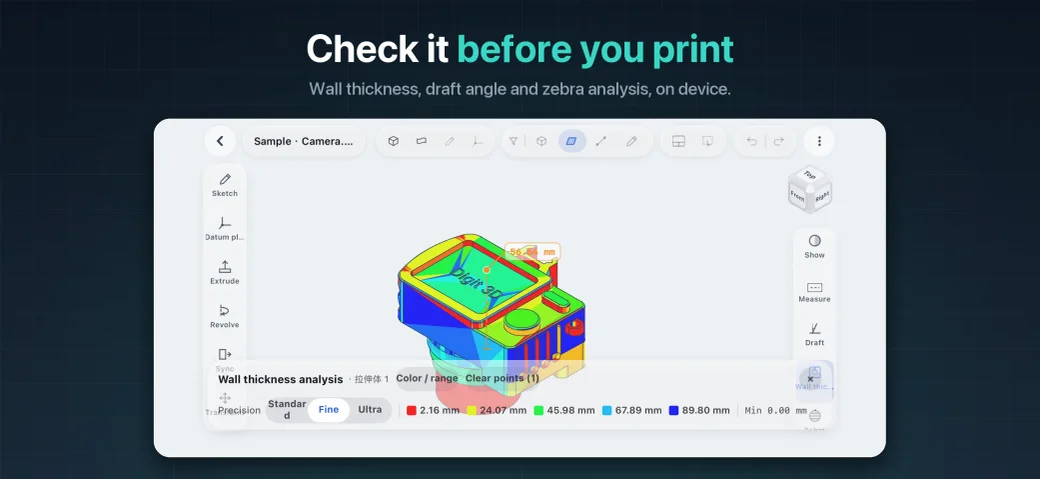
• Select an edge or face to see its length, angle or area
Fixes
• Fixed bad faces after extrude, Boolean and Move Face
• Fixes for sketch region picking and linked circles
• Very large DWG files open more reliably, and layouts switch faster
App privacy
What 运保 罗 declares on the App Store about how this app handles data.
-
Data linked to you
May be collected and linked to your identity.
- Contact info
- Identifiers
- Usage data
Privacy practices may vary, for example with the features you use or your age.
Information
- Seller
- 运保 罗
- Category
- Graphics & Design
- Version
- 1.7.3
- Updated
- Nov 23, 2026
- Released
- Oct 2, 2026
- Size
- 84.8 MB
- Requires
- iOS 16.4 or later
- Age rating
- 4+
- Price
- Free
- In-app purchases
- Yes
- Languages
- English, French, German, Japanese, Korean, Portuguese, Russian, Simplified Chinese, Spanish, Traditional Chinese, Ukrainian
- Copyright
- © Copyright2026Digit3D
You might also like
-
 Vexio3DMobile parametric CAD
-
 Meld - 3D Modeling3D Modeling on the Go
-
 MaterializrOpen-source 3D CAD for makers.
-
 TopMod 3D: Design SoftwareTopology modeler for 3D print
-
 Zenve3DParametric CAD for Makers
-
 3D Model Print Simple EditSculpt, edit & print 3D models
-
 Mixos: 3D Creative SuiteAnimation, Painting & Modeling
-
 Part3D: 3D CAD & ModelingPowerful CAD for hobbyists
-
 3D Print Designer CADCAD Modeling for 3D Printing
-
 Forma3D - 3D Modeling & PrintSTL, 3MF & Mesh Repair