
- Age rating4+
- CategoryTravel
- DeveloperStefano Rampazzo
- LanguagesEnglish
- Size31.1 MB
Links to the official App Store page
Download.org hosts no file of Direction explorer. The button opens its official App Store page, published by Stefano Rampazzo. Listing last checked on Nov 17, 2026.
Screenshots


About
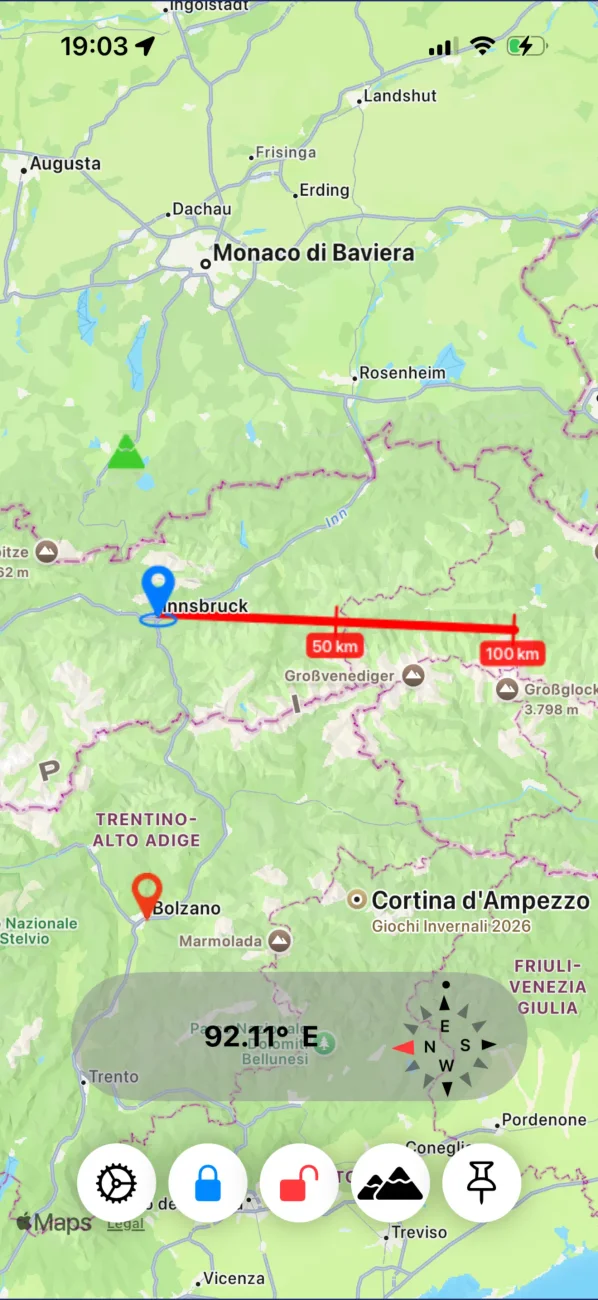
DirectionExplorer combines a compass tool with Apple Maps by Apple to help you identify targets (villages, buildings, mountains, and more) appearing in your view.
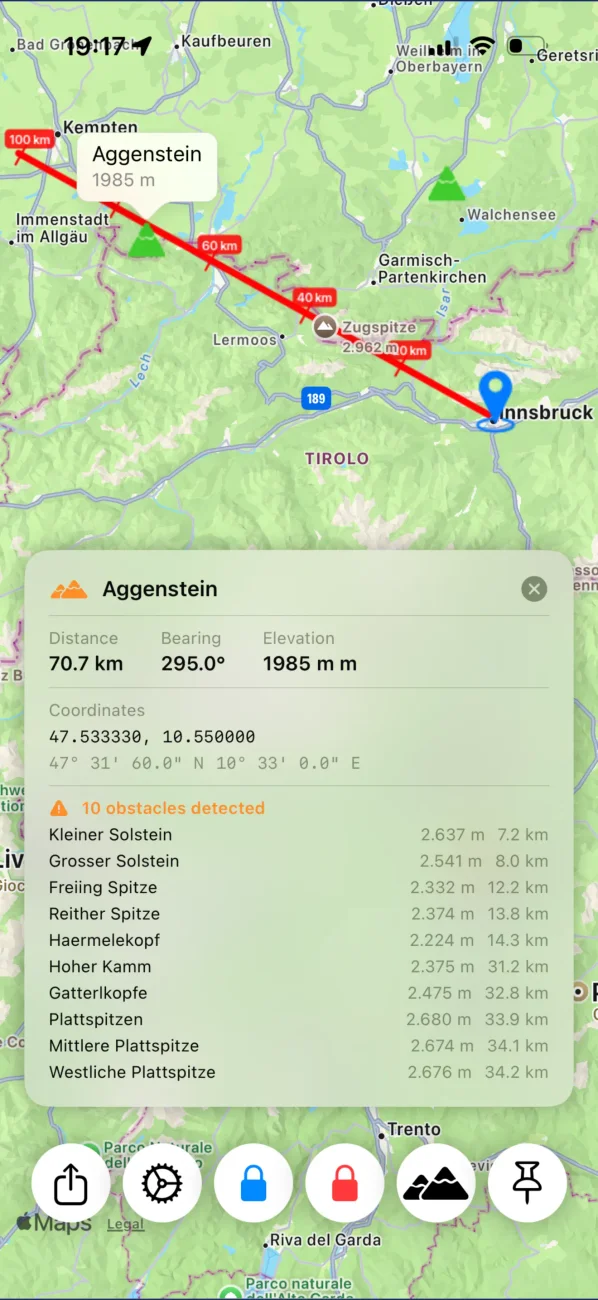
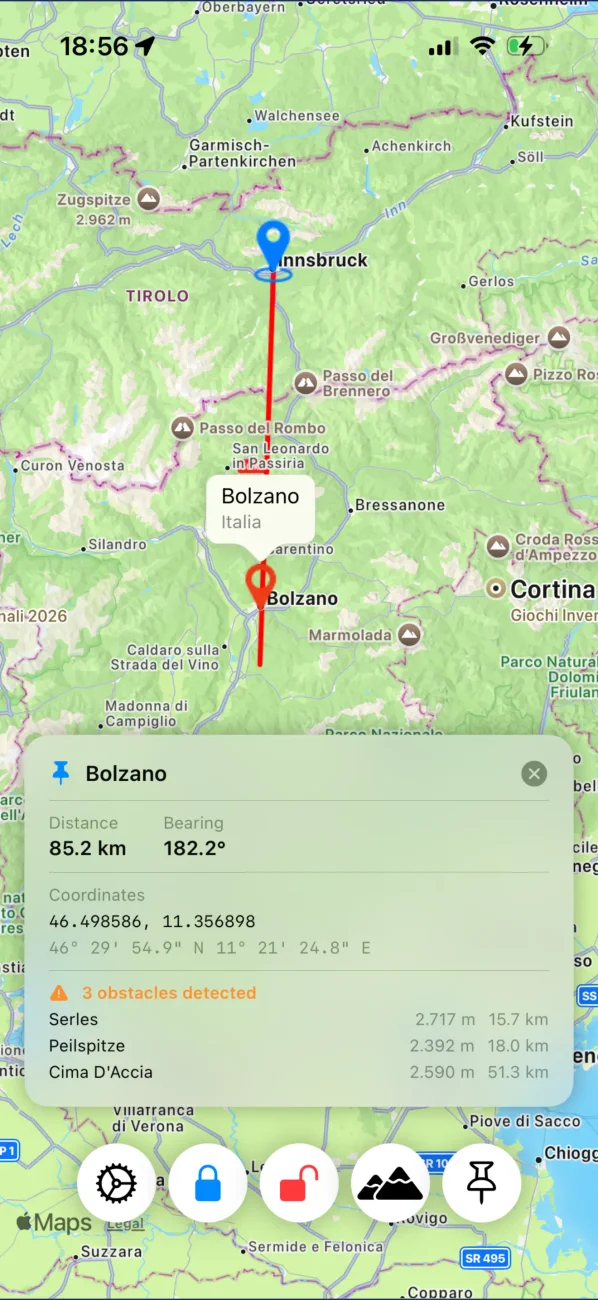
DirectionExplorer uses GPS to determine the observer's location and, using compass information, draws a line on the map in the same direction the iPhone is pointing.
The heading line includes distance marks, allowing you to better estimate distances directly on the map.
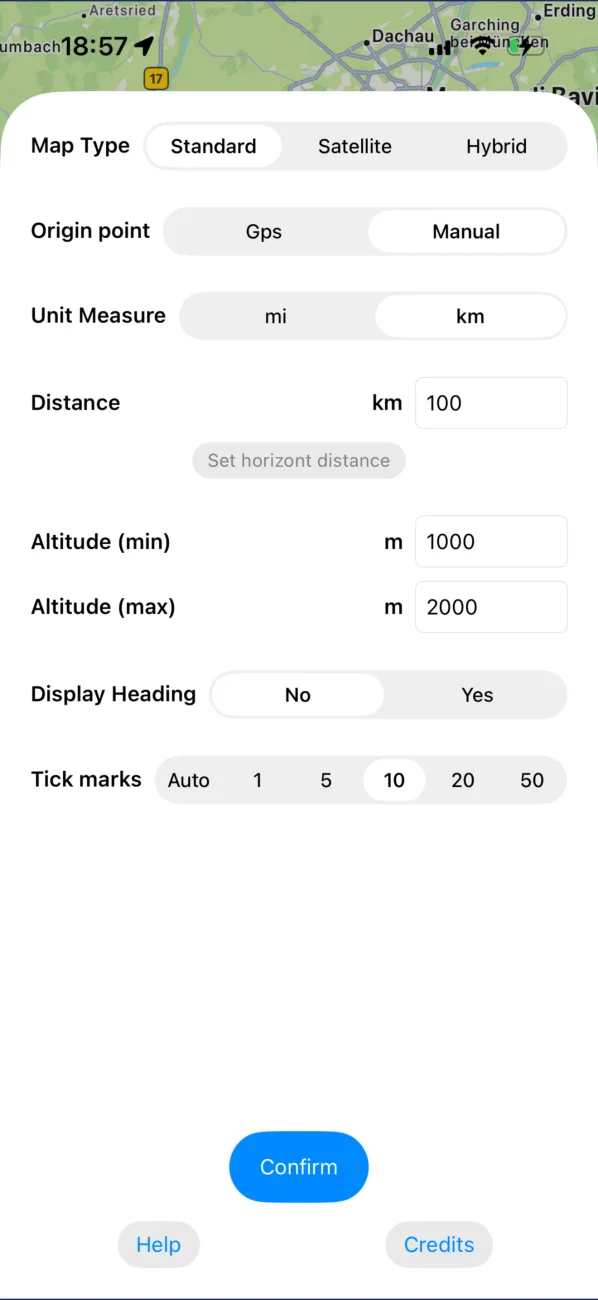
You can freeze the origin point and direction line to study the map in detail later. You can also determine the length of the heading line (in miles or km) to better estimate your field of view. The horizon distance can be automatically calculated based on the site's altitude.
The point of origin can be entered manually by tapping the map.
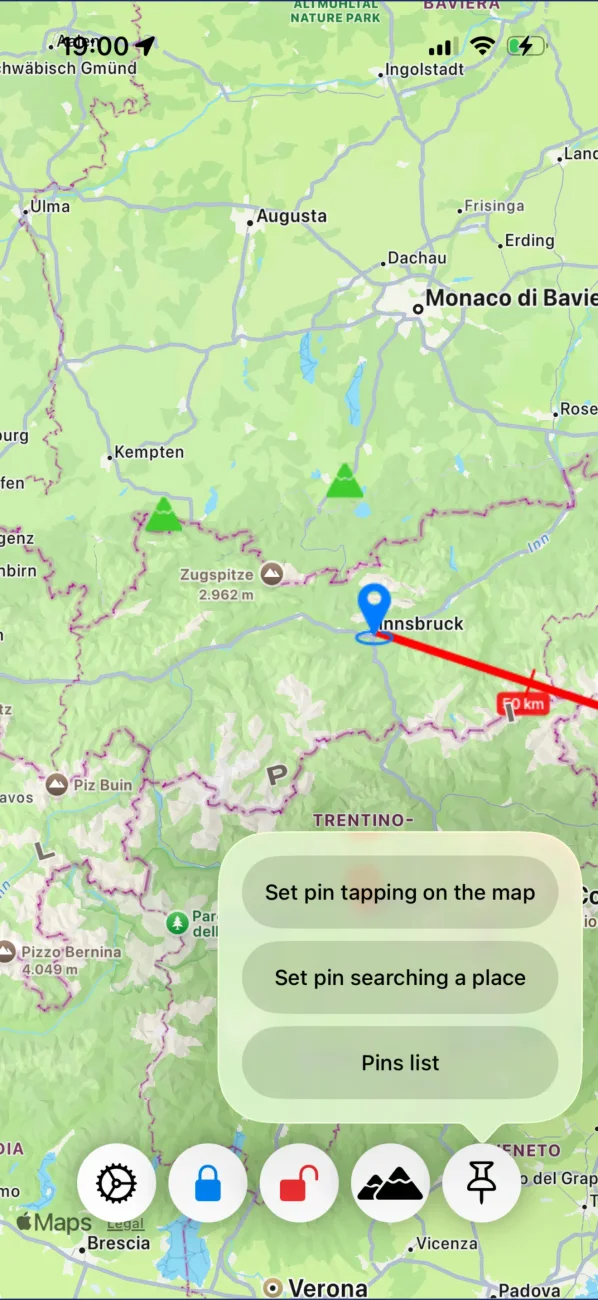
To help you find desired targets more easily, you can insert colored pins above the map. Pins can be set by tapping on the map or by entering place names. Tapping on a pin or on a mountain displays an information box with detailed data about the selected target and these data can be easily shared.
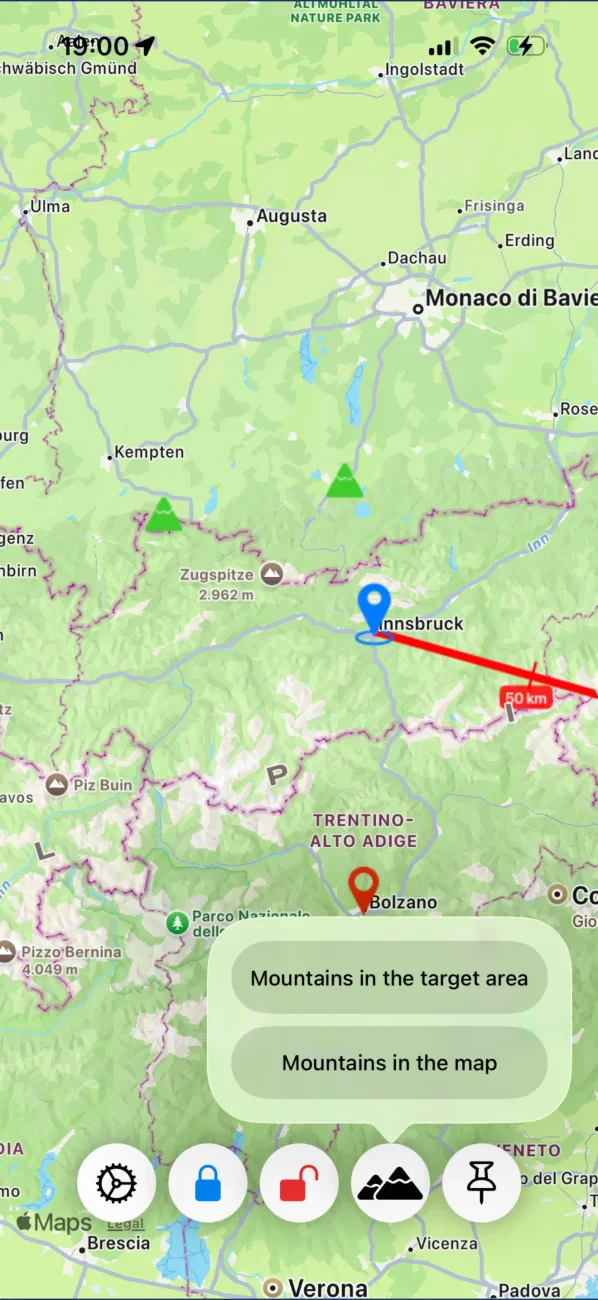
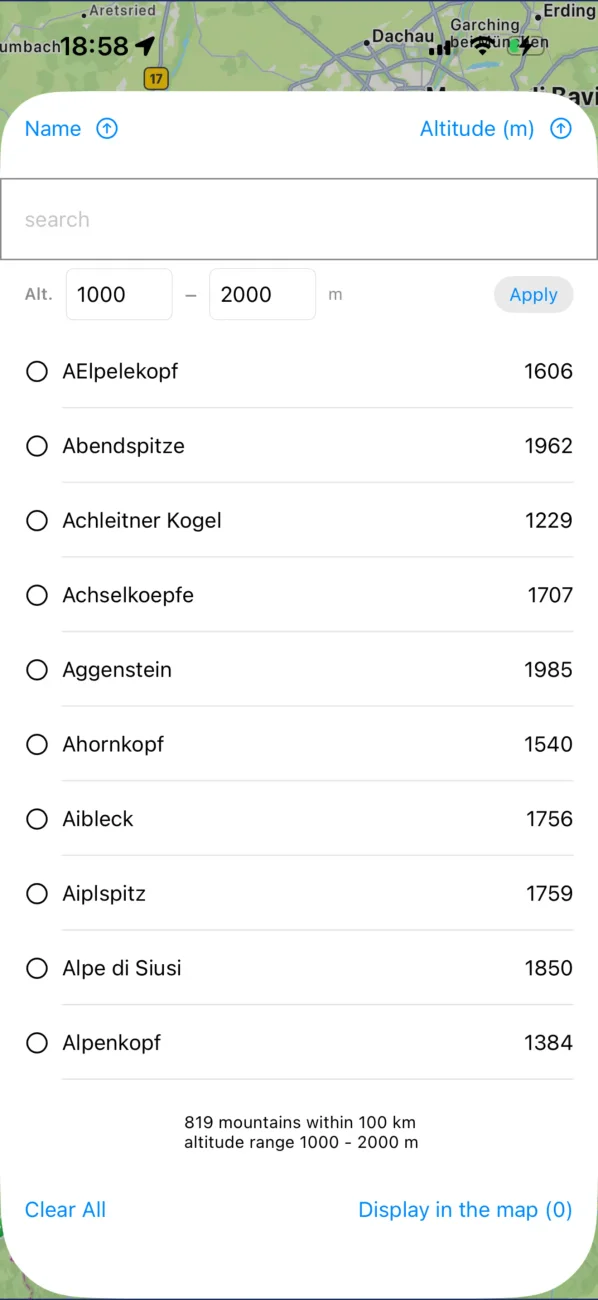
From an offline list of mountains, you can choose which peaks to display on the map.
The information box also suggests possible obstacles (based on the offline mountain database) that may lie between you and the selected target.
For best results, hold the iPhone horizontally and aim accurately.
It is also important to periodically check the compass calibration and follow the on-screen calibration instructions.
What’s new
Version 1.2 · Feb 25, 2026
Distance marks in the heading line
Info box of pins and mountains
Sharing info box data
Obstacles on the line of sight
Comsmetic adjustment
Fixed minor bugs
App privacy
What Stefano Rampazzo declares on the App Store about how this app handles data.
-
Data not collected
The developer does not collect any data from this app.
Privacy practices may vary, for example with the features you use or your age.
Information
- Seller
- Stefano Rampazzo
- Category
- Travel
- Version
- 1.2
- Updated
- Feb 25, 2026
- Released
- Jan 21, 2023
- Size
- 31.1 MB
- Requires
- iOS 17.6 or later
- Age rating
- 4+
- Price
- $1.99
- Languages
- English
- Copyright
- © 2023 Stefano Rampazzo
You might also like
-
 BearingatorCamera bearing & compass
-
 WhooisthisNavigation
-
 Charlotte Beer MapCraft Beer Spots
-
 Poynterra TrekkerNavigation plus Waypoint Mgmt
-
 Navi DirectionsXNavigation
-
 Compass Eye Bearing CompassAugmented Reality compass
-
 VAG Live TimetableLive Departures Nuremberg
-
 Buddhist CompassDirection to Buddhist Sites
-
 Waypoint CompassPoints to Your Destination
-
 GeoNames Map ExplorerMapping and data collection