Direction explorer
Compass and maps together
Projetado para iPhone, iPad
R$ 12,90
- Classificação etária4+
- CategoriaViagens
- DesenvolvedorStefano Rampazzo
- IdiomasInglês
- Tamanho31,1 MB
Leva à página oficial na App Store
O Download.org não hospeda nenhum arquivo de Direction explorer. O botão abre a página do app na App Store, onde Stefano Rampazzo o publica. Página verificada pela última vez em 17/11/2026.
Capturas de tela


Sobre
O desenvolvedor não forneceu este texto no seu idioma.
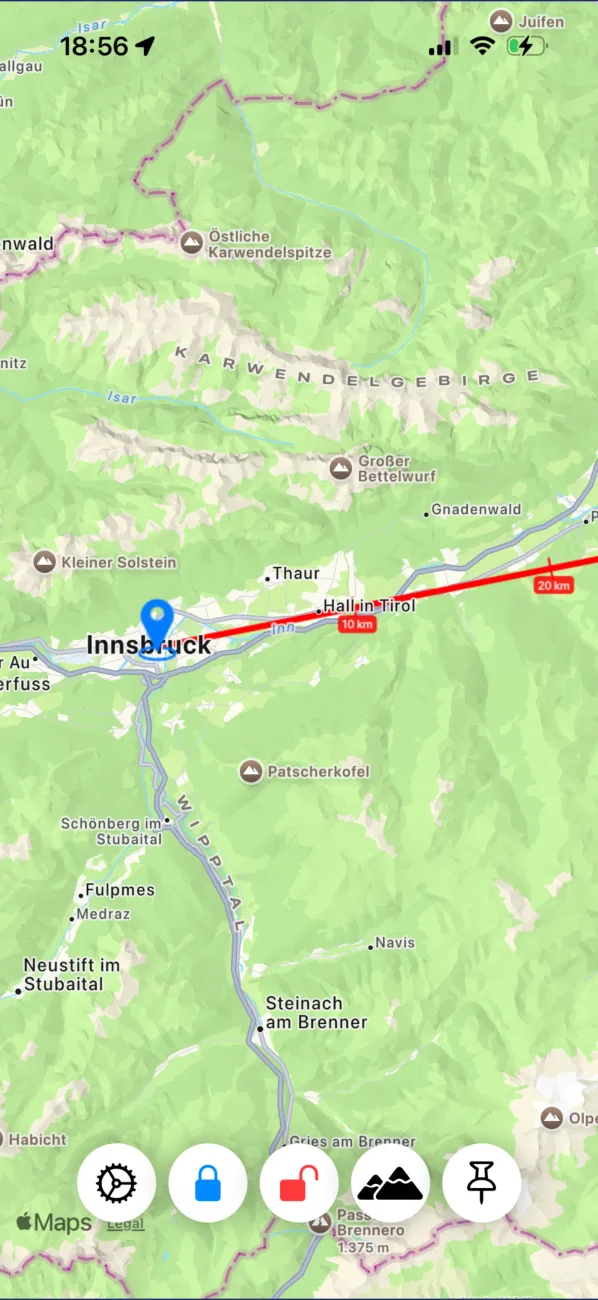
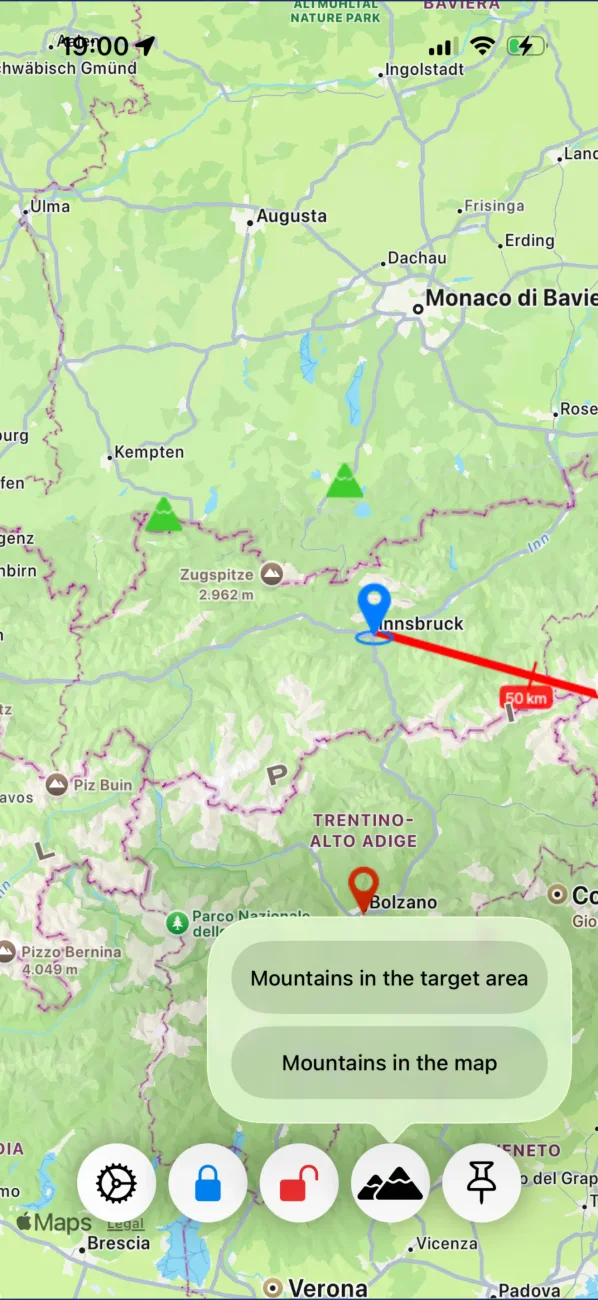
DirectionExplorer combines a compass tool with Apple Maps by Apple to help you identify targets (villages, buildings, mountains, and more) appearing in your view.
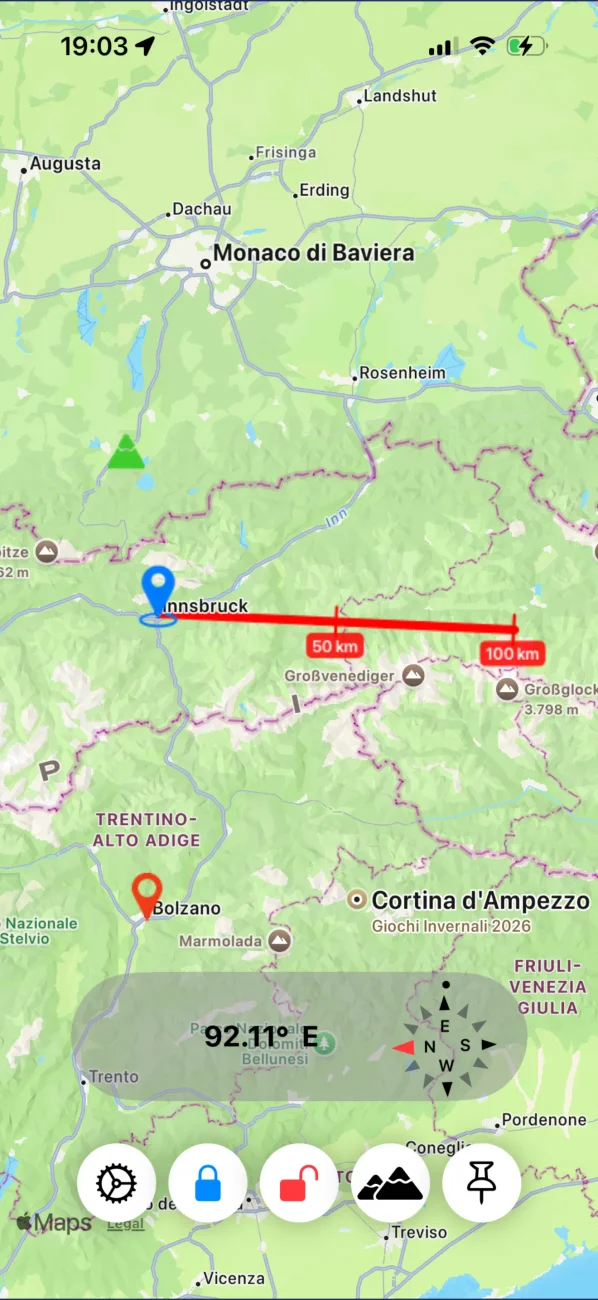
DirectionExplorer uses GPS to determine the observer's location and, using compass information, draws a line on the map in the same direction the iPhone is pointing.
The heading line includes distance marks, allowing you to better estimate distances directly on the map.
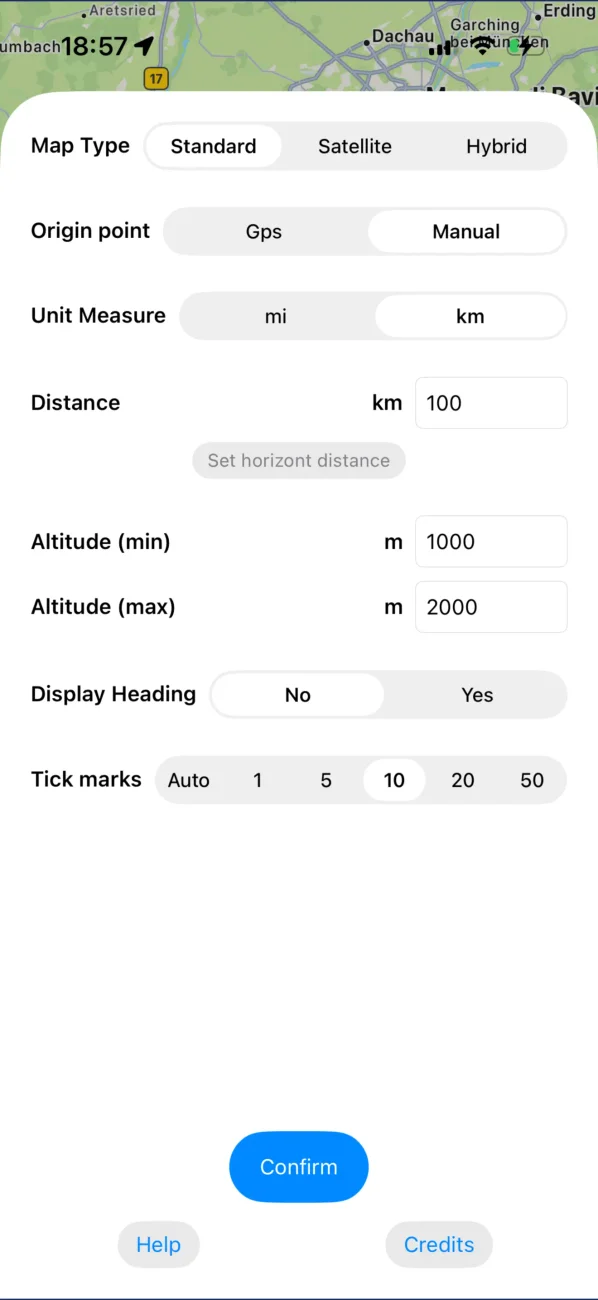
You can freeze the origin point and direction line to study the map in detail later. You can also determine the length of the heading line (in miles or km) to better estimate your field of view. The horizon distance can be automatically calculated based on the site's altitude.
The point of origin can be entered manually by tapping the map.
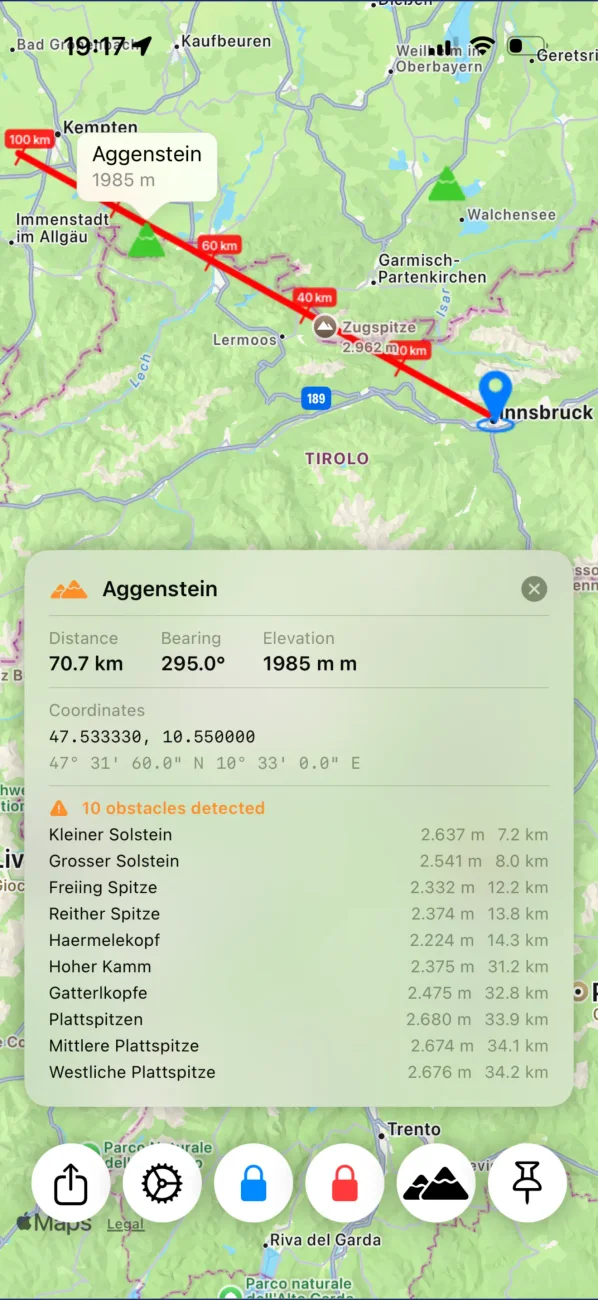
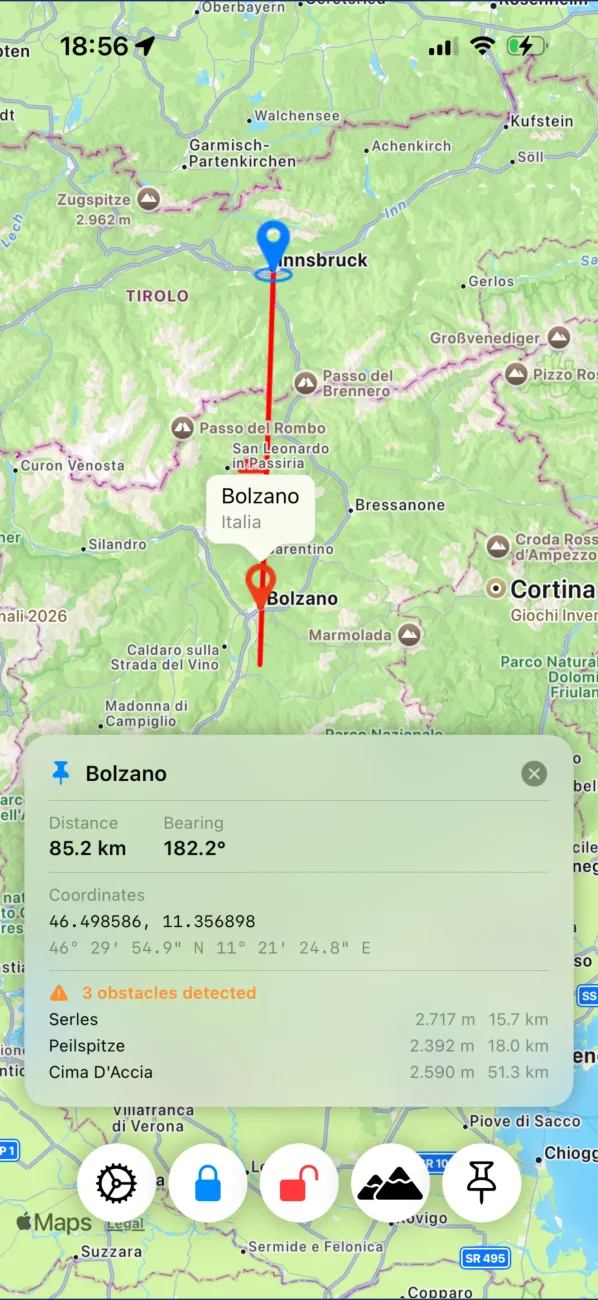
To help you find desired targets more easily, you can insert colored pins above the map. Pins can be set by tapping on the map or by entering place names. Tapping on a pin or on a mountain displays an information box with detailed data about the selected target and these data can be easily shared.
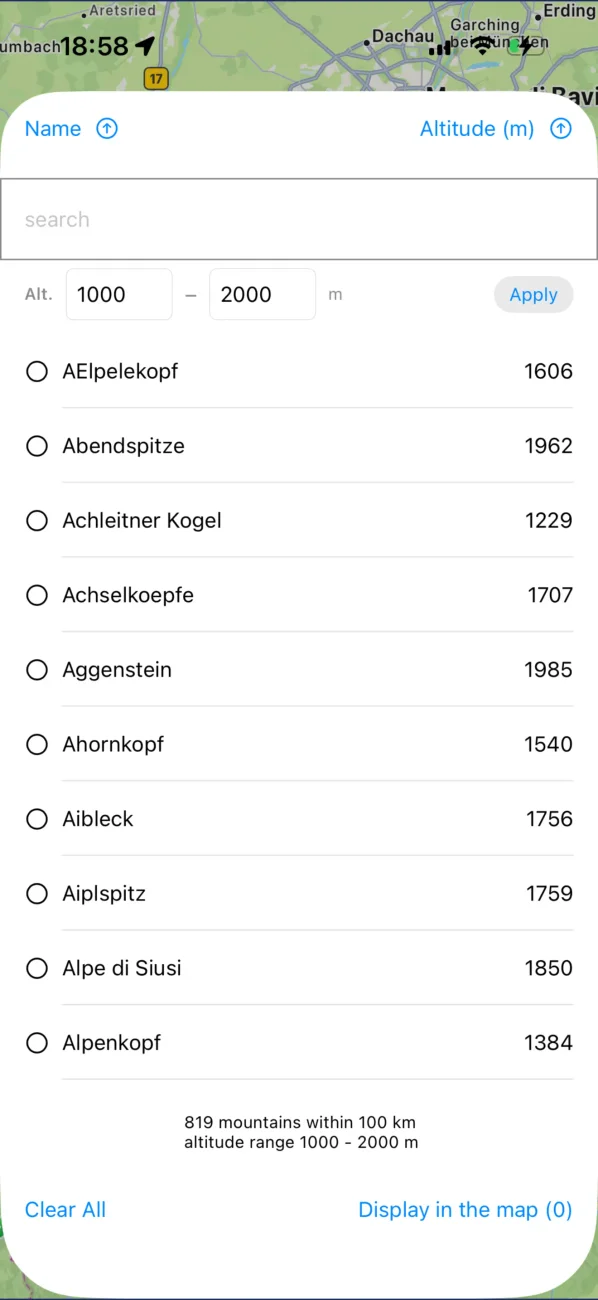
From an offline list of mountains, you can choose which peaks to display on the map.
The information box also suggests possible obstacles (based on the offline mountain database) that may lie between you and the selected target.
For best results, hold the iPhone horizontally and aim accurately.
It is also important to periodically check the compass calibration and follow the on-screen calibration instructions.
Novidades
Versão 1.2 · 25/02/2026
Distance marks in the heading line
Info box of pins and mountains
Sharing info box data
Obstacles on the line of sight
Comsmetic adjustment
Fixed minor bugs
Privacidade do app
O que Stefano Rampazzo declara na App Store sobre como este app lida com os dados.
-
Dados não coletados
O desenvolvedor não coleta nenhum dado deste app.
As práticas de privacidade podem variar, por exemplo, com base nos recursos que você usa ou na sua idade.
Informações
- Vendedor
- Stefano Rampazzo
- Categoria
- Viagens
- Versão
- 1.2
- Atualizado
- 25/02/2026
- Lançamento
- 21/01/2023
- Tamanho
- 31,1 MB
- Requer
- iOS 17.6 ou posterior
- Classificação etária
- 4+
- Preço
- R$ 12,90
- Idiomas
- Inglês
- Copyright
- © 2023 Stefano Rampazzo