
DiskBeam: Fast External Drive
Phone to Mac at SSD speed
Designed for iPhone, iPad
Free · In-app purchases
- Age rating4+
- CategoryUtilities
- DeveloperSebastian Skoic
- LanguagesEnglish
- Size4.4 MB
Links to the official App Store page
Download.org hosts no file of DiskBeam: Fast External Drive. The button opens its official App Store page, published by Sebastian Skoic. Listing last checked on Nov 23, 2026.
Screenshots

About
Turn your iPhone into a fast external drive for your Mac. Plug it in and it opens in Finder by itself, like an SSD. Or go wireless with nothing to install on the Mac. No cloud, no account.
• External-SSD speed: on iPhone 15 Pro, 16 Pro and 17 Pro models with a USB 3 cable, copies reach about 280 MB/s to the iPhone and 500 MB/s to the Mac. An 8.6 GB video took about 30 seconds.
• Plug in, it opens: with the free DiskBeam for Mac, tap Allow once and your iPhone opens in Finder in about a second.
• Pull the cable and keep copying: the copy carries on over Wi-Fi, even with no shared network, and picks up where it stopped.
• Never half a file: a file appears only once all of it has arrived.
• Choose where files land: browse your iPhone's folders from your Mac, make a new one, or make a folder the whole disk.
• A live speed screen shows how fast your files are moving, with an optional screensaver.
• Camera Roll on your Mac (Pro): copy your photos and videos as the camera's originals straight from the disk, without saving them to Files first.
• Shows up as a normal drive in Finder: drag files in and out, open them in any Mac app.
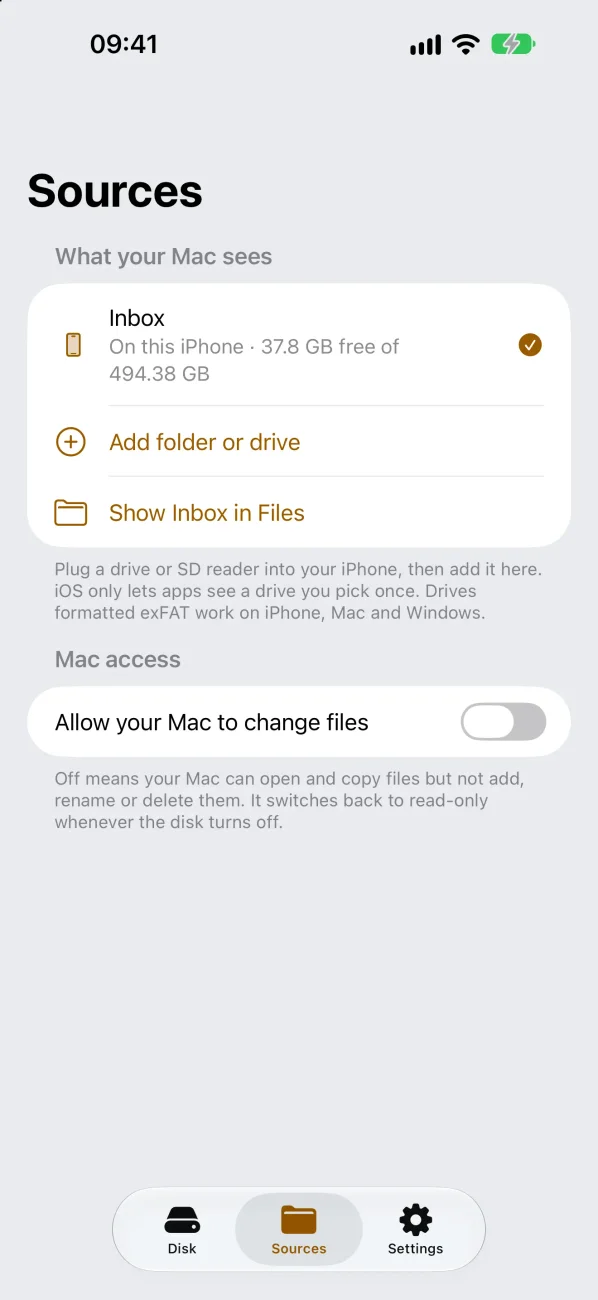
• Share SSDs and SD cards plugged into your iPhone, or folders from the Files app.
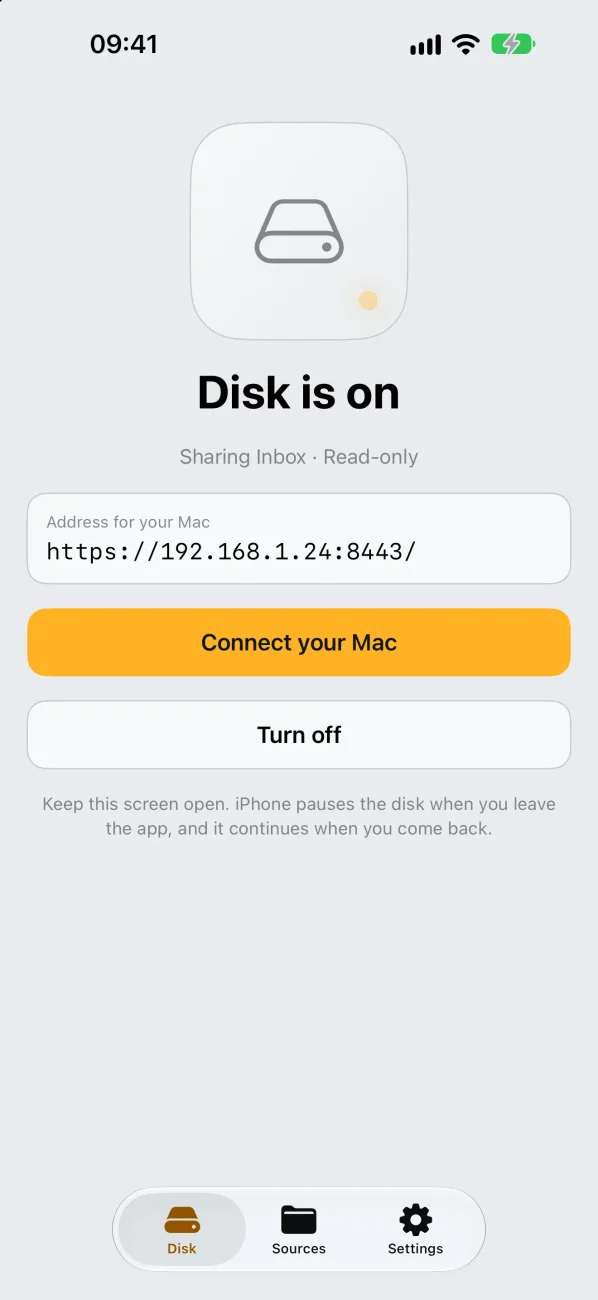
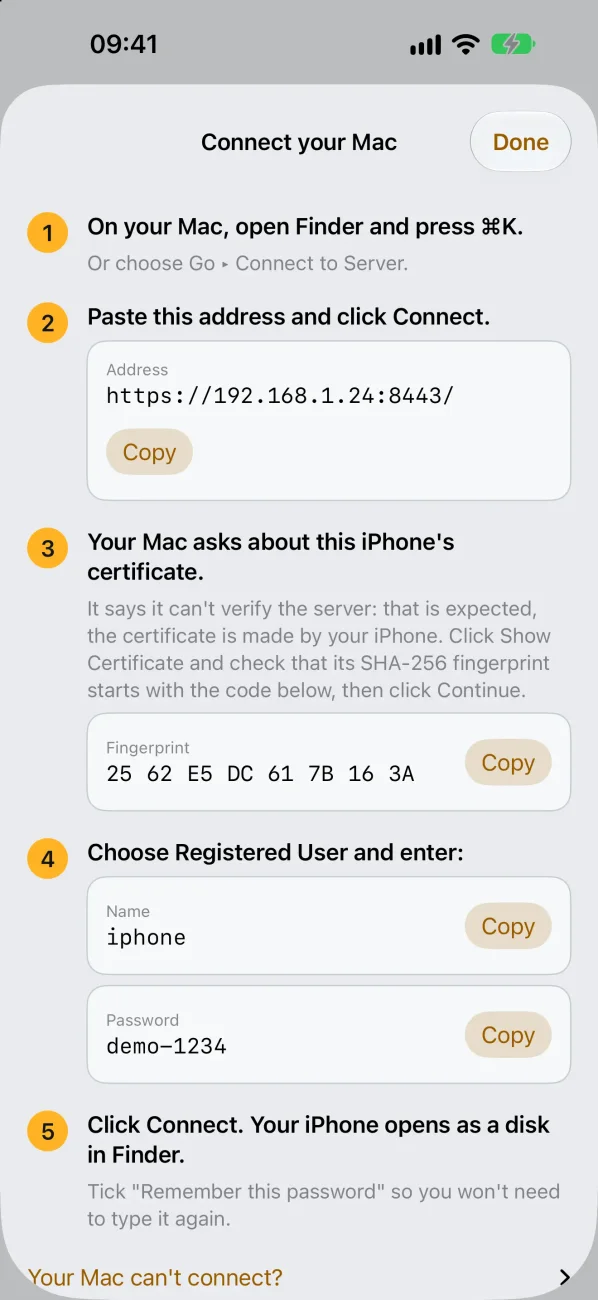
• Wireless too: over Wi-Fi or your iPhone's hotspot with Finder's Connect to Server.
• Encrypted with your iPhone's own certificate and a password. Read-only until you allow changes.
• Nothing goes through a server. Your files go straight from your iPhone to your Mac.
Free: share the app's own folder with your Mac (read-only).
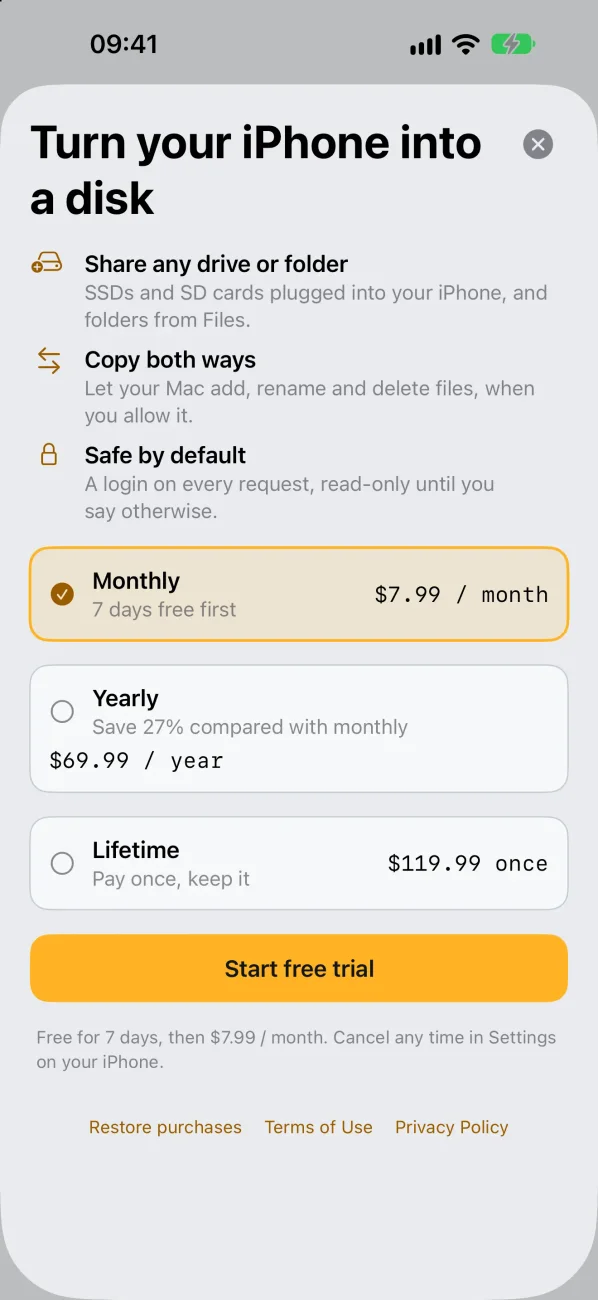
Pro (monthly with a 7-day free trial, yearly, or a one-time Lifetime purchase): share any drive or folder, and let your Mac add, rename and delete files.
Keep the app open while you copy: iPhone pauses the disk when you leave the app. DiskBeam for Mac needs a Mac with Apple silicon. Other iPhones, and the cable in the box, use USB 2 and are much slower.
Terms of Use (EULA): https://www.apple.com/legal/internet-services/itunes/dev/stdeula/
Privacy Policy: https://diskbeam.app/privacy
What’s new
Version 1.2 · Nov 18, 2026
New in Pro: Camera Roll. Switch it on in Settings > Photos and your photos and videos appear on the disk as a read-only folder, one folder per month, as originals. Copy them to your Mac without saving them to Files first.
New: a live speed screen. While your Mac copies files, DiskBeam shows how fast they're moving and whether you're on the cable or Wi-Fi. An optional screensaver shows the speed while you wait (Settings > Screen), and DiskBeam warns you if your iPhone gets hot.
With the free DiskBeam for Mac 1.2 (diskbeam.app/mac): copies carry on over Wi-Fi when the cable comes out, even with no shared network, and pick up where they stopped. Drop files on its window for full cable speed, and choose the folder on your iPhone they land in.
Also: the disk reopens every time you come back to the app, Turn off stays off, and a copy cut short no longer leaves an empty file behind.
App privacy
What Sebastian Skoic declares on the App Store about how this app handles data.
-
Data not collected
The developer does not collect any data from this app.
Privacy practices may vary, for example with the features you use or your age.
Information
- Seller
- Sebastian Skoic
- Category
- Utilities
- Version
- 1.2
- Updated
- Nov 18, 2026
- Released
- Nov 6, 2026
- Size
- 4.4 MB
- Requires
- iOS 17.0 or later
- Age rating
- 4+
- Price
- Free
- In-app purchases
- Yes
- Languages
- English
- Copyright
- © 2026 Sebastian Škoič
You might also like
-
 A-DISKLocal file manager and backup
-
 My Notes SafePassword Protected
-
 BlitzWolfUtilities
-
 My Photo SafePhoto Vault: Lock & Hide
-
 Usb TransferPhoto Video File
-
 Moj MobiUtilities
-
 Persian Keyboard & TranslatorType & Translate Persian text
-
 U8-DiskWireless LAN transmission
-
 Spaceful: Phone CleanerAI Photo Storage Cleanup
-
 USB SharpUtilities