
Ditto - Copy Metadata
Copy Photo Dates & Locations
Designed for iPhone, iPad, Mac
Free
- Age rating4+
- CategoryPhoto & Video
- DeveloperMarkus Kettner
- LanguagesEnglish
- Size3.3 MB
Links to the official App Store page
Download.org hosts no file of Ditto - Copy Metadata. The button opens its official App Store page, published by Markus Kettner. Listing last checked on Nov 15, 2026.
Screenshots
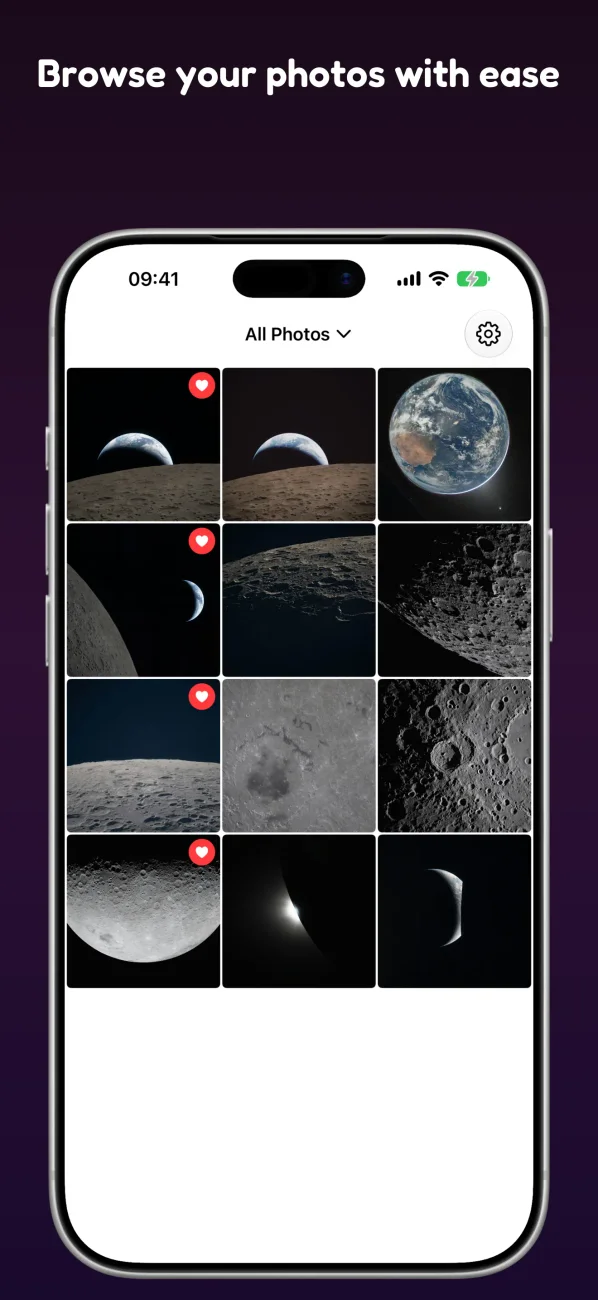
About
Many photo editing and filter apps save your edited photo with a brand-new timestamp and strip away the rest of its metadata, including location. The result: the edit lands in a completely different spot in your photo library than the original — nowhere near where it belongs.
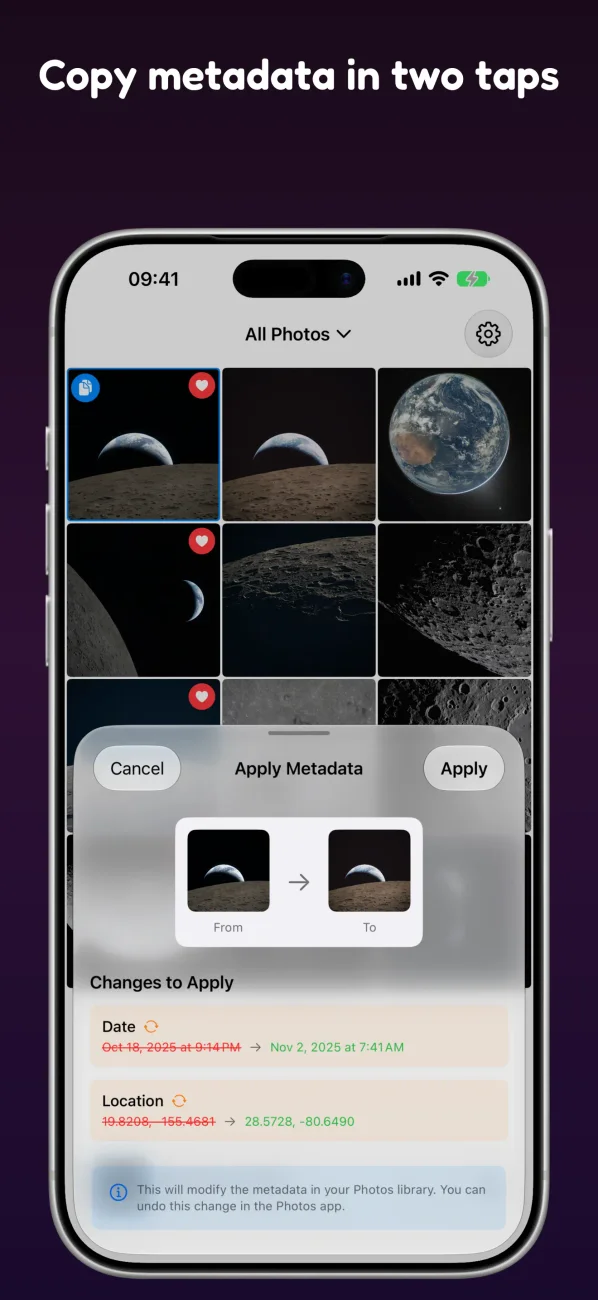
Ditto fixes that. It copies the metadata — capture date, location, and more — from the original photo onto the edited one, so your edits sit right back alongside the originals.
Working directly in your Apple Photos library, Ditto keeps it quick:
• Copy metadata from one photo to another in just a few taps
• Or simply drag the original photo onto the edited one to copy it across
• Made several edits? Lock in the original's metadata and paste it onto each one
• Reverse the direction anytime to copy the other way
Customize the photo grid up to 20 columns on Mac and iPad to find the shots you need fast.
Available on iPhone, iPad, and Mac.
App privacy
What Markus Kettner declares on the App Store about how this app handles data.
-
Data not collected
The developer does not collect any data from this app.
Privacy practices may vary, for example with the features you use or your age.
Information
- Seller
- Markus Kettner
- Category
- Photo & Video
- Version
- 1.0
- Updated
- Jun 17, 2026
- Released
- Jun 17, 2026
- Size
- 3.3 MB
- Requires
- iOS 26.0 or later
- Age rating
- 4+
- Price
- Free
- Languages
- English
- Copyright
- © 2026 Markus Kettner
You might also like
-
 EXIF Magic: Metadata RemoverEdit EXIF, Change GPS Location
-
 Image Compare+Before/after slider & overlay
-
 Exif Lens: Photo MetadataViewer, Editor & GPS Remover
-
 LineEngraver Photo EditorGreyscale / monochrome, camera
-
 EXIF ExtractorEXIF Viewer & Photo Stats
-
 Stain Remover: Restore PhotosFix scratches, fade & colorize
-
 RV Video LibraryRV Marketing Made Easy
-
 PhotoBorder: White EXIF FramePhoto borders with camera info
-
 CinevisorDirector's viewfinder, AI look
-
 Framio: White Borders & EXIFCamera Info Watermark, Filters