- Age rating4+
- CategoryProductivity
- DeveloperDmitrii Ulianov
- LanguagesEnglish+ 11 more
- Size718.0 KB
Links to the official App Store page
Download.org hosts no file of Do List 100. The button opens its official App Store page, published by Dmitrii Ulianov. Listing last checked on Nov 18, 2026.
Screenshots


About
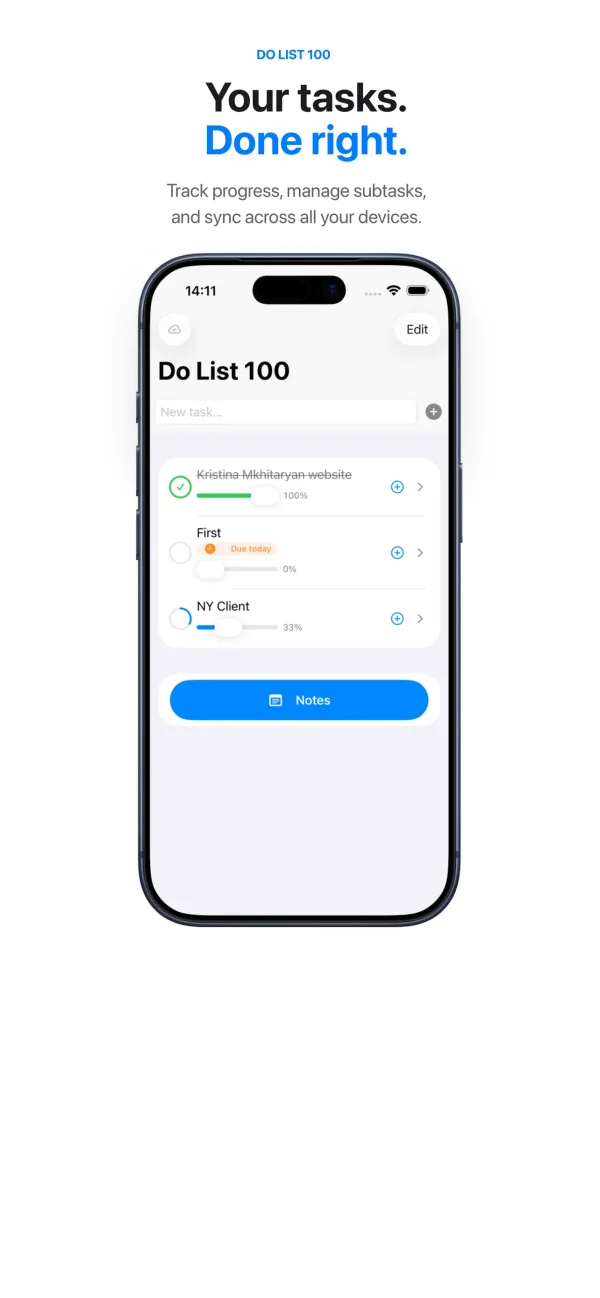
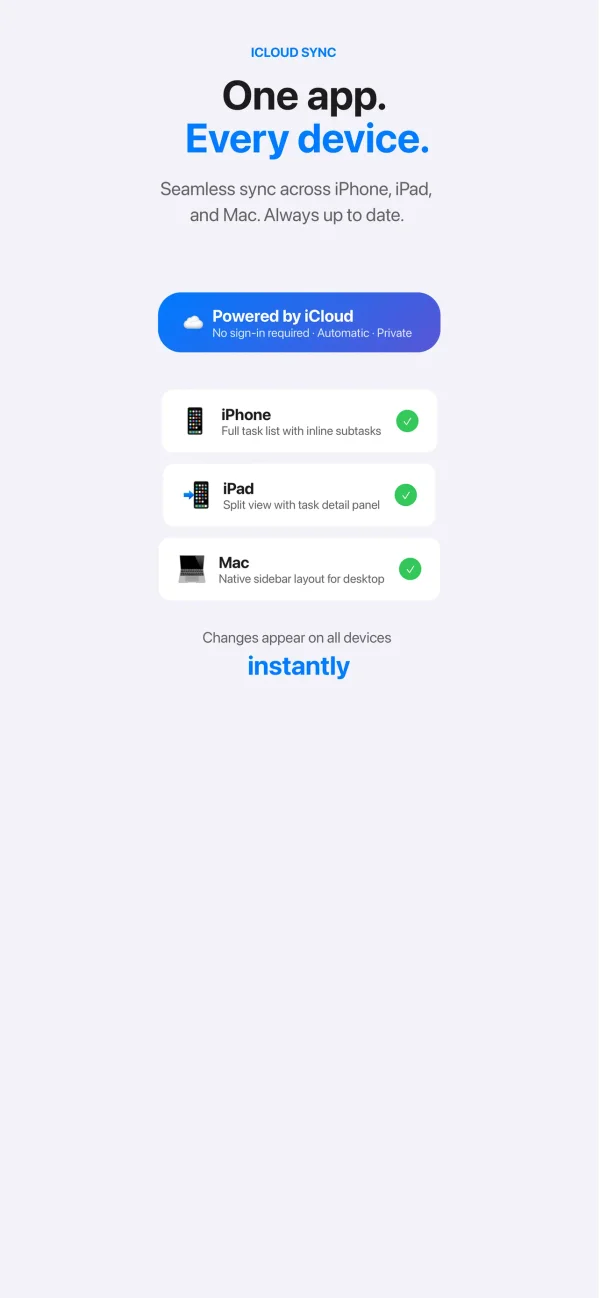
Do List 100 — a clean, simple planner with percentage of task completion with synchronization on your iPhone, iPad and Mac.
Do List 100 will help you see how close you are to finishing your tasks.
Create your tasks or plans, and set up percentage of their completion progress.
+ Сonvenient feature to write useful notes
No fluff, no distractions — just you, your goals, and the numbers that move you forward.
Here’s how it works:
- Write down what you need to do.
- Set a percentage to show how much you’ve already done (e.g., 30 %, 75 %).
- Add notes if you want to jot down ideas, deadlines, or tips.
Stay on track without clutter — just focus on moving forward! Perfect for those who value clarity and measurable progress. This approach helps you stay focused on what truly matters and avoid information overload.
What’s new
Version 3.1 · Jul 21, 2026
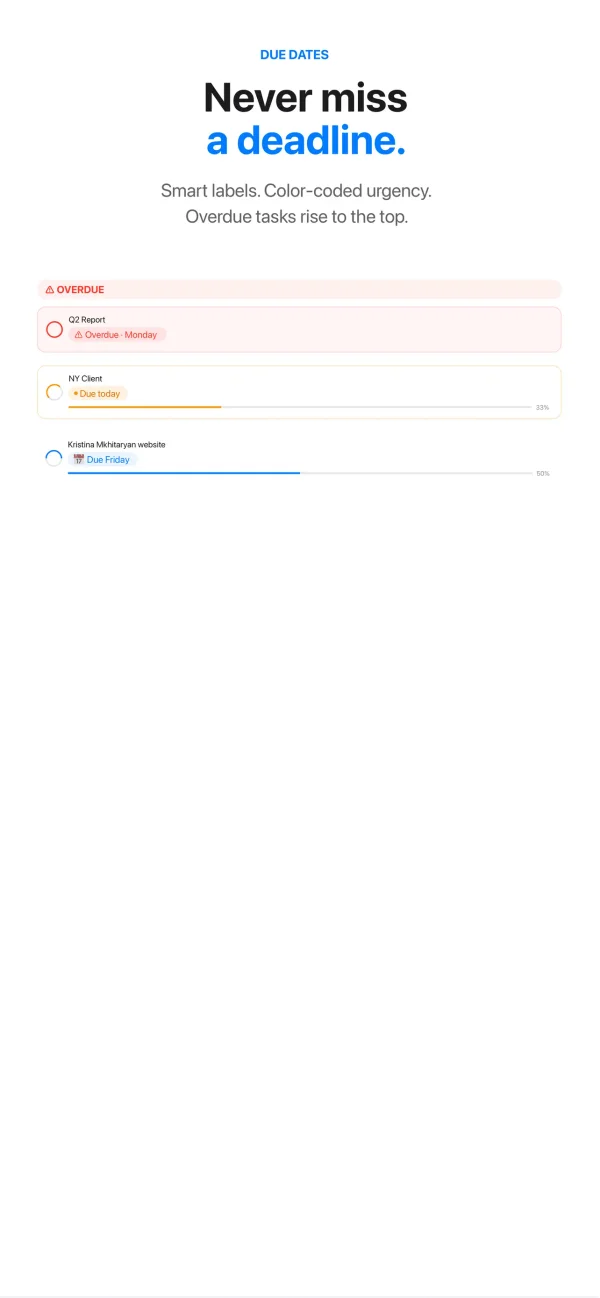
Due Dates — Set a due date on any task. Overdue tasks surface automatically at the top of your list, color-coded in red. Due today shows in orange.
Smarter Progress — Task progress now auto-calculates from your subtasks as you check them off. Prefer manual control? Drag the slider anytime — tap ↺ to switch back to auto.
iPad & Mac Sidebar — A full NavigationSplitView layout on iPad and Mac gives you your task list on the left and full task detail — subtasks, progress, due date — on the right.
Drag to Reorder — Tap Edit and drag tasks into any order you like.
Swipe to Delete Subtasks — Swipe left on any subtask to remove it.
Stability — Fixed an iCloud sync issue that caused subtask edits and checkbox taps to snap back. Sync now correctly ignores your own saves and waits until you finish typing before refreshing.
App privacy
What Dmitrii Ulianov declares on the App Store about how this app handles data.
-
Data not collected
The developer does not collect any data from this app.
Privacy practices may vary, for example with the features you use or your age.
Information
- Seller
- Dmitrii Ulianov
- Category
- Productivity
- Version
- 3.1
- Updated
- Jul 21, 2026
- Released
- Jan 21, 2026
- Size
- 718.0 KB
- Requires
- iOS 26.0 or later
- Age rating
- 4+
- Price
- Free
- Languages
- English, Dutch, Finnish, French, German, Japanese, Korean, Portuguese, Russian, Simplified Chinese, Spanish, Swedish
- Copyright
- © 2026 Dmitry Ulyanov
You might also like
-
 DayPercentProductivity
-
 Pressly: Speed Reader & FocusRead One Word at a Time, RSVP
-
 Timona2 Timelines: Track & Plan Time
-
 MyStep Pomodoro & Tareaspomodoro focus timer and task
-
 Project Planner - 計画管理Productivity
-
 BetterKeeper: Tasks & ProjectsNotes & Time Tracker for Apple
-
 Galka: Tasks & ProjectsProjects, Tasks & Daily Plan
-
 TodOne: Simple Today To-DoDaily planner: just talk to AI
-
 ProyectOSProductivity
-
 Do Later · To Do ListSimple, recurring to-do lists