
- Age rating4+
- CategoryProductivity
- Developer天泽 邱
- LanguagesEnglish+ 1 more
- Size14.7 MB
Links to the official App Store page
Download.org hosts no file of Timona. The button opens its official App Store page, published by 天泽 邱. Listing last checked on Nov 23, 2026.
Screenshots
About
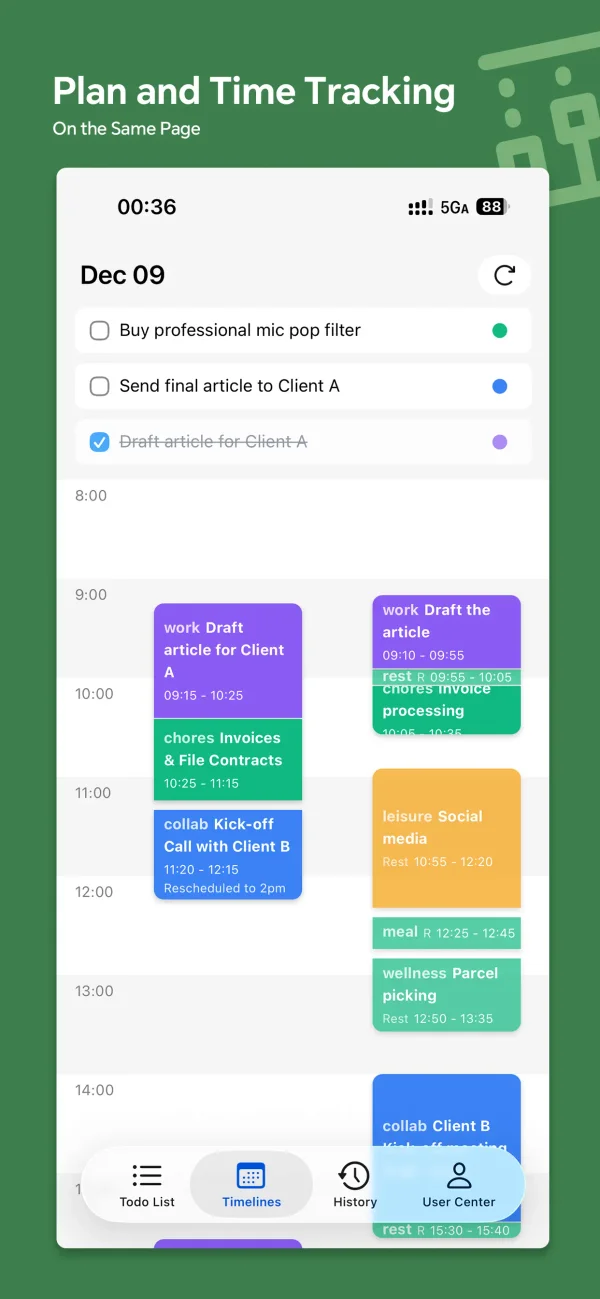
Timona is a clean and powerful time-tracking and task management app. This app centres on time-tracking functionality while integrating additional features such as timeline planning and to-do lists, to assist you in:
- Document where time is spent (rather than merely creating schedules)
Flexibly set task durations by tapping start and end times directly on the timeline, and mark tasks as work or rest.
- Visually compare the gap between ‘planned’ and ‘actual’ time
Plan and record simultaneously. This gives you a clear view of your day's true rhythm, putting you firmly in control of your time.
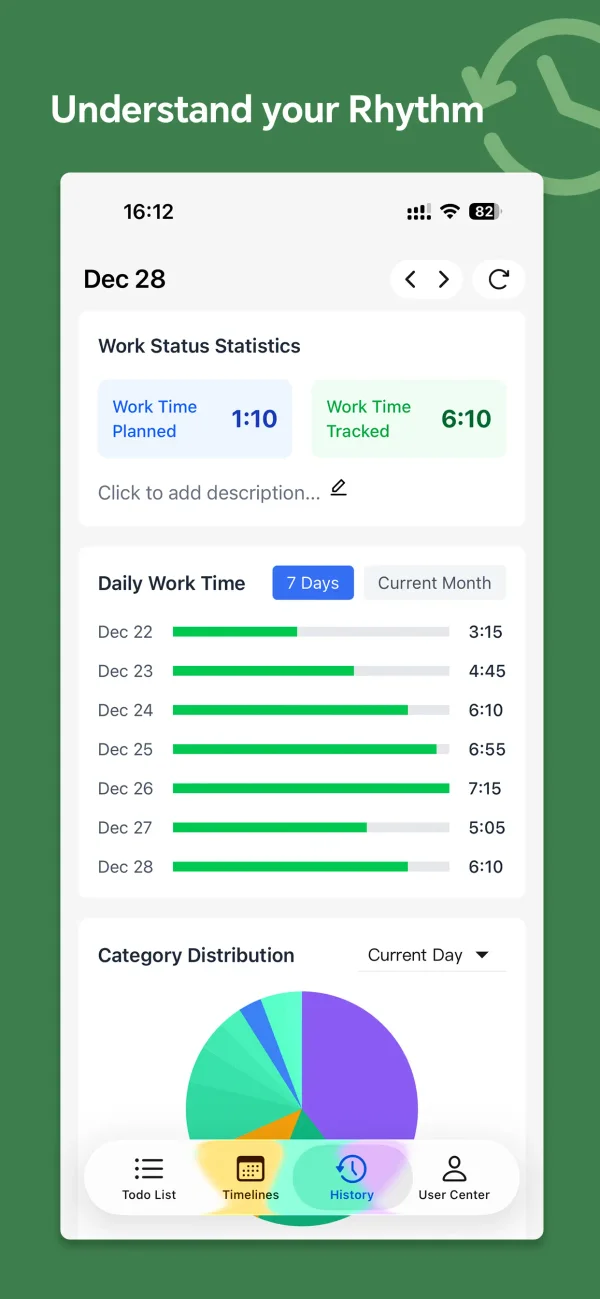
- Identify your personal time usage patterns
The history page shows daily, weekly and monthly work hours, as well as category breakdowns. You can also write a daily summary, gradually building a personal growth journal.
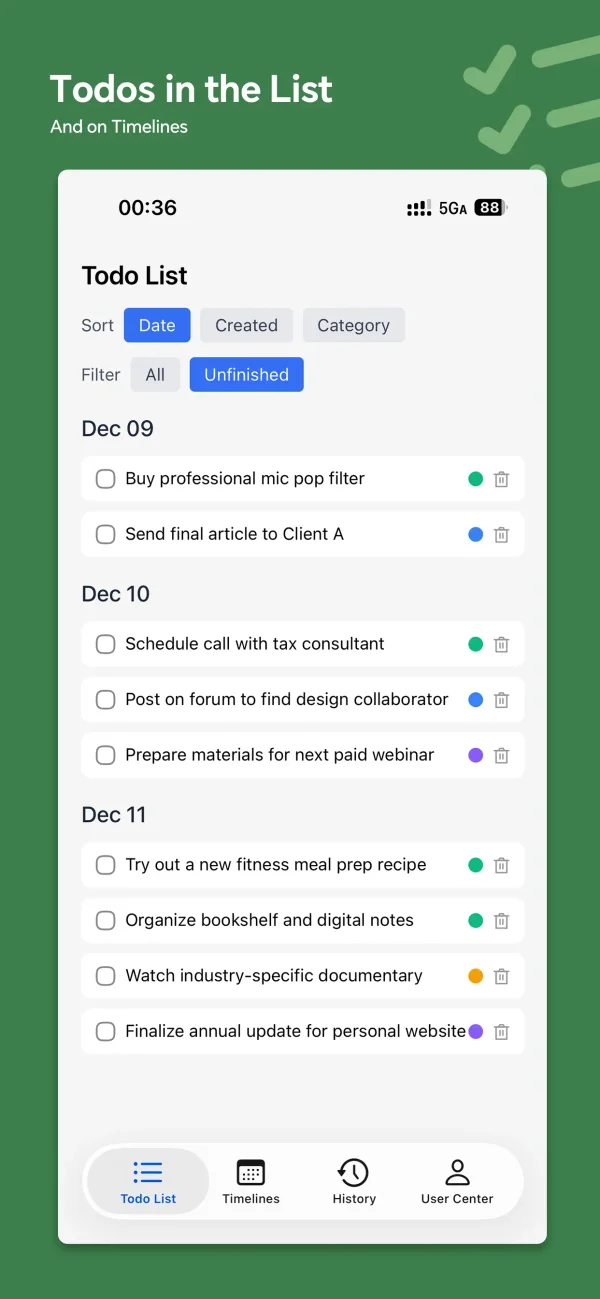
- Turn to-dos into actions
Tasks can flow between the to-do list and daily timelines. Sort or filter by date, category or creation time. Quickly pull down to capture fleeting ideas in seconds.
- Synchronise data across multiple devices for seamless switching between computer and mobile
Plan in depth on desktop and update on the go. Cloud sync with optional privacy encryption keeps your personal data safe and up to date.
- Work with customised experience
Set your daily start/end times and minimum time granularity. Manage category colours and default rest settings. Change the interface theme colour to perfectly match your taste and workflow.
With Timona, you can arrange your to-dos and dones in one elegant view. Understand your own rhythm and efficiency will naturally follow!
What’s new
Version 2.0.0 · Nov 22, 2026
Timona 2.0 is here! This release brings offline support and other major updates.
Updates:
- Offline support: browse, create, edit, and delete timeline tasks and to-dos without a connection. Changes are saved on your device first and sync automatically once you're back online
- Sync status indicator: shows offline mode, the number of pending changes, and sync results. If a sync fails, you can retry it or discard the changes
- Redesigned tag manager: edit the name, color, and default type of existing tags, and see when each tag was last used
- More preset colors for tags, plus custom colors
Minor Updates:
- Safer data import: backup files are validated before importing, and your existing data is restored automatically if an import fails
- Fixed the timeline occasionally going blank after returning to the app
- Fixed how tasks that cross midnight or end at 0:00 appear in the timeline and statistics
- Fixed pulling down inside a popup triggering the page's pull-down gesture
App privacy
What 天泽 邱 declares on the App Store about how this app handles data.
-
Data linked to you
May be collected and linked to your identity.
- Contact info
- Identifiers
Privacy practices may vary, for example with the features you use or your age.
Information
- Seller
- 天泽 邱
- Category
- Productivity
- Version
- 2.0.0
- Updated
- Nov 22, 2026
- Released
- Dec 19, 2025
- Size
- 14.7 MB
- Requires
- iOS 15.0 or later
- Age rating
- 4+
- Price
- Free
- Languages
- English, Simplified Chinese
- Copyright
- © 2022-2026 Tianze Qiu
You might also like
-
 铝型材读者Productivity
-
 OctoDesk - AI Office WorkspaceMail, Calendar, Files, AI Chat
-
 Do List 100Planner with % of progress
-
 随手码字Productivity
-
 RoastTrace: Coffee RoastingRoastery Inventory & Orders
-
 NudgeDuckStuck? Take one tiny step.
-
 TimeSeedMake time your Ally
-
 BlockaliciousPrivacy-first website blocker
-
 轻历Productivity
-
 GuruMind - 智能知识管理工具Productivity