
- Age rating4+
- CategoryProductivity
- DeveloperDaniel Ignacio Rodriguez-Pina
- LanguagesEnglish
- Size1.2 MB
Links to the official App Store page
Download.org hosts no file of Doc Scanner by Dani. The button opens its official App Store page, published by Daniel Ignacio Rodriguez-Pina. Listing last checked on Nov 12, 2026.
Screenshots
About
Turn your iPhone into a pocket scanner. No account, no sign-up. Your scans stay on your device.
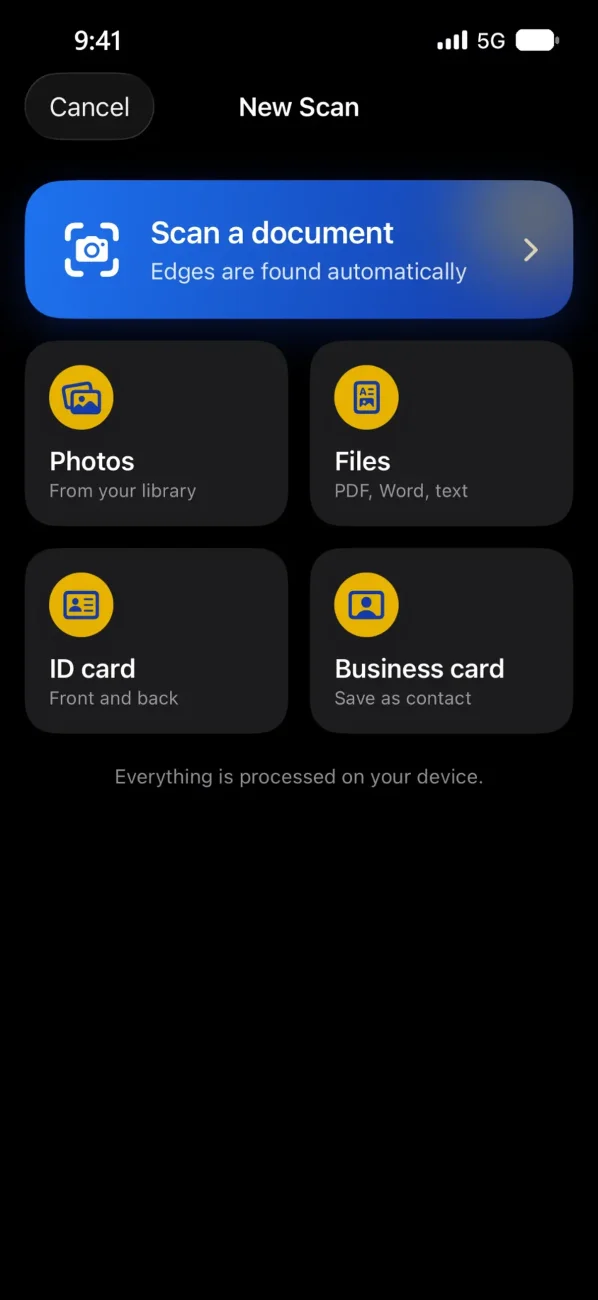
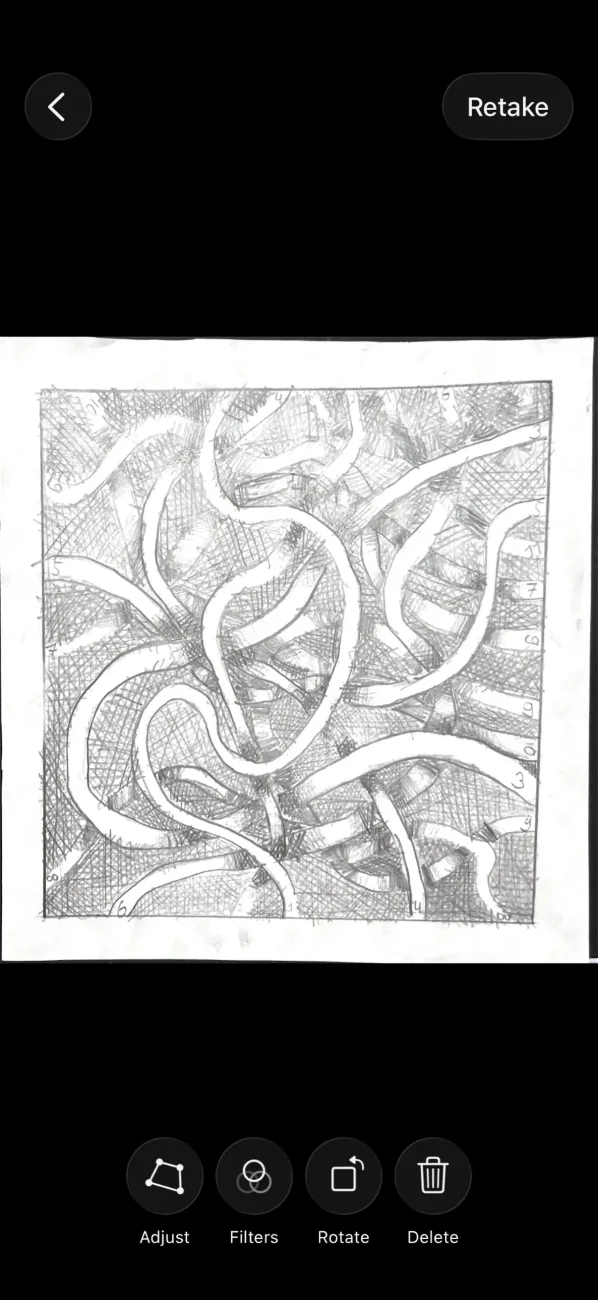
SCAN • Scan paper with automatic edge detection • ID cards: front and back on one page, or two • Business cards: turn them into a contact • Add photos from your library • Open PDFs, pictures, Word, text, RTF and web page files from other apps
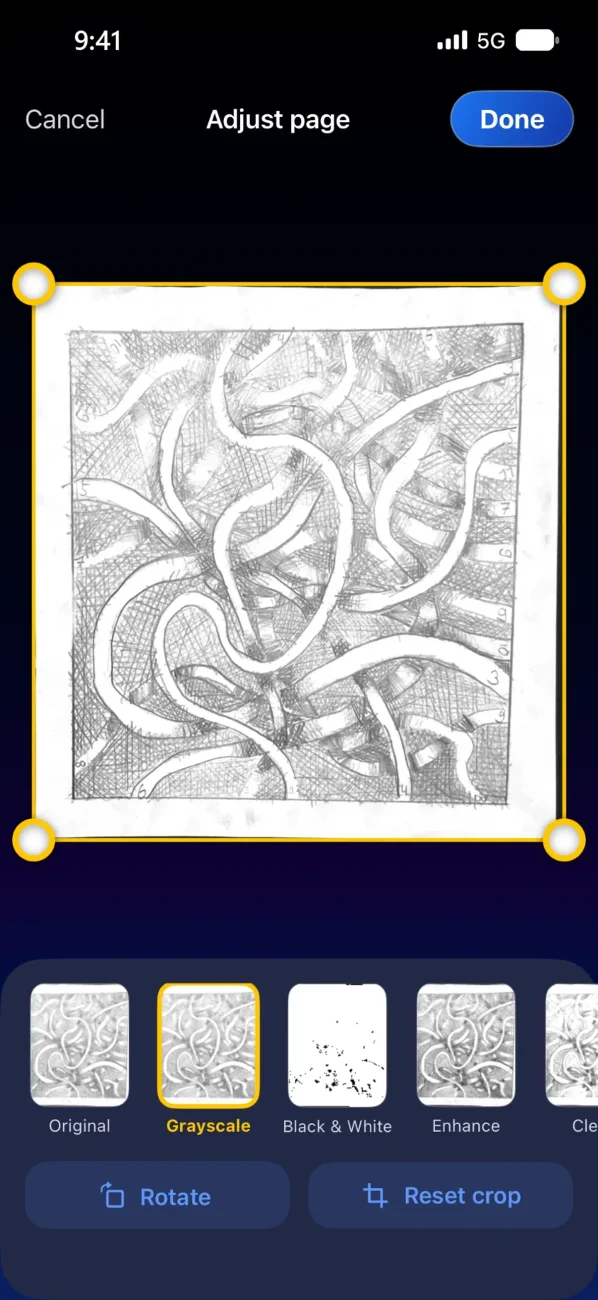
CLEAN UP • Drag the corners to crop and straighten • Filters: Original, Grayscale, Black & White, Enhance, Brighten and Clean (evens out shadows) • Rotate, reorder and delete pages
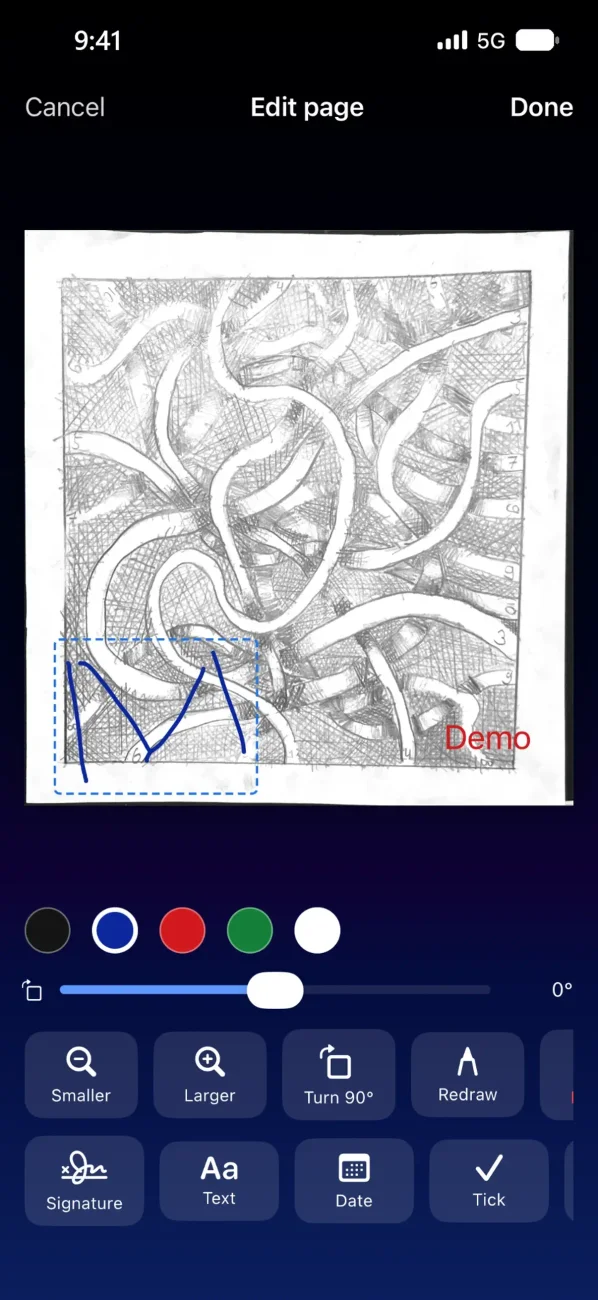
SIGN AND MARK UP • Sign with your own saved signature • Add text, today's date or a tick • Draw, highlight, or cover private details • Turn, resize and recolor anything you add
FIND YOUR TEXT • Scans are searchable: search inside your documents, select and copy text • Smart titles suggested from the document
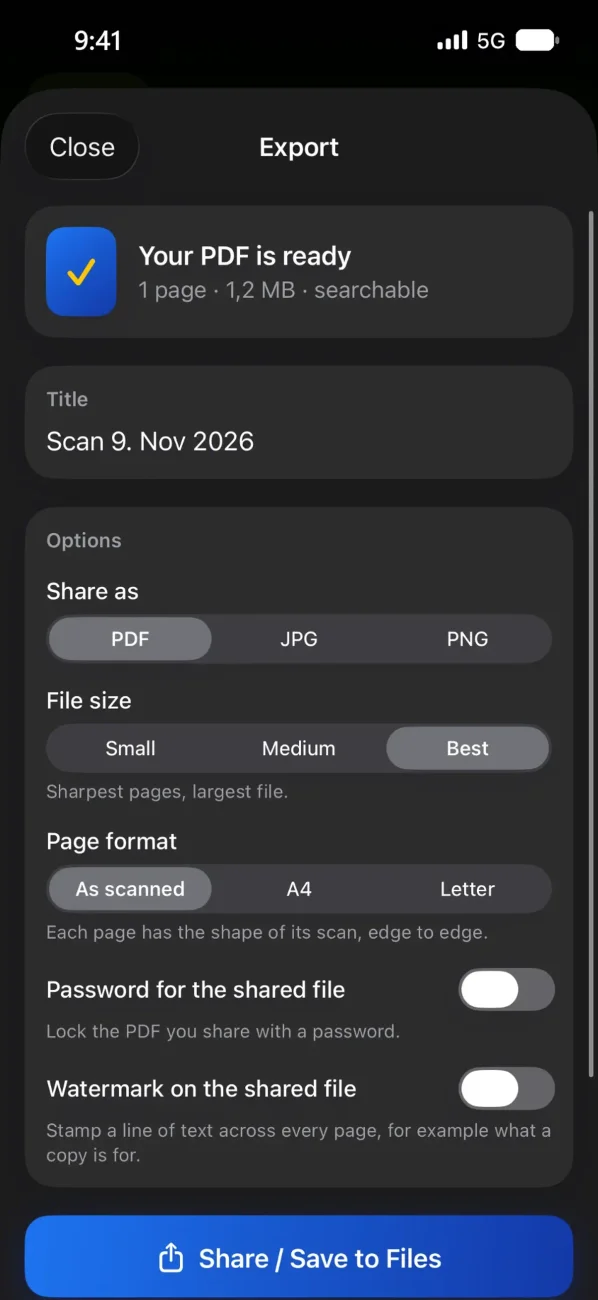
SHARE • Choose the file size and page format (original, A4 or Letter) • Protect with a password, add a watermark • Share as PDF, JPG or PNG
PRIVATE BY DEFAULT Everything happens on your device. No account, no tracking. Your scans are never uploaded.
What’s new
Version 1.5 · Nov 10, 2026
A big update: • Searchable scans: Doc Scanner reads the text so you can search your scans • ID card: scan front and back, put both on one page or two • Edit pages: sign, add text or a date, draw, highlight or cover details • Clean filter for shadowed or uneven pages • Choose file size, page format (A4 / Letter), password and watermark • Share as PDF, JPG or PNG • Rename and edit your saved scans • Business cards turn into a contact • Open files from other apps, and turn the text of Word, text, RTF and web page files into PDFs • New app icon
App privacy
What Daniel Ignacio Rodriguez-Pina declares on the App Store about how this app handles data.
-
Data not collected
The developer does not collect any data from this app.
Privacy practices may vary, for example with the features you use or your age.
Information
- Seller
- Daniel Ignacio Rodriguez-Pina
- Category
- Productivity
- Version
- 1.5
- Updated
- Nov 10, 2026
- Released
- Oct 15, 2026
- Size
- 1.2 MB
- Requires
- iOS 16.0 or later
- Age rating
- 4+
- Price
- Free
- Languages
- English
- Copyright
- © 2026 Daniel Rodriguez-Pina
You might also like
-
 Pagefold: PDF Scanner OCRScan Documents to PDF
-
 Harfy Scan: PDF Scanner & OCRReceipts, Docs, ID & PDF Scan
-
 Camera to PDF ScannerImage & Photo PDF Converter
-
 WaraqScan – PDF ScannerScan, sign and organize PDFs
-
 ID2PDF - ID & Doc ScannerFront & back on one page, 1:1
-
 PDFz: PDF Scanner & EditorSign, Fill Forms, Convert, OCR
-
 Convert Images To Pdf!Easy fast photo to pdf convert
-
 PDF Scanner - ScanyConvert Photos & Scan Receipts
-
 Merge JPG to PDF : StitchPDFPhotos & Documents Converter
-
 HLS Player - M3U8 StreamerLive HLS & M3U8 Video Player