
DocSnapper: PDF Scanner & OCR
Scan Documents, Sign & Edit
Designed for iPhone, iPad
Free · In-app purchases
- Age rating4+
- CategoryProductivity
- DeveloperRafsan Nazmul
- LanguagesEnglish+ 10 more
- Size38.7 MB
Links to the official App Store page
Download.org hosts no file of DocSnapper: PDF Scanner & OCR. The button opens its official App Store page, published by Rafsan Nazmul. Listing last checked on Nov 18, 2026.
Screenshots

About
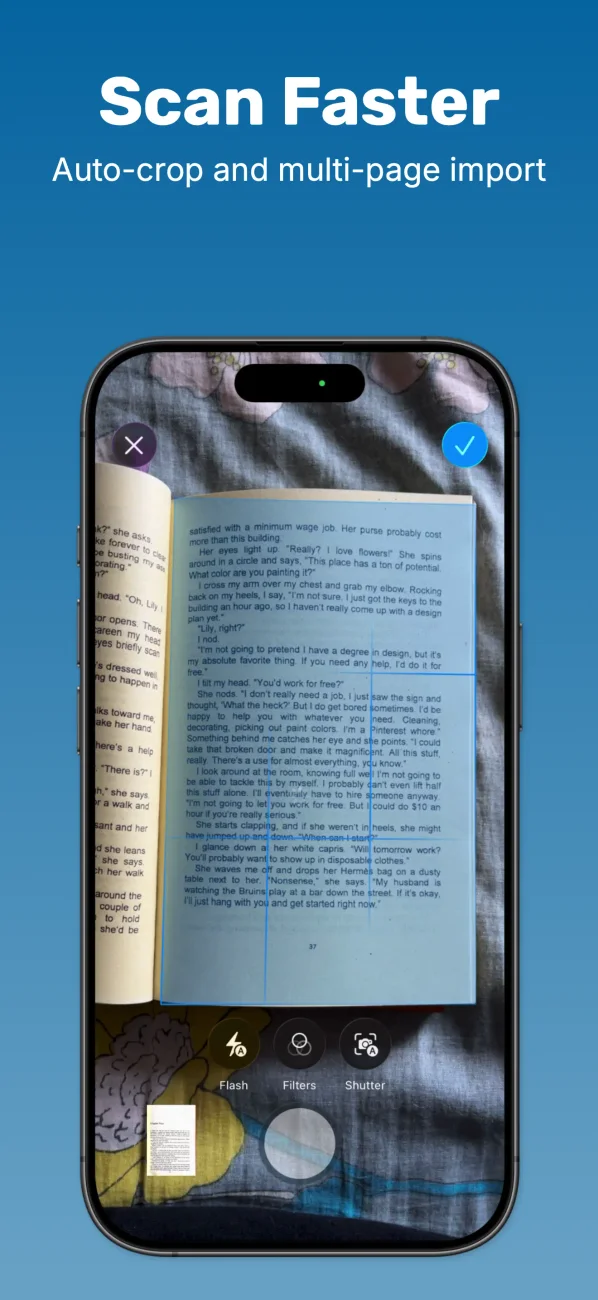
DocSnapper turns your iPhone into a full document scanner. Point the camera at a page and DocSnapper finds the edges, flattens the perspective and cleans up the image — then lets you sign it, redact it, run text recognition on it and export a sharp PDF.
Built entirely on Apple's own Vision and VisionKit frameworks. Your documents are scanned, processed and stored on your device. Available in 10+ languages.
SCAN AND IMPORT
• Multi-page camera capture with automatic edge detection
• Auto-crop and perspective correction on every page
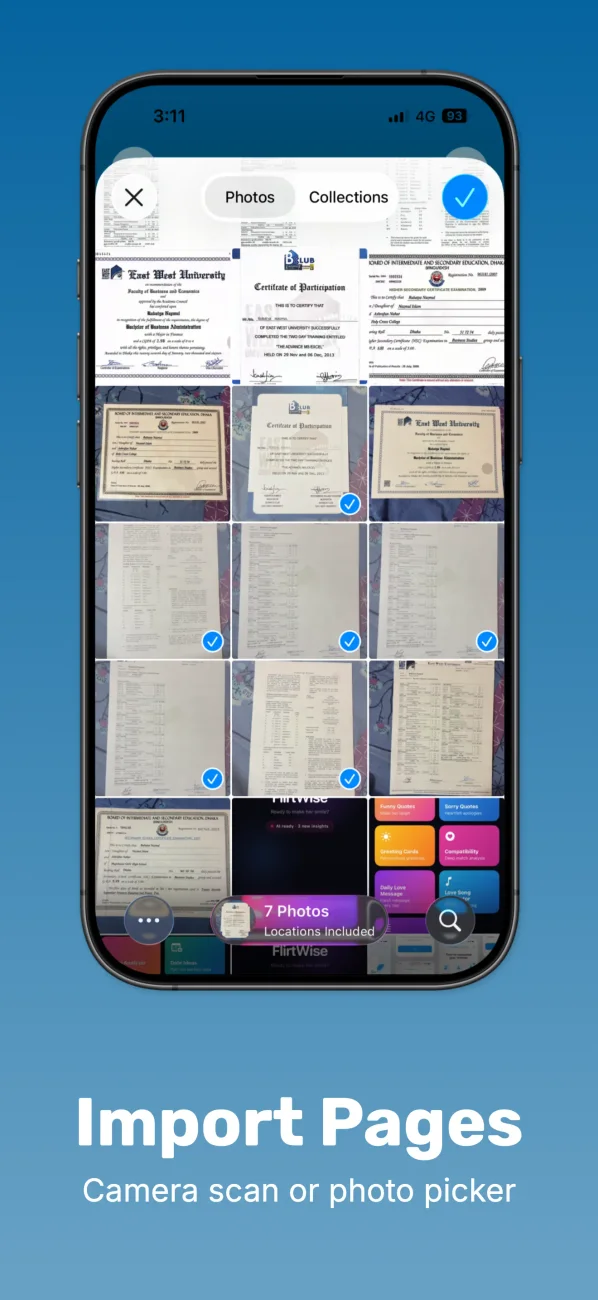
• Import photos from your library or existing PDFs and images from Files
• Review every page before it is saved
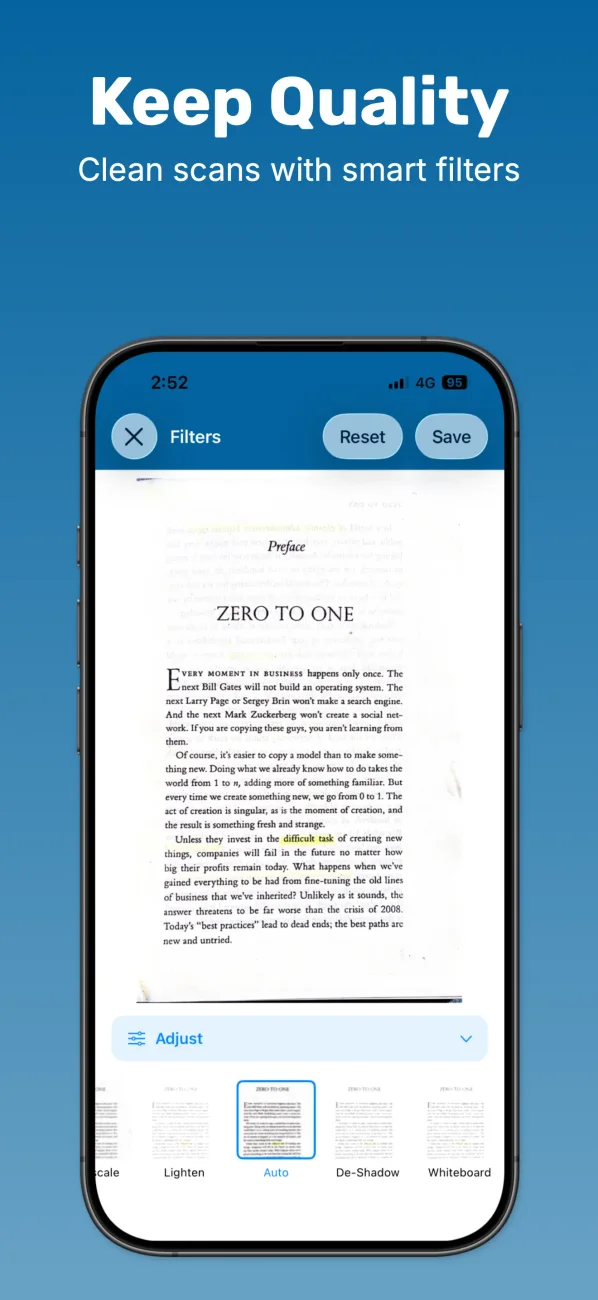
18 CLEANUP FILTERS
Magic Color, Deep B&W, De-shadow, Whiteboard, Auto, Denoise, Sharpen, Warm Fix, Vibrant and more — tuned for paper, receipts, whiteboards and handwriting.
A REAL EDITOR, NOT JUST A CAMERA
• Crop — drag the detected page corners by hand
• Rotate — 90° steps, orientation safe
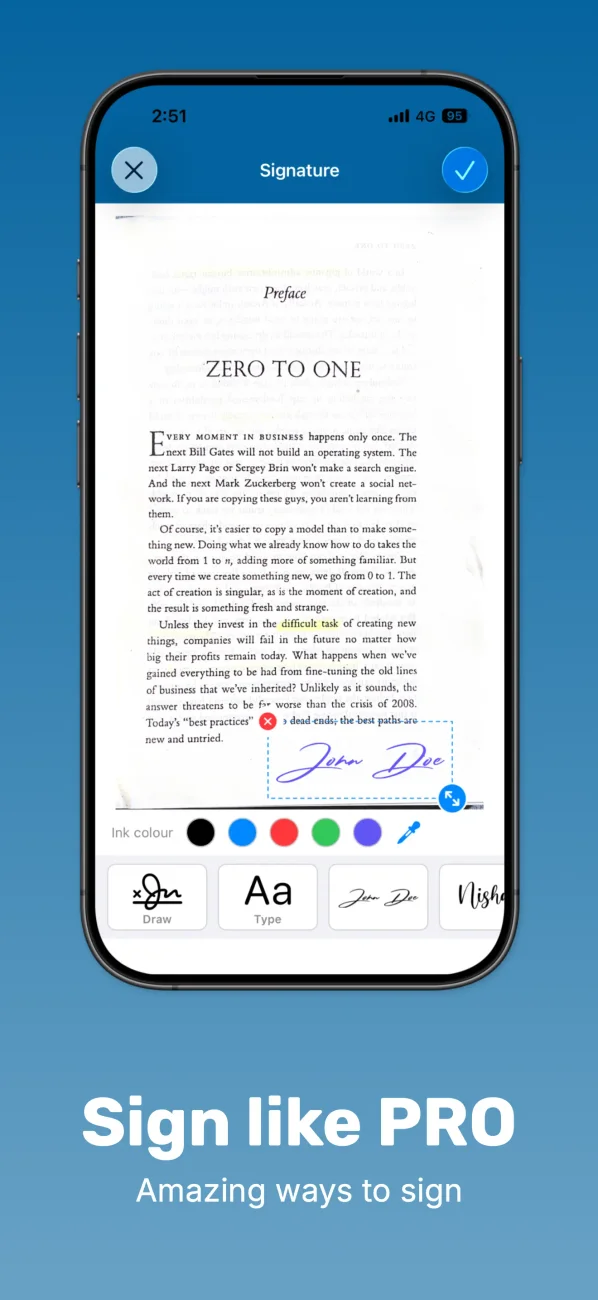
• Signature — draw it or type it in a handwriting font, save it, then drag, resize and rotate it onto any page
• Mark Up — freehand annotation in any color
• Hide — paint over sensitive information and flatten it permanently into the page
• Forms — 10 placeable marks including check, cross, circle, arrow, highlight, free text, auto-date and auto-time
• Stamp — APPROVED, CONFIDENTIAL, DRAFT and more, or build your own with 5 frame styles, custom fonts and colors
• Page Size — A3 to A6, US Letter, US Legal, Tabloid, Photo 4x6, Business Card
• Watermark — tile custom repeating text across a page
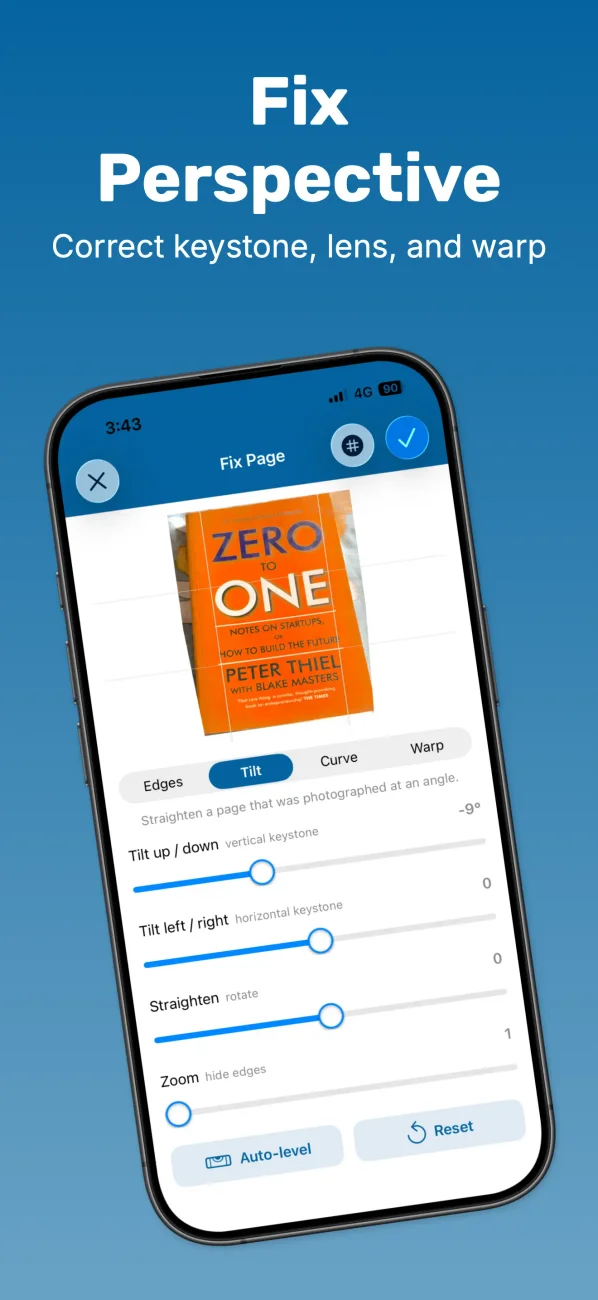
• Distortion — fix curved book pages, tilted shots and lens warp
TEXT RECOGNITION (OCR)
Pull the text out of any scan, read it full screen, copy it or share it. Export a whole folder as a plain text file.
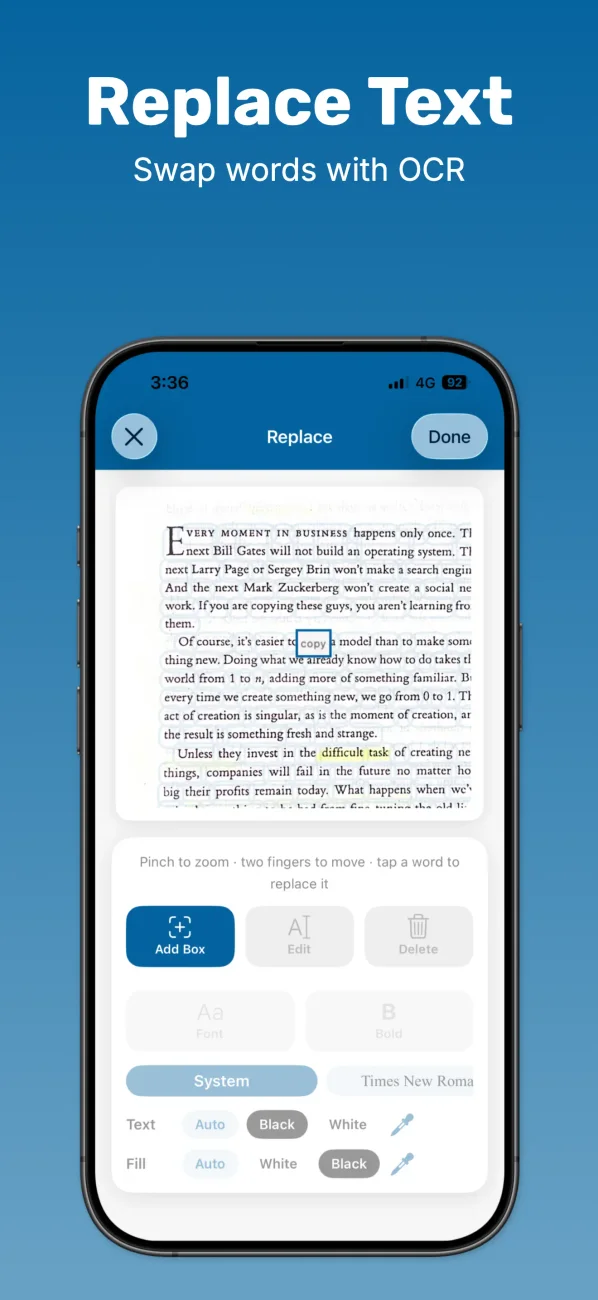
REPLACE TEXT INSIDE A SCAN
DocSnapper recognizes individual words and lets you swap them in place. The patch samples the paper color and the ink color, so the correction blends into the page instead of sitting on top of it.
ORGANIZE
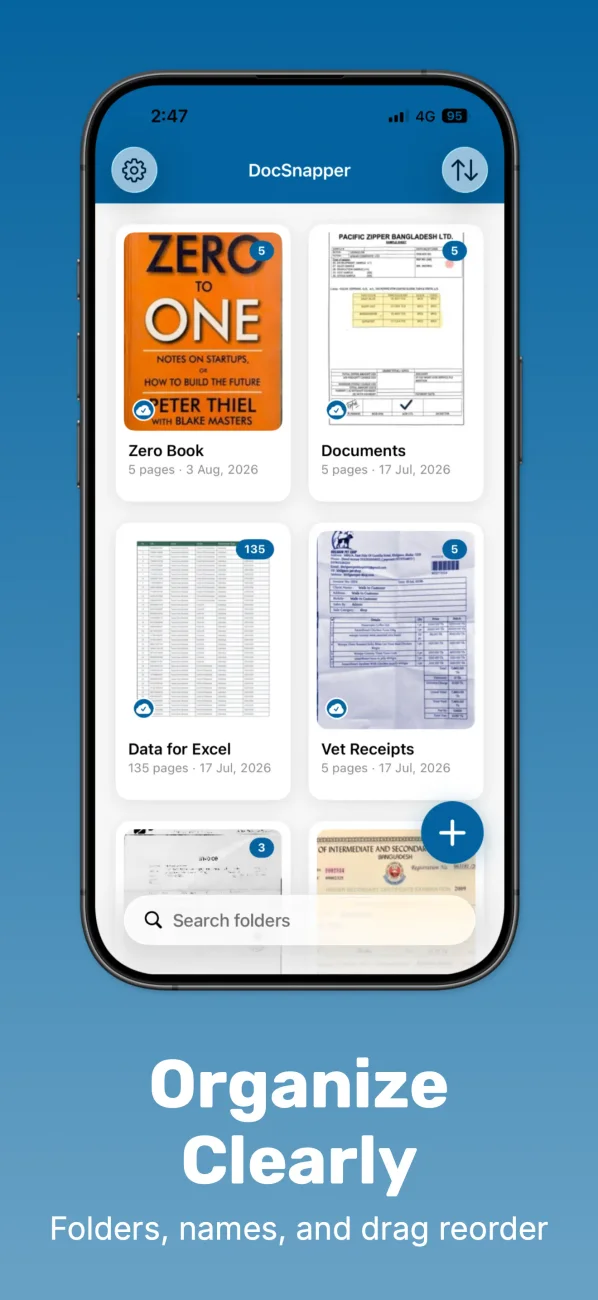
• Folders with search, sort and drag to reorder
• Rename, duplicate, move and multi-select delete
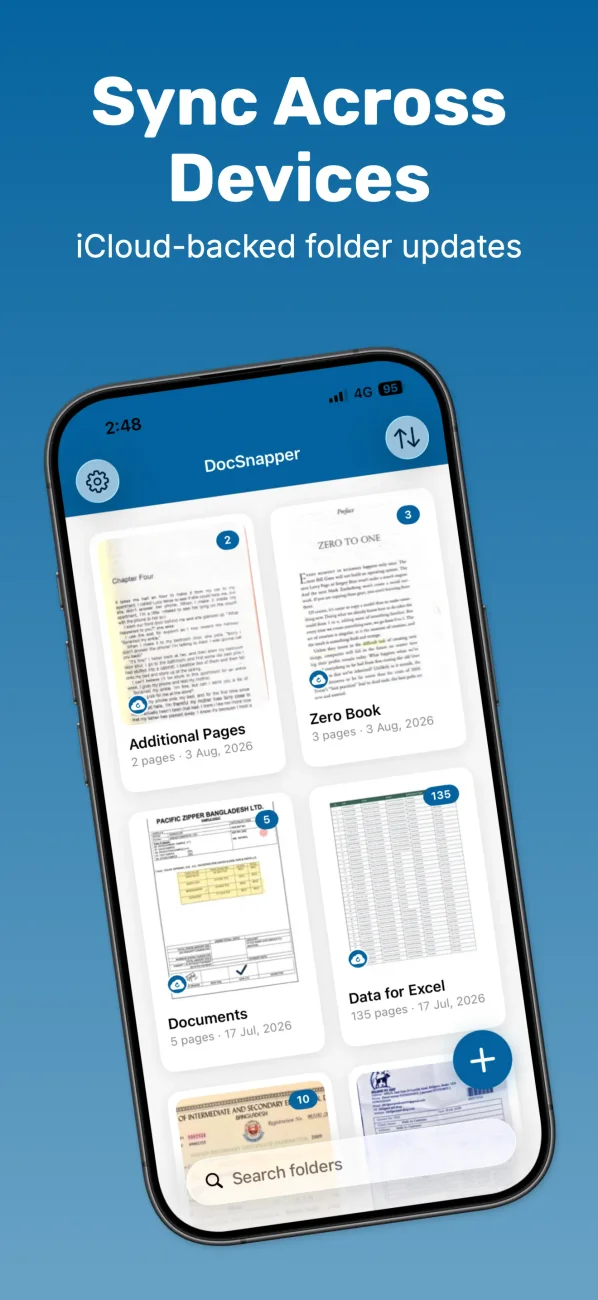
• Thumbnail grid with an at-a-glance sync status badge
• Every edit is non-destructive — the original scan is always kept
EXPORT AND SHARE
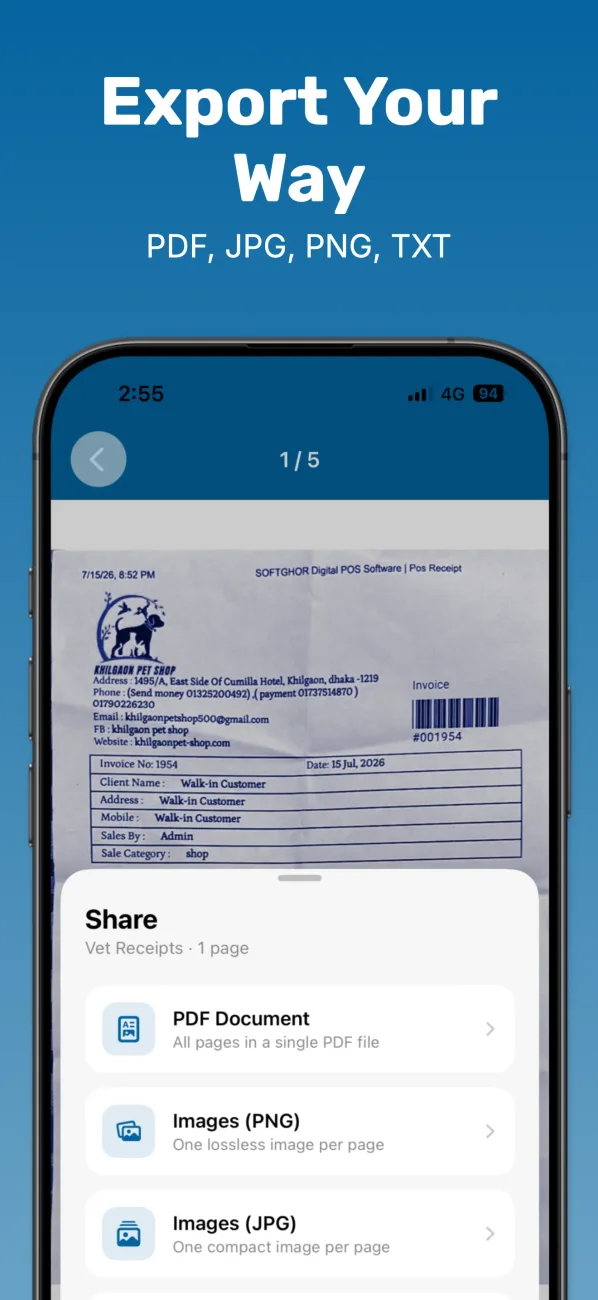
• PDF, PNG, JPG and TXT
• Compression controls with a live file-size estimate before you send
• Share a whole folder or just the pages you pick
• Send to Dropbox, Files, Mail, Messages or any app
ICLOUD SYNC
Turn it on and your folders follow you to every device signed into the same Apple Account. Sync runs through your own private iCloud Drive container.
DOCSNAPPER PRO
Free users can send 10 pages per day, capture one page per batch and export 500 characters of recognized text at a time.
Pro removes all of it:
• Unlimited multi-page scanning and importing
• Unlimited sharing and export
• Full-length OCR text export
• No ads
DocSnapper Pro Monthly costs $4.99 per month after a 3-day free trial. DocSnapper Pro Yearly costs $29.99 per year after a 1-week free trial.
Payment is charged to your Apple Account at confirmation of purchase. The subscription renews automatically at the price above unless auto-renew is turned off at least 24 hours before the end of the current period. Your account is charged for renewal within 24 hours before the period ends. Manage or cancel in Settings > Apple Account > Subscriptions. Any unused portion of a free trial is forfeited when you purchase a subscription.
Terms of Use: https://thunderapps.xyz/terms
Privacy Policy: https://thunderapps.xyz/privacy
What’s new
Version 1.1 · Oct 25, 2026
Sharper scans, smarter filters
6 new filters made for paper
• Document: clean white pages and dark text, with stamps, signatures and highlighter kept in color
• Text B&W: crisp black-and-white text, great for reading, sharing and text recognition
• Soft Gray: a gentle grayscale for forms and pages with photos
• Receipt: makes faded shop receipts readable again
• Old Paper: removes the yellow tint from aged pages and brings back faded ink
• Pencil: darkens faint pencil and light handwriting
Shadows gone
Filters now remove shadows from your hand or phone, dark corners and uneven lighting automatically.
Choose your filter when importing photos
After cropping each photo, preview every filter live and pick the one you like. Your choice is remembered for next time. Importing a lot of photos? Tap "Apply to remaining" to use the same filter on all of them.
Change your mind anytime
Imported photos now keep an unfiltered copy. Use "Revert to Original" to get it back, or open Filters and switch to "Original Scan" to try a different look without stacking filters.
Improvements
• Better B&W, Whiteboard, De-Shadow and White Balance filters
• Faster, smoother filter screen
• Bug fixes and performance improvements
App privacy
What Rafsan Nazmul declares on the App Store about how this app handles data.
-
Data not linked to you
May be collected but is not linked to your identity.
- Diagnostics
Privacy practices may vary, for example with the features you use or your age.
Information
- Seller
- Rafsan Nazmul
- Category
- Productivity
- Version
- 1.1
- Updated
- Oct 25, 2026
- Released
- Oct 4, 2026
- Size
- 38.7 MB
- Requires
- iOS 18.0 or later
- Age rating
- 4+
- Price
- Free
- In-app purchases
- Yes
- Languages
- English, French, German, Italian, Japanese, Korean, Portuguese, Russian, Simplified Chinese, Spanish, Vietnamese
- Copyright
- © Rafsan Nazmul
You might also like
-
 DocSnap.Scan. Organize. Own.
-
 DocScan+: QR & PDF Scanner AppID,OCR,Sign&Document Converter
-
 Convert Image to PDF by PDFeePhoto, PNG, Merge, Scan & Sign
-
 Yaps: AI Voice Typing KeyboardAI Dictation, Notes & Speech
-
 ScanKit: Document & QR ScannerScan, OCR, QR & Create PDFs
-
 OneScan: PDF & ID ScannerScan, Save & Find Documents
-
 Awqat e SalahNamaaz Times Near You
-
 YRC BDYRC BD For Bikers!
-
 Stamp STL MakerCreating 3D printable Stamp
-
 Craft Inventory: CraftCueProjects, Stash, Supplies