
DoCube: PDF Reader & Notes
EPUB, Markdown & Translate
Designed for iPhone, iPad, Mac
Free · In-app purchases
- Age rating17+
- CategoryProductivity
- DeveloperHangzhou Wenxu Interactive Technology Co., Ltd
- LanguagesEnglish+ 10 more
- Size102.4 MB
Links to the official App Store page
Download.org hosts no file of DoCube: PDF Reader & Notes. The button opens its official App Store page, published by Hangzhou Wenxu Interactive Technology Co., Ltd. Listing last checked on Nov 12, 2026.
Screenshots
About
DoCube is a multi-format reader and personal knowledge base built for deep reading.
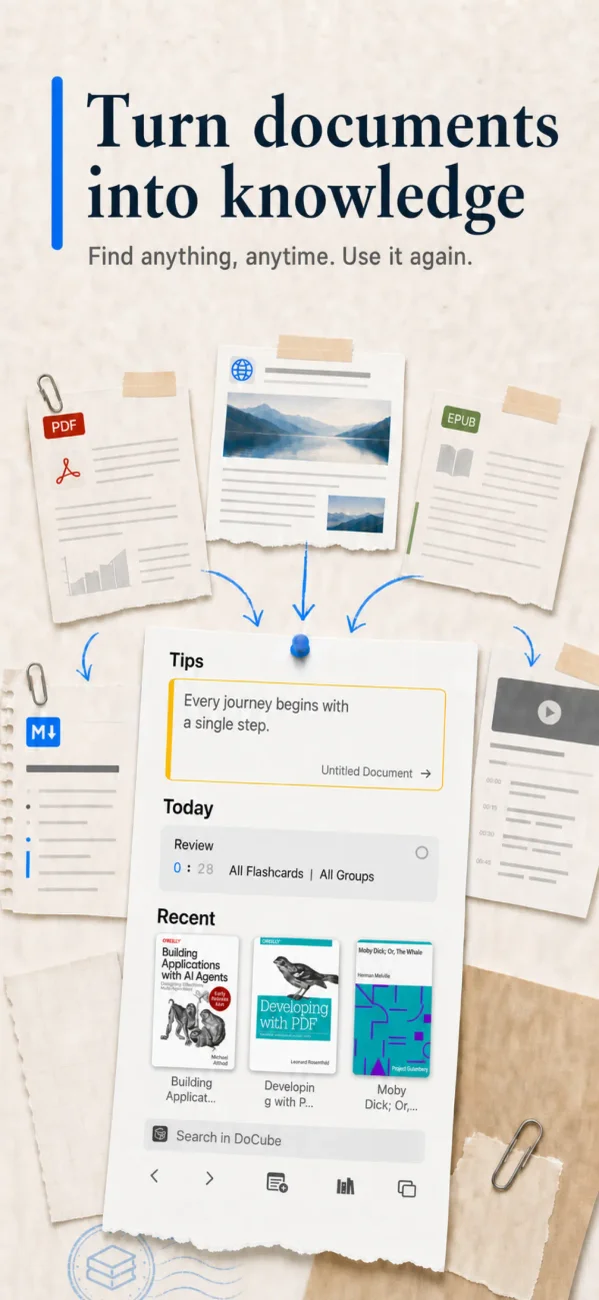
Bring PDFs, EPUBs, local videos, web snapshots, Markdown, and organized scanned documents into one library. Annotate, link, search, translate, export, and review while you read or watch. Your materials are not merely stored—they gradually become knowledge you can retrieve, connect, and remember.
【Deep Reading Across Formats】
DoCube supports PDFs, EPUBs, local videos, offline webpages, Markdown, and parsed documents. Whether you work with research papers, ebooks, web articles, course videos, lectures, interviews, or your own Markdown notes, you can read, watch, and manage them together in DoCube.
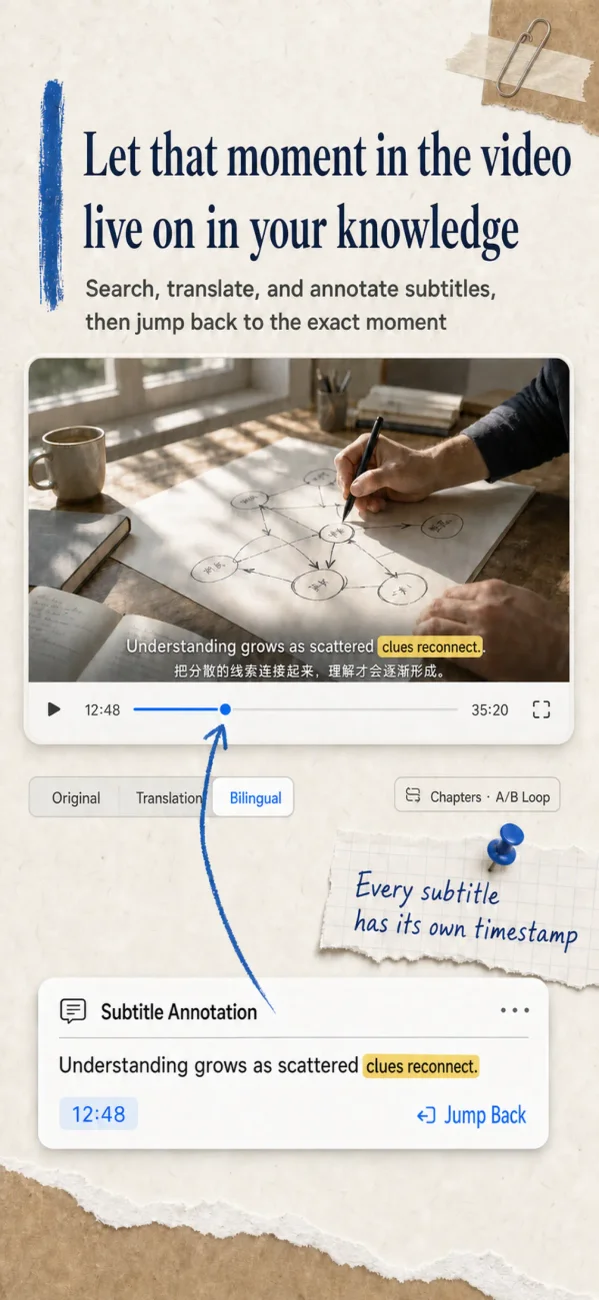
【Deep Study for Video】
Import local videos and study courses, lectures, and interviews as deeply as documents. DoCube can read embedded subtitles and, on supported devices, generate subtitles for videos that do not have them. Search subtitles; switch between original, translated, and bilingual views; annotate subtitles; use chapter outlines, playback speeds, and A/B looping. Open a search result, annotation, or chapter to return to the exact moment, turning video into knowledge you can retrieve, connect, and review.
【Multi-Tab Reading】
Open multiple documents and videos in tabs, just like a browser, and switch quickly between materials. Read a paper, compare references, watch a course, or return to where you left off without losing context.
【Annotations and Notes in Context】
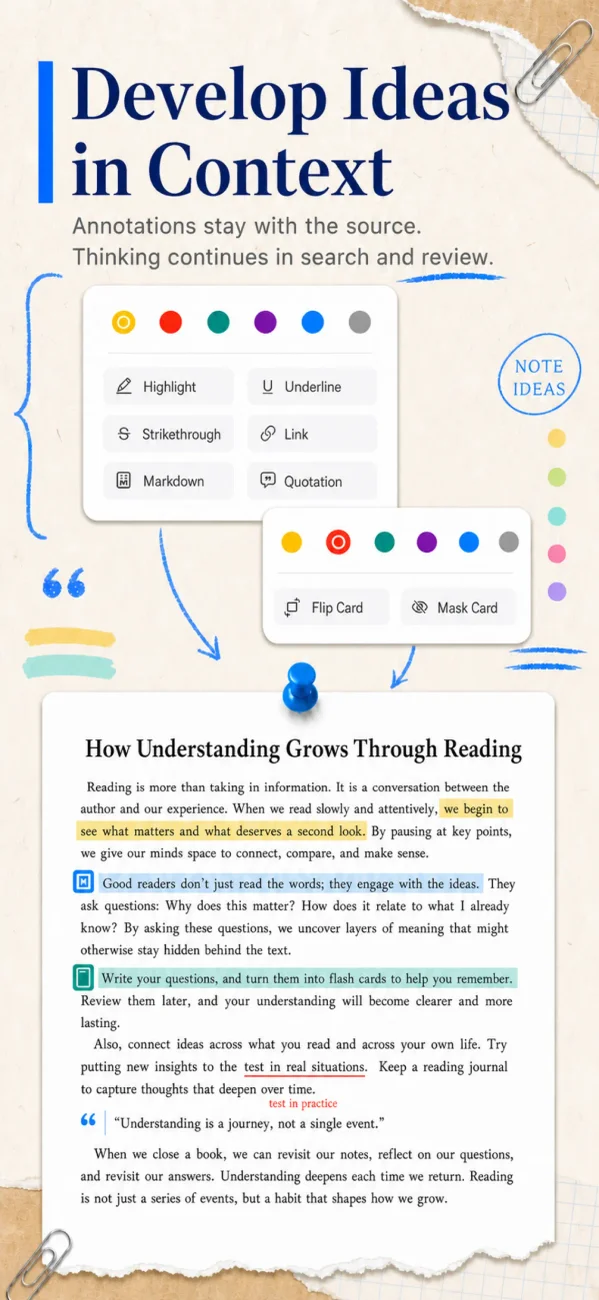
Use highlights, underlines, strikethroughs, quotations, links, and Markdown notes directly on source text or at a precise location in video subtitles. Your thinking stays connected to its context.
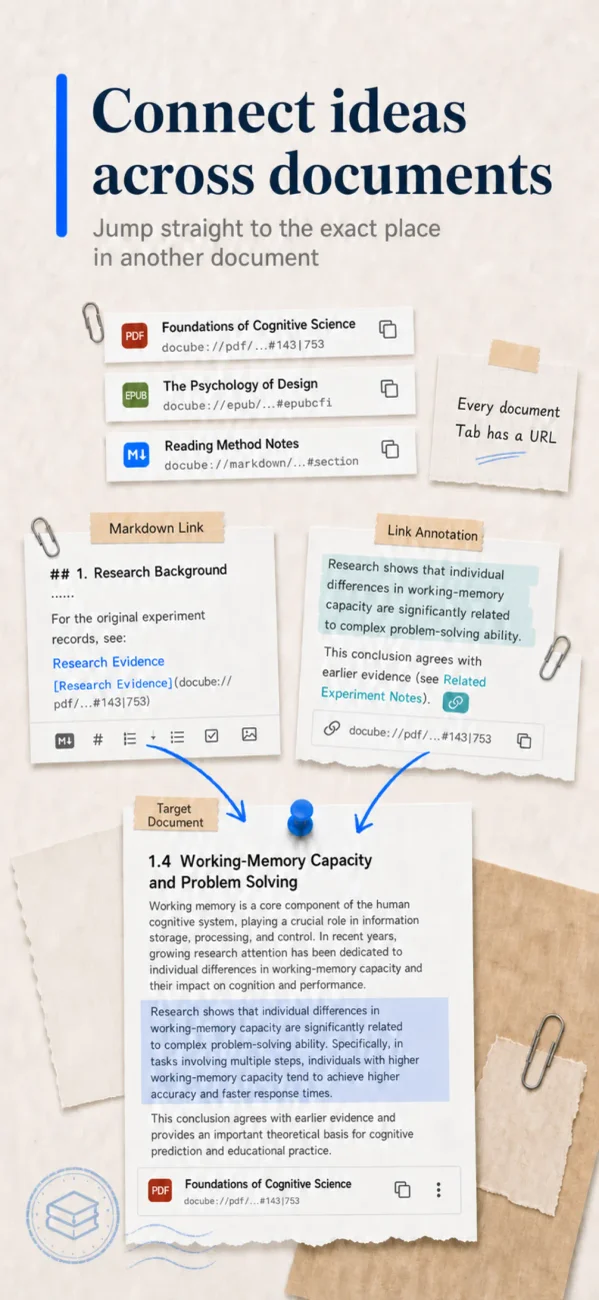
【Link Materials Together】
DoCube can link an annotation in a document or video to a precise location in another resource. Connect scattered chapters, paragraphs, webpages, video clips, and notes into your own paths through knowledge.
【Search What You Have Read and Watched】
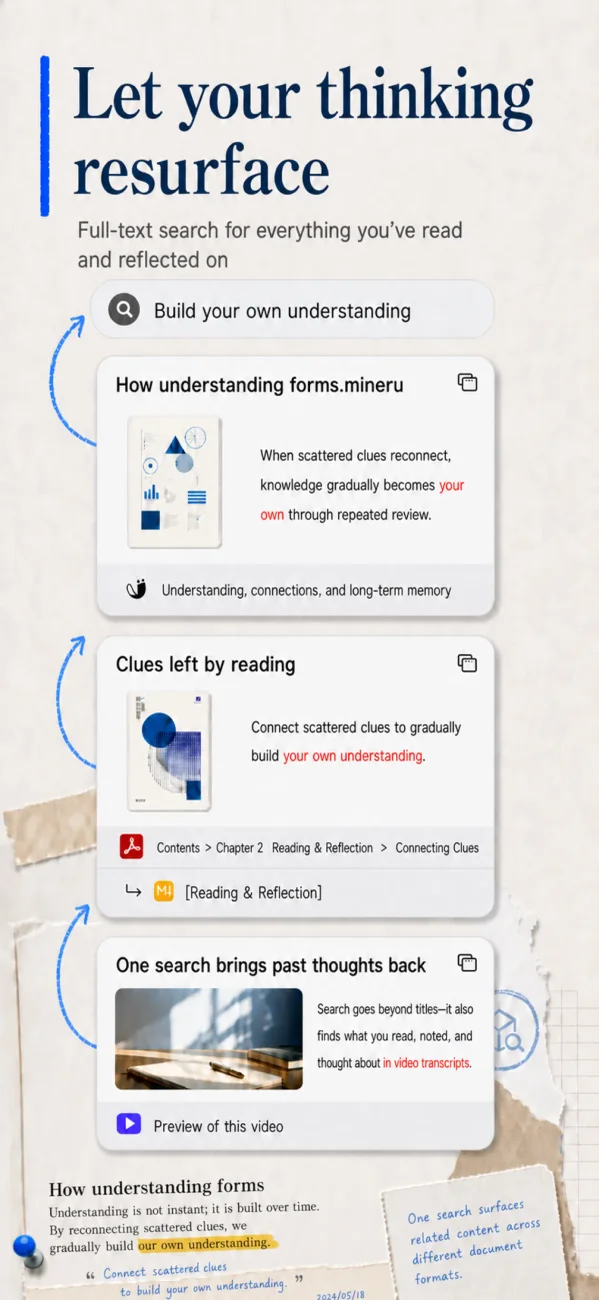
Search not only titles and body text, but also video subtitles, highlights, quotations, links, notes, and cards. Anything you have read, watched, marked, or written can help you find the right material again.
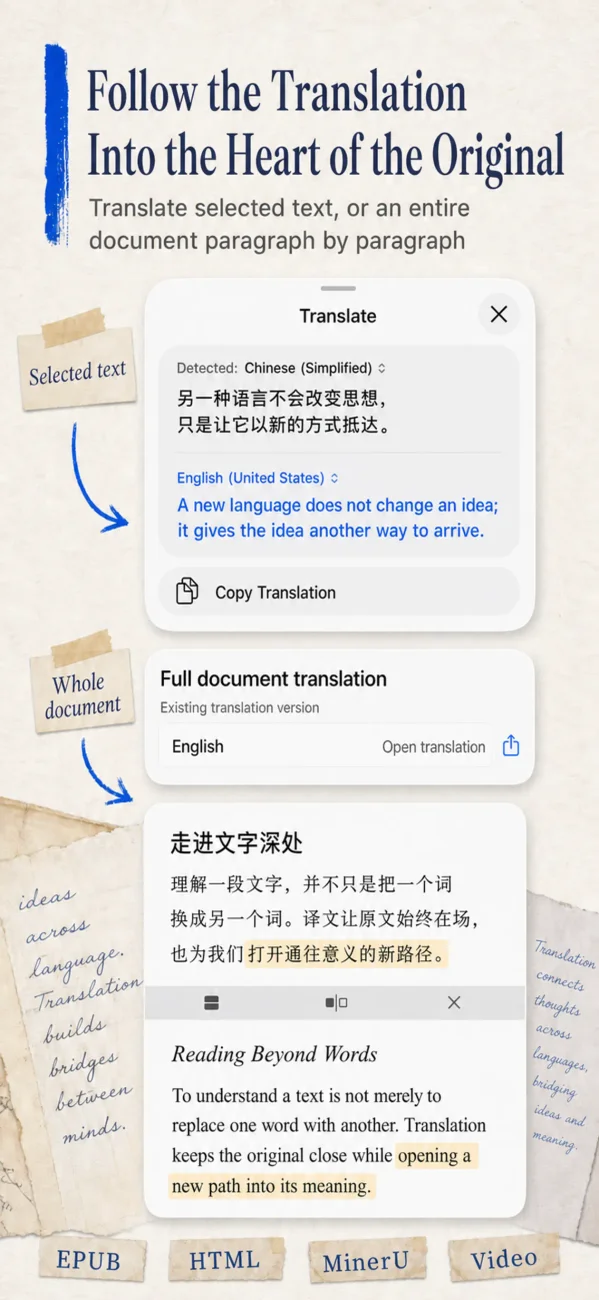
【Keep Reading in Other Languages】
Translate selected text while reading. Some document types support full-document translation and translated exports, while videos support subtitle translation and original, translated, or bilingual display. Read foreign papers, webpages, ebooks, and course videos without constantly switching tools.
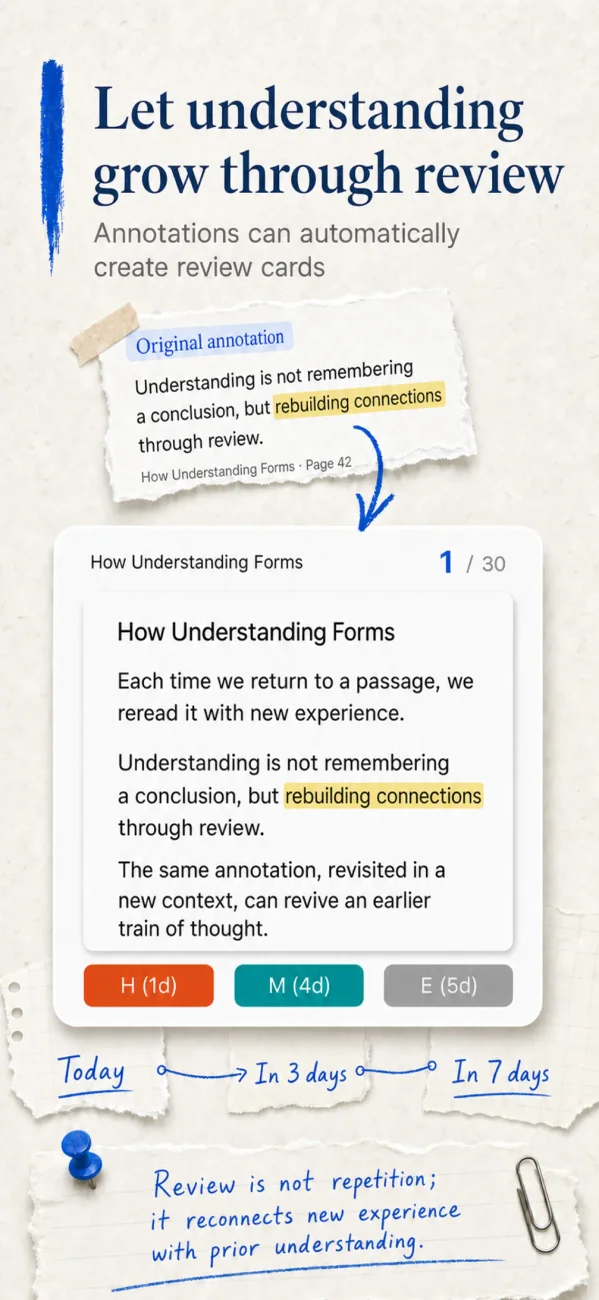
【From Annotation to Review】
Turn important content from documents and videos into review cards. Flip cards, mask cards, and review plans bring what you have read and watched back at the right time, instead of letting it disappear after you finish.
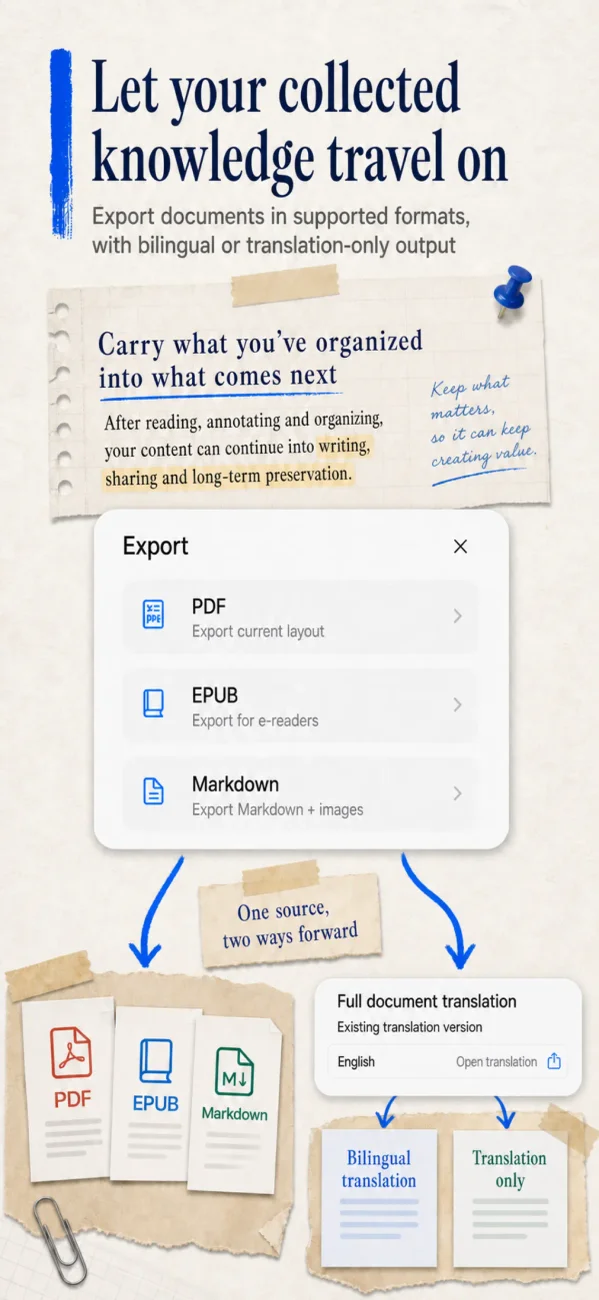
【Export and Sync】
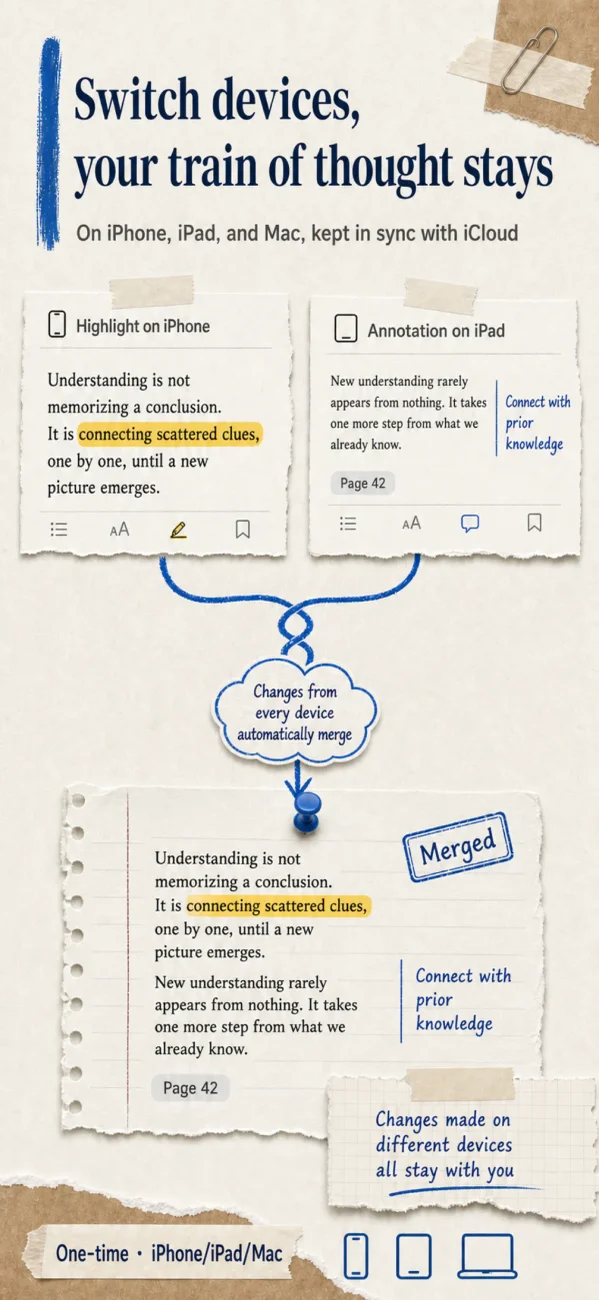
Export document content and translations to common formats, including bilingual versions. DoCube is available on iPhone, iPad, and Mac, with iCloud sync and local Wi-Fi transfer.
Ideal for:
- People who read research papers and professional materials
- Learners organizing PDFs, EPUBs, webpages, Markdown, and videos
- People who study long-term with course, lecture, and interview videos
- Deep readers who want annotations, notes, and review in one loop
- Anyone building a personal knowledge base instead of merely collecting files
The free version manages up to 5 documents and lets you experience the core reading and knowledge-management workflow. Upgrade to Pro to remove the document limit and build an unrestricted personal library.
What’s new
Version 1.8.2 · Nov 3, 2026
• Create flashcards automatically from annotations. Annotations in the same paragraph are processed together to reduce duplicate cards.
• Set a daily review limit, with no limit by default.
• Agents such as Codex and OpenCode can use the CLI to search, read, and process DoCube materials.
• View AI token usage by day and model.
App privacy
What Hangzhou Wenxu Interactive Technology Co., Ltd declares on the App Store about how this app handles data.
-
Data not linked to you
May be collected but is not linked to your identity.
- Usage data
Privacy practices may vary, for example with the features you use or your age.
Information
- Seller
- Hangzhou Wenxu Interactive Technology Co., Ltd
- Category
- Productivity
- Version
- 1.8.2
- Updated
- Nov 3, 2026
- Released
- Jul 14, 2025
- Size
- 102.4 MB
- Requires
- iOS 17.0 or later
- Age rating
- 17+
- Price
- Free
- In-app purchases
- Yes
- Languages
- English, French, German, Italian, Japanese, Korean, Russian, Simplified Chinese, Thai, Traditional Chinese, Turkish
- Copyright
- © 2025 Wei Zhao
You might also like
-
 PromptKit - AI Prompt ManagerSave Templates, Manage Library
-
 EasyMD - MD reader & editorMarkdown、HTML、LaTeX、Mermaid
-
 Tudo: AI Voice To-Do ListSpeak, Snap & Set Reminders
-
 Intent - AI Meeting PrepSmart Calendar & Reflection
-
 sort & find documents: DocSortSmart Document Photos Manager
-
 Dotly - Habit TrackerTrack Habits. Count Every Day.
-
 波子记单自媒体日程助理 商单之王
-
 PDF ReflowRead PDFs without zooming
-
 ReaderViewRead Web, PDF, Video, Podcasts
-
 Focus Gacha: Scroll BlockStop scroll, screen timeblocks