
Docusy: PDF Editor & Scanner
Scan documents & sign PDFs
Designed for iPhone, iPad
Free · In-app purchases
- Age rating4+
- CategoryProductivity
- DeveloperWhiteLake
- LanguagesEnglish+ 16 more
- Size77.9 MB
Links to the official App Store page
Download.org hosts no file of Docusy: PDF Editor & Scanner. The button opens its official App Store page, published by WhiteLake. Listing last checked on Nov 22, 2026.
Screenshots

About
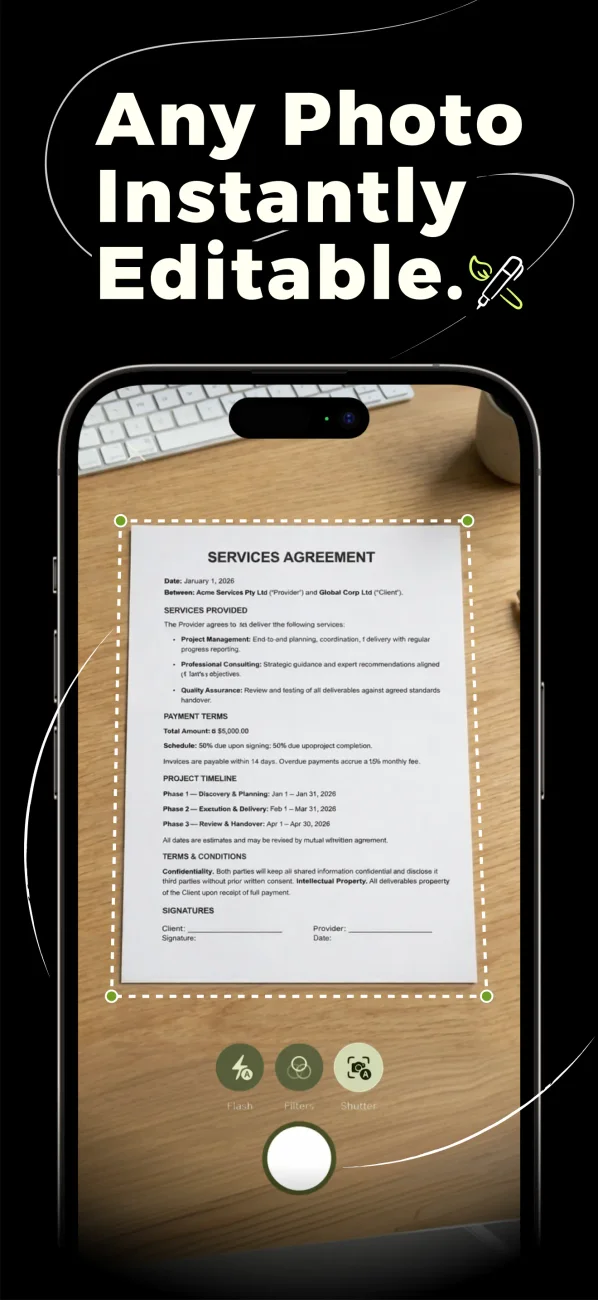
Docusy is the iPhone scanner that edits what it reads. Scan, sign, merge and search for free. With Premium, tap any word in a scanned document and change it — in 17 languages. Your scans are read on your device.
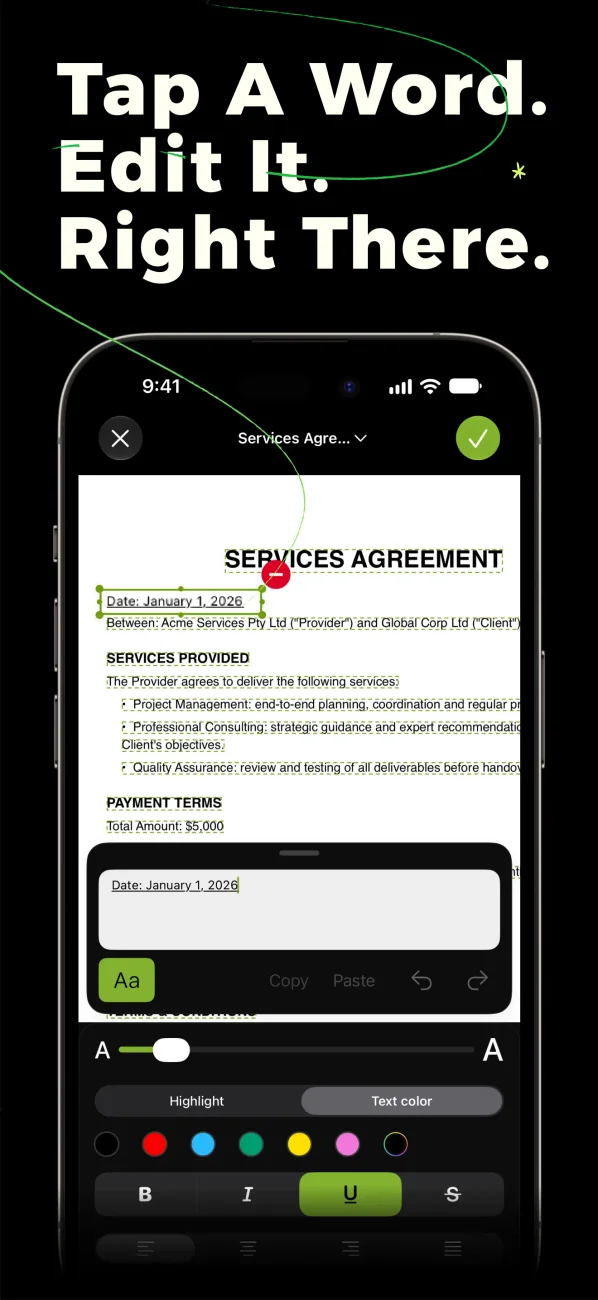
EDIT SCANNED TEXT
Scan a document and Docusy detects every word. Tap to correct, replace, or rewrite. Edits match your document's font and colour so changes look native, not pasted on. Works in every supported language, including Arabic and Persian right-to-left. Edit Text is part of Premium.
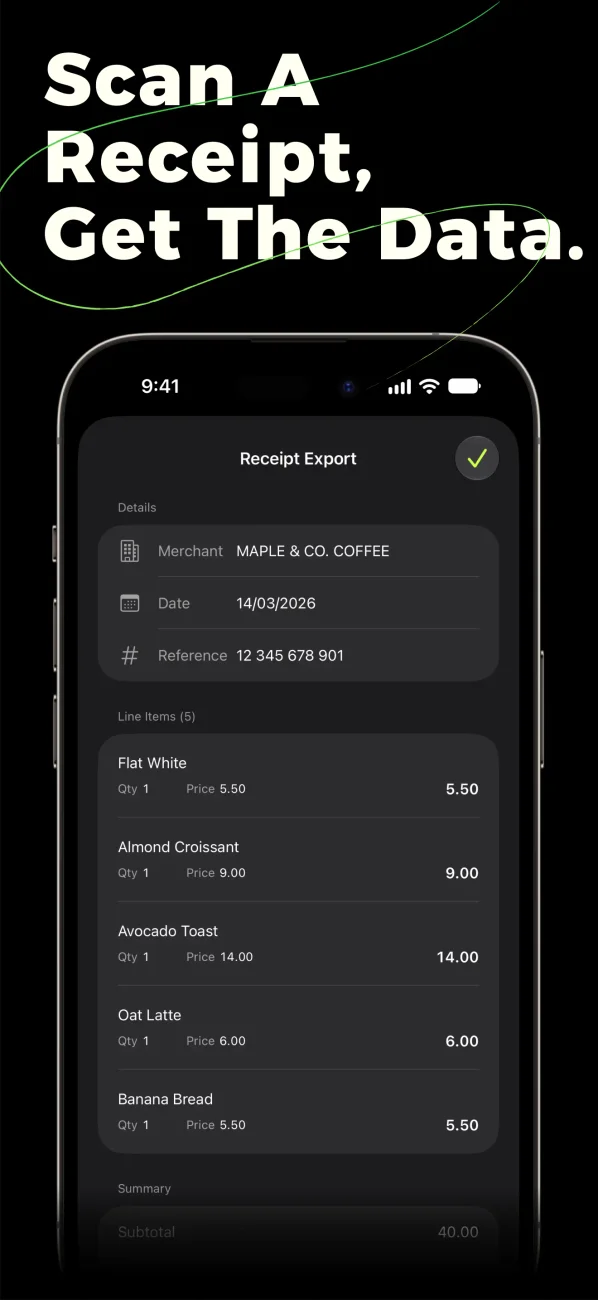
READ THE DETAILS
Scan a receipt, invoice, business card, or ID and Docusy pulls out the details — totals, dates, names, and numbers. With Premium, view every detail and export them as CSV, or as Word and Excel documents where detected tables become real rows. Docusy tells a receipt from an invoice and sorts your library by type, so the document you need is one tap away. Add a detected date straight to your calendar.
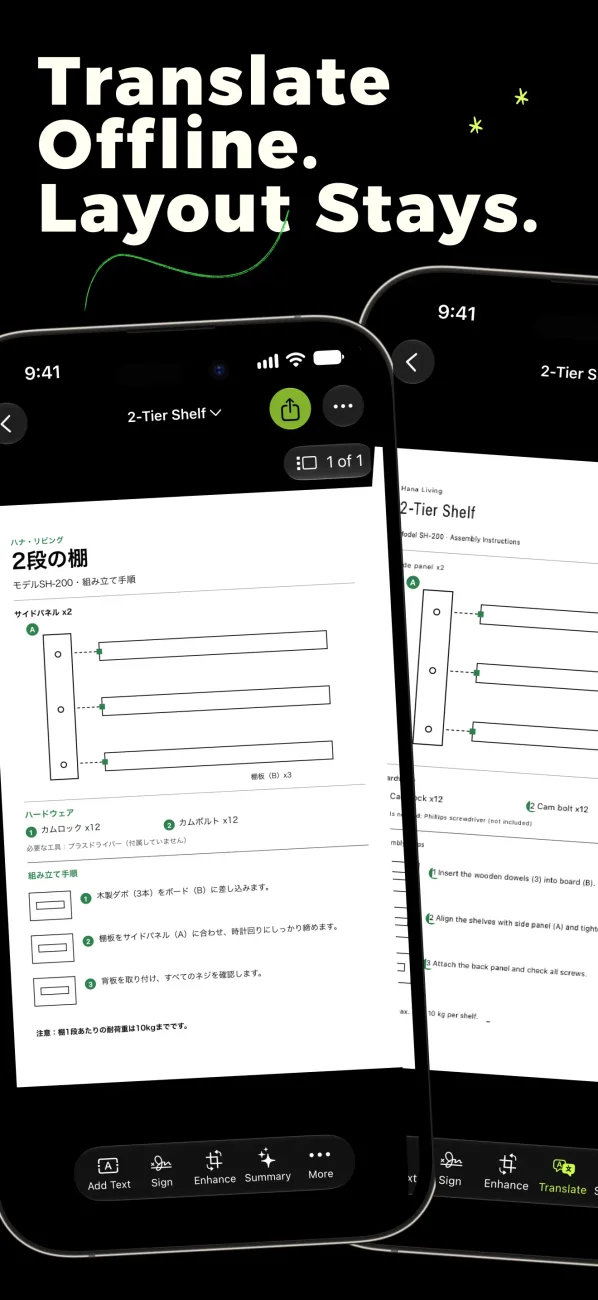
TRANSLATE ON THE PAGE
Read a document in another language. Docusy translates the text into any language your device supports, right where it sits, and flips between the original and the translation with a tap. On your device, private as ever. Translate is part of Premium.
SIGN AND FILL
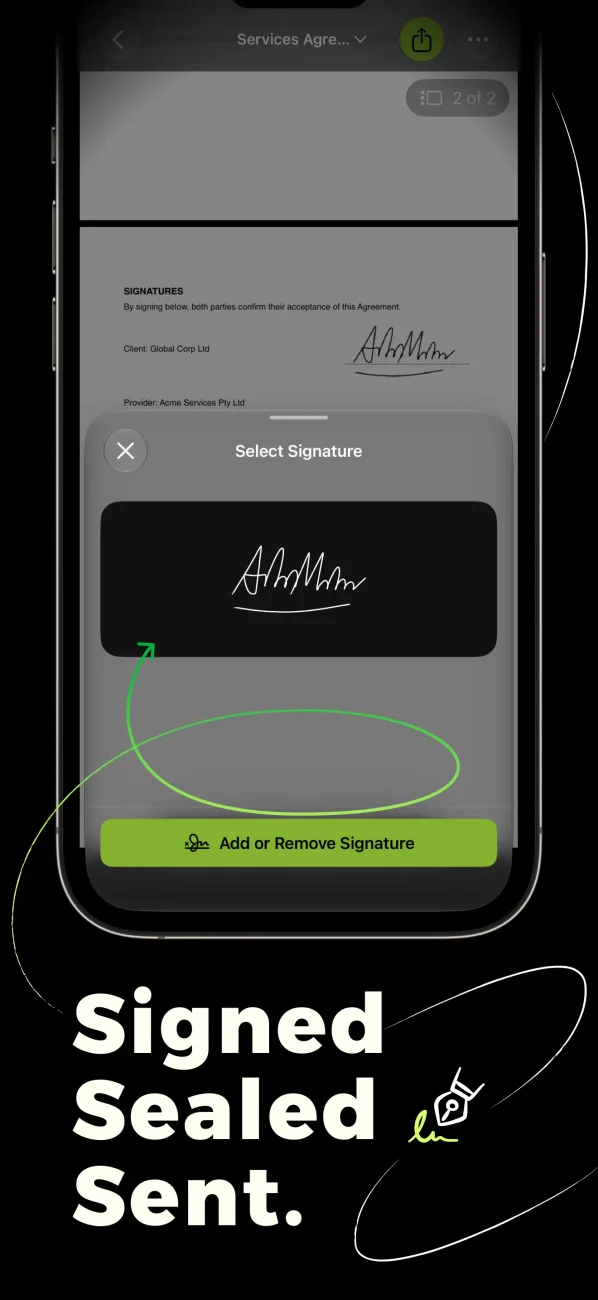
Draw your signature once. Place it on any PDF in seconds. Save multiple signatures for personal and business use. Fill in forms for free, or auto-fill them from your profile with Premium.
PROTECT WHAT MATTERS
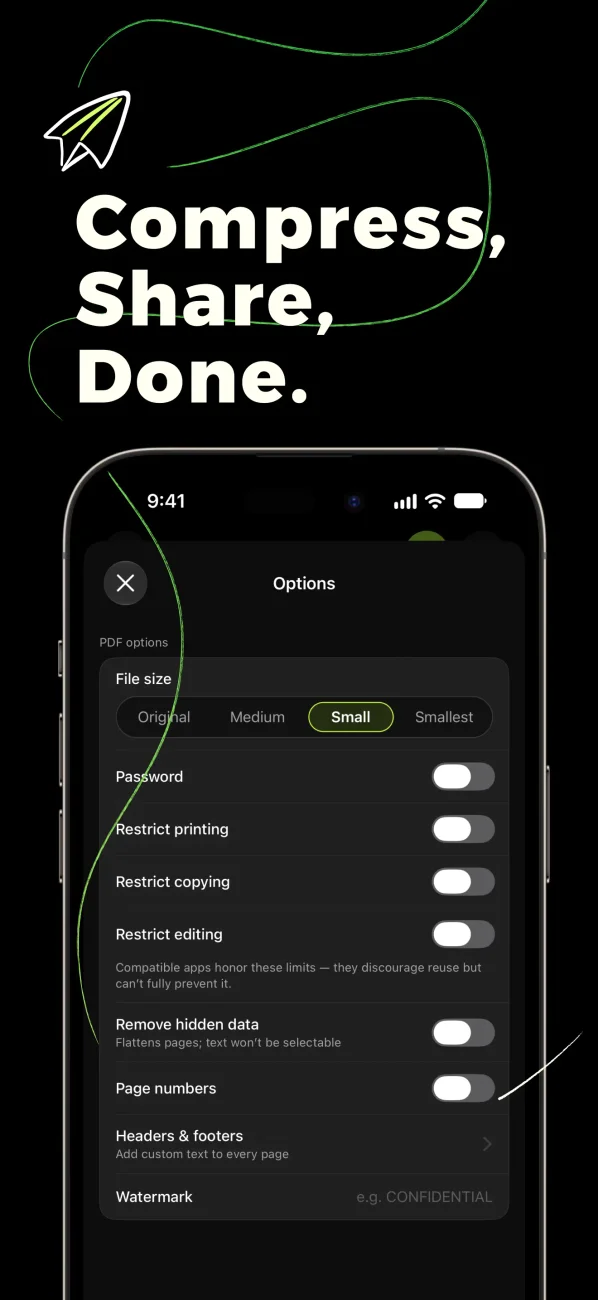
Lock Docusy with Face ID or your passcode, and, with Premium, export password-protected, encrypted PDFs. Your documents stay yours — stored safely on your device, by design.
SCAN ANYTHING
Scan paper documents with your camera, or import PDFs and photos from Files and Photos. Merge up to 6 PDFs into one in a single tap. With Premium, export as PDF, image, Word, Excel, PowerPoint, CSV, or ZIP — print, AirDrop, email, or share with any app.
BUILT INTO FILES
Sign or edit any PDF straight from the iOS Files share sheet — no need to open the app first. Docusy adds "Add Signature" and "Edit as PDF" as one-tap actions wherever your documents live.
SPOTLIGHT, SIRI & SHORTCUTS
Find any scanned document from your home screen — Spotlight searches the text inside every scan. Open, search, or scan with Siri or a Shortcut. Build your own document automations.
SEARCH EVERY DOCUMENT
Find a name, a date, an address — Docusy searches the text inside every scanned PDF, instantly, offline. Pin the documents you reach for most.
iPHONE, iPAD, MAC, APPLE VISION
Premium works on every Apple device you use. A redesigned iPad and Mac layout — with a sidebar and a rethought PDF editor — makes the most of the bigger screen.
PRIVATE BY DESIGN
Scanning, text recognition and search happen on your device. No account needed. Turn on iCloud Sync (Premium) and your documents sync through your own iCloud, never ours. We can't see your documents because we don't have them.
FREE AND PREMIUM
Scan, read text, search, sign, fill and merge for free, with no ads. Premium adds Edit Text, Translate, auto-fill, document details, iCloud Sync and every export, including Word, Excel and PowerPoint.
17 LANGUAGES
Arabic, Chinese (Simplified and Traditional), Dutch, English, French, German, Hindi, Italian, Japanese, Korean, Persian, Portuguese, Russian, Spanish, Turkish, Ukrainian. Full right-to-left layout for Arabic and Persian.
Scan a receipt. Sign a tenancy agreement. Fix a typo in a form. Archive a contract. Docusy handles documents the way Apple apps should — on your device, in your language, respecting your privacy.
What’s new
Version 5.5.0 · Nov 19, 2026
Docusy 5.5 is easier to use at every text size, and quicker to get around.
QUICKER TO GET AROUND
• Documents zoom open from their thumbnail on Home. Swipe back to return.
• Swipe back from any document, however you opened it: a scan, an import, a link or Siri.
• Opening a document from Siri, Spotlight, a widget or another app always shows that document.
• Documents open faster, and Home thumbnails no longer go blank.
SCANNING & IMPORT
• Long scans use far less memory, and a scan interrupted on Home can now be resumed.
• Picked several photos? Choose one document or separate documents.
• Files you import, and PDFs you share from Files, keep their own name.
• Files opened while App Lock is on are all imported once you unlock.
• Leaving Merge PDFs without merging no longer leaves a half-made document behind.
RECEIPTS
• Receipts in more languages read correctly: dates, receipt numbers, subtotals and long shop names.
• Contracts are no longer mistaken for receipts or invoices.
SIGN, FILL & EDIT
• Text you add to a form page is always there when you come back.
• Add Text and signatures land on the page you're looking at.
• A new signature goes straight into the form's signature box.
• Redaction boxes grow to cover the whole lines they touch.
• Copy All confirms with a "Copied" message.
CLEARER EXPORT
• See the real file size before you export, with redaction safety notes up front.
• The export sheet tells you up front that saving and sharing need Premium.
EASIER TO READ, AT ANY TEXT SIZE
• Scanning, importing, exporting, the editor, getting started and the upgrade screens all work at the largest accessibility text sizes, even on iPhone SE: no words split in two, no buttons out of reach.
• Every delete now asks first, with a clear Cancel.
• Counts like "15 pages" read correctly in every language.
HELPFUL, NOT PUSHY
• An optional weekly reminder to file your scans, only if you turn it on.
• One-time tips for the widget, Siri and Spotlight, search and iCloud Sync, shown after you've finished what you were doing.
Still on your device — and, when you turn it on, synced privately through your own iCloud, never ours.
App privacy
What WhiteLake declares on the App Store about how this app handles data.
-
Data linked to you
May be collected and linked to your identity.
- Purchases
- Location
- Identifiers
- Usage data
-
Data not linked to you
May be collected but is not linked to your identity.
- Diagnostics
Privacy practices may vary, for example with the features you use or your age.
Information
- Seller
- WhiteLake Pty Ltd
- Category
- Productivity
- Version
- 5.5.0
- Updated
- Nov 19, 2026
- Released
- May 4, 2021
- Size
- 77.9 MB
- Requires
- iOS 18.6 or later
- Age rating
- 4+
- Price
- Free
- In-app purchases
- Yes
- Languages
- English, Arabic, Dutch, French, German, Hindi, Italian, Japanese, Korean, Persian, Portuguese, Russian + 5 more
- Copyright
- © 2020–2026 WhiteLake Pty Ltd
You might also like
-
 Ephemera: Expiring BookmarksRead before they disappear.
-
 Manage bookmark with imagesEliminate forgetting to read
-
 ReadmindsProductivity
-
 NotesNChatBe Organized, Stay Connected
-
 PDF Scanner OCR: Document ScanSign & Share Receipts & Photos
-
 QuickScan:PDF OCR Text ScannerScan,Doc,Sign,Edit,Privacy
-
 PDF Maker - Convert to PDFPhotos to PDF & PDF Converter
-
 PDF it All Document ConverterCompress PDF Photos,Files,Word
-
 PDFMaker: JPG to PDF converterDocument scanner & PDF creator
-
 vFlat Scan - PDF & OCR ScannerScan Books Flat — No Cutting