
- Age rating4+
- CategoryProductivity
- DeveloperYahya Alfaifi
- LanguagesEnglish+ 1 more
- Size8.4 MB
Links to the official App Store page
Download.org hosts no file of Doer - To Do List. The button opens its official App Store page, published by Yahya Alfaifi. Listing last checked on Nov 12, 2026.
Screenshots


About
Doer is the calm, simple way to run your day.
TODAY, AT A GLANCE
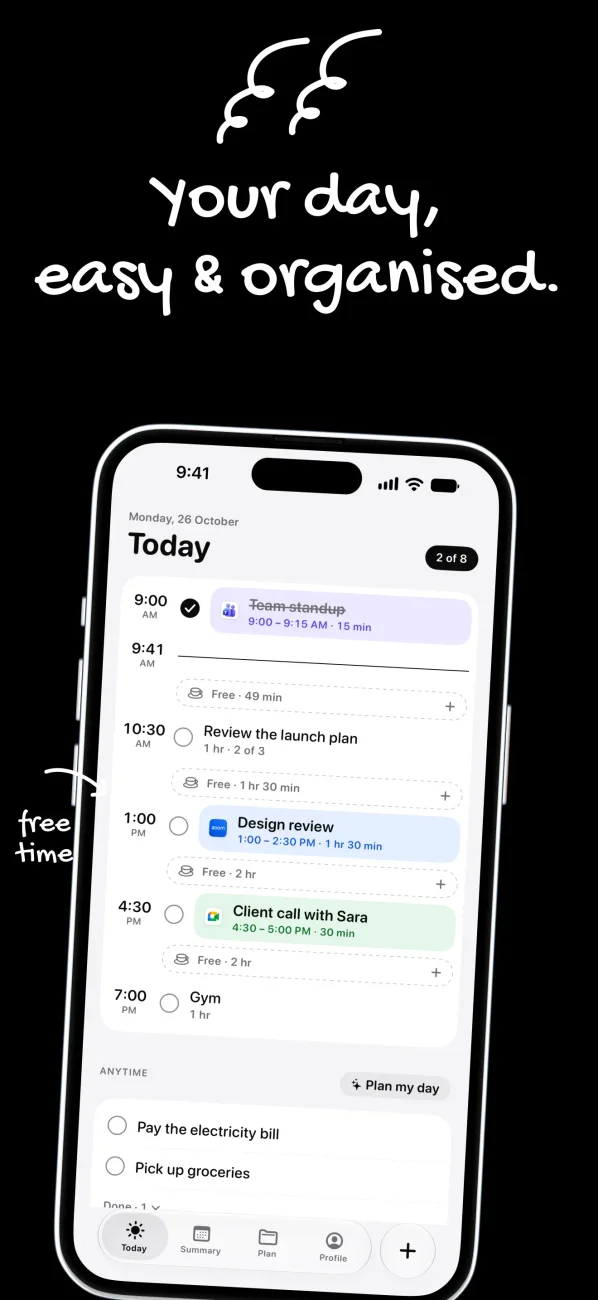
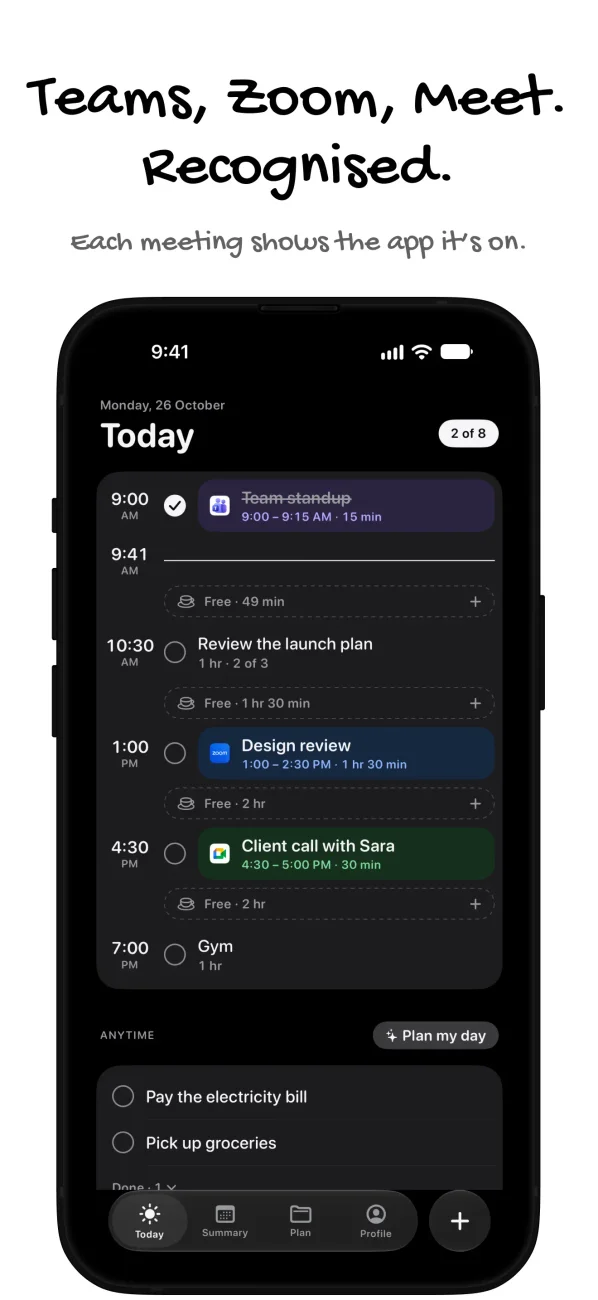
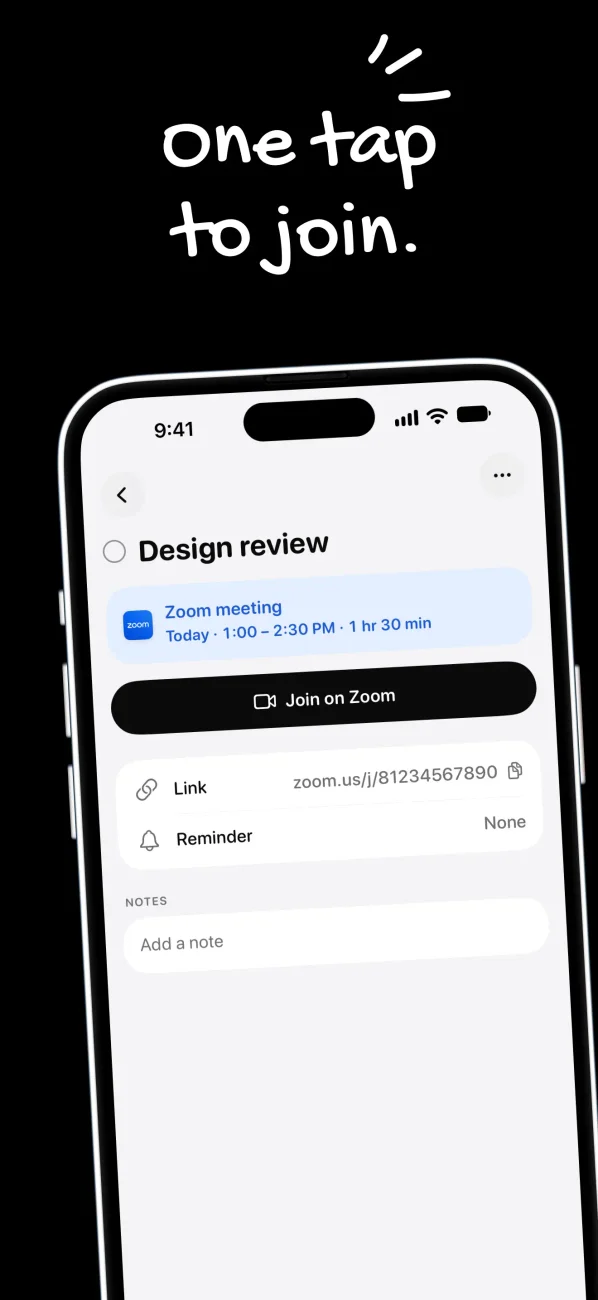
Your day as one clear timeline. Meetings show their Teams, Zoom or Google Meet logo, and a meeting with a link gets a Join button when it's time. Tasks sit beside them with their start and end, and Doer shows the free time in between.
JUST SAY IT
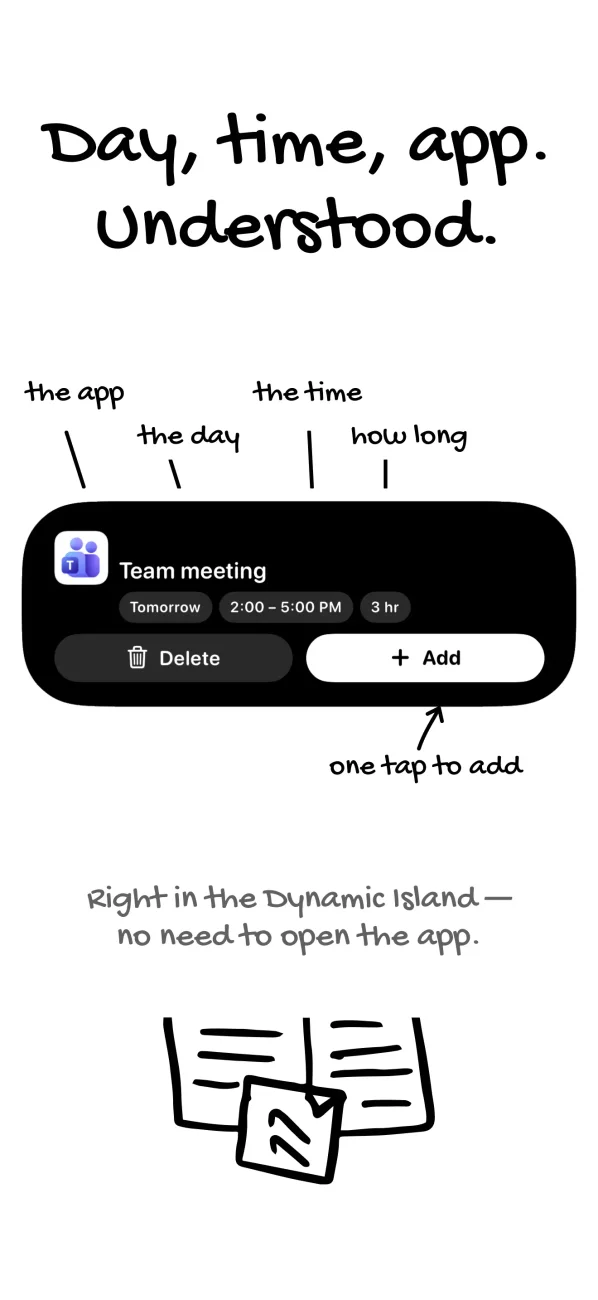
Press the Action button (set Doer Voice in Settings › Action Button › Controls) or tap Doer Voice in Control Center, and talk. Doer listens in the Dynamic Island, writes what you say as you say it, and understands it on your iPhone, with Apple Intelligence where available: "tomorrow, dentist from 2 to 3", "call with Sara Friday at 10 for half an hour on Zoom". Check the day, time and length, then tap Add. Speech is recognised on your iPhone, in English.
A MEETING IN ONE TAP
Type a meeting in + and Doer suggests online or in person and the app — Teams, Zoom, Google Meet or FaceTime. One tap to accept, one more to change.
THE WHOLE WEEK
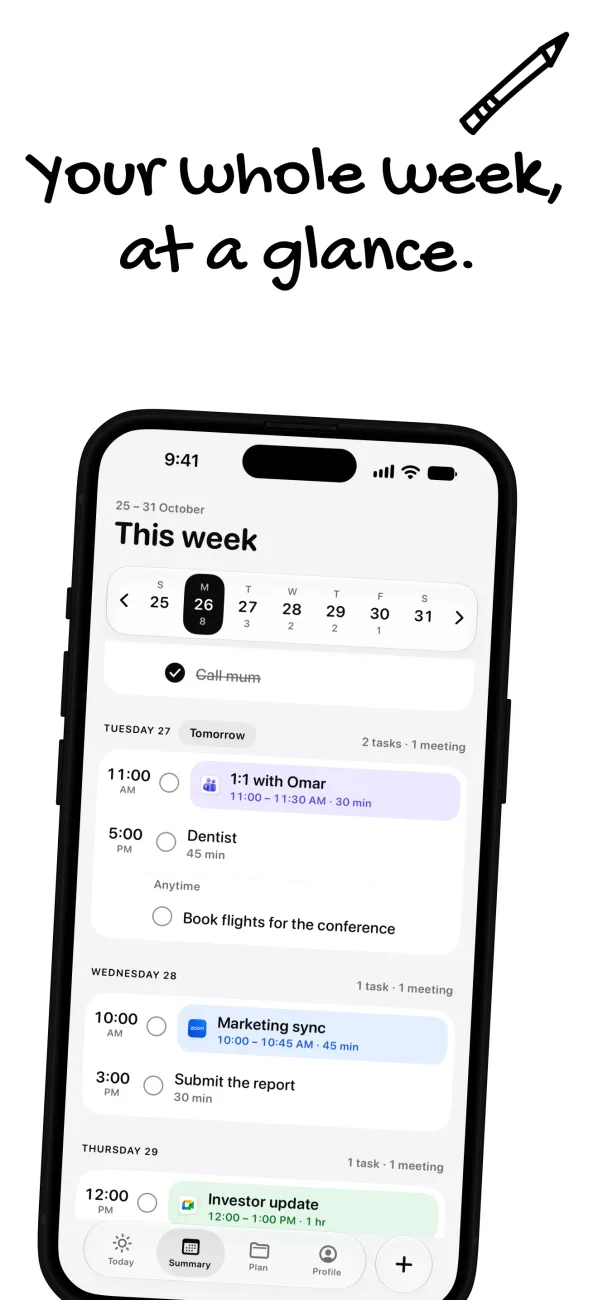
Summary shows the whole week, day by day — your tasks and meetings in order, with their times. Tap a day to jump to it.
PROJECTS AND NOTES
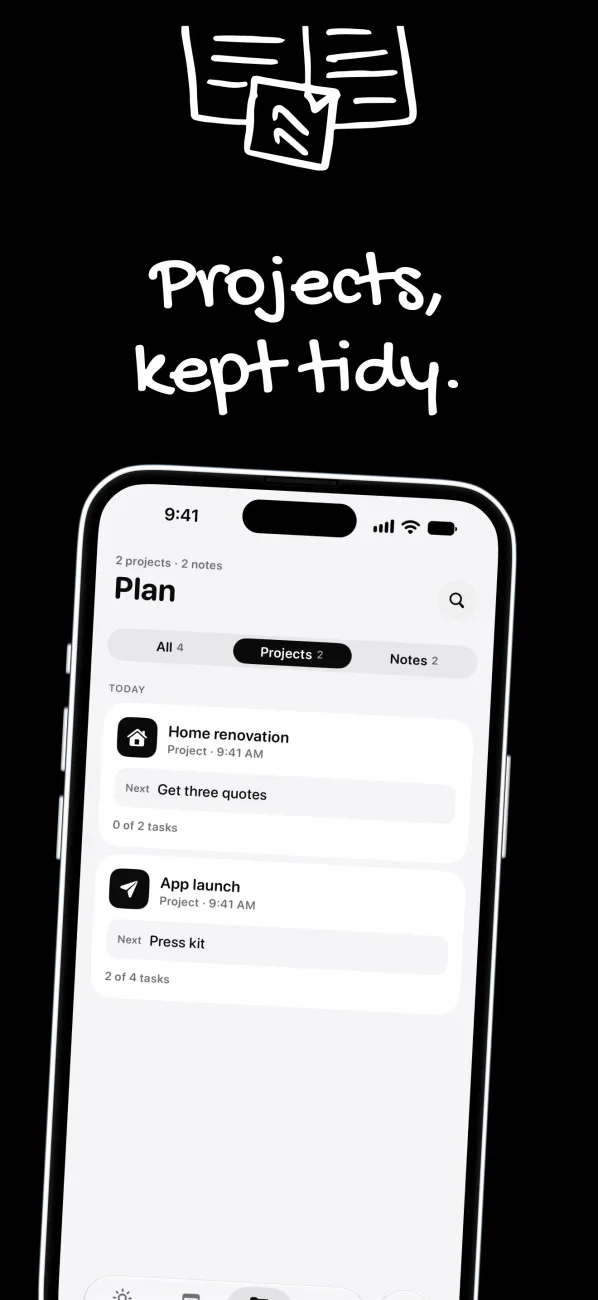
Keep projects and notes together, newest first. Filter to just projects or just notes in one tap. Projects show their next task and progress.
A LITTLE HELP, WHEN YOU WANT IT
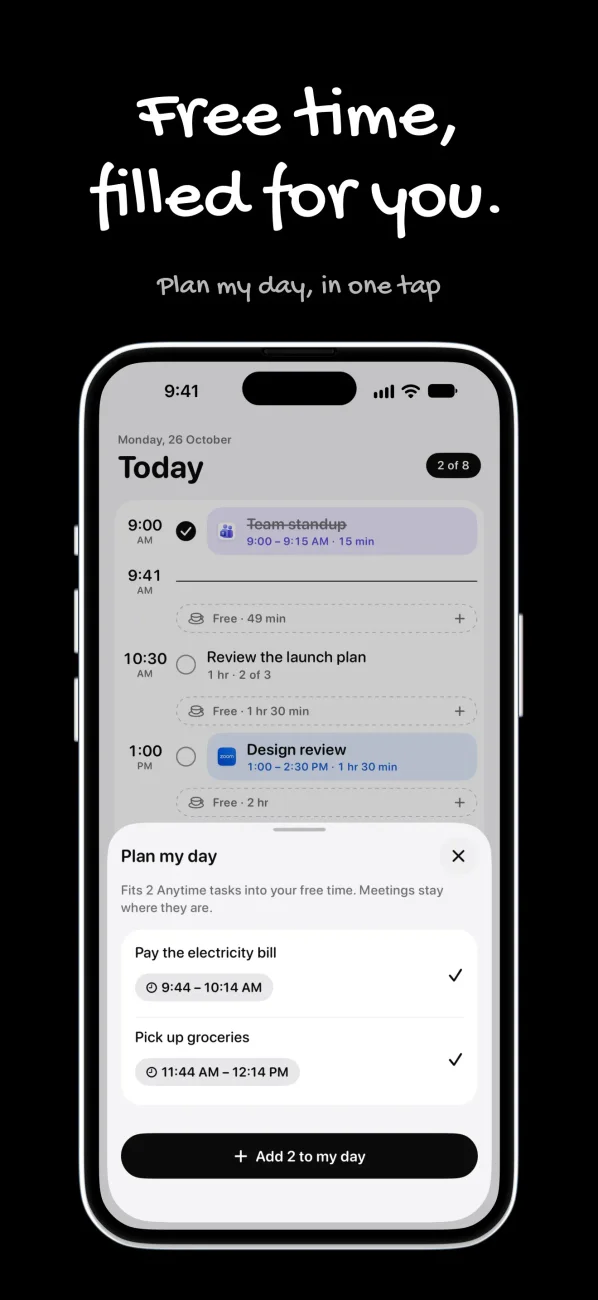
• Plan my day fits your loose tasks into today's free time.
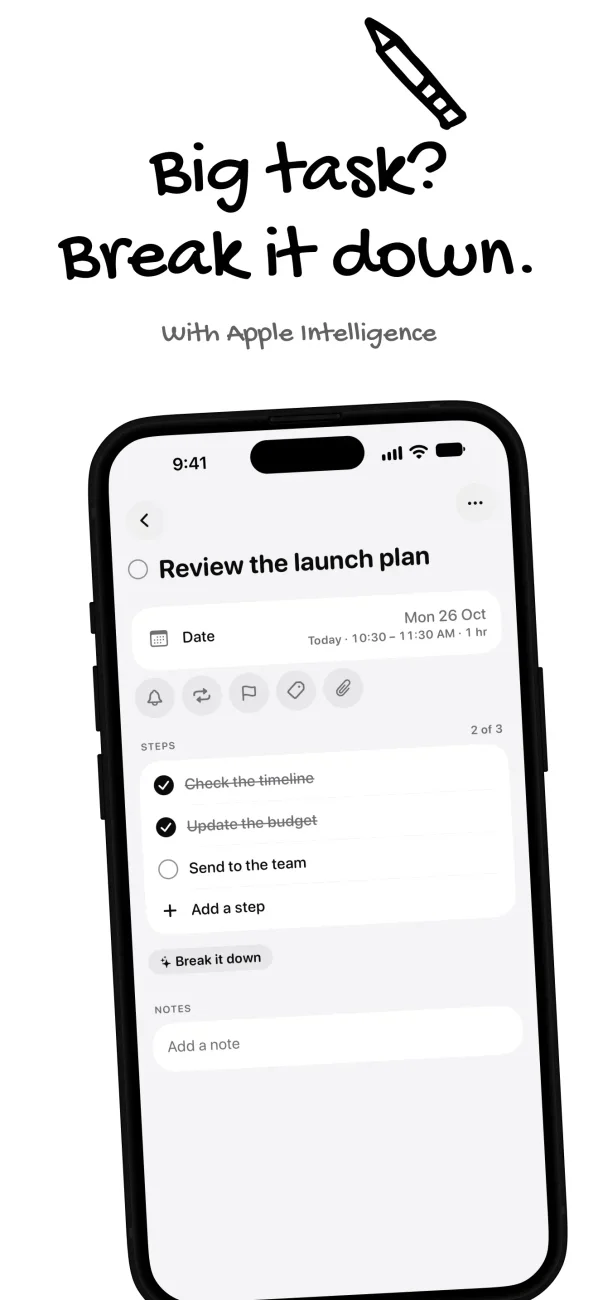
• Break it down turns a big task into a few clear steps, with Apple Intelligence (on iPhones that support it).
WIDGETS
Six widgets for your day and your week — Today, Up next, Progress, This week, Coming days and Week load — on the Home Screen, the Lock Screen and in StandBy.
BUILT FOR iPHONE AND iPHONE DUO
Black and white design with Liquid Glass, smooth animations and gentle haptics. Light and dark mode, Dynamic Type and VoiceOver. On iPhone Duo, the tabs sit in the side bar of the outer screen, and when you open it your day, week, projects and settings spread across the larger screen.
PRIVATE BY DEFAULT
No account. Your tasks stay on your iPhone, in your own iCloud and, if you allow it, in your own calendar. Voice and Apple Intelligence run on the device.
What’s new
Version 2.1 · Oct 27, 2026
Doer 2.1 is built for iPhone Duo, and it is calmer and clearer everywhere.
• iPhone Duo: on the outer screen the tabs sit in the side bar. Open it, and your day, week, projects and settings spread across the larger screen.
• Undo, right there: tick, move or delete something and Undo is one tap away.
• One task page shows everything — time, reminder, repeat, steps and notes — and you edit it in place.
• Today shows a line for now and the free time that is really left; tap a free gap to fill it. If Calendar access is off, Today says so.
• Add a meeting in one tap: type it in +, and Doer suggests online or in person and the app — Teams, Zoom, Google Meet or FaceTime.
• Quick add shows what it understood — the day, time, length and app — before you add it, and More options keeps it all.
• Six widgets for your day and your week, on the Home Screen, the Lock Screen and in StandBy.
• Repeating meetings keep their app and Join button.
• A cleaner, more consistent design, better Arabic, and fixes for larger text and VoiceOver.
App privacy
What Yahya Alfaifi declares on the App Store about how this app handles data.
-
Data not collected
The developer does not collect any data from this app.
Privacy practices may vary, for example with the features you use or your age.
Information
- Seller
- Yahya Alfaifi
- Category
- Productivity
- Version
- 2.1
- Updated
- Oct 27, 2026
- Released
- Sep 15, 2026
- Size
- 8.4 MB
- Requires
- iOS 18.0 or later
- Age rating
- 4+
- Languages
- English, Arabic
- Copyright
- © 2026 Yahya Alfaifi
You might also like
-
 EmailTaskerAI secretary for your day
-
 Journal: Notes, PDF & PlannerDaily Diary & Digital Notebook
-
 Black Hat MEAProductivity
-
 Habit & Goal Tracker – BettelfTrack Daily Routine & Progress
-
 Daily Planner & Goals: GriplyHabit Tracker & To-Do List
-
 Time Blocking Planner — ArcushDaily Schedule, Routine, ADHD
-
 Tasks: To Do Lists & RemindersKanban Board, Planner & Widget
-
 Adel - Your legal assistantA platform for your legal work
-
 FileCloudEnterprise File Sharing
-
 Finalist: Daily PlannerYour Whole Day on One Page