
Journal: Notes, PDF & Planner
Daily Diary & Digital Notebook
Designed for iPhone, iPad, iPod touch
Free · In-app purchases
- Age rating4+
- CategoryProductivity
- DeveloperGlobal Mobile App Limited
- LanguagesEnglish+ 29 more
- Size159.7 MB
Links to the official App Store page
Download.org hosts no file of Journal: Notes, PDF & Planner. The button opens its official App Store page, published by Global Mobile App Limited. Listing last checked on Nov 24, 2026.
Screenshots


About
Welcome to Journal: Notes, PDF & Planner - your all-in-one digital space to capture ideas, take notes, annotate PDFs, and plan your day. From personal journaling and study notes to daily tasks and weekly schedules, keep everything that matters beautifully organized in one place.
Enjoy the familiar feel of a paper notebook with the flexibility of digital tools. Write by hand, type, draw, highlight, and personalize every page your way.
WHY SHOULD YOU CHOOSE JOURNAL?
- Keep your notes, PDFs, tasks, and schedules organized in one place
- Write by hand, type, draw, and highlight to capture ideas your way
- Turn PDFs into working documents with notes and annotations
- Start with ready-made templates and personalize pages to suit your style
- Plan your day with a built-in calendar and reminders that help you stay on track
KEY FEATURES
STAY ORGANIZED AT WORK, SCHOOL & IN DAILY LIFE
Keep notes, plans, tasks, and schedules together so everything is easier to find and manage. Quickly capture ideas, class notes, work reminders, or daily to-dos, then organize them with themes and layouts that match the way you think and work
TAKE NOTES, WRITE DOCUMENTS, DRAW & SKETCH IDEAS
Turn your device into a digital notebook that feels natural to use. Write by hand, type notes, sketch ideas, brainstorm, highlight details, and create on customizable pages with pens, highlighters, text tools, and more. From quick thoughts to study notes, every page feels natural and personal
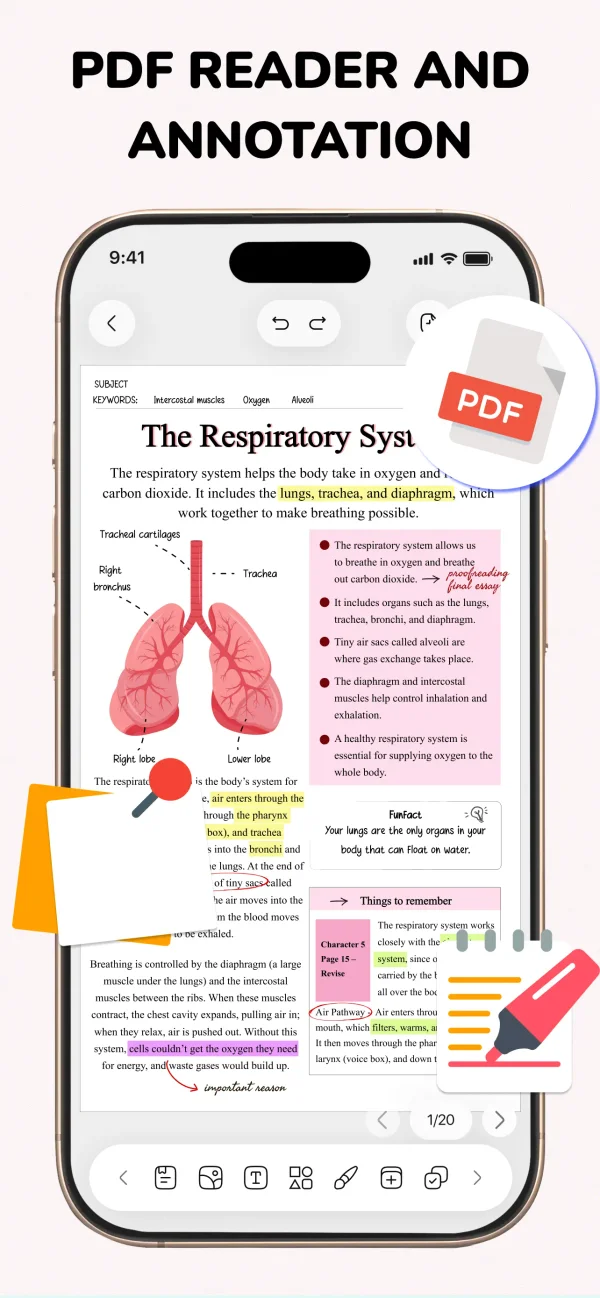
IMPORT, READ & ANNOTATE PDF DOCUMENTS
Bring PDFs into Journal and work with them directly. Keep your study or work materials together with your notes. When you’re done, export your work back to PDF with ease.
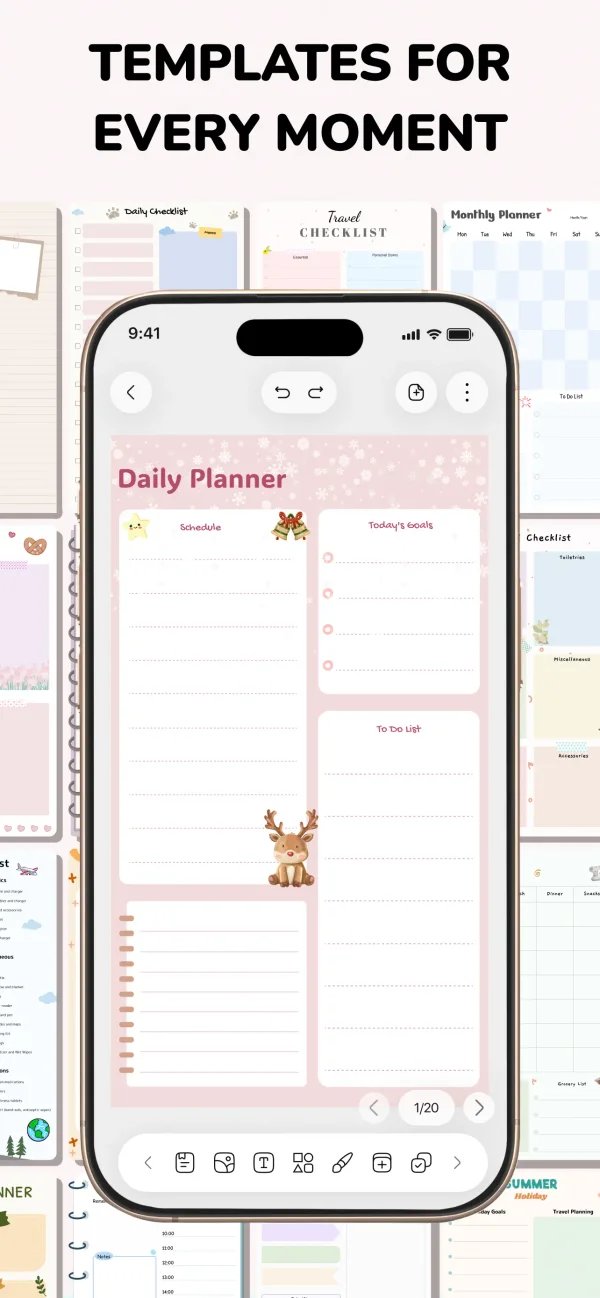
EXPLORE READY-MADE TEMPLATES
Discover ready-made templates for journaling, planning, studying, and more. Pick a style, personalize it, and start creating right away
EXPLORE NOTEBOOKS WITH HYPERLINKS
Use notebooks with built-in hyperlinks to quickly jump between pages and sections, making planning, journaling, and note-taking easier to navigate
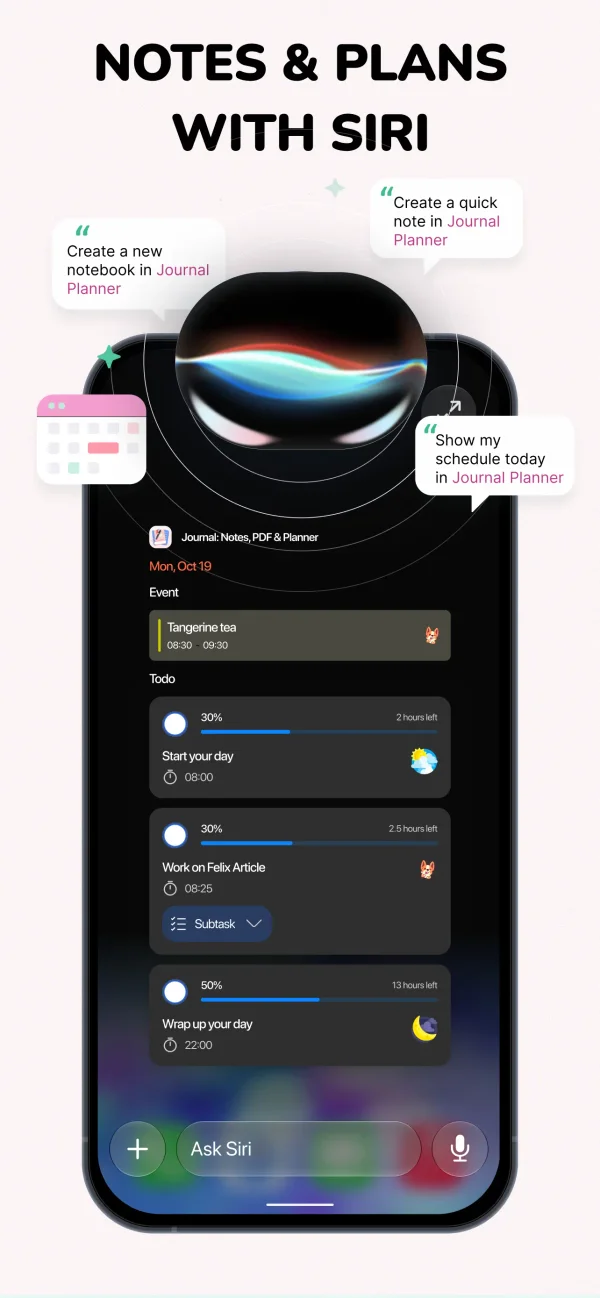
NOTES & PLANS WITH THE LATEST iOS 27 TECHNOLOGIES
Journal integrates the latest iOS 27 technologies to connect your notes and plans with Siri, Spotlight, and Shortcuts. Use Siri to create tasks, capture notes, and start notebooks with your voice. Find supported Journal content directly through Spotlight, and add available Journal actions to your shortcuts to simplify everyday routines. From quick ideas to daily to-dos, keep what matters within easy reach.
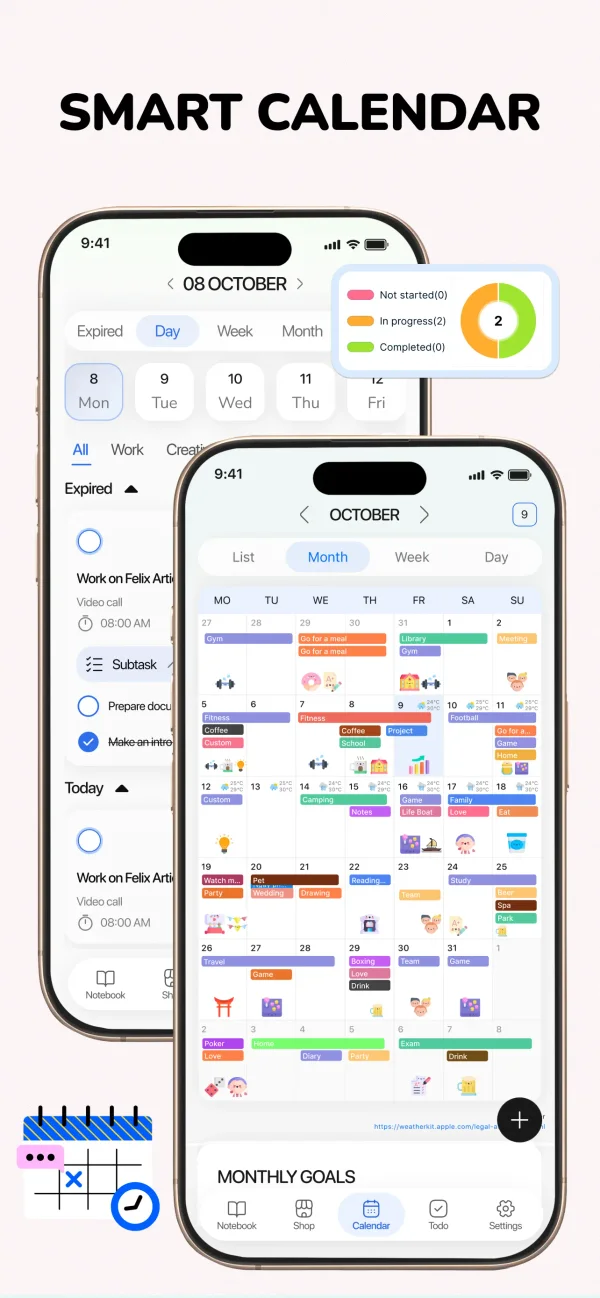
PLAN YOUR DAY WITH A DIGITAL CALENDAR
Bring your plans, tasks, and schedules into one clear view. Create events, manage appointments, track deadlines, and organize daily activities with the built-in calendar.
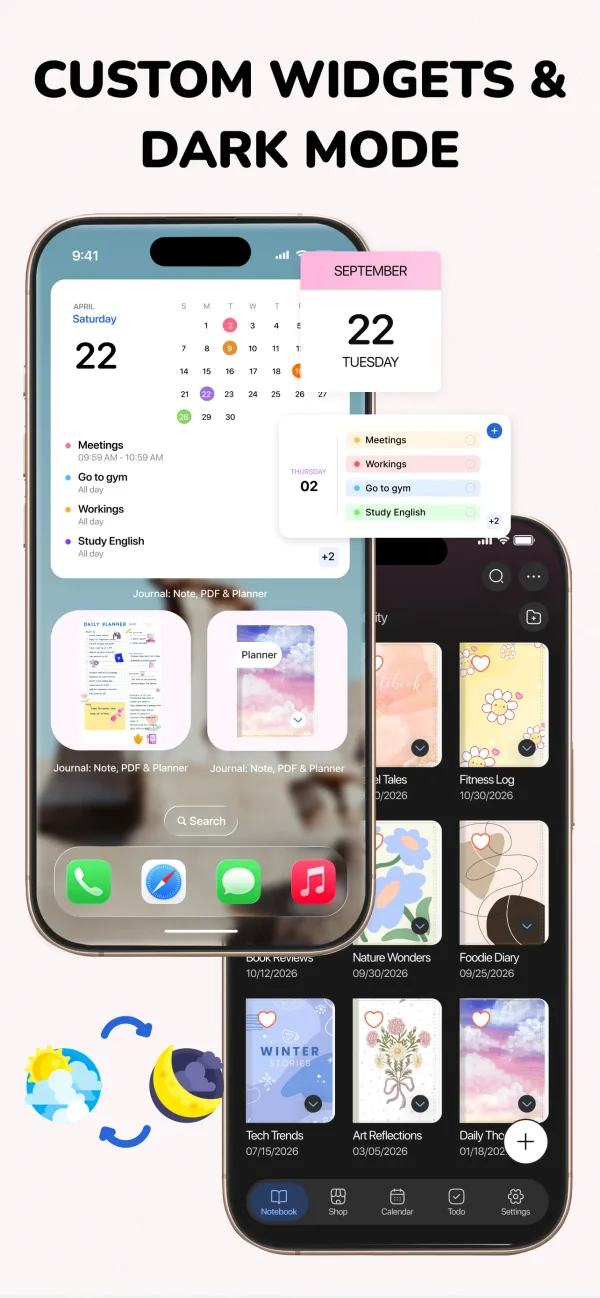
KEEP WHAT MATTERS CLOSE WITH WIDGETS
Bring Journal to your Home Screen with convenient widgets and quickly access important content whenever you need it
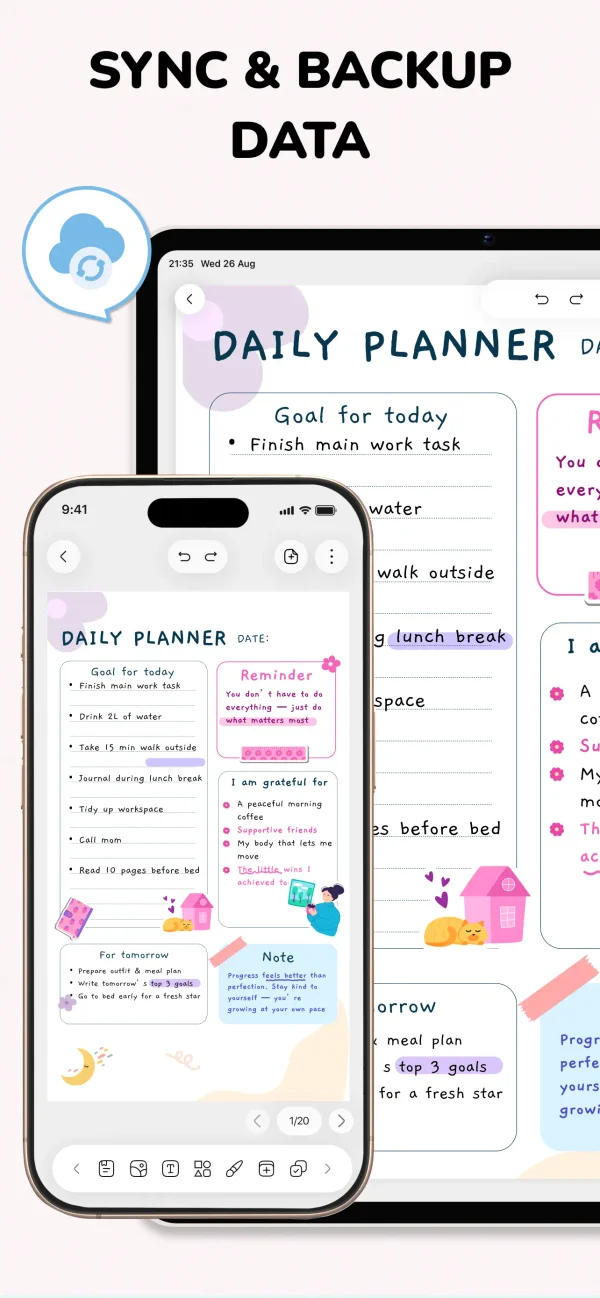
SYNC, BACK UP, SEND & SHARE
Keep your journals, notes, and plans backed up and synced across devices. Easily send and share notes and documents
SET SMART REMINDERS
Stay on top of deadlines, appointments, study sessions, and everyday tasks with smart reminders
ADD, ORGANIZE & FLIP THROUGH PAGES
Add new pages above or below your current page, organize your content, and flip through your journal with the familiar feel of a real notebook
KEEP YOUR JOURNAL PRIVATE WITH PASSCODE
Protect your personal journals, notes, and memories with a passcode for added privacy
PERSONALIZE WITH COLORS & DARK MODE
Choose your preferred primary color and switch to Dark Mode for a comfortable, personalized writing and planning experience in low light
Discover a more flexible way to journal, take notes, manage tasks, and plan your day. Keep your ideas, memories, schedules, and PDF documents together in one personal digital space.
Download Journal: Notes, PDF & Planner today and make everyday writing, planning, and creating feel easier and more personal. Capture your ideas, stay on top of your plans, and make every page truly yours.
What’s new
Version 1.6 · Nov 23, 2026
Updated the app UI for a better user experience.
App privacy
What Global Mobile App Limited declares on the App Store about how this app handles data.
-
Data used to track you
May be used to track you across apps and websites owned by other companies.
- Identifiers
- Usage data
-
Data not linked to you
May be collected but is not linked to your identity.
- Identifiers
- Usage data
- Diagnostics
Privacy practices may vary, for example with the features you use or your age.
Information
- Seller
- Global Mobile App Limited
- Category
- Productivity
- Version
- 1.6
- Updated
- Nov 23, 2026
- Released
- Oct 21, 2026
- Size
- 159.7 MB
- Requires
- iOS 16 or later
- Age rating
- 4+
- Price
- Free
- In-app purchases
- Yes
- Languages
- English, Arabic, Croatian, Czech, Danish, Dutch, Finnish, French, German, Greek, Hebrew, Hungarian + 18 more
- Copyright
- © Global Mobile App JSC
You might also like
-
 Notepen: Notes & PlannerHandwriting, Sketch & Notebook
-
 Dayfold: Planner & JournalYour whole day, one calm place
-
 Noteora - Notes & HandwritingWrite, Sketch & Export to PDF
-
 Notes: Aesthetic NotesNotes, To-Dos & Image Widgets
-
 Simplify Notes: PDF NotebookHandwriting, Notes & Study
-
 Serious NotebookPrivate digital notebook
-
 MitamatonYour day, already handled
-
 Libreta: A NoteBook AppYour notes, as real books
-
 FeatherNotes: Journal & DiaryProductivity
-
 ScribblePad: Notes & PDFHandwriting notes & PDF markup