
Doona Budget & Expense Tracker
Budget, expenses & cash flow
Designed for iPhone, iPad
Free
- Age rating4+
- CategoryFinance
- DeveloperLee Junho
- LanguagesEnglish+ 6 more
- Size33.1 MB
Links to the official App Store page
Download.org hosts no file of Doona Budget & Expense Tracker. The button opens its official App Store page, published by Lee Junho. Listing last checked on Nov 29, 2026.
Screenshots

About
[Meet Doona: From today’s spending to this month’s budget]
Ever started tracking your money, only to give up because it felt too complicated?
Doona makes it easy to record income and expenses, plan your budget, and see where your money is going at a glance.
“How much can I comfortably spend today?”
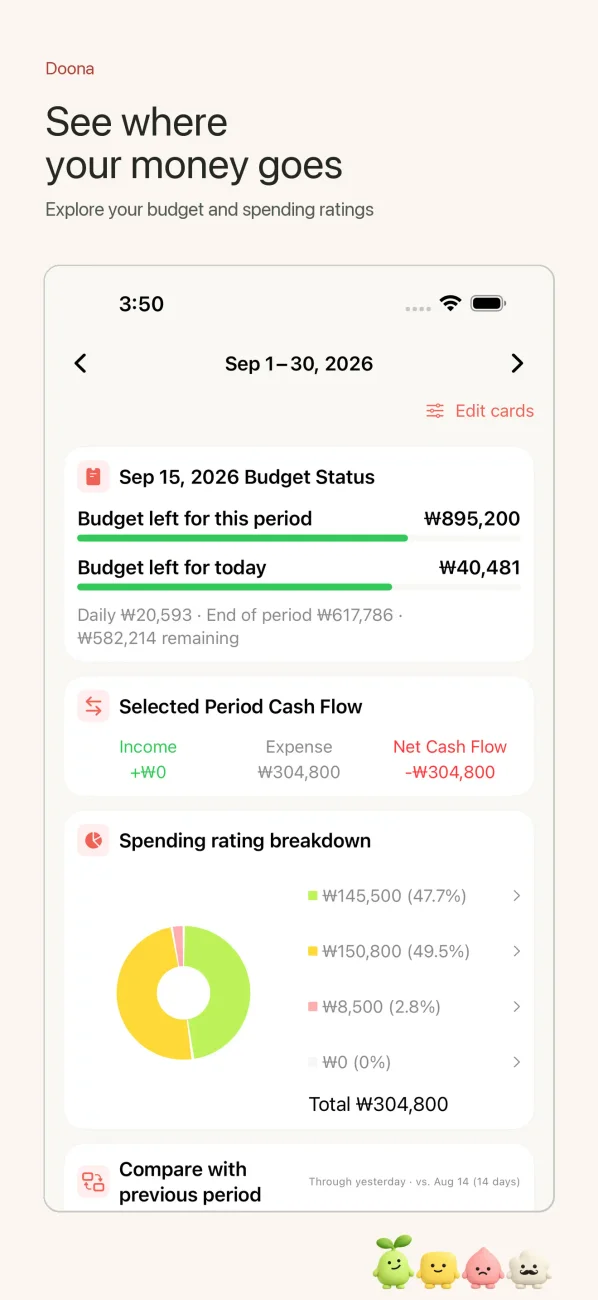
Doona uses the budget you’ve set and the days remaining to calculate and show how much you can spend today.
“Where did most of my money go this month?”
Review your spending habits through categories and your own ratings of each expense.
Better spending habits begin with understanding how your money moves.
Keep track without the pressure—with Doona.
[Key Features]
1. Quick income and expense tracking
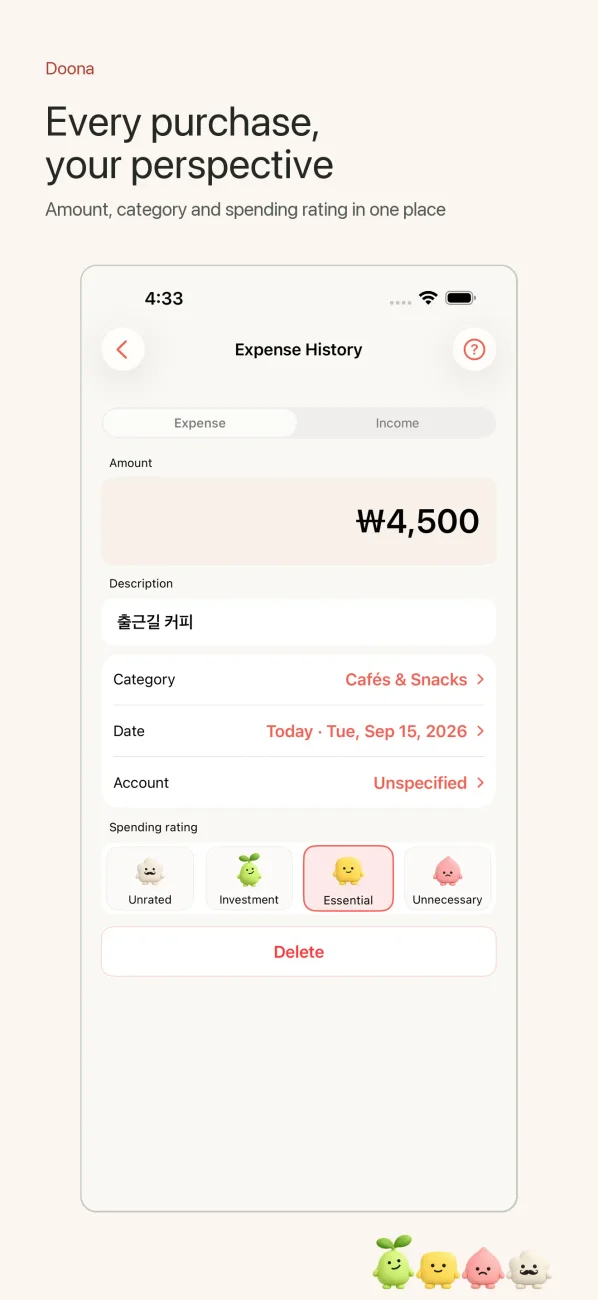
• Record the amount, date, details, category, and account in one place.
• Rate how satisfied you were with each expense and reflect on your spending habits.
2. A budget that works for you
• Set your monthly budget and choose when your budget period begins.
• Split your budget by category and add upcoming expenses ahead of time.
3. Your safe-to-spend amount for today
• See how much you can spend today, calculated from the budget you’ve set and the days remaining.
• View a projection for the end of the budget period based on your current spending pace.
4. Accounts and transfers
• Manage cash, bank accounts, cards, e-wallets, and other payment methods.
• Manage account balances and transfer history together in one place.
5. Search and insights
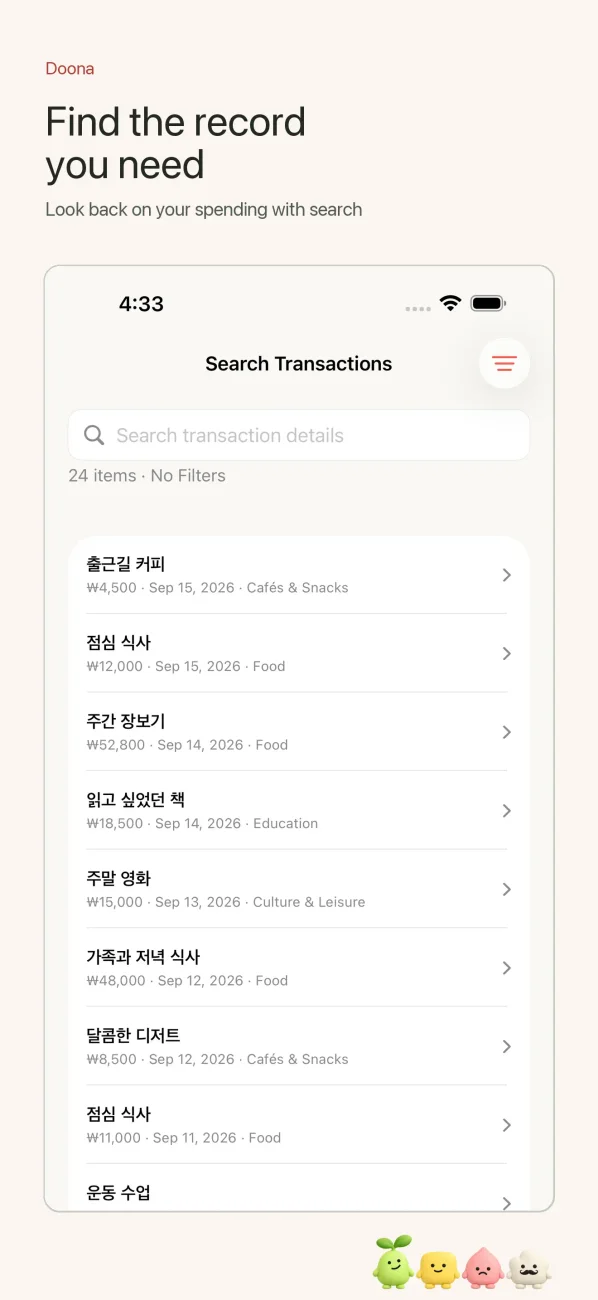
• Quickly find transactions by date range, type, category, account, or amount.
• View your cash flow, compare it with previous periods, and spot your biggest expenses at a glance.
6. Safe data management
• Restore deleted transactions from your change history.
• Export your data as a backup file and restore it whenever you need.
Make Doona your own
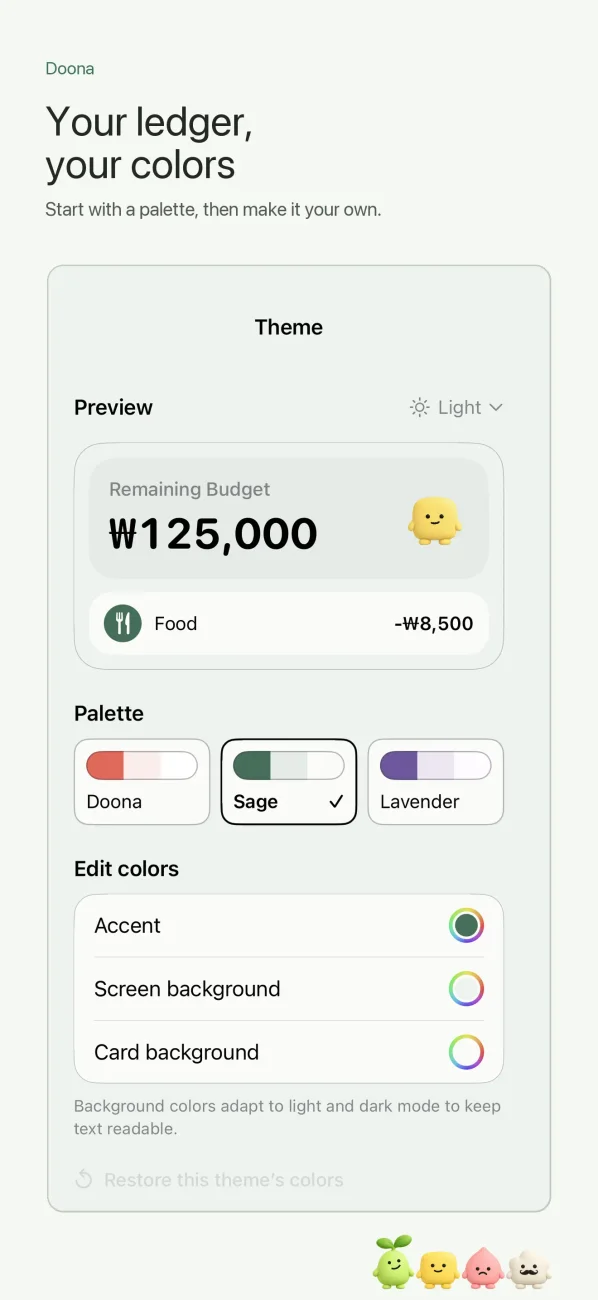
Choose Doona, Sage, or Lavender. Customize the accent and background colors, then preview them in light and dark mode.
Pick up on another device
Sync your ledger with iCloud and keep tracking on your other devices. Check sync status in Settings.
What’s new
Version 26.1119.0 · Nov 19, 2026
Make Doona your own. Choose the Doona, Sage, or Lavender palette, or pick your own accent and background colors. Open Settings → Theme to preview them on a budget card and a transaction.
Home loads transactions more efficiently. The field you’re editing now stays visible when you resize the screen.
App privacy
What Lee Junho declares on the App Store about how this app handles data.
-
Data linked to you
May be collected and linked to your identity.
- Financial info
- Location
- Contact info
- User content
- Identifiers
- Usage data
-
Data not linked to you
May be collected but is not linked to your identity.
- Diagnostics
Privacy practices may vary, for example with the features you use or your age.
Information
- Seller
- Lee Junho
- Category
- Finance
- Version
- 26.1119.0
- Updated
- Nov 19, 2026
- Released
- Mar 9, 2020
- Size
- 33.1 MB
- Requires
- iOS 17.0 or later
- Age rating
- 4+
- Price
- Free
- Languages
- English, French, German, Japanese, Korean, Simplified Chinese, Traditional Chinese
- Copyright
- Copyright © 2020–2026 Lee Junho. All rights reserved.
You might also like
-
 Kkumgom - Shared BudgetTrack Emotions, Share Budget
-
 함쓰 - 함께 쓰는 공유 가계부Finance
-
 Moodie Money - Budget TrackerCute Budget, Every Day
-
 씀씀가계부Finance
-
 Green Ledger: Household BudgetAd-free budget for couples
-
 WeSave - Budget, Money TrackerExpense & Budget Manager
-
 SpendMon - Expense TrackerSimple Daily Spending Log
-
 DAILY POCKET - Budget ManagerFinance
-
 Flow Budget, Money TrackerExpense, Income, Shared Budget
-
 간단 가계부 - 간편한 가계부, 금전출납부, 돈관리 앱Finance