
SpendMon - Expense Tracker
Simple Daily Spending Log
Designed for iPhone, iPad, iPod touch
Free · In-app purchases
- Age rating4+
- CategoryFinance
- DeveloperMBG Studio
- LanguagesEnglish+ 28 more
- Size14.7 MB
Links to the official App Store page
Download.org hosts no file of SpendMon - Expense Tracker. The button opens its official App Store page, published by MBG Studio. Listing last checked on Nov 21, 2026.
Screenshots

About
A simple expense tracker and budget book for keeping up with what you spend each month!
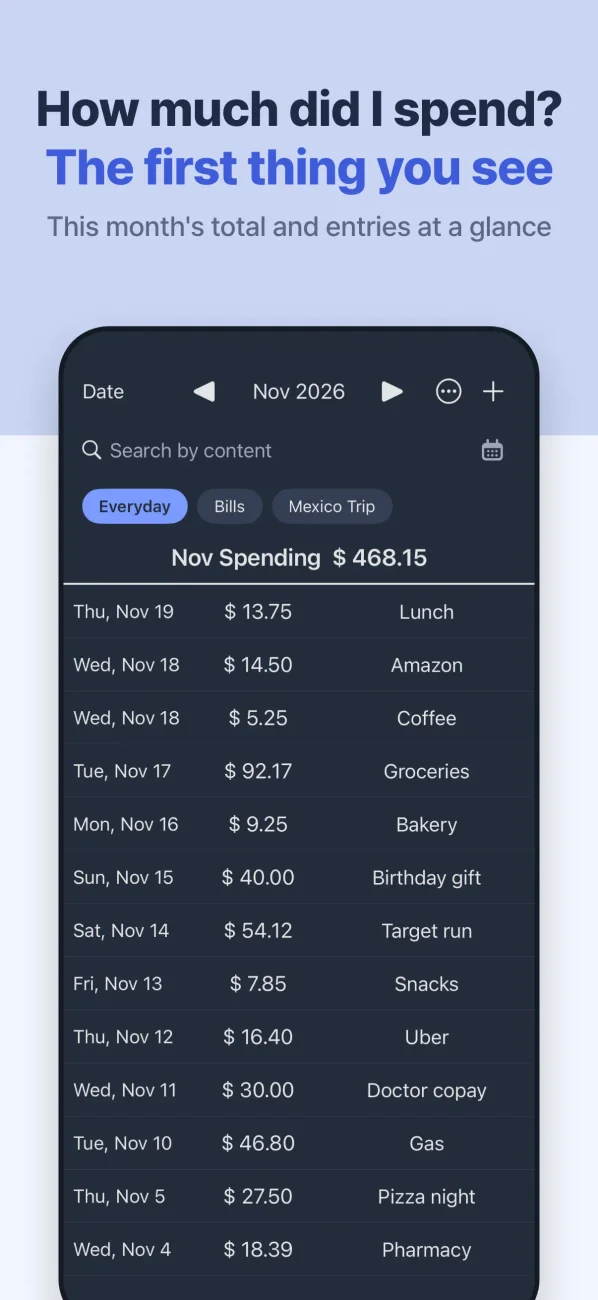
• Your month, the moment you open the app
This month's total and every entry are right there on one screen.
• Three-second entry, no categories
Just enter the date, the amount and a note. There are no categories to pick or sort through, so you can log a purchase the moment you make it. Save the bills you pay every month as recurring entries.
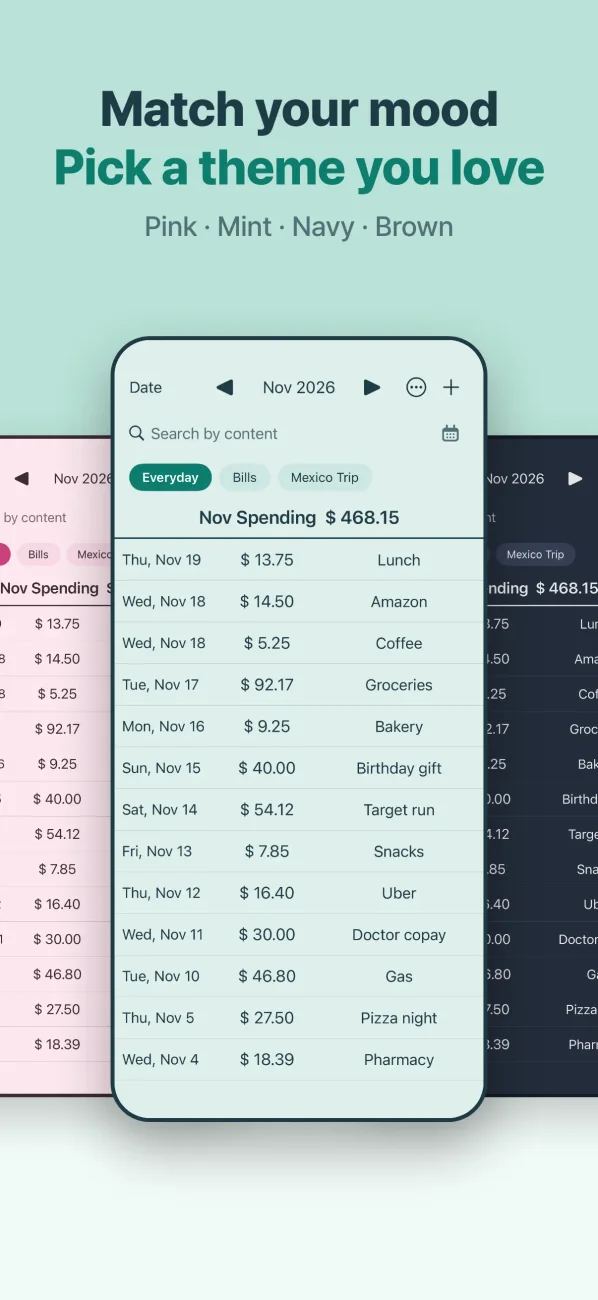
• Pick your favorite theme
Make the tracker your own with four themes: mint, pink, brown and navy.
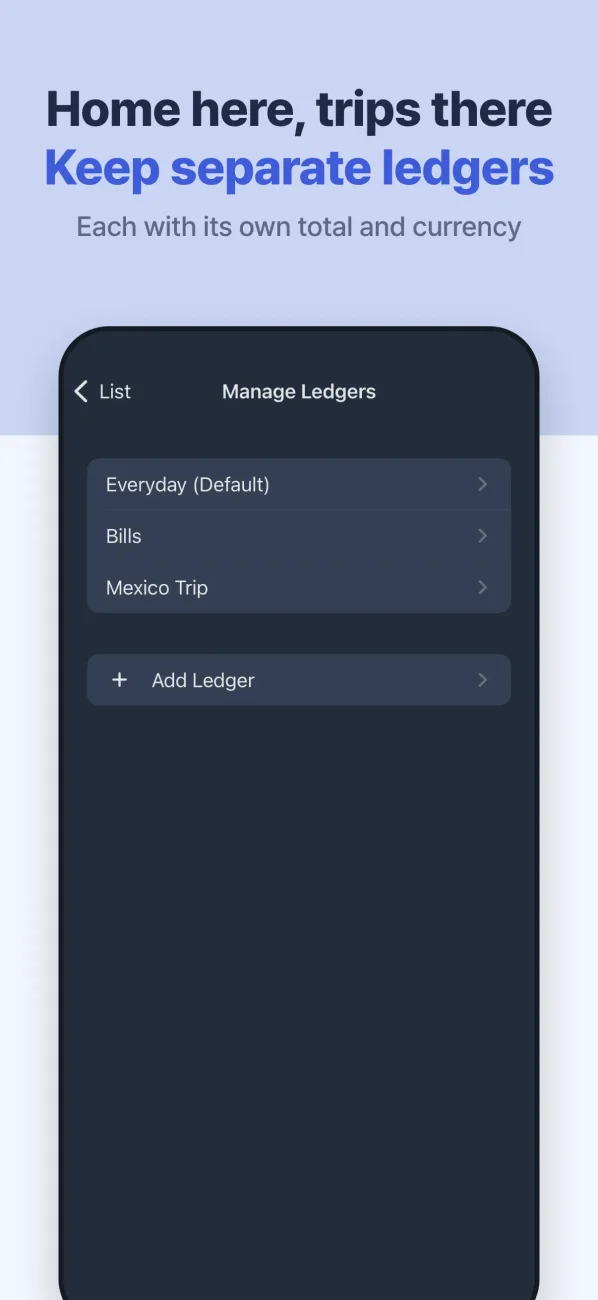
• Keep separate ledgers
Split your spending into separate ledgers for things like living expenses, fixed bills and travel. Each ledger keeps its own total and can have its own currency.
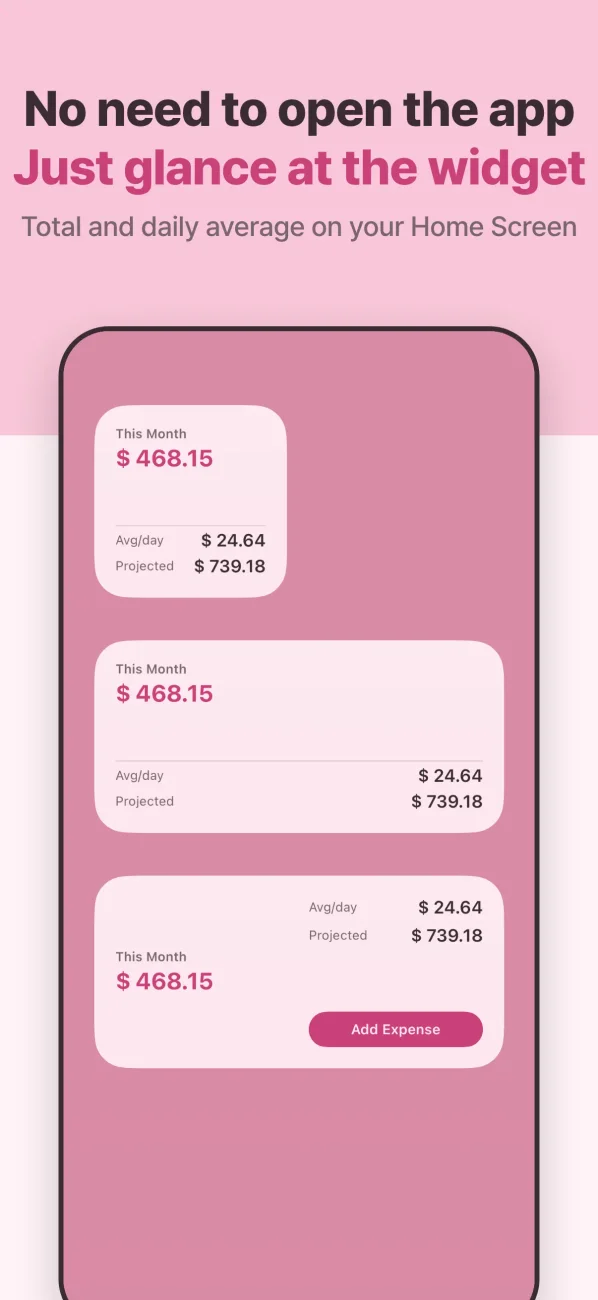
• Home screen widgets
See this month's spending, your daily average and the projected total for the month without opening the app. You can also choose which ledger the widget shows.
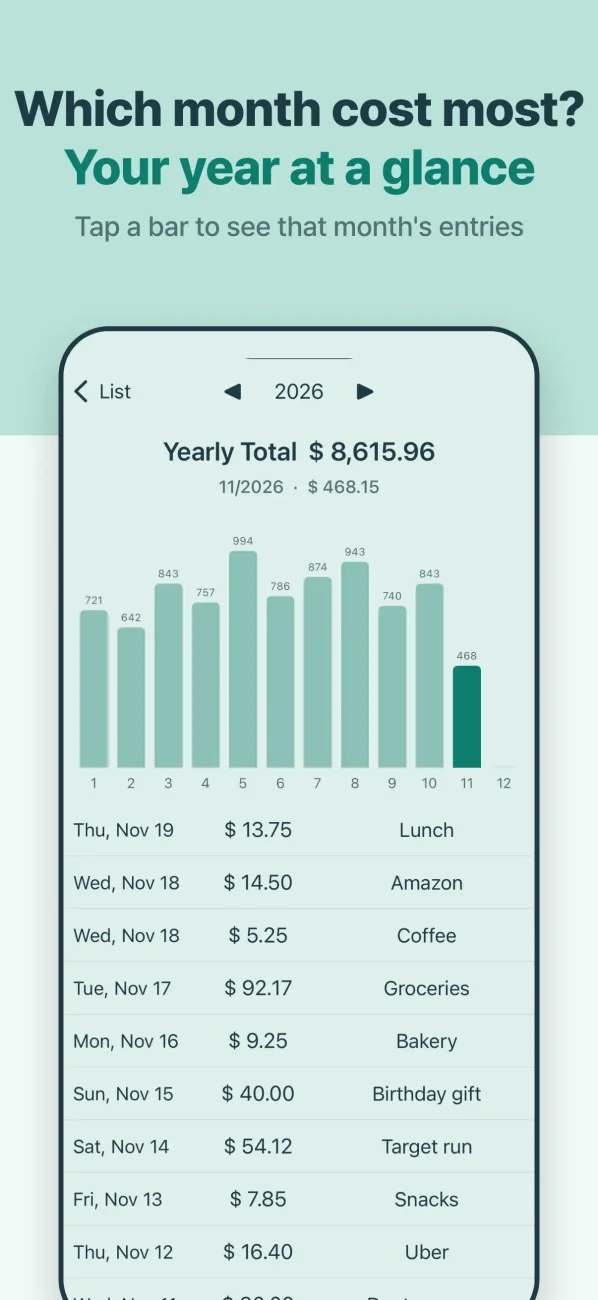
• Yearly spending statistics
Compare every month on a chart and see at a glance how much the year has added up to.
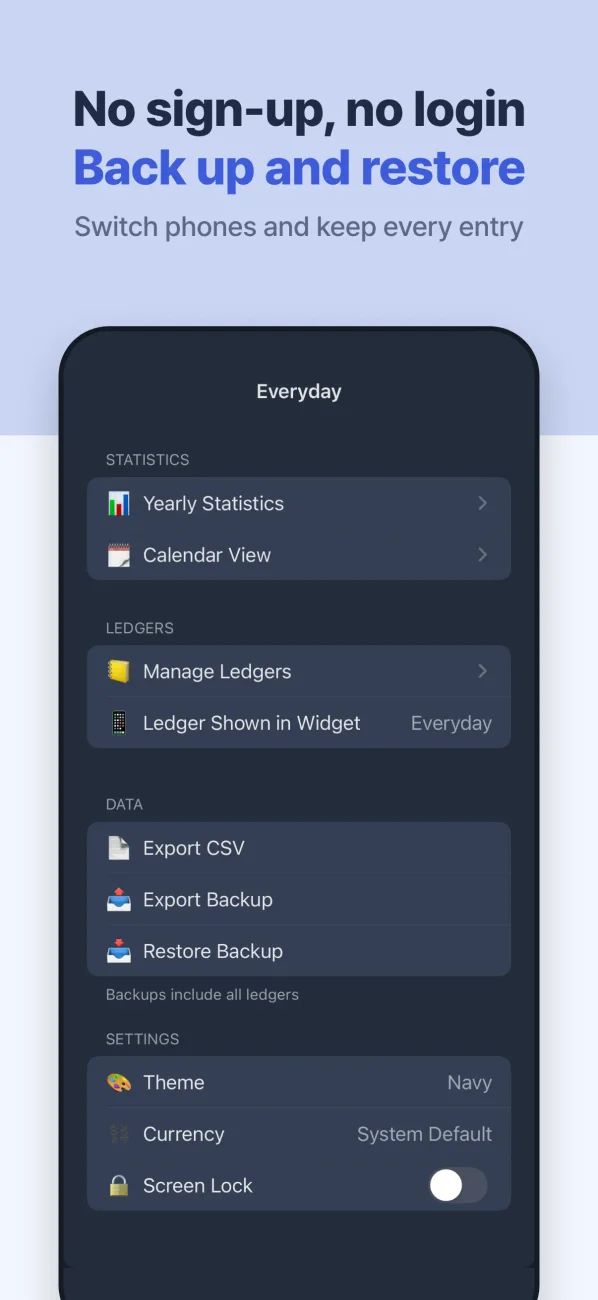
• Backup without an account
Export a backup file and load it back later — no sign-up, no login. CSV export is supported too.
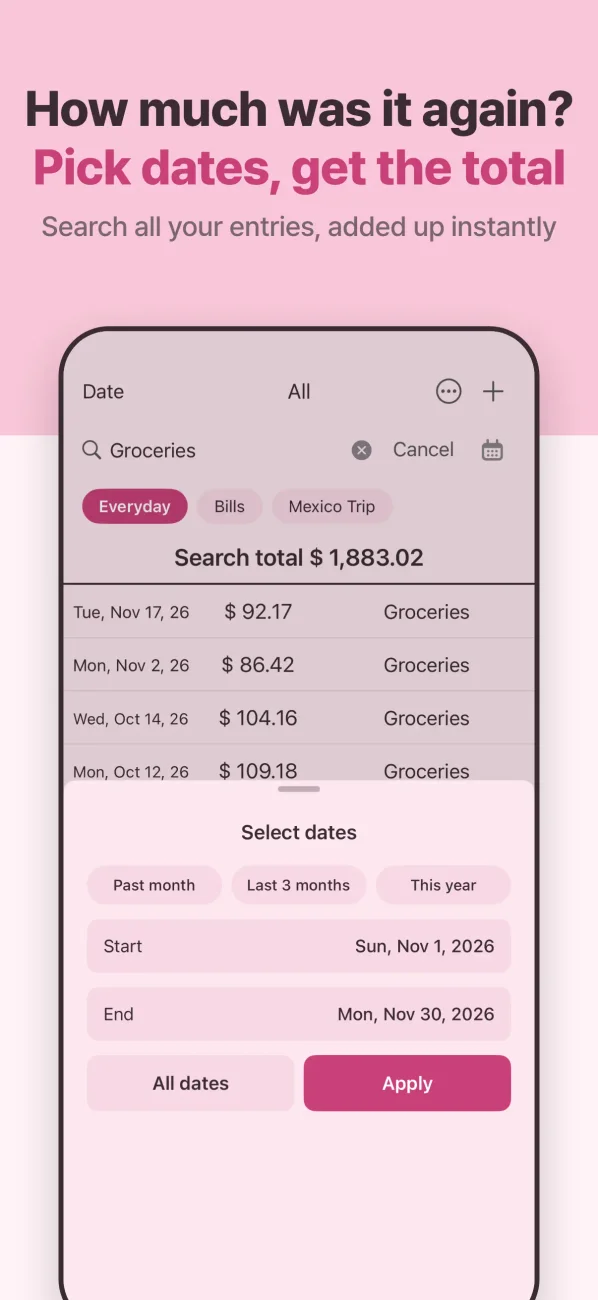
• Search and see totals
Type a word and the app finds every matching entry — with the total added up for you. Set a start and end date to see just that period.
• Calendar View
See how much you spent each day, right on the calendar.
• Easy to read at a glance
Sort by date or amount, browse month by month, see the day of the week, choose a currency and lock the screen.
What’s new
Version 4.7 · Nov 19, 2026
New: Ledgers. Split your spending across separate ledgers and set a currency for each one.
New: Calendar View.
Now supports iPhone Duo, with a layout optimized for iPad.
App privacy
What MBG Studio declares on the App Store about how this app handles data.
-
Data used to track you
May be used to track you across apps and websites owned by other companies.
- Identifiers
- Usage data
-
Data not linked to you
May be collected but is not linked to your identity.
- Identifiers
- Usage data
Privacy practices may vary, for example with the features you use or your age.
Information
- Seller
- MBG Studio
- Category
- Finance
- Version
- 4.7
- Updated
- Nov 19, 2026
- Released
- Jul 28, 2018
- Size
- 14.7 MB
- Requires
- iOS 15.0 or later
- Age rating
- 4+
- Price
- Free
- In-app purchases
- Yes
- Languages
- English, Arabic, Croatian, Czech, Danish, Dutch, Finnish, French, German, Greek, Hungarian, Indonesian + 17 more
- Copyright
- © MBG Studio
You might also like
-
 Spending Log - Money ManagerBudget, Expense Tracker
-
 DAILY POCKET - Budget ManagerFinance
-
 Moodie Money - Budget TrackerCute Budget, Every Day
-
 Doona Budget & Expense TrackerBudget, expenses & cash flow
-
 WeSave - Budget, Money TrackerExpense & Budget Manager
-
 Expense & Subscription TrackerSimple Budget, Cash & Income
-
 Simple Money RecorderFinance
-
 PennyworthLite Expense TrackerKeep a simple budget book
-
 Tag AccountBook - Manage moneyEasy manage spending with Tag
-
 Oh My Money ( Account book )Finance