
DOT Vehicle Manager
Track fleet using GPS devices
Designed for iPhone, iPad, iPod touch
- Age rating4+
- CategoryProductivity
- DeveloperRoad Tech Computer Systems Ltd.
- LanguagesEnglish
- Size41.0 MB
Links to the official App Store page
Download.org hosts no file of DOT Vehicle Manager. The button opens its official App Store page, published by Road Tech Computer Systems Ltd. Listing last checked on Nov 23, 2026.
Screenshots


About
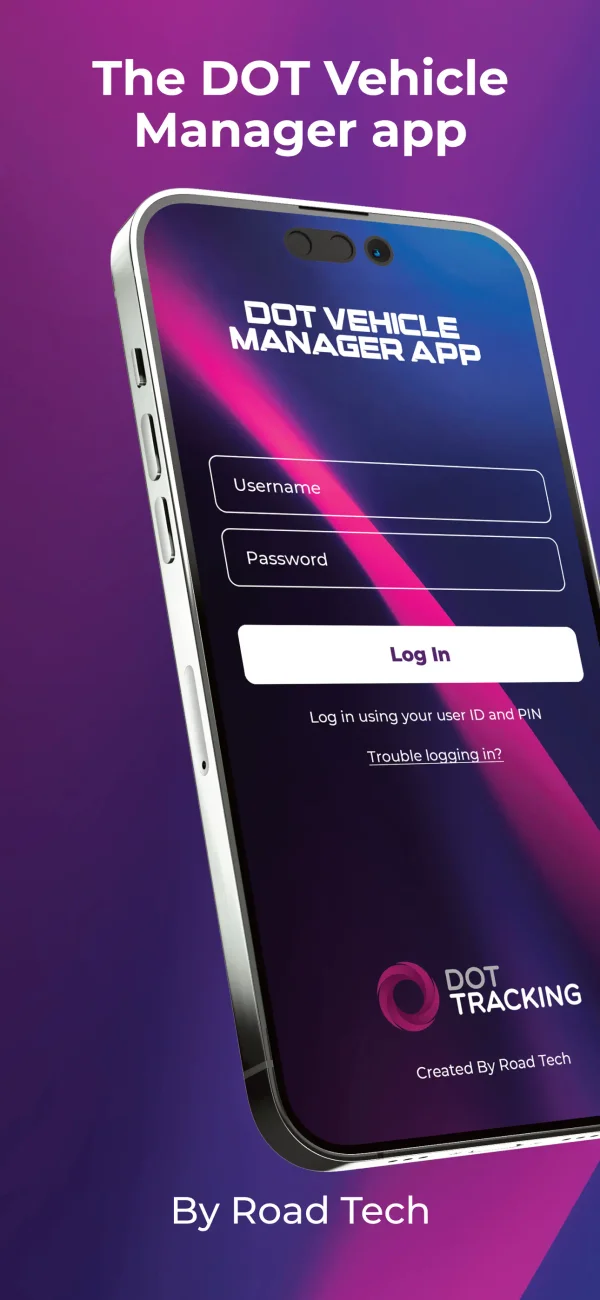
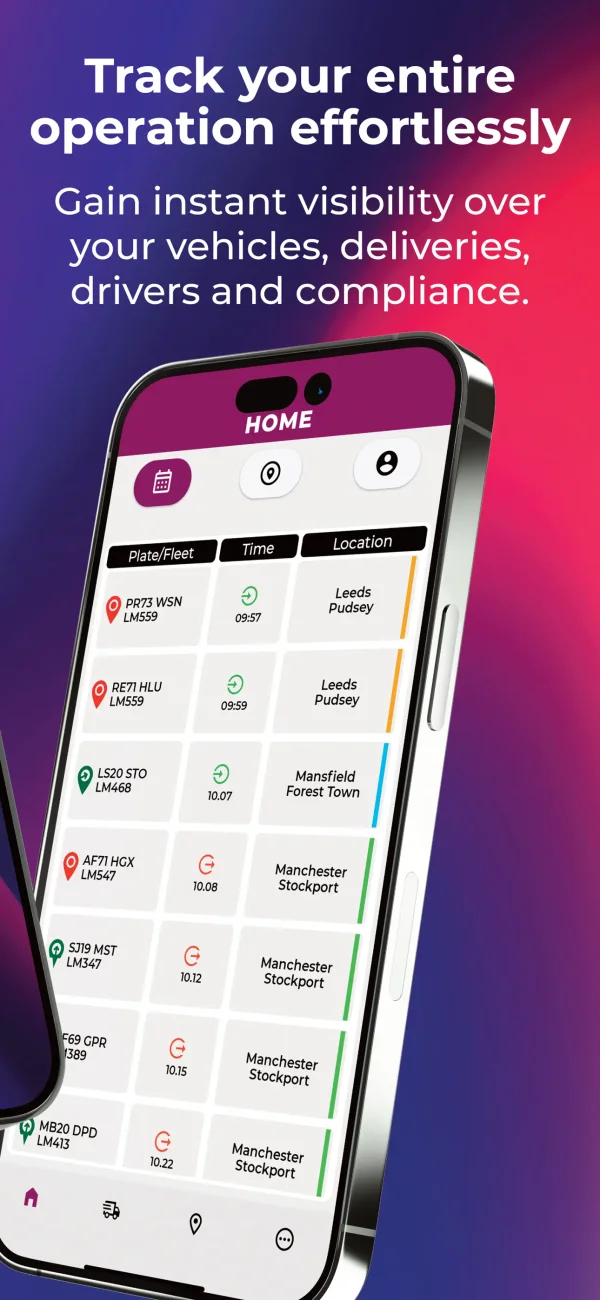
Introducing our latest innovation - the NEW DOT Vehicle Manager app. Take advantage of this powerful app to effortlessly increase fleet visibility and monitor the real-time activity of all your vehicles, drivers, deliveries and compliance via your smartphone.
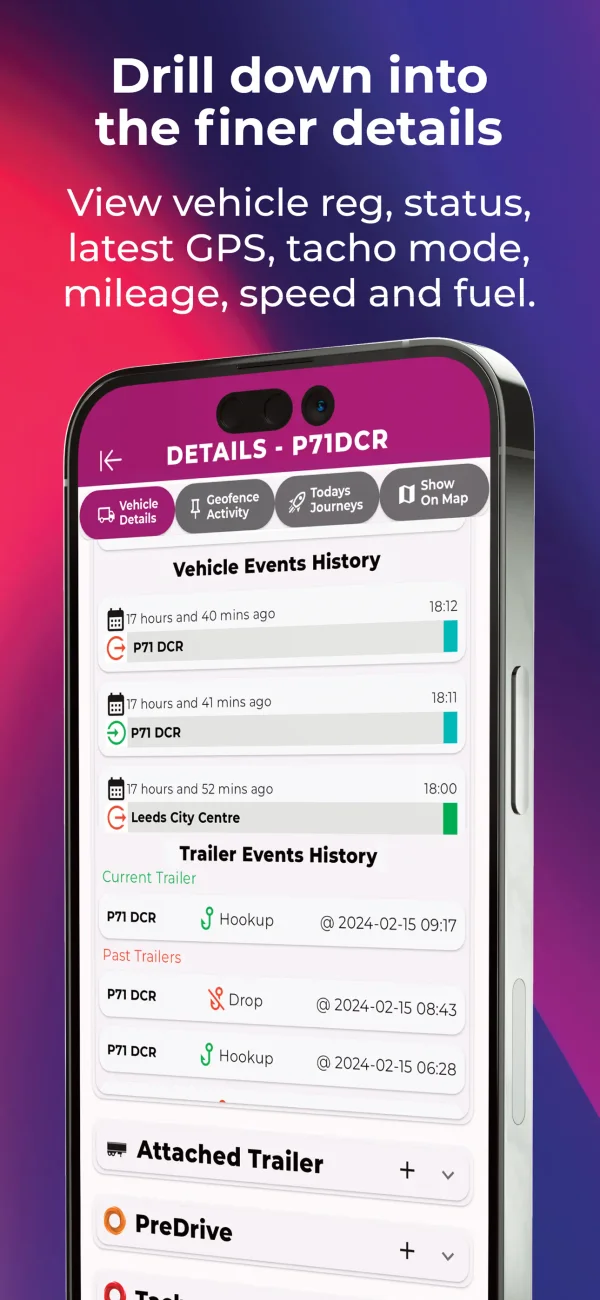
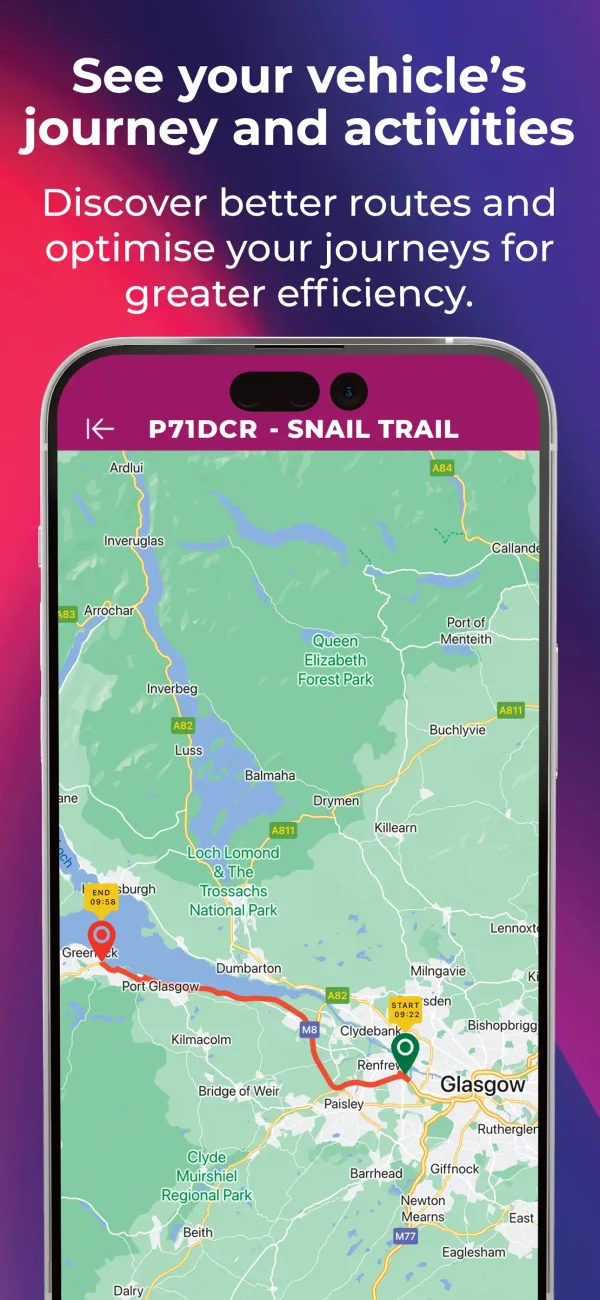
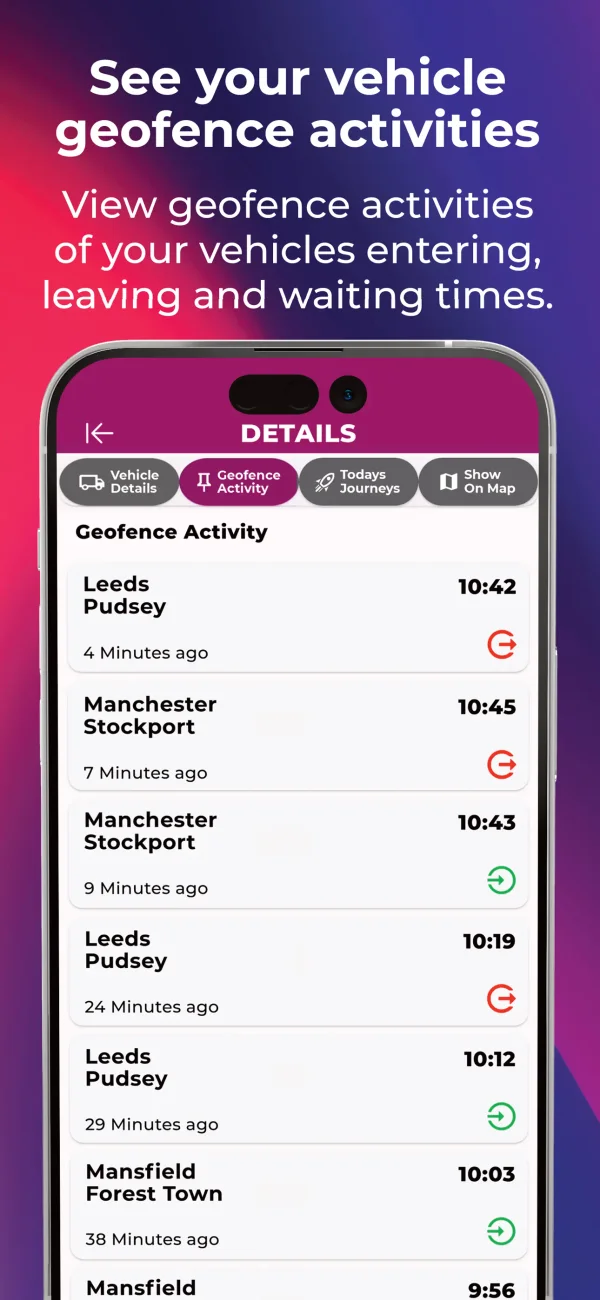
The app seamlessly integrates with all our software to offer you a range of fantastic benefits. Within a few clicks of the app, you can view vehicle details, including reg, activity status, location, sites, direction, mileage, fuel and speed in real-time. See Geofence activities of vehicles entering, leaving and waiting times. View start and finish times, locations, driver details, driver behaviour, distances, and the journey trails on Google Maps.
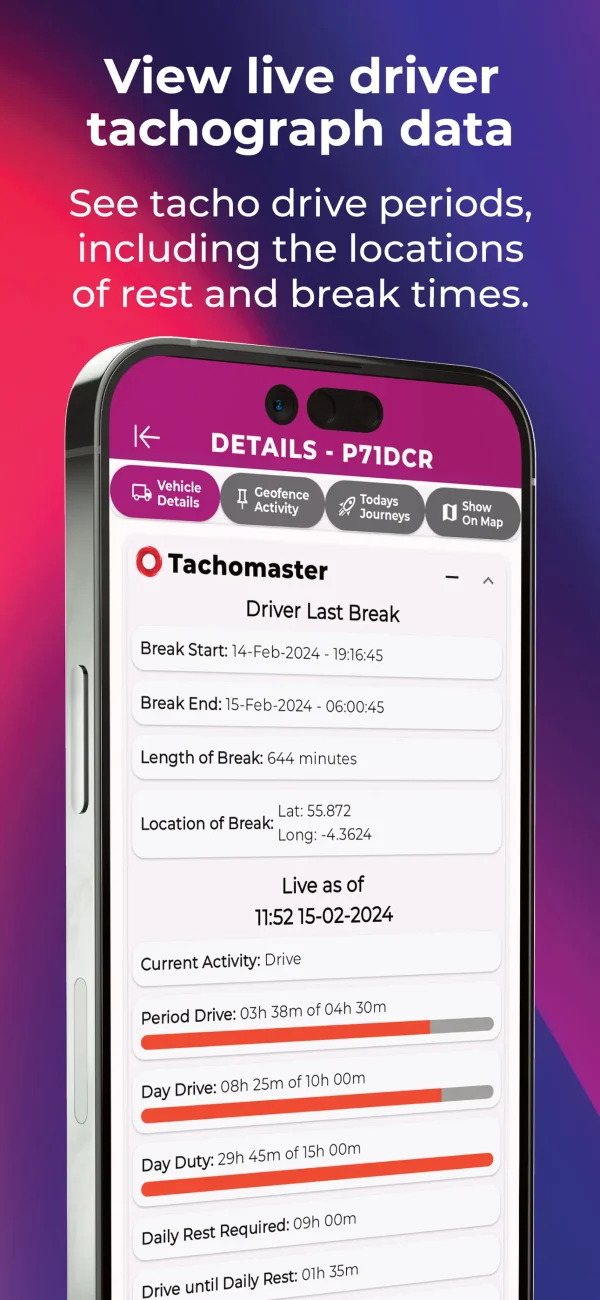
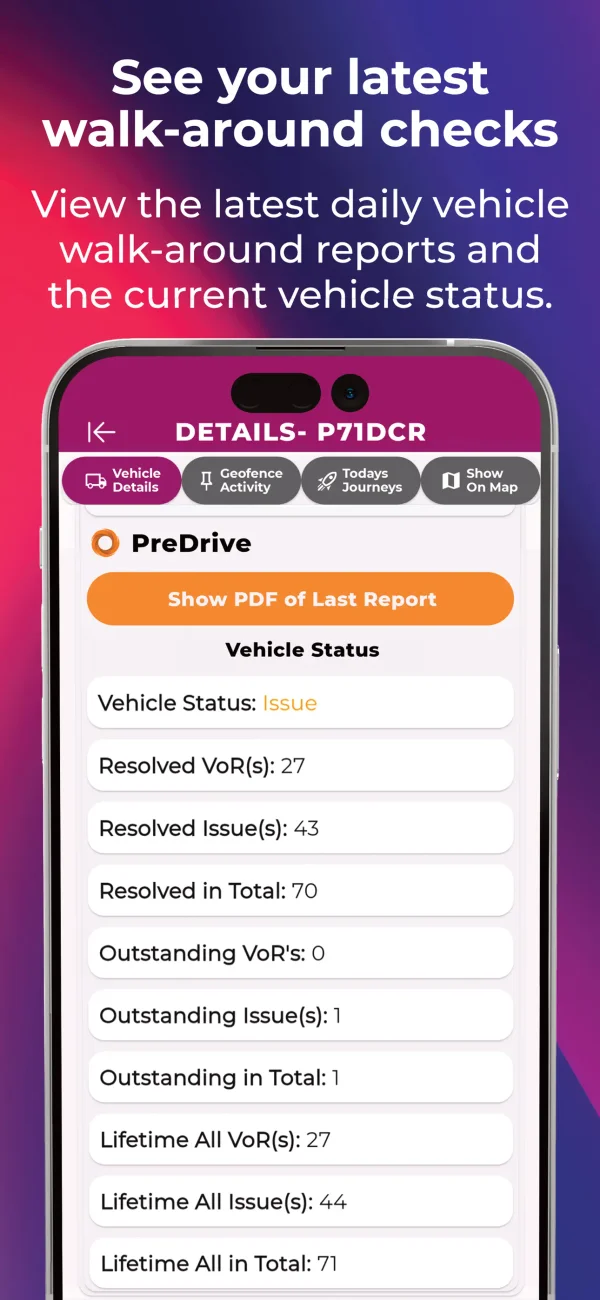
Effortlessly inspect the safety and compliance of your fleet. Review your driver's tachograph hours, break periods, and day duty left. Also, check that the vehicle isn't driven without a driver's card and has completed a vehicle walk-around check.
Ultimately, the DOT Vehicle Manager app increases your insight into your fleet's daily activities, enhances safety and boosts overall efficiency, making it an indispensable tool for fleet managers striving for success.
Core Benefits
• The app is FREE for DOT Tracking customers
• Access valuable live driver tacho data
• View live drive periods and time remaining
• Locate vehicles within a specific area of the map
• See vehicle activity, status, location and direction
• View geofence vehicles’ activities and waiting times
• Watch a specific vehicle for an allocated time
• See start and finish times, distances and snail trails
• View your vehicle walk-around inspections
• See vehicle activities such as site, speed and status
• View vehicle details including reg, status, latest GPS, tacho mode, mileage, speed and fuel.
What’s new
Version 1.1.5 · Jul 28, 2026
Version 1.1.5 Release Notes:
** Vehicle Location Screen Enhancements **
- Fixed a bug where the "Show Vehicle Trail" option from the vehicle marker popup was disabled for some vehicles.
- Fixed a crash when opening the Vehicle Location screen for a vehicle that has no GPS position yet. A "Location Unavailable" message is now displayed instead.
- If a vehicle loses its GPS position while the screen is open, the map now keeps showing the last known location.
** General Improvements **
- Improved the reliability of the entire app when the server returns incomplete data. This prevents crashes on the Home, Vehicles, Positions, Vehicle Snail Trail and Event Location screens.
- Updated all third-party libraries to their latest versions for better security and performance.
- General code improvements for better reliability and speed.
App privacy
What Road Tech Computer Systems Ltd. declares on the App Store about how this app handles data.
-
Data not collected
The developer does not collect any data from this app.
Privacy practices may vary, for example with the features you use or your age.
Information
- Seller
- Road Tech Computer Systems Ltd.
- Category
- Productivity
- Version
- 1.1.5
- Updated
- Jul 28, 2026
- Released
- Sep 6, 2024
- Size
- 41.0 MB
- Requires
- iOS 14.0 or later
- Age rating
- 4+
- Languages
- English
- Copyright
- © Road Tech Computer Systems Ltd
You might also like
-
 Convey ManagerProductivity
-
 Truckcom DriverProductivity
-
 HOLCIM+ DriverProductivity
-
 Roeville Driver AppFor use with PHCloud
-
 Infinity - 1st Call1st Call Mobile App
-
 SMART InspectorProductivity
-
 MyTruck GOMyTruck GO HOLCIM driver app
-
 SMART HandoverProductivity
-
 TransMaSProductivity
-
 VehocheckVehicle Inspection App