Downsizer: Photo & Video
Resize & compress media
Designed for iPhone, iPad, Mac
Free · In-app purchases
- Age rating4+
- CategoryPhoto & Video
- DeveloperChih-Yu Tung
- LanguagesEnglish
- Size3.6 MB
Links to the official App Store page
Download.org hosts no file of Downsizer: Photo & Video. The button opens its official App Store page, published by Chih-Yu Tung. Listing last checked on Nov 12, 2026.
Screenshots


About
Make photos and videos smaller without uploading them anywhere. Downsizer helps you meet upload limits, resize precisely, convert formats, and preview the result before you export.
A CLEANER PHOTO WORKSPACE
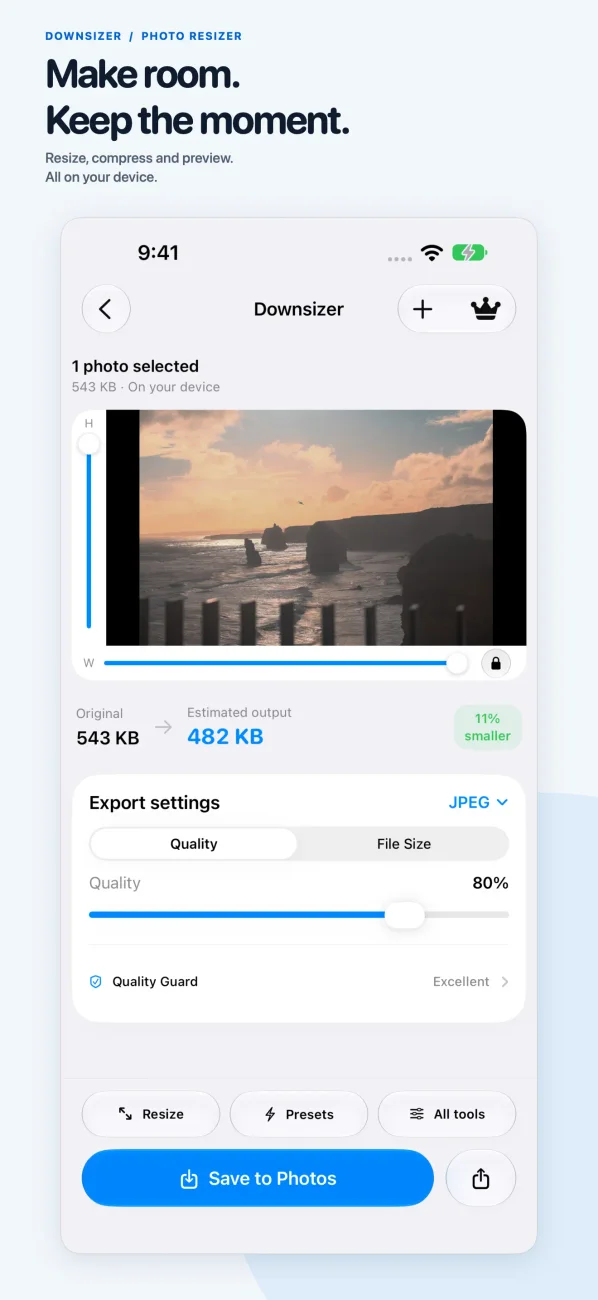
Tap the photo to reveal Original/Preview, zoom, and size details; tap again for a clean view. Adjust width and height beside the photo, keep proportions locked, and inspect details up close. Glass controls sit above solid, easy-to-read settings panels on iOS 26 or later; earlier supported versions use a native material appearance.
FIT UNDER A FILE-SIZE LIMIT
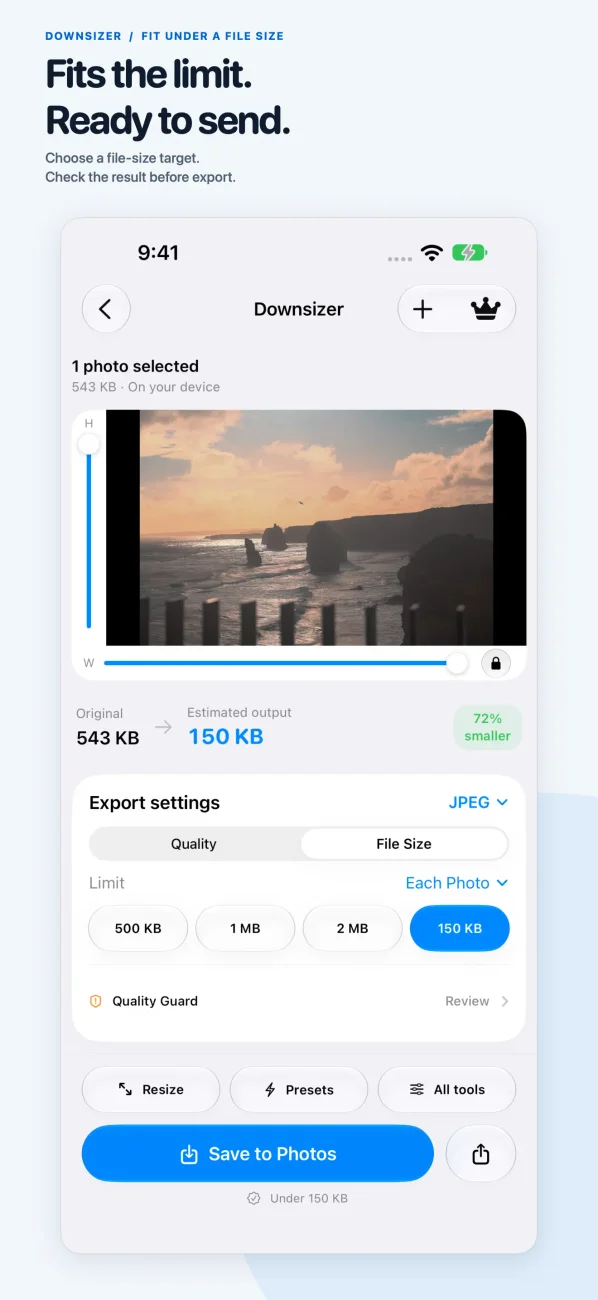
Enter a KB or MB target for JPEG, HEIC, or WebP. Choose a limit for each photo or one total for the whole selection. Downsizer adjusts compression and can reduce dimensions when needed, then checks the output before export. If your settings cannot meet the target, it asks you to adjust them. WebP and larger photo selections require Pro.
QUALITY GUARD
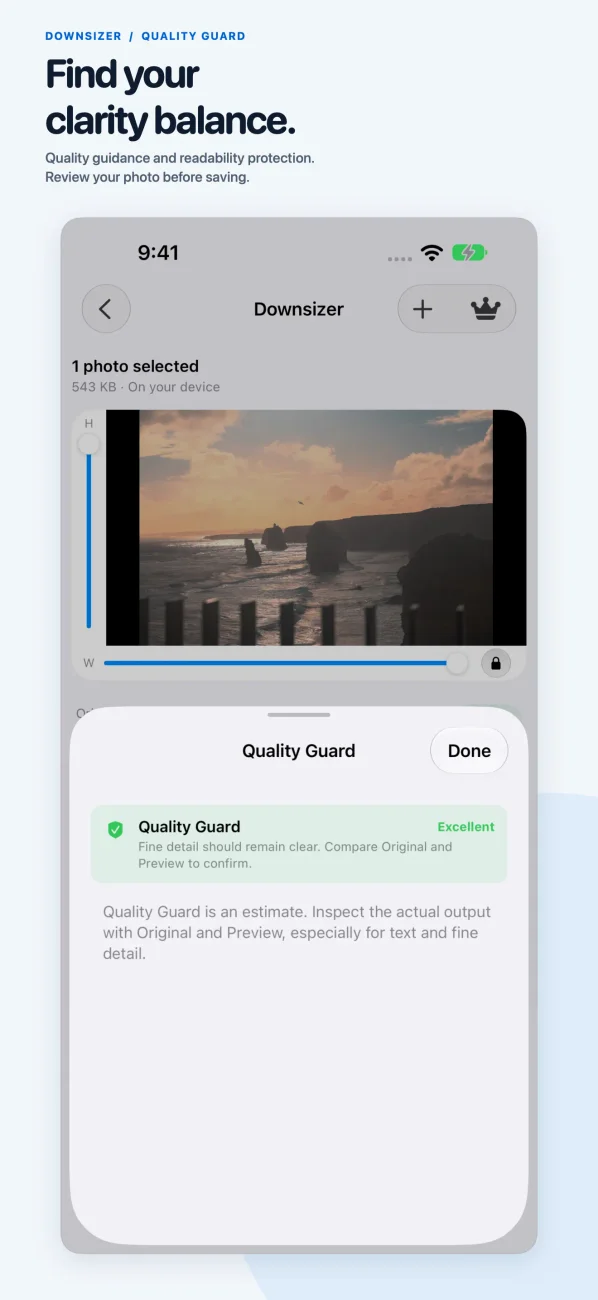
An Excellent, Good, or Review rating helps you assess the estimated result. Protect Readability sets a minimum compression quality and dimension scale. It is guidance, not a guarantee: compare the actual preview, especially for text and fine detail.
PRECISE RESIZING
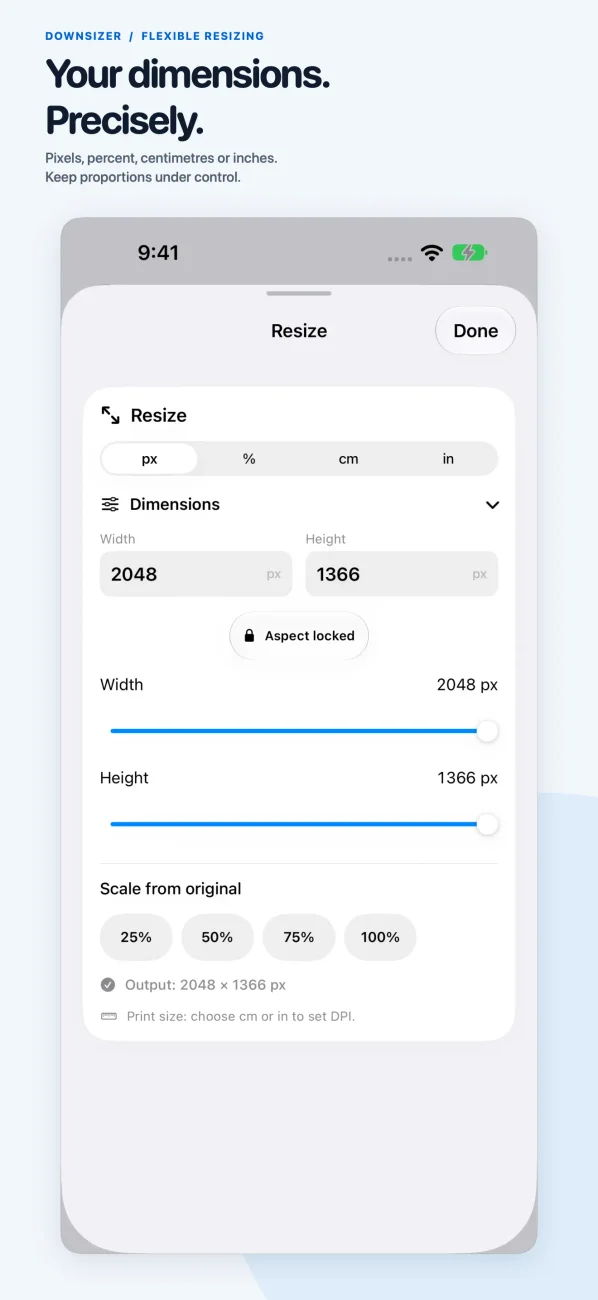
Use pixels, percent, centimetres, or inches. Set print resolution, use quick scale options, and control the aspect lock. Work with one photo or apply settings across a Pro batch.
QUICK PRESETS
Start with Email 10 MB, Web Upload, or Application Form, then fine-tune the settings. Use Quick Downsizer in the app, from the Photos share extension, or through Shortcuts.
CONVERT YOUR PHOTOS
Convert HEIC photos to JPEG or PNG, or choose HEIC for efficient storage. JPEG, HEIC, and PNG are included free. Pro adds WebP and PDF. Supported embedded metadata is retained where the output format allows it.
COMPRESS VIDEO
Choose Original, 1080p, 720p, or 480p. Adjust quality or enter a target size, choose H.264 or HEVC, export MP4, MOV, or M4V, and optionally remove audio. Video target sizes are estimates; the final size can vary.
SAVE OR SHARE
Save copies to Photos or share to Files, Mail, Messages, AirDrop, and other apps. Import directly from Apple Photos with Add to Downsizer. Deleting originals is optional and requires an iOS confirmation.
PRIVATE BY DESIGN
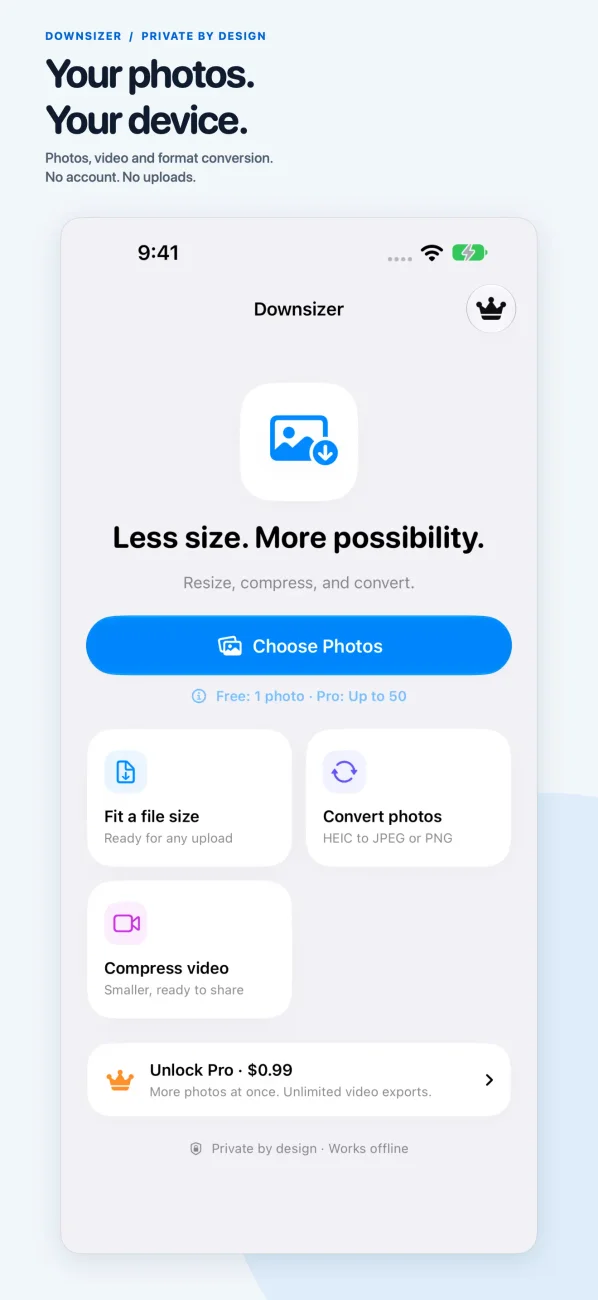
Photo and video processing stays on your iPhone or iPad. No account, no ads, and no media uploads to a Downsizer server.
FREE AND PRO
Free includes unlimited photo exports, one photo at a time, with JPEG/HEIC/PNG, resizing, file-size targets, Quality Guard, presets, and the first completed video export.
Downsizer Pro is a one-time purchase, not a subscription. It unlocks larger batches: up to 50 photos on supported higher-memory devices, or up to 20 on other supported devices. Pro also includes WebP, PDF, and unlimited video exports. Restore Purchase is available for existing purchasers.
What’s new
Version 2.3 · Sep 20, 2026
A fresh look, with your favourite tools still close at hand.
• Refined Liquid Glass controls with solid, easy-to-read settings panels.
• A more compact photo preview with smaller controls and less unused space.
• Tap the photo to show comparison, zoom, and size details; tap again to hide them.
• Adjust H and W beside the preview, with aspect locking and live output dimensions.
• Switch between Original and Preview and enlarge the photo to inspect details.
• Get to Resize, Presets, Quality Guard, and All tools from a cleaner workspace.
• Keep the tools you already use: file-size targets, whole-batch limits, format conversion, video compression, and share-extension imports.
Free and Pro features are unchanged. All photo and video processing remains on your device.
App privacy
What Chih-Yu Tung declares on the App Store about how this app handles data.
-
Data not collected
The developer does not collect any data from this app.
Privacy practices may vary, for example with the features you use or your age.
Information
- Seller
- Chih-Yu Tung
- Category
- Photo & Video
- Version
- 2.3
- Updated
- Sep 20, 2026
- Released
- Jul 15, 2026
- Size
- 3.6 MB
- Requires
- iOS 17.0 or later
- Age rating
- 4+
- Price
- Free
- In-app purchases
- Yes
- Languages
- English
- Copyright
- © 2026 Nonagon Studio
You might also like
-
 Picto: Photo & Image ConverterCompress & Convert Photos
-
 Video Compress: Crop & ResizeShrink, Trim, Reduce File Size
-
 Resize Image - Batch ResizerInstantly resize your photos
-
 Stitch - ScreenShot StitcherLong screenshot stitching
-
 moarpixelson-device 4× photo upscaler
-
 Time Warp Scan: Live CameraBlue Line Photo Video Filter
-
 Blur Faces: Photo & VideoRedact screenshots, text & ID
-
 Video to GIF: ViftoMaker, Editor & Converter
-
 Deface: Blur Faces in VideoCensor, Pixelate & Hide Photo