- Age rating4+
- CategoryPhoto & Video
- DeveloperPin Shun Wu
- LanguagesEnglish
- Size20.2 MB
Links to the official App Store page
Download.org hosts no file of DrinkCam. The button opens its official App Store page, published by Pin Shun Wu. Listing last checked on Nov 18, 2026.
Screenshots
About
drinkcam - the KissCam, for weddings
You know the KissCam at a basketball game: the camera finds someone in the
crowd and the whole arena reacts. drinkcam is that, for a wedding reception.
Except when the camera finds you, you take a drink.
NO CREW. NO RIGS. JUST THE PHONES ALREADY IN THE ROOM.
You don't need a videographer, a tripod, a switcher or a broadcast van.
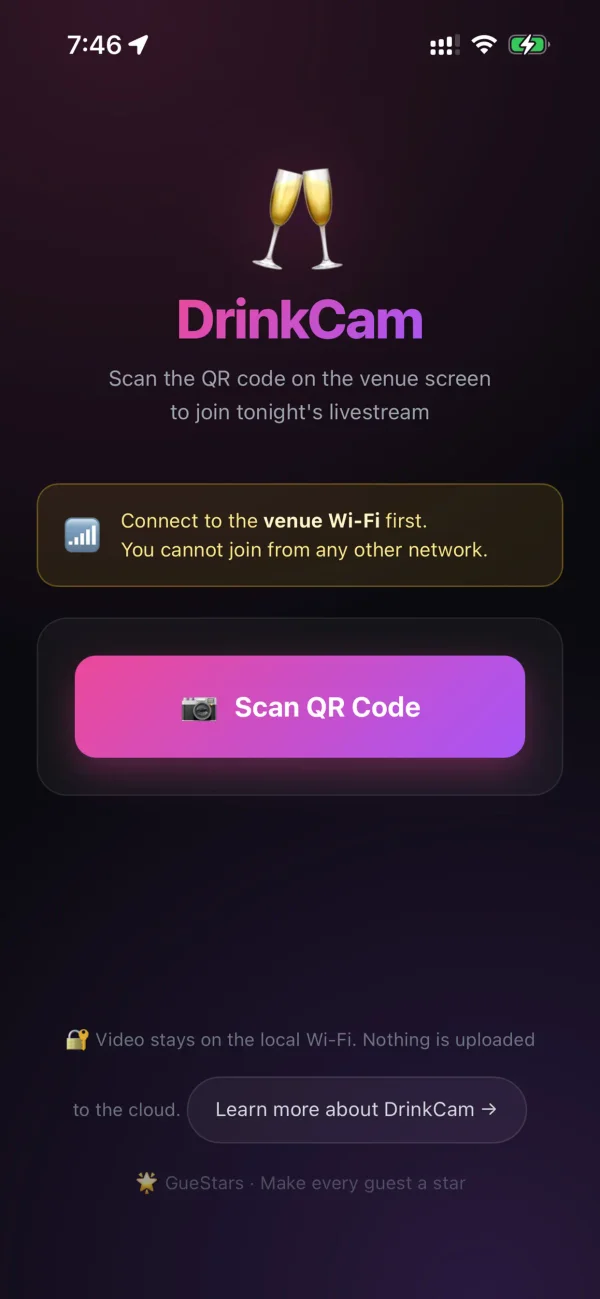
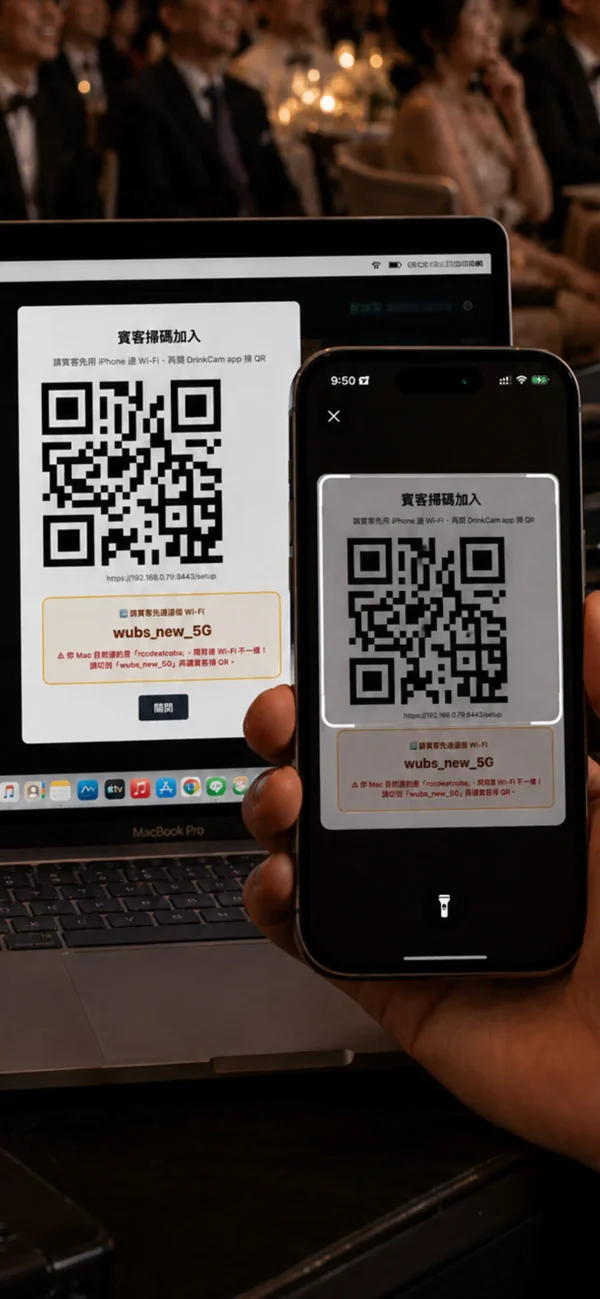
Guests and staff scan a QR code with their own iPhones, and every one of
those phones becomes a live camera feeding the big screen.
WHAT ACTUALLY HAPPENS AT THE PARTY
The toast is the loudest part of the night, and almost none of it gets seen.
It stays trapped in fifty different phones.
drinkcam pulls those phones onto one screen. The host flips between them,
and whoever lands on screen becomes the centre of the room. Frame someone
mid-toast and the whole hall shouts at them to drink.
FEATURES
- Scan the QR code and you are live in about 3 seconds, no signup
- Up to 16 phones at once, grid preview, one-tap switching
- Lottery mode: the grid spins and lands on one guest
- Sticker overlays: crown, hearts, champagne, roses
- Avatar stickers: take a selfie, the background is removed automatically,
add an outline and a caption, and it shows up on the host screen and the big screen
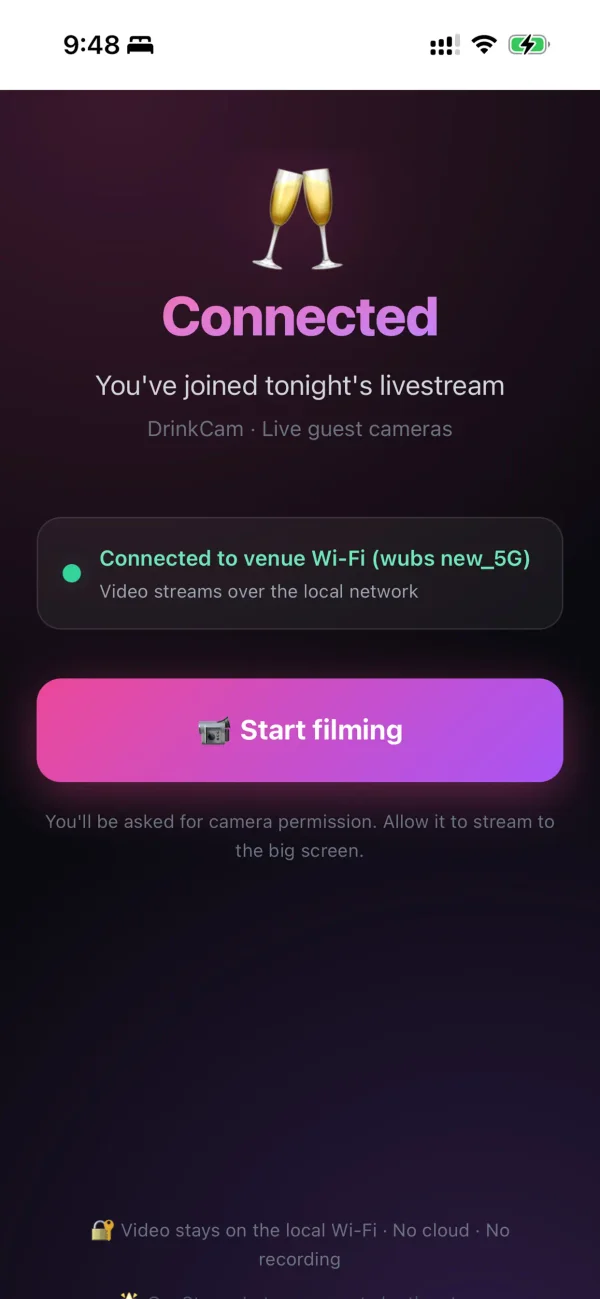
- Your phone lets you know when your camera is on the big screen
- Follows your phone language automatically (English / Chinese)
Tested with 15 phones on a single M1 MacBook, with no lag.
HOW THE SYSTEM WORKS
drinkcam has two halves, and this app is the CAMERA half:
This app (free): guests and staff film
drinkcam Director (paid Mac software): the host machine that receives every
phone, switches between them, runs the lottery and drives the big screen
The app on its own cannot start a livestream. It has to connect to a Mac
running Director on the same local Wi-Fi. If you are planning your own
event, see guestars.app/drinkcam for the full kit list.
PRIVACY
- Video travels only across the venue Wi-Fi and is never uploaded to the cloud
- A copy of what you film is kept on your own phone (you can turn this off
before you start); it is never sent to us
- Avatar stickers are made on your phone and stored only on the host Mac at
the venue, never in the cloud
- No names, phone numbers, emails, photo library access or ad IDs
- The app only connects to local venue addresses, so a fake QR code cannot
redirect you to an outside website
- When the event ends the service shuts down; our servers never handle your video
Full policy: guestars.app/privacy
FOR PLANNERS AND ORGANISERS
We license the Mac software and rent the kit: router, on-site support.
Ask about per-event pricing, team training and white-label branding.
We work with couples and planners across Taiwan, including many who have
come back from overseas and want a reception that feels like the ones they
grew up with.
hello@guestars.app
guestars.app/drinkcam
REQUIREMENTS
- iOS 15.5 or later
- Connected to the Wi-Fi the organiser provides
- A Mac running drinkcam Director on the same network
GueStars: let your guests be the stars of the night.
What’s new
Version 1.1.1 · Nov 17, 2026
Important fix
• Fixed the app closing right after launch on iPhones running iOS 17 or earlier (e.g. iPhone 8, X, 11)
A fresh new look
• Warm, wedding-style design for the scan screen
• New avatar stickers: take a selfie, the background is removed automatically, then pick an outline and a caption. Your sticker appears on the host screen and the big screen
• See "You're on the big screen!" when your camera goes live
• Better picture quality and stability, streaming in 1080p when the network allows
App privacy
What Pin Shun Wu declares on the App Store about how this app handles data.
-
Data not linked to you
May be collected but is not linked to your identity.
- User content
Privacy practices may vary, for example with the features you use or your age.
Information
- Seller
- Pin Shun Wu
- Category
- Photo & Video
- Version
- 1.1.1
- Updated
- Nov 17, 2026
- Released
- Jun 11, 2026
- Size
- 20.2 MB
- Requires
- iOS 15.5 or later
- Age rating
- 4+
- Price
- Free
- Languages
- English
- Copyright
- © 2026 Wu Pin Shun · GueStars
You might also like
-
 Love Cam Effects - HeartLensLove Filter-Effect, Collection
-
 Kiss Face CameraYou can take a kissing face!
-
 PaPiin 台灣影視創作者的創新平台Photo & Video
-
 Director ModeMulti-camera monitor & control
-
 Before and After AppLine up perfect after photos
-
 OverCam – Photo Overlay CameraAlign & Recreate: Pose Guide
-
 PastShot: Then & Now CameraStep into your old photos
-
 Apollo - Camera OverlayBefore and After Photos
-
 Suila — Video EditorSpeed curves, captions, music
-
 TinTint - Make Your PhotobookMake photo prints and canvas