
Suila — Video Editor
Speed curves, captions, music
Designed for iPhone, iPad
Free · In-app purchases
- Age rating4+
- CategoryPhoto & Video
- DeveloperHanpo
- LanguagesEnglish+ 5 more
- Size43.2 MB
Links to the official App Store page
Download.org hosts no file of Suila — Video Editor. The button opens its official App Store page, published by Hanpo. Listing last checked on Nov 28, 2026.
Screenshots

About
Suila is a video editor for iPhone and iPad. Open it and start cutting — no sign-in.
What's in it:
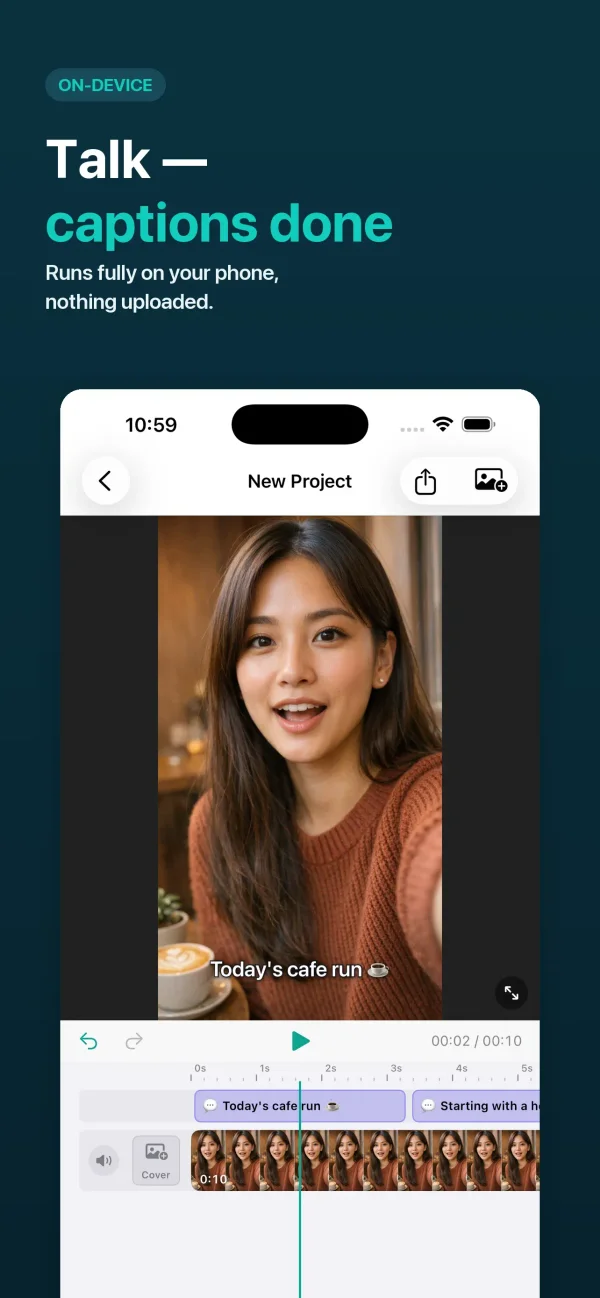
• Auto captions (on device): speech to captions in dozens of languages — Traditional Chinese, English, Japanese, Korean and more. Add a second language for bilingual captions; translation and polish also run on the device. Edit by hand, drag them into place, import and export SRT.
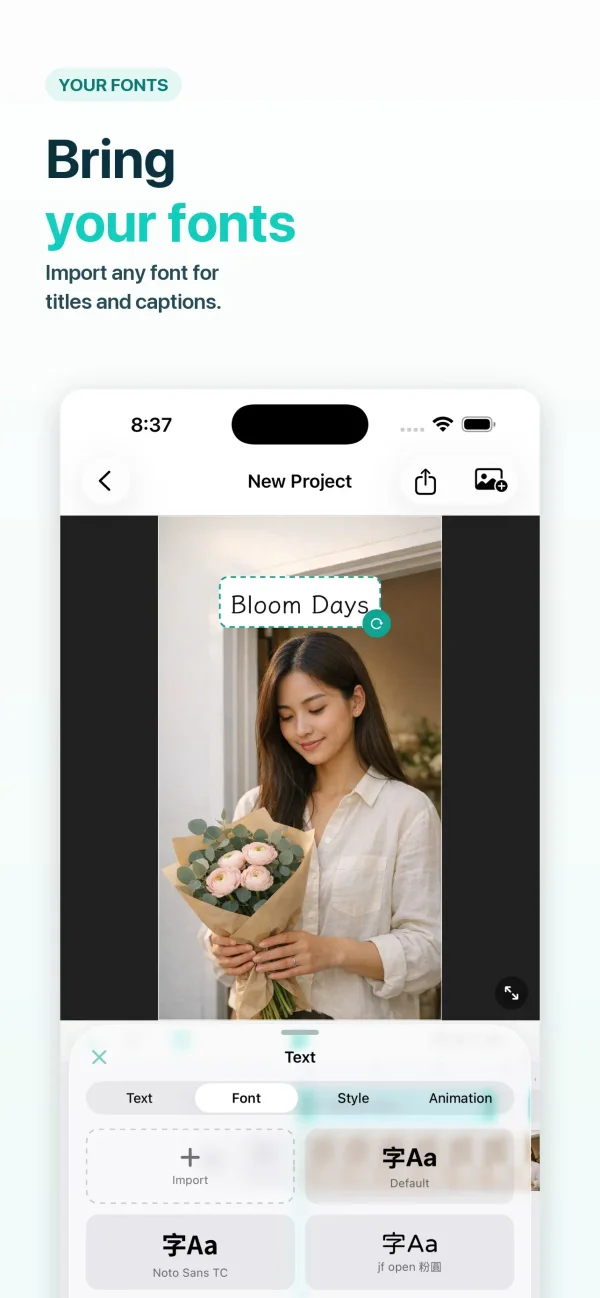
• Caption styling: font, color, outline, shadow, size and position, with 63 Traditional Chinese, Japanese, Korean and Latin fonts downloaded on demand — or import your own .ttf/.otf.
• Beauty: finds faces automatically and retouches skin only — smoothing, dark circles, blemishes — features stay untouched.
• Automatic face mosaic: faces are tracked frame by frame and pixelated or blurred; tap once to keep the main subject.
• Voiceover and teleprompter: record narration straight into the phone with your script on screen.
• Pitch: raise or lower video sound, music, voiceover and sound effects by up to 12 semitones; Preserve Formants keeps voices natural.
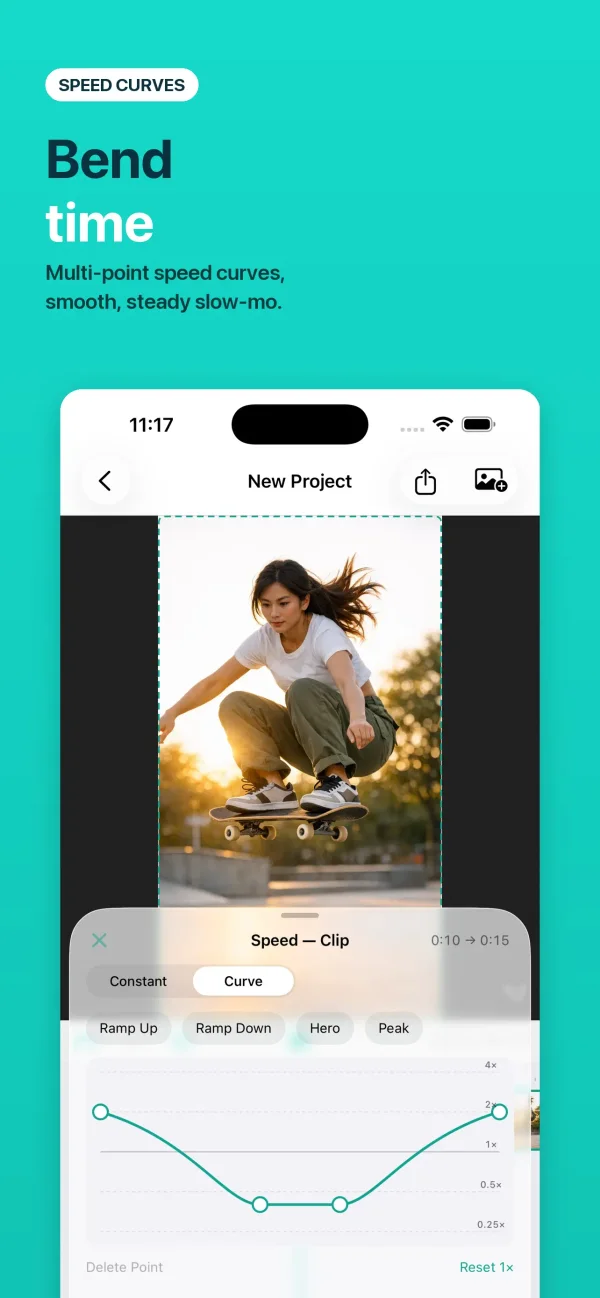
• Multi-point speed curves: add control points for smooth slow motion and speed ramps; reverse and freeze frame too.
• Intuitive timeline: split, trim, long-press to reorder; deleting closes the gap, no black frames.
• Text and stickers: free placement, colors, outline, shadow; separate in, loop and out animations with 22 per-letter moves; emoji and sticker packs.
• Title Cards: Chapter Card, Chat Bubbles, Countdown 3-2-1 and Name Tag — pick one, type your text and insert it; drag and pinch to scale on the canvas.
• Filters, color and effects: cinematic LUTs, brightness/contrast/saturation/temperature, underwater correction, plus 15 visual effects.
• 27 transitions and keyframe animation.
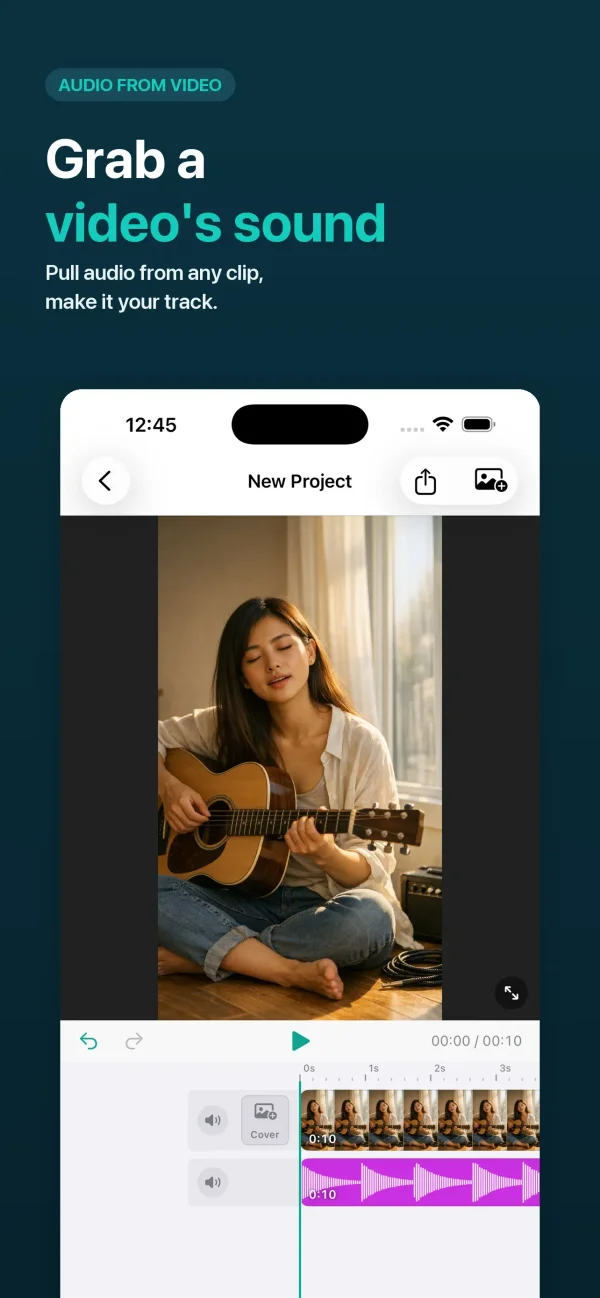
• Picture-in-picture, extract audio from video, your own music and built-in sound effects, watermark, cover, end card.
• Six canvas ratios (9:16, 1:1, 16:9, 4:5, 3:4, 4:3), 4K export — what you preview is what you get.
Your videos, audio and projects stay on your device; no tracking, no personal data collected.
Cut it, and 水啦!
Terms of Use (EULA): https://www.apple.com/legal/internet-services/itunes/dev/stdeula/
Privacy Policy: https://suila.app/privacy
What’s new
Version 1.18.0 · Nov 27, 2026
Preview Grid and Edge Snapping
• Preview grid: tap the grid button at the top right of the preview to show rule-of-thirds lines. Text, stickers, picture-in-picture and title cards snap to the lines as you drag them close, so framing is easier.
• Edge snapping: an object's edges snap to the edges of the frame. On a 9:16 canvas with a platform picked, they also snap to the safe area, so text isn't hidden behind the Reels or TikTok interface.
• Delete several projects at once: tap Select in the project list, check the projects and delete them together.
• Music Library previews: tap or drag the progress bar to jump to the part you want to hear.
• If a caption language model download gets stuck, the app now tells you after a while and lets you retry or cancel instead of spinning forever.
• More reliable pitch: if pitch can't be applied, export stops and tells you instead of exporting at the original pitch; slow-motion clips can't be pitched yet, and the audio panel now says so.
App privacy
What Hanpo declares on the App Store about how this app handles data.
-
Data not collected
The developer does not collect any data from this app.
Privacy practices may vary, for example with the features you use or your age.
Information
- Seller
- HANPO CHENG
- Category
- Photo & Video
- Version
- 1.18.0
- Updated
- Nov 27, 2026
- Released
- Jun 23, 2026
- Size
- 43.2 MB
- Requires
- iOS 26.0 or later
- Age rating
- 4+
- Price
- Free
- In-app purchases
- Yes
- Languages
- English, Japanese, Korean, Simplified Chinese, Spanish, Traditional Chinese
- Copyright
- Copyright © 2026 Hanpo. All rights reserved.
You might also like
-
 umiologJust connect 1–2 second clips
-
 EZ CamPhoto & Video
-
 For Reel - Auto Vlog MakerPhotos to video, no editing
-
 AIO CameraLive color, manual, RAW output
-
 Photo Legacy: Album ScannerScan old photos page by page
-
 Sub CameraEssential Camera for Work
-
 Fonting: Font Editor for IGEasy Editing
-
 Passage: Flight Photo MapTravel Route Overlay & Recap
-
 DICA SeoulHigh-Res Vintage Digicam
-
 Tenra: Film Camera, DarkroomFilm filters & darkroom ritual