
- Age rating4+
- CategoryUtilities
- DeveloperMARCO ABBATTISTA
- LanguagesEnglish+ 8 more
- Size23.4 MB
Links to the official App Store page
Download.org hosts no file of DropLink. The button opens its official App Store page, published by MARCO ABBATTISTA. Listing last checked on Nov 15, 2026.
Screenshots
About
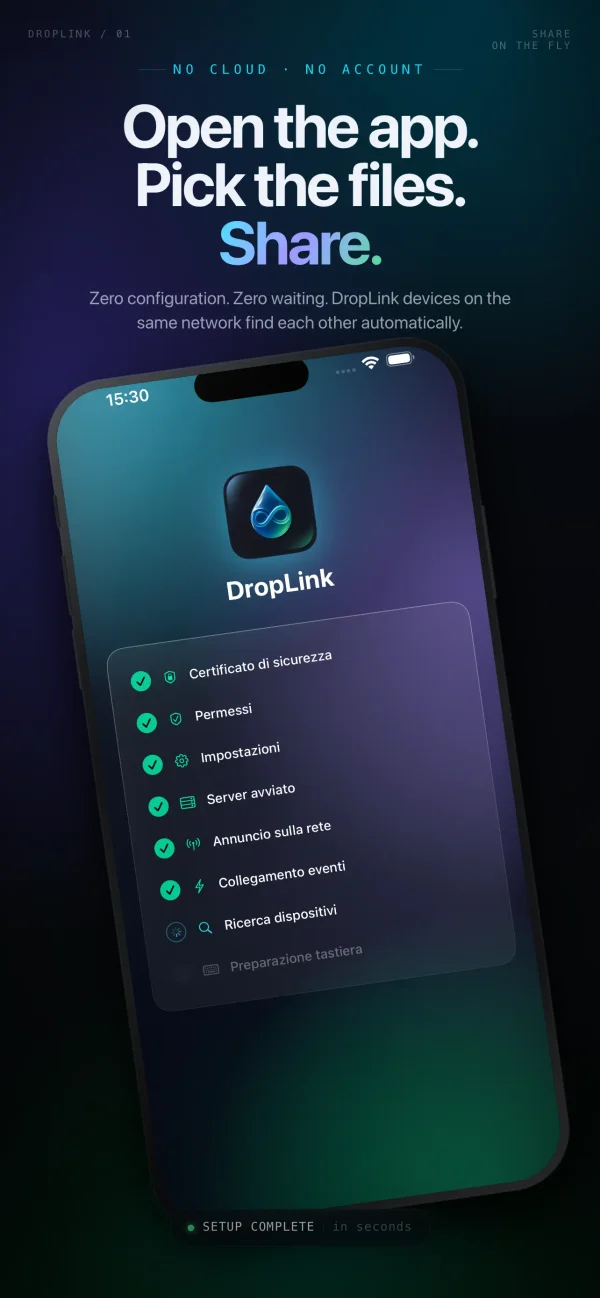
No cloud. No account. No waiting.
DropLink is the fastest and most secure way to share files. Locally on your WiFi or remotely with a link — no sign-up, and your files never end up on someone else's server.
Zero setup, just works Open the app, pick your files, share. DropLink devices on the same network find each other automatically. No IPs to copy, no codes to type.
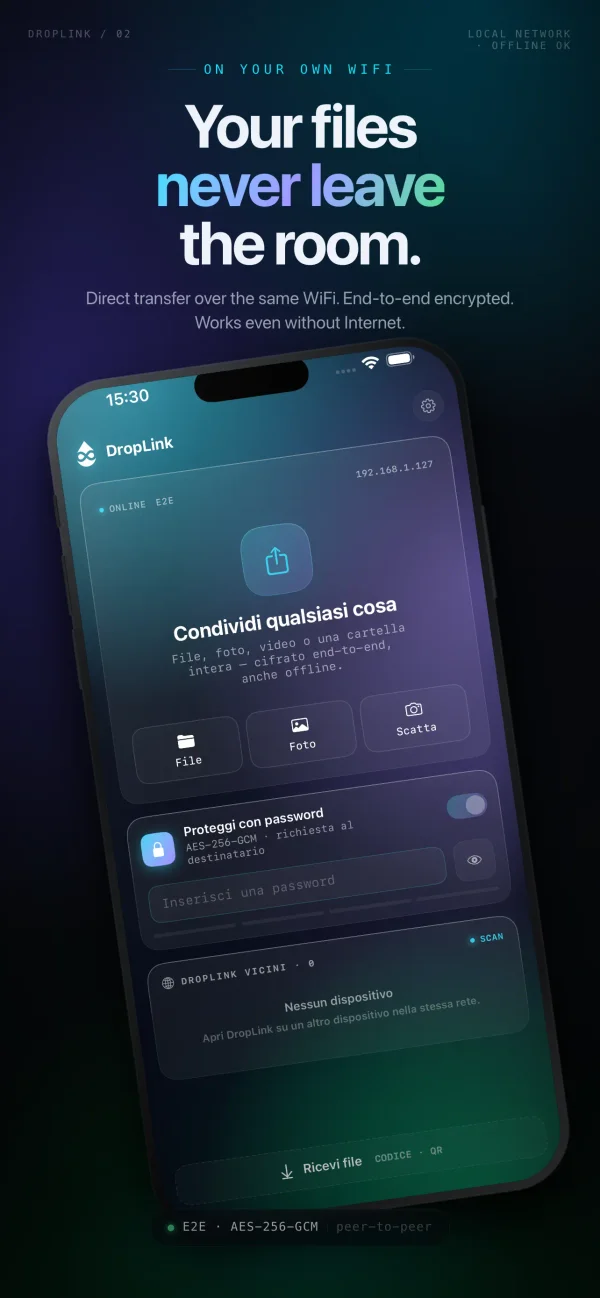
Share locally, even offline Same WiFi, direct transfer. Works without Internet. Your files never leave the room.
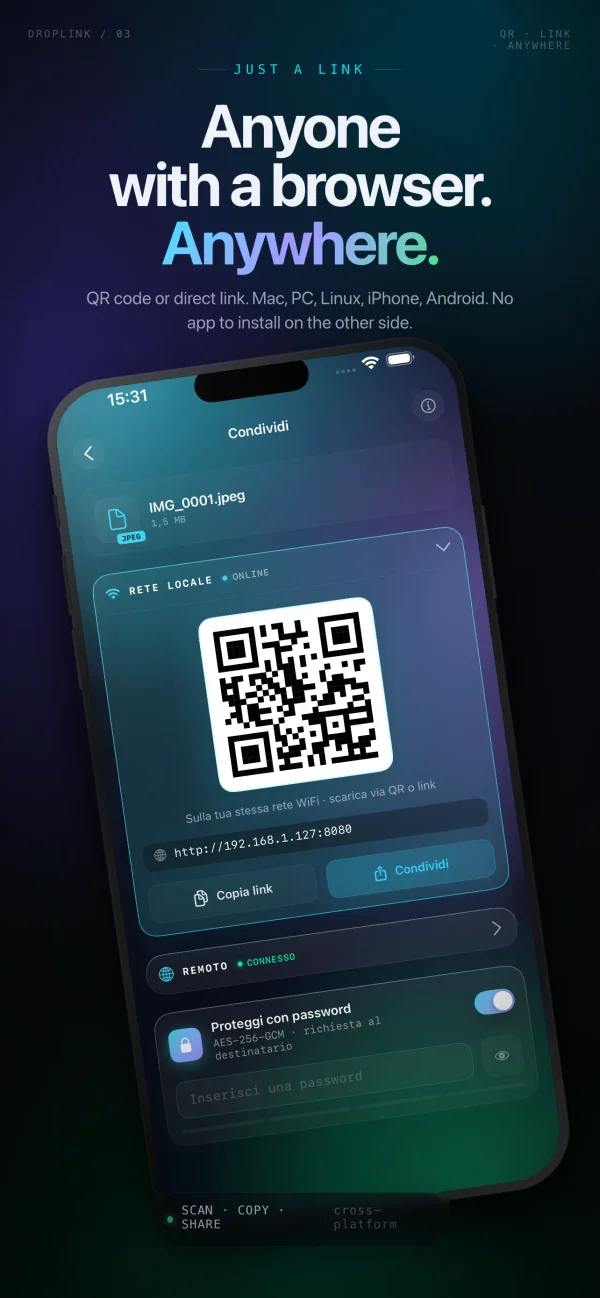
Share remotely with a link Not on the same network? DropLink generates a link that works from any browser, anywhere. The transfer goes through a secure, encrypted relay. If both devices use DropLink, the transfer is direct peer-to-peer — even faster.
Your files, your business No account. No tracking. No data collection. Files are never stored on external servers. They go from you to the recipient, period.
Password protection Add a password and only those who know it can download. Simple.
Real speed Locally, speed depends only on your WiFi — no cloud bottleneck. Remotely, direct peer-to-peer between DropLink clients uses all available bandwidth.
Multiple files? DropLink handles it Folders, projects, photo collections: everything is automatically compressed into ZIP. Real-time progress bar and cancel anytime.
Built into Finder Right-click, share. Directly from Finder, without opening the app. So you'll actually use it.
Two modes, zero hassle Send — Pick your files, generate a link, share it via QR code or however you like. Receive — Enable receiving and other devices can send you files straight to your Downloads folder.
Perfect for:
Working with sensitive data without relying on the cloud
Offices, schools, and classrooms with no Internet
Meetings, workshops, and live presentations
Large files with no size limits
Anyone tired of creating accounts just to share a file
DropLink. Share instantly, no compromises.
What’s new
Version 3.0.1 · Nov 15, 2026
- Secure local link: when available, browsers on your network download over HTTPS, faster with large files.
- Sharing several files or a folder no longer makes temporary copies on your device.
- Clearer permission requests, with a direct link to Settings.
- The remote code stays on screen after you unlock your phone.
- More reliable discovery of nearby devices.
- The transfer summary no longer includes earlier downloads.
- Security and stability fixes.
App privacy
What MARCO ABBATTISTA declares on the App Store about how this app handles data.
-
Data not collected
The developer does not collect any data from this app.
Privacy practices may vary, for example with the features you use or your age.
Information
- Seller
- MARCO ABBATTISTA
- Category
- Utilities
- Version
- 3.0.1
- Updated
- Nov 15, 2026
- Released
- May 20, 2025
- Size
- 23.4 MB
- Requires
- iOS 16.0 or later
- Age rating
- 4+
- Price
- Free
- Languages
- English, Arabic, French, German, Greek, Italian, Russian, Simplified Chinese, Spanish
- Copyright
- © 2026 Abbattista Marco
You might also like
-
 LaplasianSingle email any share
-
 Cleaner One: Photo CleanupDuplicate Finder & Optimizer
-
 WiFi Heatmap: Signal CoverageStrength Meter & Site Survey
-
 File Converter - LocalConvertImage to PDF & Format Changer
-
 SideKey: Custom Action ButtonLock Launcher & Shortcuts
-
 Chat AI Assistant Genius BotAsk Genie GPT4o Agent Chatbot
-
 ContactMerge+ Contacts CleanerMerge, Delete Duplicates, Undo
-
 Finger Chooser - OneChooseRandom Picker, Who Goes First
-
 BIShare: File Transfer to PCSend Large Files to Any Phone
-
 Hide Photos & Videos - PRAMSecret Album & Private Vault