Dual Camera: DuoTake
Split Screen, Front & Back Cam
Designed for iPhone
Free · In-app purchases
- Age rating4+
- CategoryPhoto & Video
- DeveloperAdriano Souza Costa
- LanguagesEnglish+ 9 more
- Size99.0 MB
Links to the official App Store page
Download.org hosts no file of Dual Camera: DuoTake. The button opens its official App Store page, published by Adriano Souza Costa. Listing last checked on Nov 23, 2026.
Screenshots



About
DuoTake is a dual camera app to record split screen videos with the front and back cameras at the same time. Keep your face and the scene together in picture in picture (PiP), split screen, Cover or Cutout, add auto captions made on your iPhone and read your script on the teleprompter. Made for reaction videos, vlogs, reviews, unboxings and tutorials. New: frames for the front camera, starting with a Christmas garland.
Auto captions
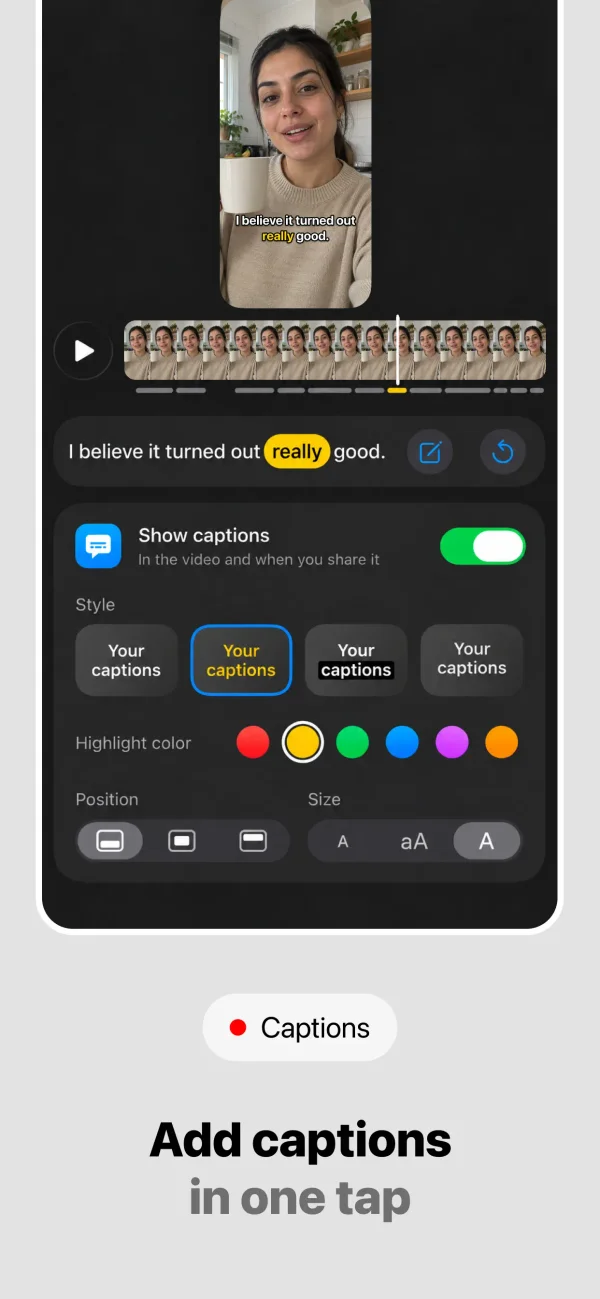
Open a video from the gallery, choose the spoken language and DuoTake transcribes it on your iPhone. Your audio stays on your device, and once the language's speech model is downloaded, captions work fully offline. Place them at the top, middle or bottom, pick small, medium or large, and tap any word to fix it. Show or hide captions at any time: when shown, they appear in the video and when you share it.
The Classic style is free for everyone. Premium unlocks every style: Highlighted word in six colors, Box and Single word.
Choose the layout that fits your story
• Picture-in-picture (PiP) keeps one camera in a smaller view.
• Cover highlights one camera and overlays the other.
• Vertical or horizontal split screen shows both views.
• Cutout places the person from the front camera over the rear view.
Frames for the front camera
In PiP and Cover, tap the front camera and choose a frame. The first one is the Garland: pine branches with twinkling lights, small ornaments and a shining star on top. The frame follows the size and position you pick and appears on screen, in your photos and in your videos. Add the Snow effect to let flakes fall over the rear camera.
Take photos or record video, adjust the rear-camera zoom and composition, then review your media in the local gallery. Share with the system share sheet or save to Photos. Use it for reaction videos, commentary, unboxings, product reviews, tutorials, presentations and behind-the-scenes moments, all in one capture instead of combining separate recordings later.
React to any content
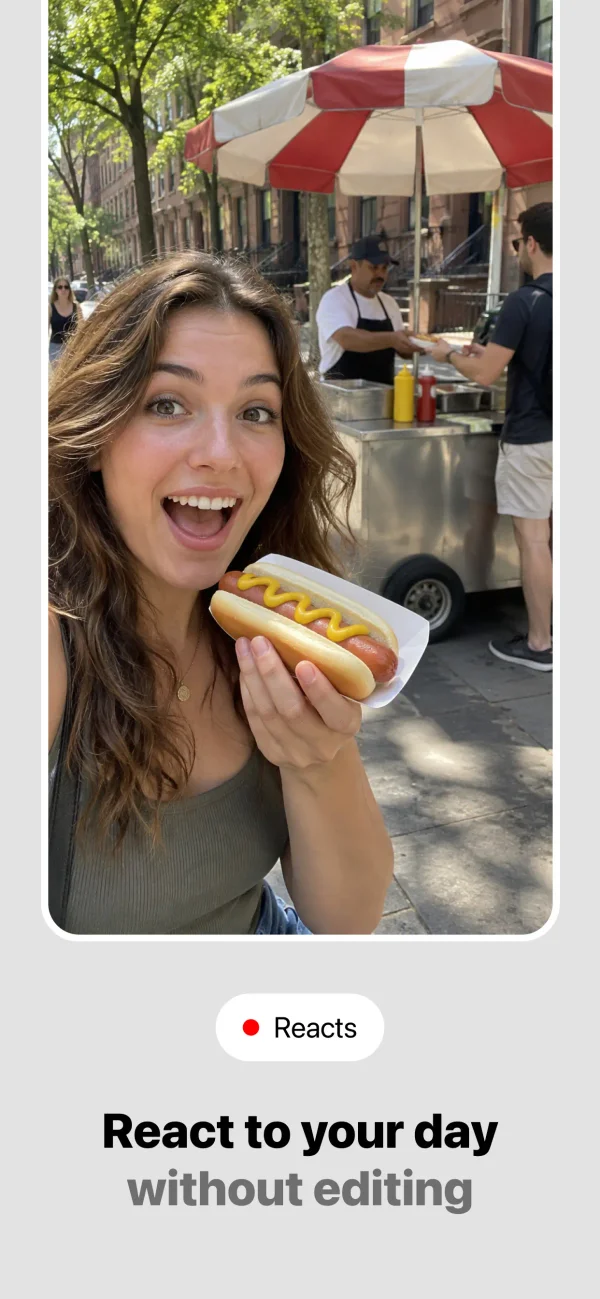
With DuoTake Pro, use an imported image, video or a captured web page from an HTTPS URL in place of the rear-camera view. Record your reaction alongside the content and create reviews with more context in a single take. Fill or fit the imported media, choose where the video starts and ends, loop it, balance its volume with your voice, and pause, skip or scrub it while you record.
Premium Teleprompter
Write or paste a script and follow it on screen while recording. Your lines stay visible for presentations, commentary, tutorials, reviews and vlogs.
Remove silences
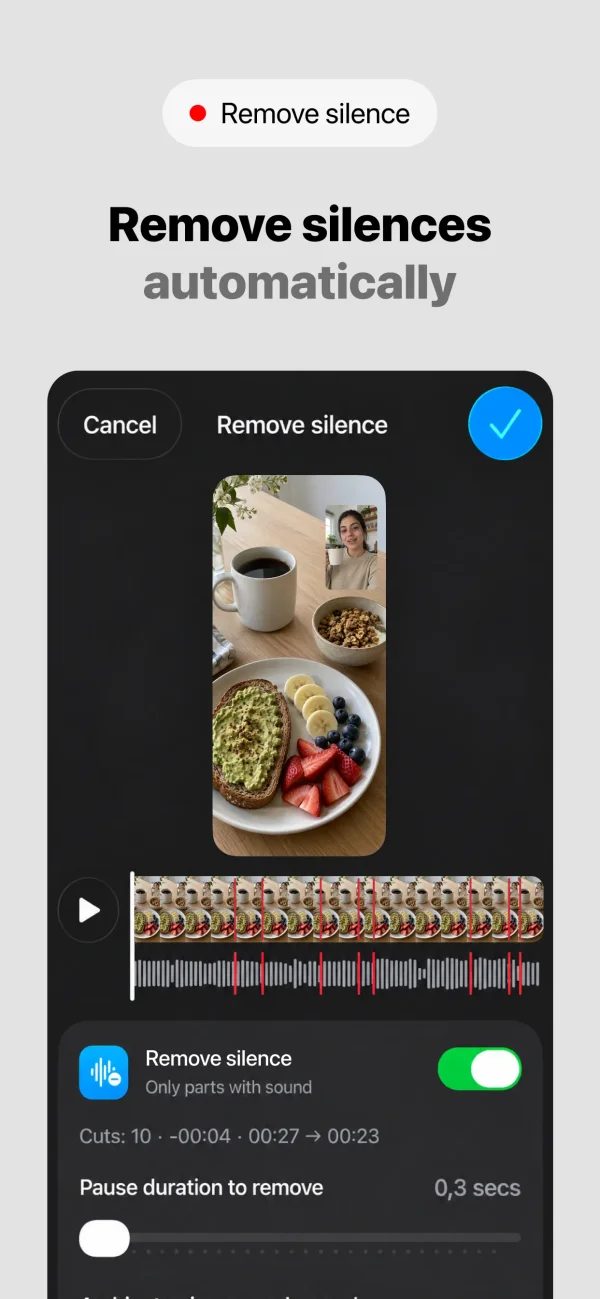
Pick a video from the gallery and DuoTake finds the pauses without speech. Preview the cuts marked in red on the timeline, choose how much breathing room to keep around your speech, then apply. Your original is kept, so you can undo the cut later. Remove silences is a Premium feature.
Free and Pro
The free plan includes video recording up to 15 seconds and auto captions in the Classic style. DuoTake Pro unlocks longer recordings, every caption style, automatic saving to Photos and sharing without the temporary watermark.
Your media stays local by default. Camera, microphone and Photos access are requested only when needed, so you decide what the app can use.
Start creating with DuoTake: choose a layout, frame both views and record your next story.
Terms of Use: https://duotake.app/terms-of-use
Privacy Policy: https://duotake.app/privacy-policy
What’s new
Version 1.7.0 · Nov 11, 2026
What’s new in 1.7.0:
• iPhone Duo support: the camera fills the screen, open or closed, and your video is still saved in 9:16. The controls are laid out for each screen.
• With the iPhone Duo open and turned sideways, the controls move to the sides of the frame.
• With the iPhone Duo open, the outer screen shows the person you’re filming that you’re recording and for how long.
• New Year frame for the front camera, from December 24 to January 1.
• The app opens faster.
• If your storage is full, DuoTake tells you before recording, and failed saves no longer take up space.
• If the camera can’t start at full quality, it now falls back to 720p instead of failing.
• Recording recovers more reliably after an interruption.
• The paywall tells you when you’re offline, with a button to try again.
• In Review, addresses without a domain now open a web search.
• Other bug fixes and stability improvements.
App privacy
What Adriano Souza Costa declares on the App Store about how this app handles data.
-
Data used to track you
May be used to track you across apps and websites owned by other companies.
- Purchases
- Identifiers
- Usage data
-
Data linked to you
May be collected and linked to your identity.
- Purchases
- Identifiers
- Usage data
-
Data not linked to you
May be collected but is not linked to your identity.
- Contact info
- User content
- Diagnostics
Privacy practices may vary, for example with the features you use or your age.
Information
- Seller
- Adriano Souza Costa
- Category
- Photo & Video
- Version
- 1.7.0
- Updated
- Nov 11, 2026
- Released
- May 8, 2026
- Size
- 99.0 MB
- Requires
- iOS 26.6 or later
- Age rating
- 4+
- Price
- Free
- In-app purchases
- Yes
- Languages
- English, French, German, Italian, Japanese, Portuguese, Simplified Chinese, Spanish, Traditional Chinese, Vietnamese
- Copyright
- © 2026
You might also like
-
 DualTake: Dual Camera RecordFront & Back Reaction Videos
-
 Dual Camera: Double Take VideoFront & Back Shot Recorder
-
 Reaction Cam: Video Duet MakerReact with a Facecam Overlay
-
 Dual Camera Recorder: OmnishotVlog, react & capture together
-
 My Reaction: Video CutoutFacecam, Split Screen & Duets
-
 ClipDuet: Reaction Video MakerFacecam PiP · Clip to TikTok
-
 EZReactReaction videos made easily
-
 Reacts: Reaction Video MakerAI Captions & Teleprompter
-
 ReactCam: Reaction VideosFacecam, Screen Recorder & AI
-
 DualCamRecDual Camera Recording