
- Age rating4+
- CategoryPhoto & Video
- DeveloperPawel Szydlowski
- LanguagesEnglish+ 7 more
- Size4.3 MB
Links to the official App Store page
Download.org hosts no file of DualBlur. The button opens its official App Store page, published by Pawel Szydlowski. Listing last checked on Nov 14, 2026.
Screenshots

About
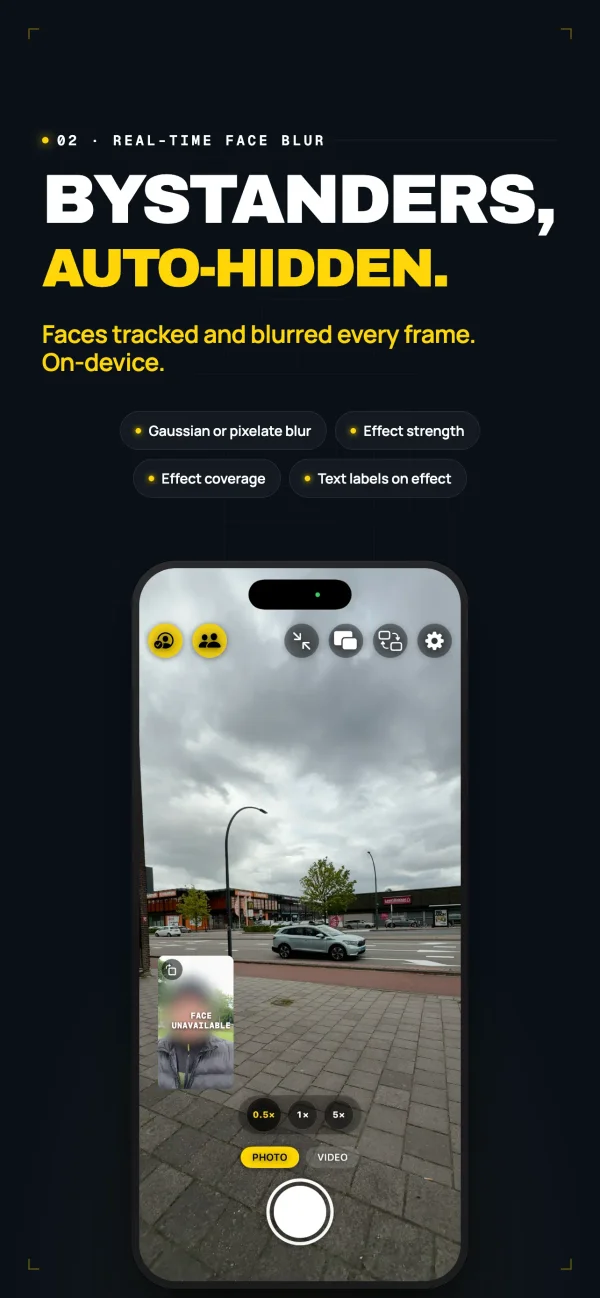
Blur faces and bodies in photos and videos, automatically, on your iPhone. Nothing is uploaded. No account. No tracking.
BLUR LIBRARY
Your photos and videos, right inside the app. Open any of them and DualBlur finds every face and covers it. Turn on body cover and each person's whole outline is hidden too. Then touch up by hand:
• Tap a face to leave it visible
• Tap anything else — a plate, a sign, a bystander — to cover it
• Brush or box over any detail, and pinch to zoom in on the smallest ones
• Every edit is saved as a project, so you can come back to it later
• Play the blurred video before you export it, and pick which people stay visible for the whole clip
• Save a new copy to Photos in one tap, or share it straight from the app
Video export checks every single frame. Audio stays untouched unless you turn on the voice changer.
VOICE CHANGER
Disguise voices while you record, or in any library video: Deep, Deeper, High, Squeaky, or Robot. Picture and sound stay in sync.
DUAL CAMERA
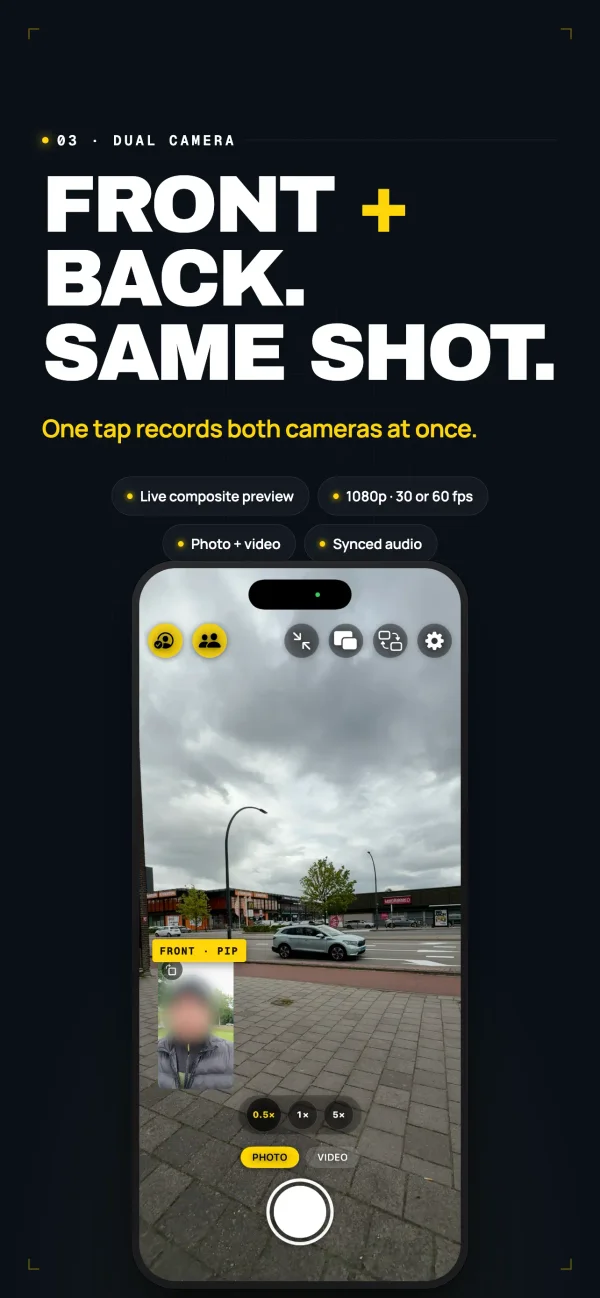
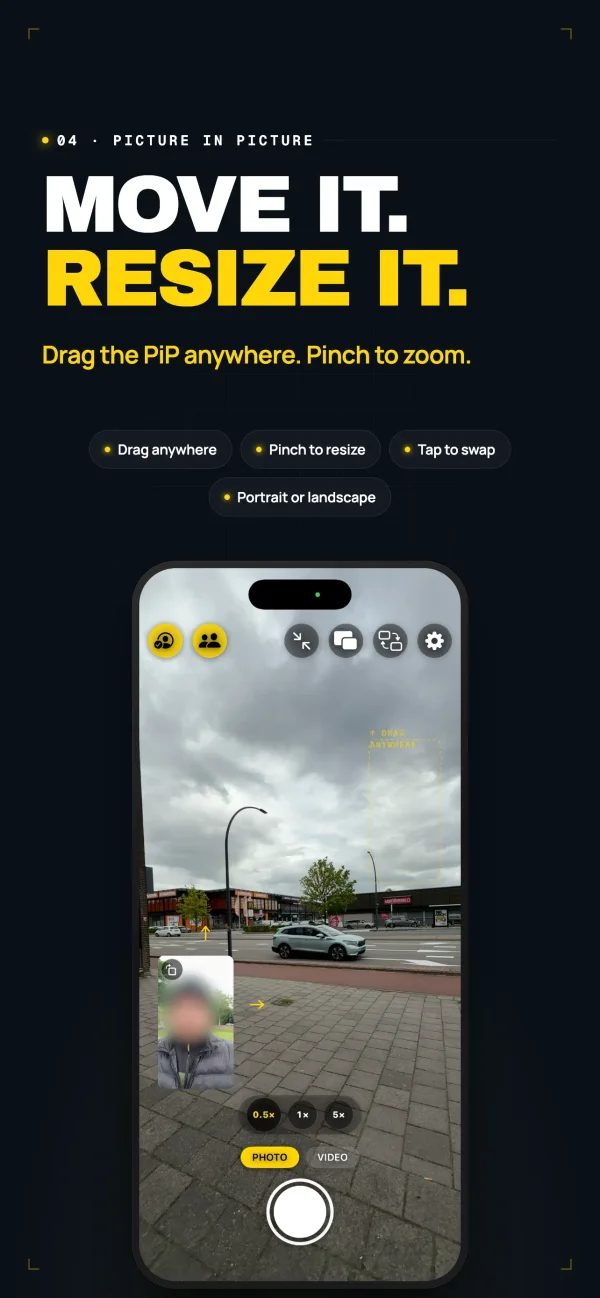
Record the front and back cameras at the same time, with a live composite preview. Drag the picture-in-picture anywhere, pinch to resize, swap which camera fills the screen with a double tap.
COVER STYLES
• Solid — opaque cover, nothing left to recover. Strongest.
• Emoji — a bear, a cat, anything, on the same opaque plate.
• Pixelate and Gaussian — re-anchored and dithered every frame so AI restoration tools can't undo them.
Each style shows its privacy rating right in Settings.
PRIVATE BY DESIGN
Every detection and every cover happens on your device. The app makes no network calls of its own. Blurred copies carry no location or camera metadata from the original.
FREE AND PRO
Free: dual-camera recording at 1080p with automatic face cover in Solid, Pixelate, or Gaussian.
DualBlur Pro adds Blur Library (photos and videos), full-body cover, Emoji, voice changer, 2K/4K recording, 60 fps, and face labels.
• Monthly or yearly subscription, or
• One-time lifetime purchase
Bought DualBlur before it went free? Everything stays unlocked — nothing to do.
Subscriptions renew automatically unless cancelled at least 24 hours before the end of the current period. Payment is charged to your Apple ID account. Manage or cancel any time in your App Store account settings.
Privacy Policy: https://dualblur.pawels-apps.workers.dev/privacy
Terms of Use: https://dualblur.pawels-apps.workers.dev/terms
Requires an iPhone XS or newer, or iPad Pro (3rd generation) or newer, for dual-camera recording.
What’s new
Version 1.5.2 · Oct 13, 2026
• Pro unlocks right away: if you redeem a DualBlur Pro code in the App Store, Pro is ready as soon as you switch back to the app. No restart or Restore Purchases needed.
• Small fixes and improvements.
App privacy
What Pawel Szydlowski declares on the App Store about how this app handles data.
-
Data not collected
The developer does not collect any data from this app.
Privacy practices may vary, for example with the features you use or your age.
Information
- Seller
- Pawel Szydlowski
- Category
- Photo & Video
- Version
- 1.5.2
- Updated
- Oct 13, 2026
- Released
- May 19, 2026
- Size
- 4.3 MB
- Requires
- iOS 17.2 or later
- Age rating
- 4+
- In-app purchases
- Yes
- Languages
- English, Dutch, German, Japanese, Korean, Polish, Russian, Simplified Chinese
- Copyright
- © 2026 Paweł Szydłowski
You might also like
-
 RewinderatorEasy Practice Video Loops
-
 CensorifyAutomatic Text Censoring
-
 PrivaLensOn-device privacy toolkit
-
 ShareGuard: Blur & RedactBlur Screenshots & Metadata
-
 Screen Mirroring • Alfacast XWireless Display Streamer App
-
 Earth Zoom Out : OrbitClipEarth zoom in, zoom out video
-
 BlurCam Record: Face BlurBlur faces in video, live
-
 Earth Zoom Effect Video: HigFXFilm Effects, AI Video Effects
-
 Bothie: Dual Camera VideoFront & Back, 9:16 and 16:9
-
 NewTake — AI Video EditorTrim your talking-head videos