
DueOrbit: Bill Tracker
Subscriptions & Reminders
Designed for iPhone, iPad, Mac
In-app purchases
- Age rating4+
- CategoryFinance
- DeveloperMIHAIL PLAMENOV DUCHEV
- LanguagesGerman+ 9 more
- Size39.0 MB
Links to the official App Store page
Download.org hosts no file of DueOrbit: Bill Tracker. The button opens its official App Store page, published by MIHAIL PLAMENOV DUCHEV. Listing last checked on Nov 23, 2026.
Screenshots
About
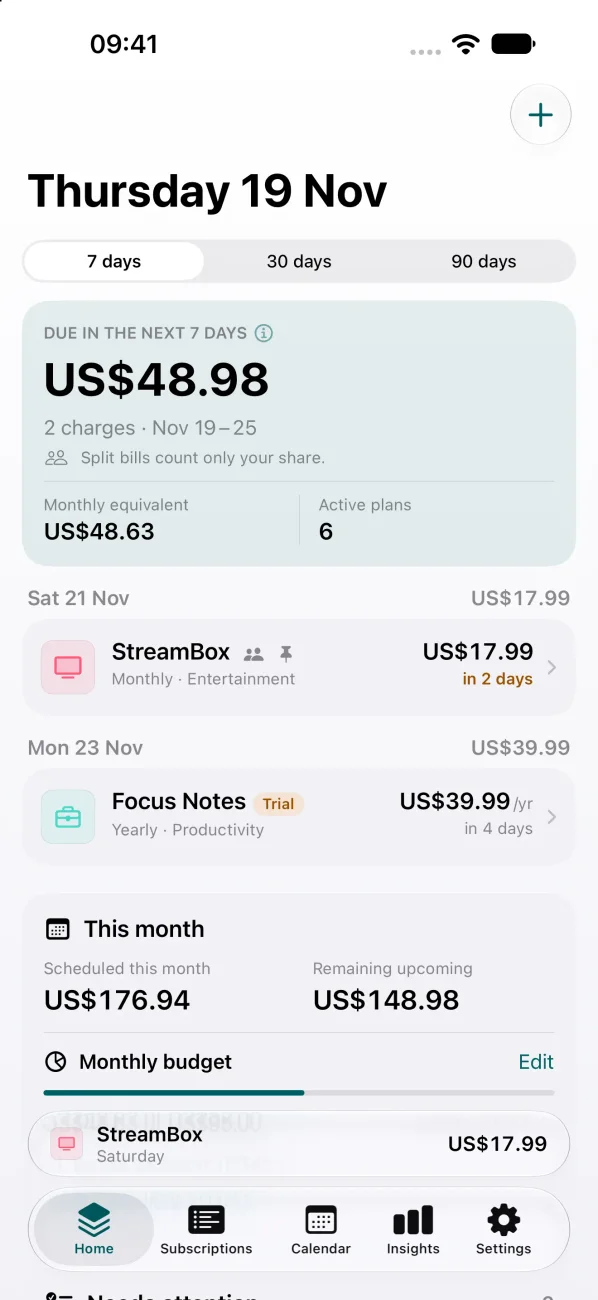
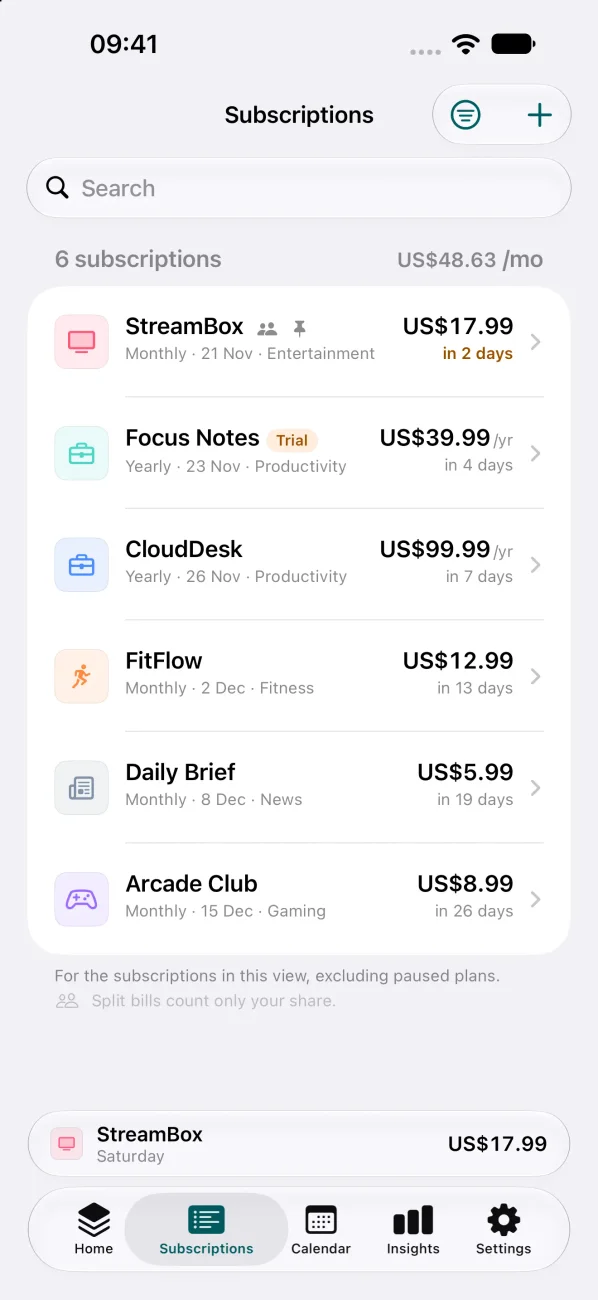
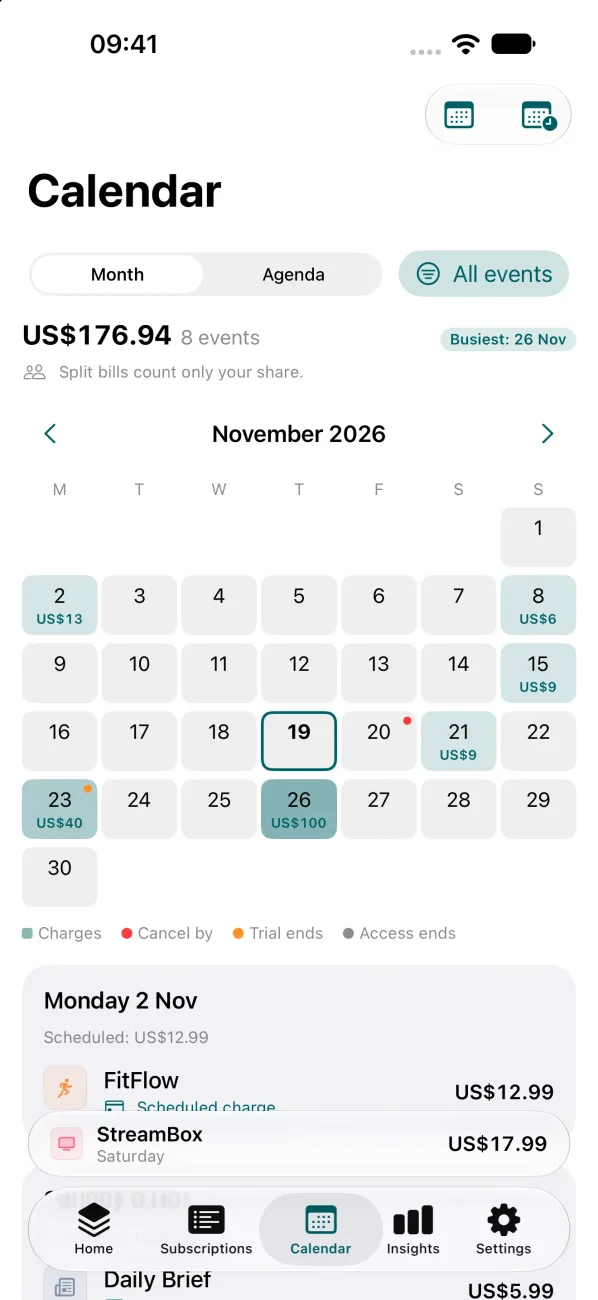
DueOrbit gives you one place to see subscriptions, recurring bills, and the next renewal. Add your own records, review what they cost, and set reminders before a charge or trial ending.
KEEP RECURRING COSTS TOGETHER
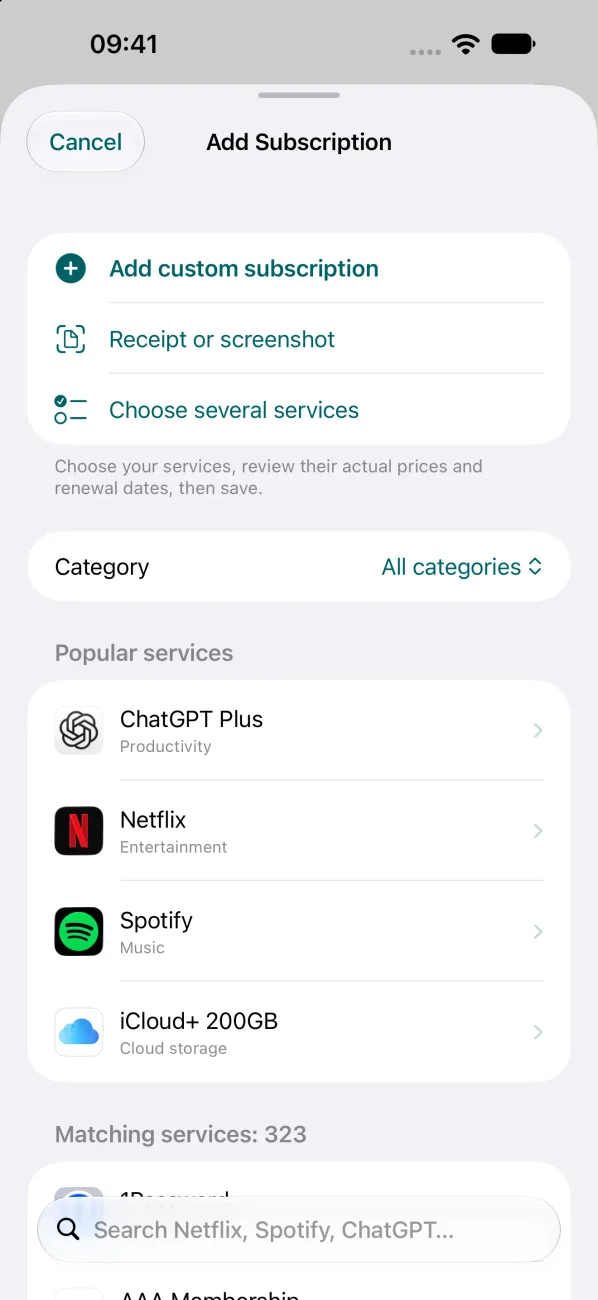
• Add a service from the built-in catalog or create your own.
• Track weekly, monthly, quarterly, yearly, and other supported billing cycles.
• Organize records with categories, notes, tags, and payment labels.
• Pin the subscriptions you check most often.
SEE WHAT IS COMING
• Review upcoming renewals and monthly-equivalent spending.
• Set optional renewal and trial reminders.
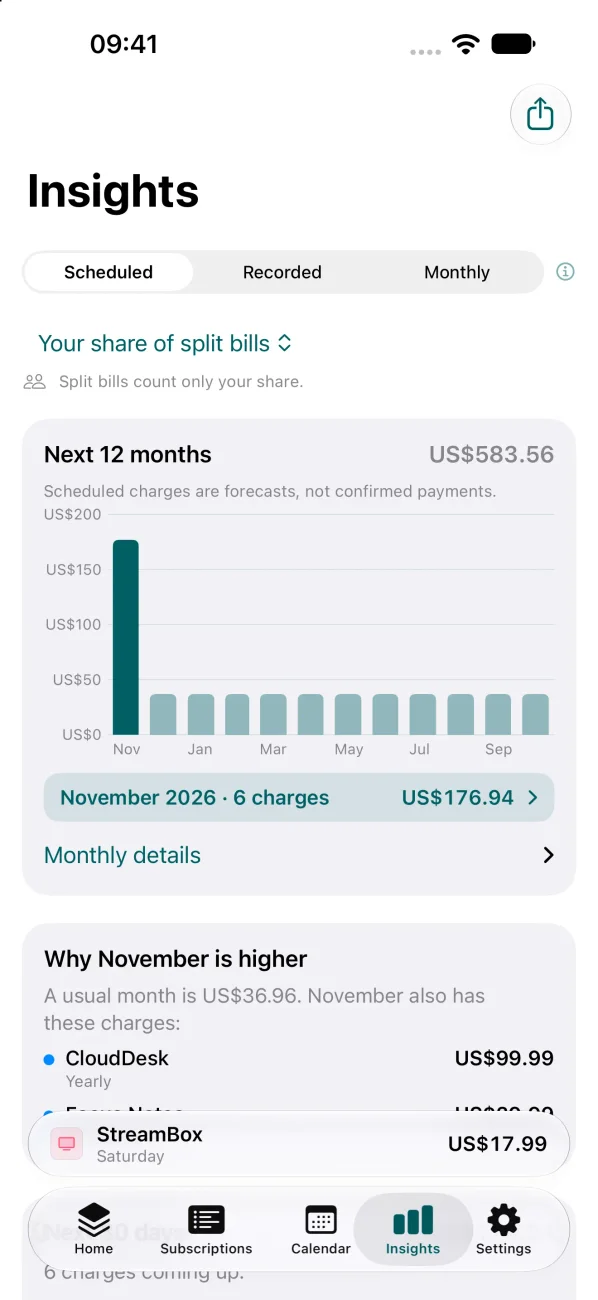
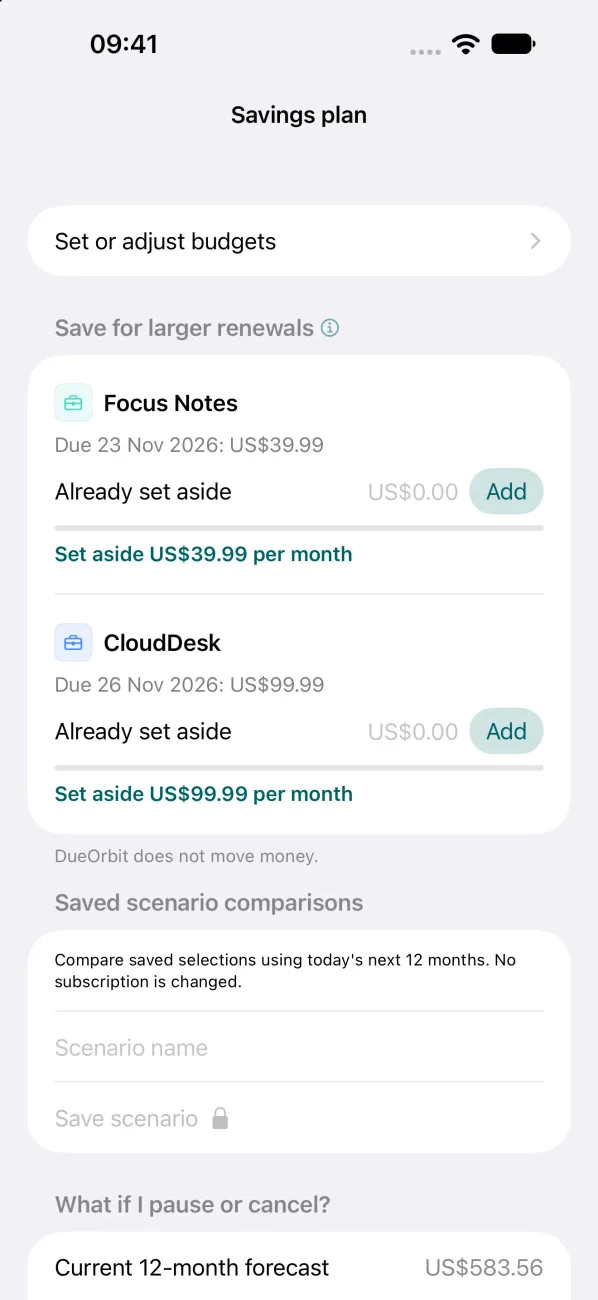
• Compare categories, review a spending forecast, and set budgets.
• See the yearly impact of recurring costs.
MANAGE YOUR RECORDS
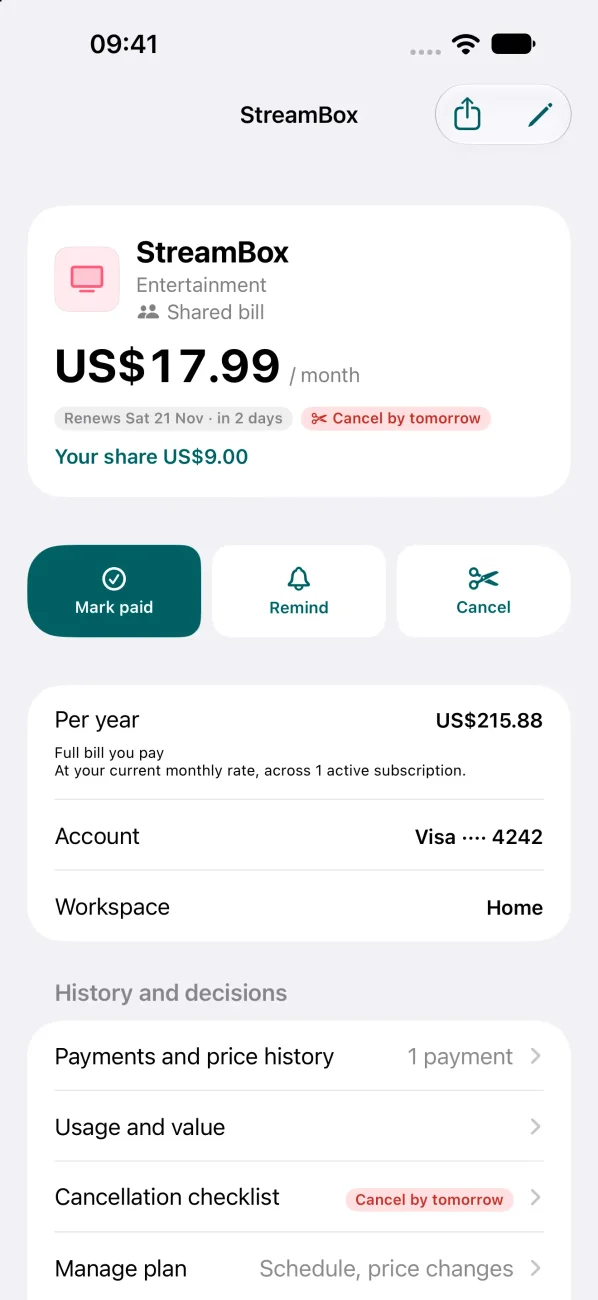
• Mark a record paid, pause it, skip a billing cycle, or mark it canceled.
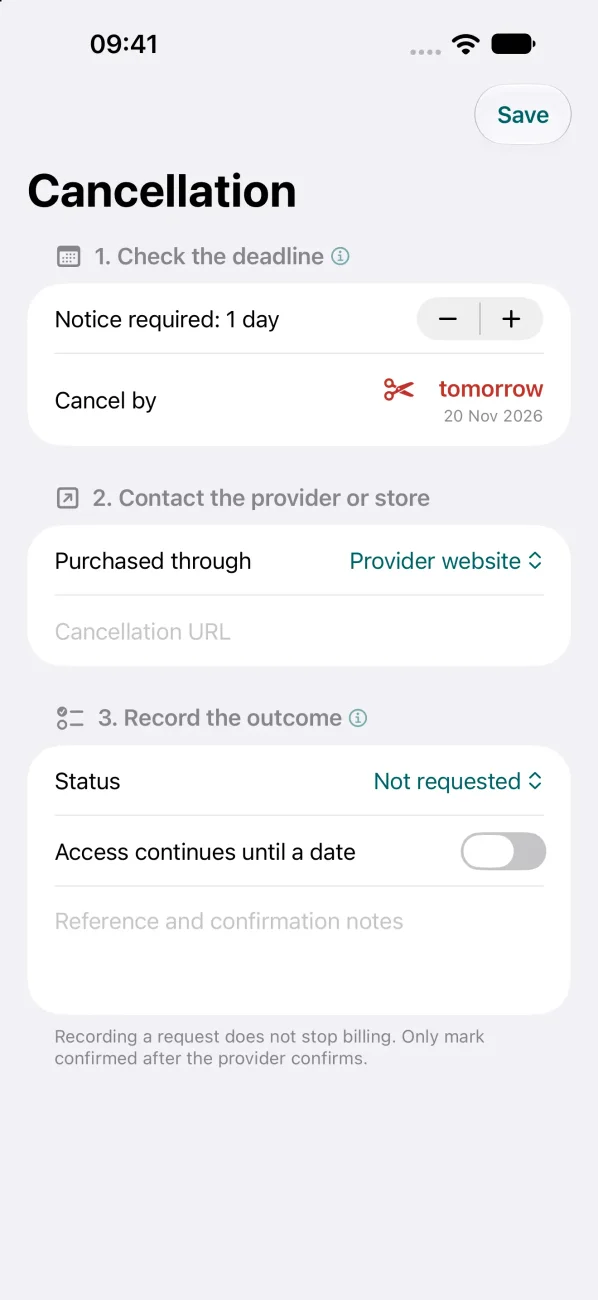
• Open cancellation help for supported providers.
• Export CSV for a spreadsheet or save a JSON backup.
MADE FOR IPHONE, IPAD AND APPLE WATCH
Use iPhone and iPad layouts, including a side-by-side subscription list and details on larger iPad windows. Apple Watch has a native companion with upcoming renewals and complications; it requires the paired iPhone for setup and record management. Widgets, Live Activities, calendar integration, and device authentication are available on supported devices.
CORE TRACKING WORKS OFFLINE
You do not create a DueOrbit account. Subscription records can sync through your device's private iCloud storage when available. Apple Watch uses the matching phone app for setup and record management.
TEN SUBSCRIPTIONS FREE
The free tier includes tracking, reminders, insights, budgets, exports, and companion features for up to 10 subscriptions that have not been marked canceled. Paused subscriptions count toward the limit. DueOrbit Premium unlocks unlimited subscriptions through monthly, yearly, or one-time lifetime purchase options. Prices and billing terms appear before purchase. Purchases apply to the store where you buy them.
DueOrbit helps you track services; it does not pay bills or cancel services for you. Confirm charges and cancellation terms with each provider. Reminders depend on device settings, and currency conversions are estimates.
Manage or cancel recurring Premium in your Apple account subscription settings. Deleting the app does not cancel Premium. Restore purchases with the Apple account used to buy them.
Terms of use: https://www.apple.com/legal/internet-services/itunes/dev/stdeula/
Privacy policy: https://dueorbit.app/privacy/
App terms: https://dueorbit.app/terms/
Support: https://dueorbit.app/support/
What’s new
Version 2.1.0 · Nov 19, 2026
• New “Remind me until paid” for bills you pay yourself, like a monthly parking fee: you’re reminded on the due day, the bill stays marked unpaid, and follow-up reminders arrive daily until you tap Mark paid.
• Shared bills now show a group icon in every list, on Apple Watch and in widgets.
• Collect from the people sharing a bill on your own schedule, such as once a year, and tick off who has paid each period.
• Selecting a day in the calendar no longer shifts the month grid.
• In Insights, tap anywhere on an upcoming charge to open its subscription.
• Swiping away a month's breakdown in Insights is smooth again.
• The app icon and every alternate icon now follow the dark Home Screen icon style.
RegHex is now included in More Apps by Appwardly on iPhone and iPad.
Subscription lists emphasize the name, amount and next charge. Watch details label the amount, next charge and billing cycle. Selected subscription details stay readable.
• Improved the contrast of the Mark paid button in dark appearance.
- Find subscriptions by name and open their details from Shortcuts, with your app lock respected.
- Review receipt field sources and fill in missing details without assumed prices or billing intervals.
• Supported devices can suggest missing receipt details with the on-device model, with source excerpts and review before saving.
A simpler Add toolbar symbol, native scroll-edge treatment for bulk actions, and layered app icons on iPhone, iPad and Apple Watch.
Selection controls, subscription totals, names and billing details stay readable at accessibility text sizes.
Grouped Settings, accessible subscription row actions, wider spending layouts, and clearer Premium controls. Currency totals use decimal accumulation before display.
Apple Watch adds a compact detail header, accessible payment actions and clearer complication labels.
Next-renewal widgets and clearer sync feedback join grouped Settings and accessible row actions. The interface now also supports Spanish, French, Italian, Japanese, Korean, Brazilian Portuguese and Simplified Chinese.
Shared text opens an editable receipt preview. Watch renewals and deadlines have separate Crown-scrollable pages.
Onboarding offers reminder setup after a successful save. CSV review keeps your choices open after a storage error so you can retry without starting over.
Receipt and CSV imports show clearer loading and retry controls. Returning from Add keeps your previous workspace and selection.
Custom subscription entry opens the form directly. Larger text has more room in subscription rows and Settings, with clearer row details.
Selected category filters keep their text readable in dark appearance.
Aligned subscription details and a complete Premium settings pane with plan usage, pricing and purchase recovery.
Premium settings now show a single clear heading and a more readable Upgrade button. Unknown sync dates no longer appear as an old update.
• Clearer onboarding guidance with improved text contrast.
The setup preview now supports VoiceOver and larger text.
Shared receipts retain their attached text and source links.
Sync freshness uses clear relative times.
Selected subscriptions keep readable text in both appearances.
Amounts, percentages and counts follow a custom Number Format chosen in Settings, such as a decimal point with region Bulgaria, including on Apple Watch and in widgets.
Home shows each total once, with one Needs attention list and a This month card that includes your budget. On iPad, Home and Insights use two columns. On iOS 26 the tab bar shrinks as you scroll and the next charge sits above it. Details are titled with the service name. Drag the chart to compare months. Mark paid from the Live Activity; Undo restores a deleted record.
Apple Watch: mark a charge paid with one tap or a double tap, with Undo, plus a one-screen glance, a settings sheet and days-left complications. Widgets adapt to tinted and clear Home Screens.
App privacy
What MIHAIL PLAMENOV DUCHEV declares on the App Store about how this app handles data.
-
Data linked to you
May be collected and linked to your identity.
- Identifiers
Privacy practices may vary, for example with the features you use or your age.
Information
- Seller
- MIHAIL PLAMENOV DUCHEV
- Category
- Finance
- Version
- 2.1.0
- Updated
- Nov 19, 2026
- Released
- Oct 9, 2026
- Size
- 39.0 MB
- Requires
- iOS 17.0 or later
- Age rating
- 4+
- In-app purchases
- Yes
- Languages
- German, Bulgarian, English, French, Italian, Japanese, Korean, Portuguese, Spanish, Simplified Chinese
- Copyright
- © 2026 Mihail Duchev
You might also like
-
 Horizon: Global Stock TrackerGlobal Portfolio & Dividends
-
 BillTracker: SubscriptionsTrack subscriptions & bills
-
 BillPing: Bill TrackerBill Reminders & Due Dates
-
 RecurretManage recurring expenses
-
 Bill View - Bill TrackerRecurring Expense Tracker
-
 Dues: Bill Tracker & ReminderBill Payment Manager & Budget
-
 Bill Organizer - DueWisePayments & Expense Manager
-
 Bill Organizer & SubscriptionsBudget Planner & Reminder
-
 Bill Tracker - NextDueSubscription & Due Reminders
-
 Amarant BulgariaFinance