
Dunit: To Do & Task
Your Last To Do App
Designed for iPhone, iPad, Mac
Free · In-app purchases
- Age rating4+
- CategoryProductivity
- DeveloperSinabroApps
- LanguagesEnglish+ 25 more
- Size27.5 MB
Links to the official App Store page
Download.org hosts no file of Dunit: To Do & Task. The button opens its official App Store page, published by SinabroApps. Listing last checked on Nov 16, 2026.
Screenshots
About
A to-do app should be easy. So you can focus on what actually needs doing.
But many to-do apps pile tags, categories, priorities,
due reminders, and red badges onto that simple task.
Managing the app ends up being more work than the task itself.
Dunit strips away the needless clutter.
As simple as the task in front of you — nothing more.
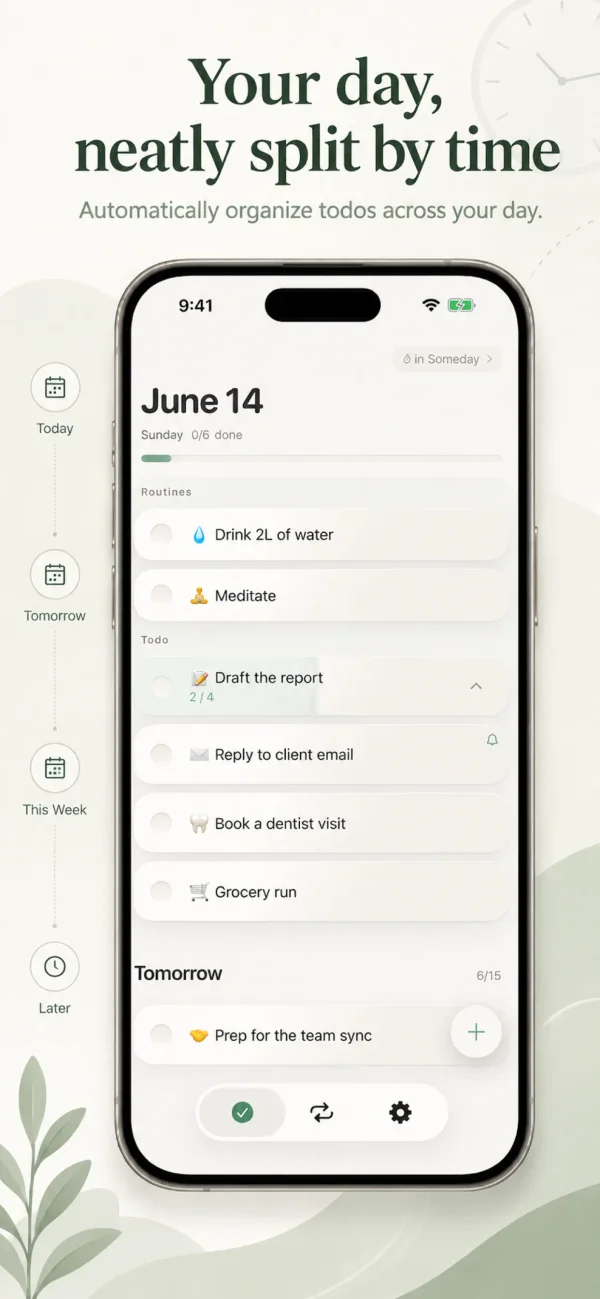
■ Time does the sorting
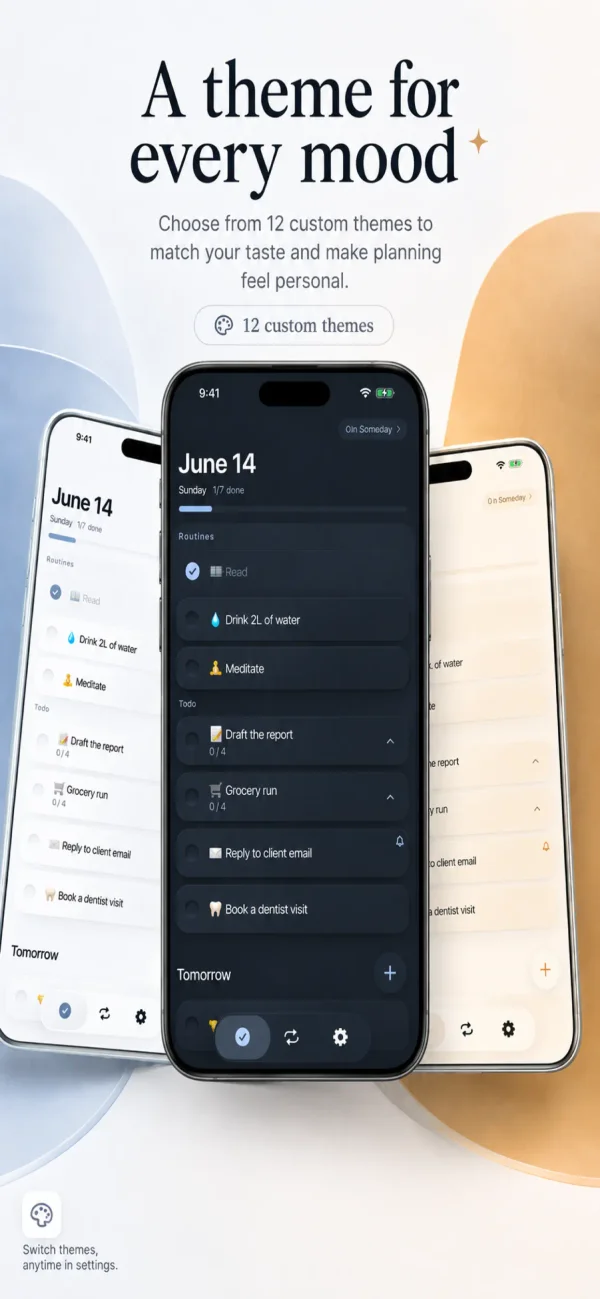
Your tasks are grouped automatically into Today / Tomorrow / This Week / Next Week & beyond.
Drag one to a later section to put it off,
or pull it back to today the other way.
Treat time as something that flows.
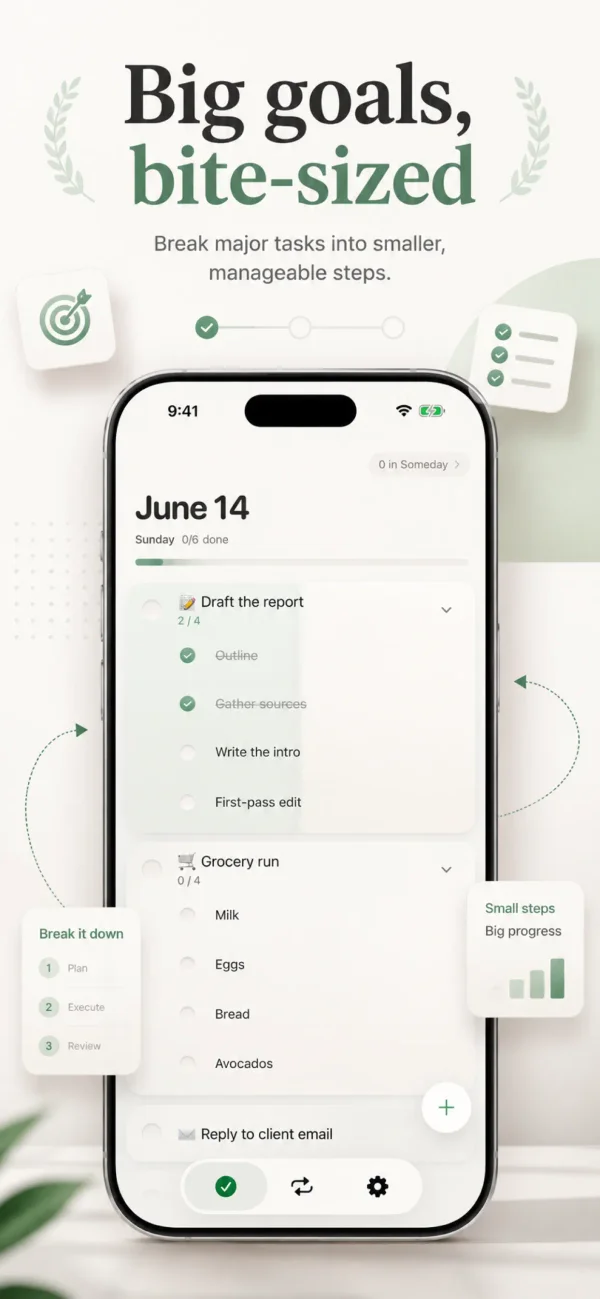
■ Break big tasks down
Expand the steps and check them off one by one.
Every one you finish adds a little relief.
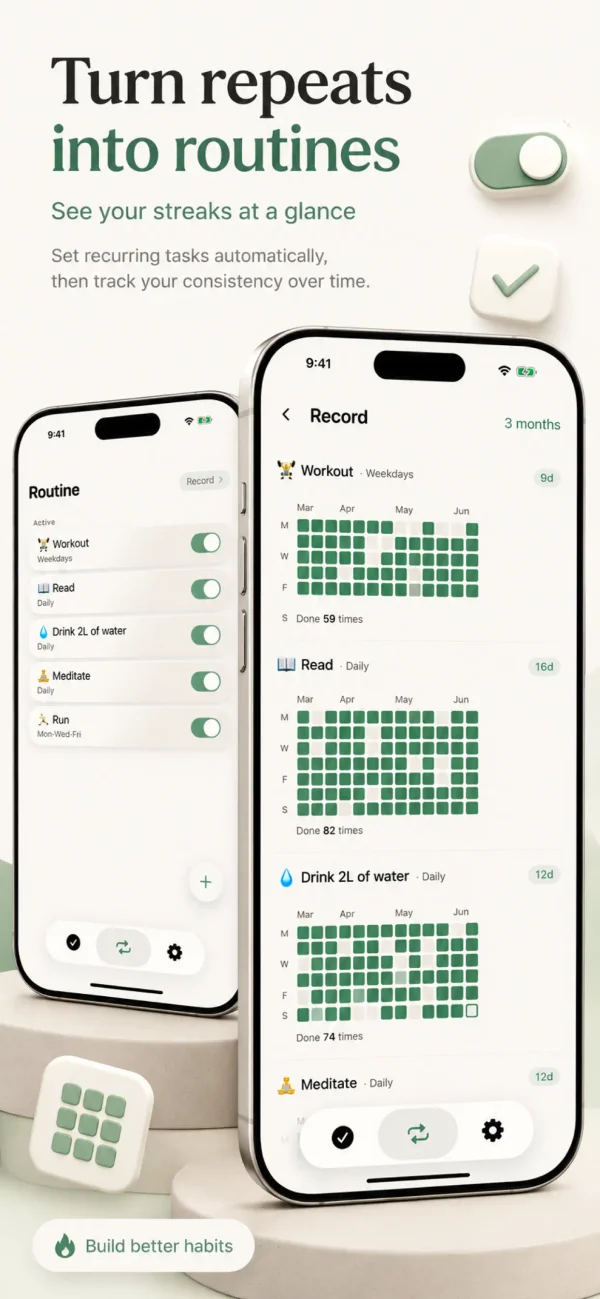
■ Turn what repeats into routines
Every day, weekdays, weekends, or just the days you choose.
Make recurring tasks into routines and manage them with ease.
Consistency builds into a record you can see at a glance.
■ Not now, but don't want to forget
Keep it in "Someday."
Just one swipe to the right.
Changed your mind? Pull it back to today anytime.
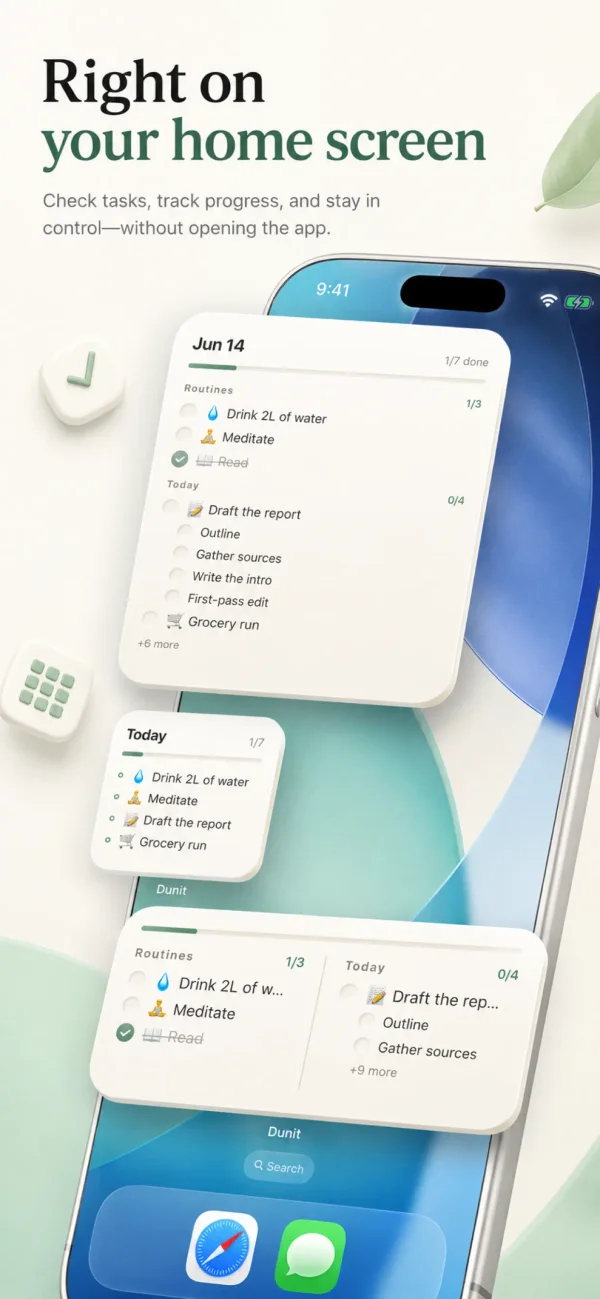
■ See it all in a widget
Right from your home and lock screens,
check today's tasks and routines at a glance.
■ iCloud sync
Everything stays in sync across your devices, automatically.
No separate account sign-up required.
Get what you have to do out of your head,
and your day feels a lot lighter.
We built it to be the last one you'll settle on.
Dunit.
Suggestions and feature requests are always welcome.
support@sinabro.com
—
Dunit Pro subscriptions: Pro Monthly (auto-renewing monthly) and Pro Annual (auto-renewing yearly). A one-time Lifetime purchase is also available. Subscriptions renew automatically unless canceled at least 24 hours before the end of the current period. Manage or cancel anytime in your Apple Account settings.
Terms of Use (EULA): https://www.apple.com/legal/internet-services/itunes/dev/stdeula/
Privacy Policy: https://sinabro-mocha.vercel.app/privacy/dunit
What’s new
Version 5.3 · Nov 15, 2026
[Screenshot to to-do]
· Share a screenshot to Dunit, and it becomes a to-do with the screenshot attached.
· Where Apple Intelligence is available, Dunit writes the title for you. Otherwise, tap a line of text from the screenshot to use it as the title.
· Set the date and time right there, or write them in the title.
[Photos]
· Add up to 10 photos to a to-do from the Photo row when you edit it.
· The first photo shows at the end of the to-do in your list. Tap it to see it larger, then tap the pen to draw or write on it.
· Touch and hold a photo to replace or delete it.
[Routine subtasks]
· Add subtasks to a routine, like bench press, incline press and lat pulldown in "Workout".
· Check them off each day. Once they're all checked, the routine is done for the day.
· They show under the routine in today's list and on the Home Screen widget, where you can check them off too.
· Free includes up to 3 subtasks per routine. With Pro, there's no limit.
[Place reminders]
Add a place to a to-do, and Dunit reminds you when you get there.
· Tap the pin when you add or edit a to-do, then search for a shop or address, or pick a spot on the map.
· Until you finish the to-do, you'll get a reminder each time you arrive within 200 m.
· The place name shows under the to-do in your list.
· Free includes up to 3 places. With Pro, you can use up to 20.
[Type it or say it]
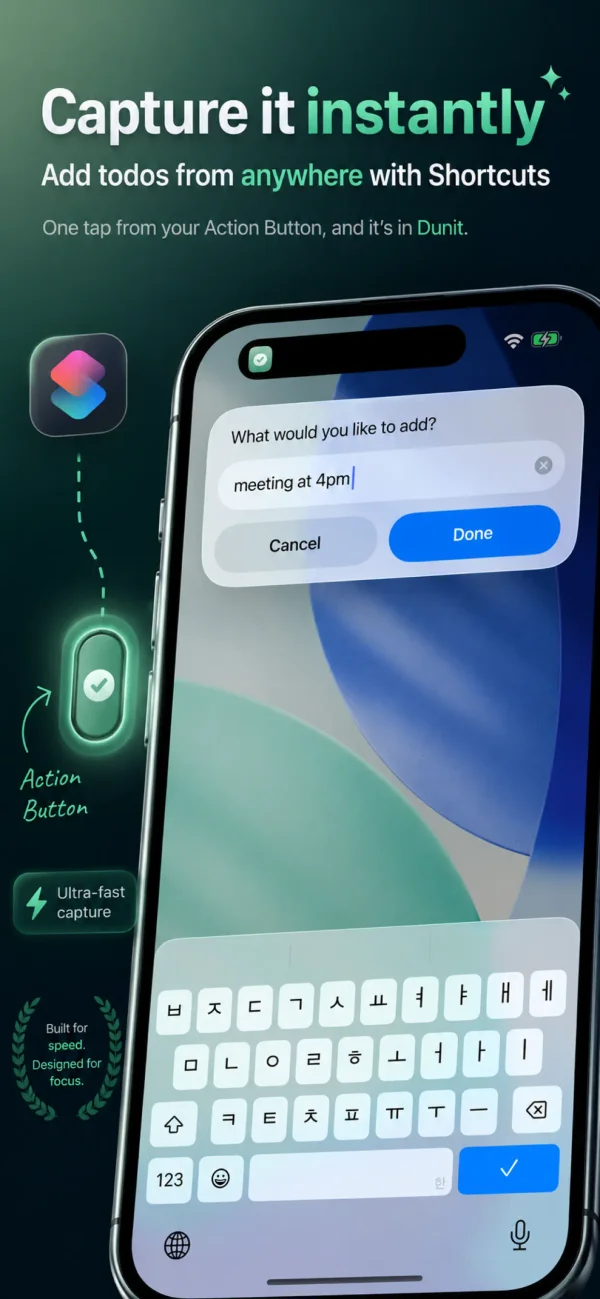
· Tap the mic when you add a to-do and just talk. Your words go straight into the title.
· Type or say "Pilates Friday 2pm", and the date and time are set for you. The title keeps just "Pilates".
· The words Dunit understood are highlighted. Tap the X to undo them.
[Date & time]
· When you add a to-do, tap the date to pick a day on the calendar, Someday, or a time, all in one place.
· Choose Someday, and the to-do goes straight to your Someday list.
[Reminders]
· Tap Done on a reminder to check off the to-do without opening Dunit.
· Tap a reminder to go straight to its to-do.
[Lock Screen · Pro]
· Choose how your Lock Screen card looks in Settings › Lock Screen › Style: List, One at a Time, At a Glance or Just the Count.
· A new Lock Screen widget brings the card back with one tap.
[More]
· On iPhone with iOS 26, the tab bar shrinks as you scroll down, and the + button moves down beside it.
· Settings now has Contact us, so you can email us right from the app.
· Siri now understands "Add a todo to Dunit" in 25 more languages besides English.
· The grid in a routine's Record now starts the week on the same day as your device, so its columns may shift once.
· Dunit runs more smoothly when you have lots of to-dos today.
[Fixes]
· A to-do you check off from a widget or the Lock Screen no longer sends its reminder later that day.
· Adding a subtask to a finished to-do makes it unfinished again, so the to-do and its new subtask no longer disappear the next day.
· Deleting a to-do in Someday now cancels its subtasks' reminders too.
· The celebration now also appears when you finish your day by deleting or moving the last to-do left.
· Today on your Lock Screen no longer turns itself off when you open Settings right after starting Dunit.
App privacy
What SinabroApps declares on the App Store about how this app handles data.
-
Data not collected
The developer does not collect any data from this app.
Privacy practices may vary, for example with the features you use or your age.
Information
- Seller
- SinabroApps
- Category
- Productivity
- Version
- 5.3
- Updated
- Nov 15, 2026
- Released
- May 12, 2026
- Size
- 27.5 MB
- Requires
- iOS 17.0 or later
- Age rating
- 4+
- Price
- Free
- In-app purchases
- Yes
- Languages
- English, Czech, Danish, Dutch, Finnish, French, German, Hindi, Hungarian, Indonesian, Italian, Japanese + 14 more
- Copyright
- © 2026 SinabroApps
You might also like
-
 BeanDo: To Do List & TasksPlanner, Reminders & Calendar
-
 Ommio: Tasks, Habits & FocusTo Do List & Daily Planner
-
 Listly: tasks & notesKeep organisation simple
-
 Habit Tracker - HabitLawnRoutine, streak & goals widget
-
 GewuDo: To-Do & RemindersOne step at a time
-
 Slothy: Procrastination To DoBrain dump & push to tomorrow
-
 待办鸭-待办清单 灵感&备忘Productivity
-
 Focusy: Tasks, Habits & AIADHD planner: tasks & AI help
-
 Firefly Todo: Calendar PlannerDrag Tasks, Log Time & Review
-
 Ikoi: To-Do List & PlannerTasks, Habits & Pomodoro