
DupCleaner
Compare files. Choose to keep.
Designed for iPhone, iPad
Free · In-app purchases
- Age rating4+
- CategoryUtilities
- DeveloperGEUM SANG YOO
- LanguagesEnglish+ 1 more
- Size17.6 MB
Links to the official App Store page
Download.org hosts no file of DupCleaner. The button opens its official App Store page, published by GEUM SANG YOO. Listing last checked on Nov 27, 2026.
Screenshots


About
Find duplicate files, then decide which copies to keep. DupCleaner compares the contents of files in folders you choose and checks the originals of photo and video candidates in your library. Preview each copy and review the items you’ve picked before you confirm.
CHOOSE WHAT STAYS
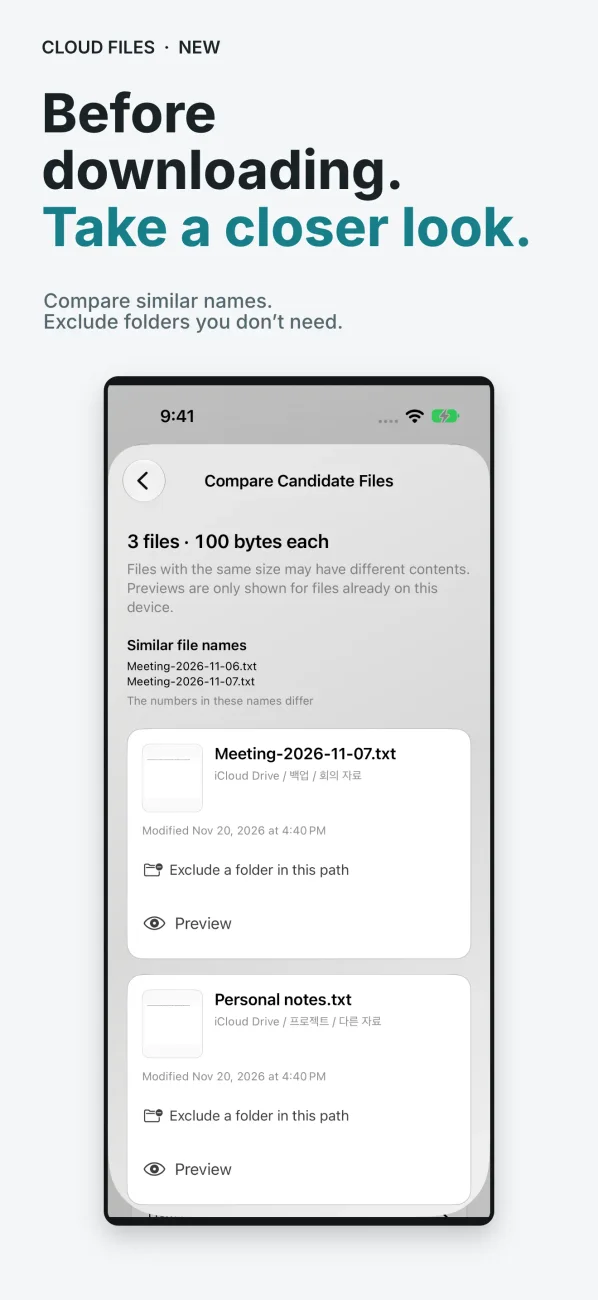
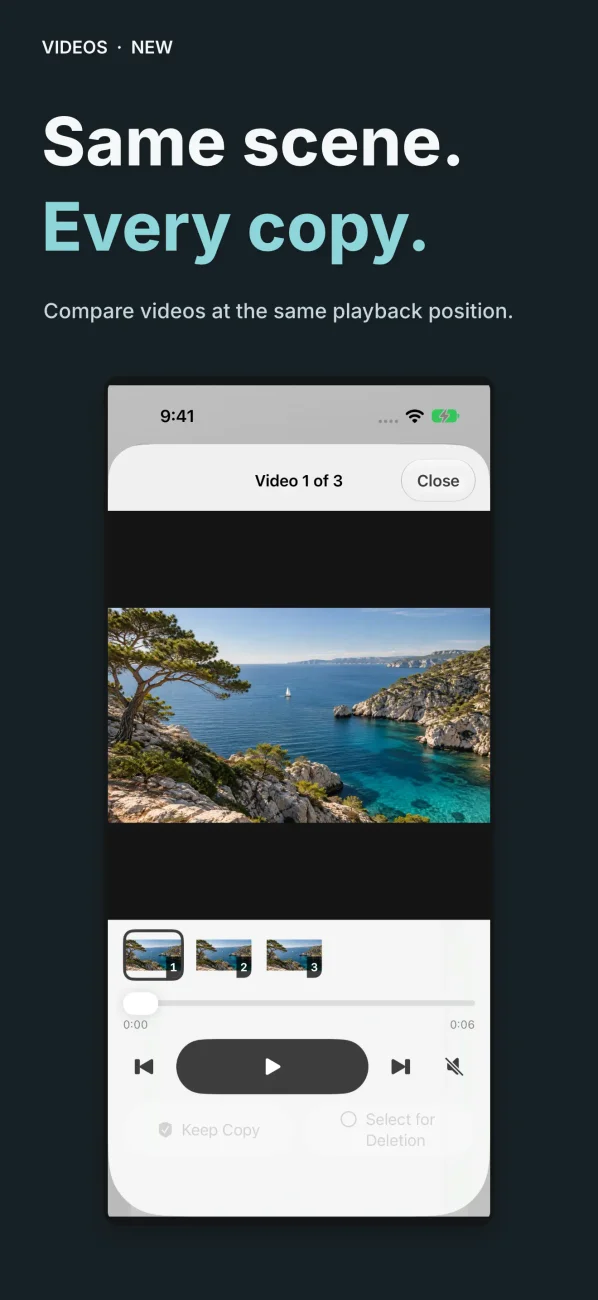
Find files with identical contents even when their names differ. Preview photos and PDFs and check where each file is stored, how large it is, and when it was last modified. Switch between enlarged photos or compare video copies at the same playback position. Automatic photo selection protects favorites and keeps a copy in each group.
GO STRAIGHT TO THE NEXT SCAN
Search or filter to focus on the files you want to review. See what you’re keeping and what you’re removing together. Removing an entire duplicate group requires a separate confirmation of that scope. After duplicate-file cleanup, the folder screen shows the number and size of the items processed. Open the remaining results or start another scan right there. Reopen the app to pick up a review you were working on.
SEE WHAT TAKES UP SPACE
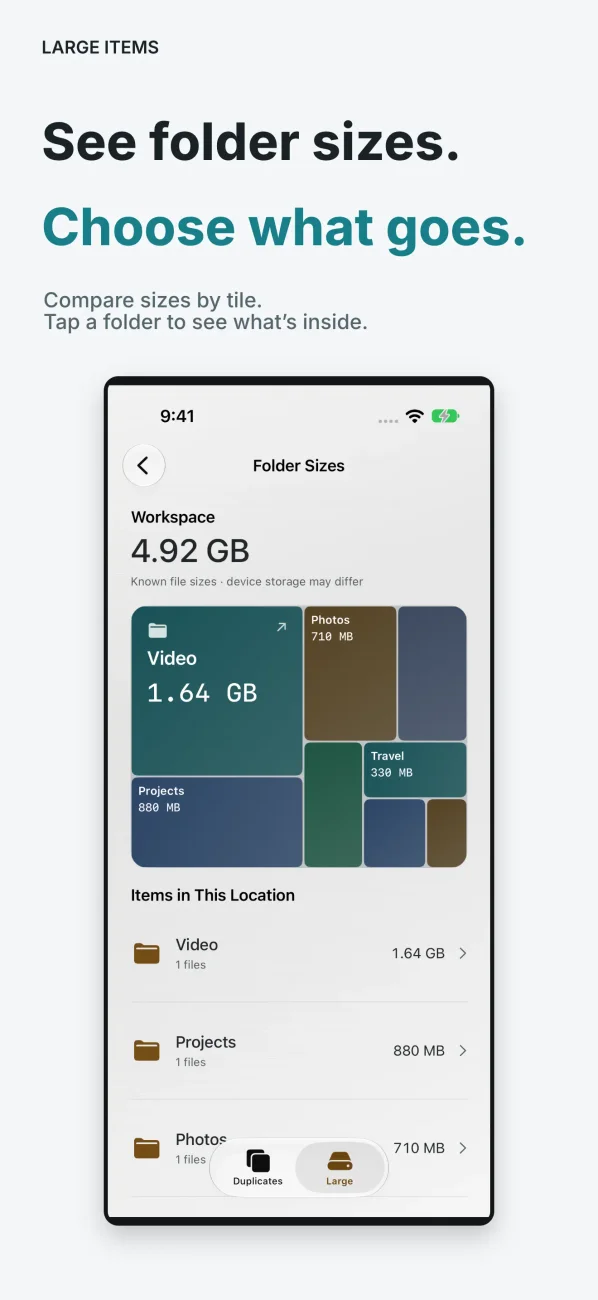
Browse files by size or open Folder Sizes to see how much space each of your selected folders takes up. Each tile is sized by how much space its contents take up. On supported iOS versions, browse photos and videos by original size. Find long videos, preview items from their thumbnails, and select them right in the list.
CHOOSE WHEN TO DOWNLOAD CLOUD ORIGINALS
Inspect the names, locations, and sizes of cloud candidates first. Start a download when you’re ready to compare the originals. File and media contents are compared on your device. Downloading iCloud originals uses internet data and device storage. Cloud file comparison uses Wi-Fi with Low Data Mode turned off. Photos use Wi-Fi by default, with options for cellular data and storage use. Items that can’t be read are marked for attention. With limited Photos access, DupCleaner checks the items you’ve allowed.
CHECK FIRST, THEN CLEAN UP
DupCleaner checks automatically verified duplicates again before cleanup. Files can move to Trash where the storage location supports it. Choose permanent deletion separately and confirm before it runs. Photos and videos go through Apple’s deletion confirmation and can be recovered in Recently Deleted. With iCloud Photos, deletion also applies to connected devices. Displayed sizes describe the original items, and the space recovered depends on how they were stored.
ONE PASS FOR FILES, PHOTOS, AND LARGE ITEMS
Scanning, results, and previews are free. Use the same pass or cleanup credits for files, photos, and Large Items. A Single Cleanup credit is used when a selected cleanup succeeds. Pro includes one-tap scanning of saved folders and unlimited cleanups. The One-Year Pass lasts one year from purchase without automatic renewal. Pro Lifetime is a one-time purchase. Existing purchase entitlements are preserved.
What’s new
Version 1.7.4 · Nov 27, 2026
• Select or deselect large videos for cleanup while they play.
• Download iCloud videos in high quality and start playback as soon as they're ready. You can see download progress, cancel, or retry.
• Selections and cleanup counts update faster in large photo and file lists.
• Buttons and selection indicators use a consistent silver palette, and large text keeps essential controls easy to find.
App privacy
What GEUM SANG YOO declares on the App Store about how this app handles data.
-
Data linked to you
May be collected and linked to your identity.
- Purchases
- Location
- Identifiers
- Usage data
- Diagnostics
Privacy practices may vary, for example with the features you use or your age.
Information
- Seller
- GEUM SANG YOO
- Category
- Utilities
- Version
- 1.7.4
- Updated
- Nov 27, 2026
- Released
- Dec 8, 2025
- Size
- 17.6 MB
- Requires
- iOS 18.0 or later
- Age rating
- 4+
- Price
- Free
- In-app purchases
- Yes
- Languages
- English, Korean
- Copyright
- © GS Yoo
You might also like
-
 DupeSiftFind duplicate files locally
-
 Zero Duplicates: File CleanerDelete Duplicate Files Fast
-
 Duplicate Storage Cleaner AIDisk Cleanup & Photo Remover
-
 Video & Image ConverterImage, Video Mp3, HEIC to JPG
-
 Ten AI - Unlimited, Private AIUnlimited Private On-Device AI
-
 DustByte: Duplicate CleanerClean Similar Photos & Videos
-
 Action Voice Recorder OfflineRecord Voice Messages
-
 File CleanerRemove duplicate files safely
-
 EmuCool - Retro Game EmulatorMore Retro Filter, Better Feel