EarLocAlert: Bus Stop Alarm
GPS Location Alarm, Earphones
Designed for iPhone, iPod touch
Free · In-app purchases
- Age rating4+
- CategoryNavigation
- DeveloperSUH SAECHAN
- LanguagesEnglish+ 3 more
- Size61.4 MB
Links to the official App Store page
Download.org hosts no file of EarLocAlert: Bus Stop Alarm. The button opens its official App Store page, published by SUH SAECHAN. Listing last checked on Nov 23, 2026.
Screenshots


About
Ever missed your stop?
You doze off on the bus and miss it, get lost in thought on the subway and ride past your station, or drive right by the exit you needed.
Use it as a bus stop alarm, a subway or train arrival alert, or a location reminder on shuttles and commuter buses.
EarLocAlert tells you when you arrive at or leave a place you registered. You don't have to keep the app open or look at the screen.
■ It alerts you without opening the app
When you get close to a place you registered, it alerts you in the background with vibration and a notification. Even with the screen off, even while you're using another app.
If you swipe the app away, iPhone stops location monitoring and alerts may be late or not arrive. Keep the app running in the background.
■ No one else can hear it
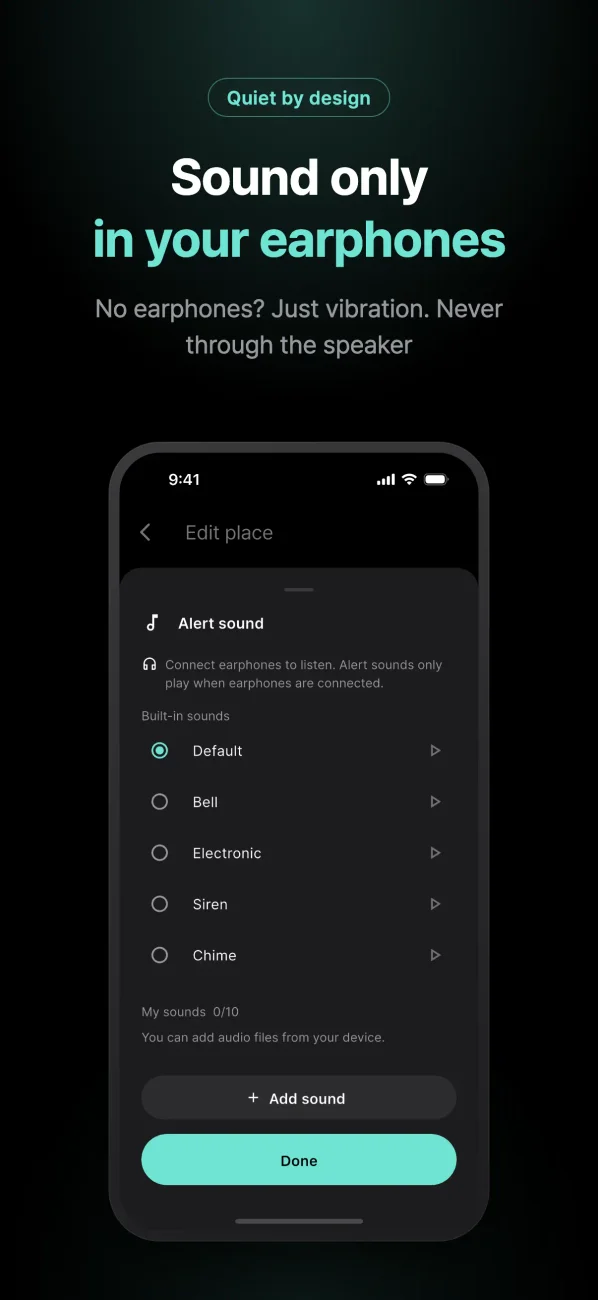
Sound plays only when earphones are connected.
Wired earphones, USB-C earphones and Bluetooth earphones all count.
Without earphones, it alerts you by vibration only.
In a library, in a meeting, on a quiet bus, only you'll know.
Sound never goes out through car audio or an external speaker.
■ Tell places apart by sound
Choose a different alert sound for each place.
With Pro, pick from Default, Bell, Electronic, Siren and Chime, or add a sound from your own phone.
Arriving home sounds different from arriving at work.
You know where you are without looking at the screen.
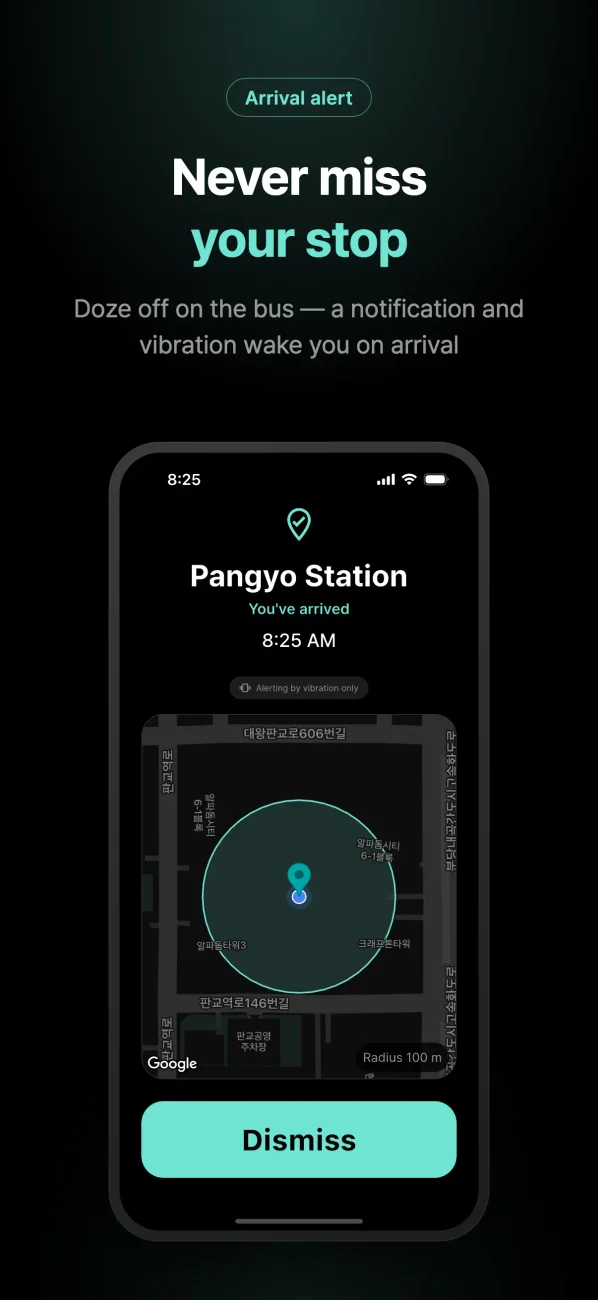
■ See where you are on the alert screen
When an alert goes off, the place you arrived at is shown on a map.
Your set radius and your current position appear together, so you can confirm at a glance that you really arrived.
■ Your movements stay off our servers
Arrival is decided entirely on your phone.
Your movements are never sent to our servers.
If you turn on Google Drive sync (Pro), only your place list is saved to the app's private space in your own Google Drive.
Free: 1 place, default sound and vibration, ads.
Pro (one-time purchase): multiple places, all sounds and vibration patterns, your own sounds, routines, backup, Google Drive sync, no ads.
No sign-up, no login.
■ Made for people who
· often miss their stop on the bus or subway
· ride a shuttle, commuter bus, intercity bus or train and tend to doze off
· can't find the stop in an unfamiliar neighborhood
· need an alert for their child's pickup time
· have something to do when they arrive somewhere
· wear earphones but hate sound leaking to others
■ Main features
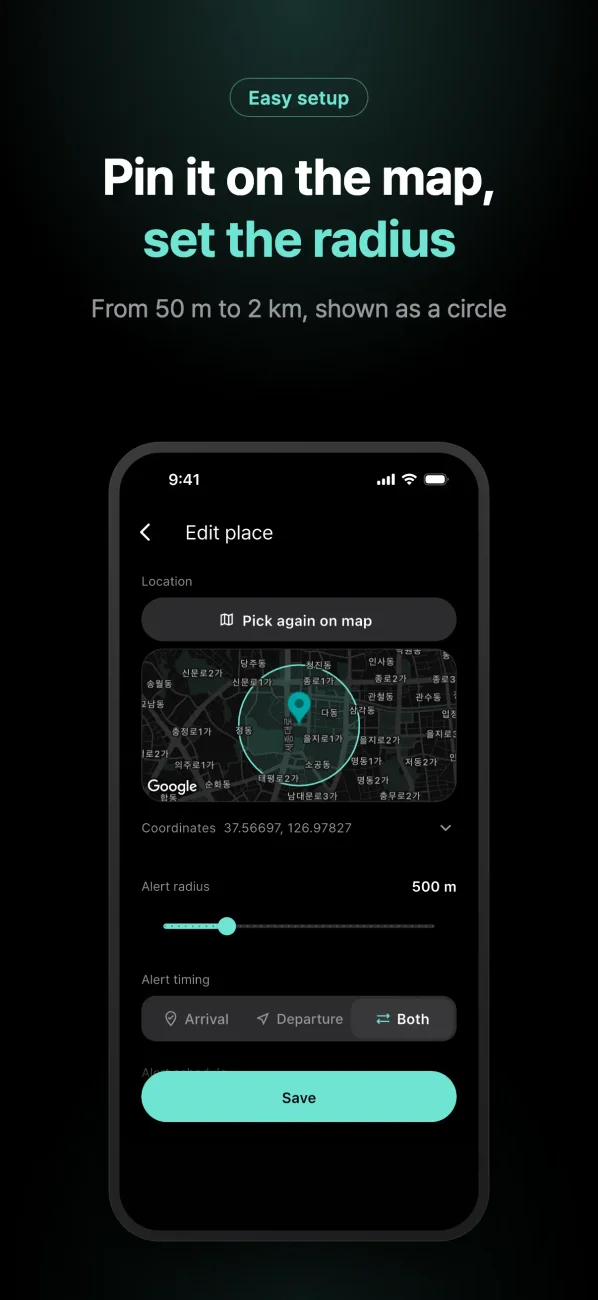
· Drop a pin on the map and set a radius (50 m to 2 km)
· Alert on arrival, on leaving, or both
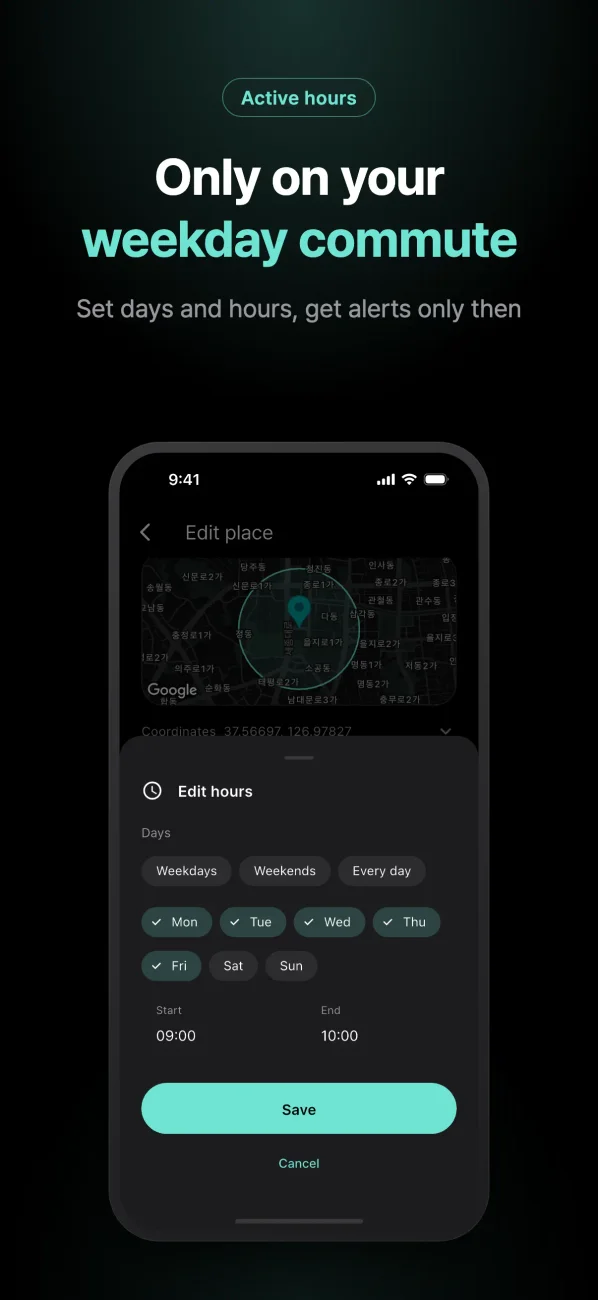
· Set days and times, e.g. weekday mornings only
· Choose a sound per place and add your own sound (Pro)
· 3 vibration strengths
· Adjustable alert volume
· Monitor several places at once (Pro)
■ Permissions
· Location (Allow all the time): needed to detect your arrival without opening the app
· Notifications: shows the arrival alert
■ Battery
It checks location less often when you are far from a place and more precisely as you get close. A location indicator appears at the top of the screen while monitoring.
What’s new
Version 1.58.0 · Nov 19, 2026
We've improved how alerts work and fixed several bugs so the app runs more reliably.
App privacy
What SUH SAECHAN declares on the App Store about how this app handles data.
-
Data linked to you
May be collected and linked to your identity.
- Identifiers
- Usage data
- Diagnostics
-
Data not linked to you
May be collected but is not linked to your identity.
- Location
- Diagnostics
Privacy practices may vary, for example with the features you use or your age.
Information
- Seller
- SUH SAECHAN
- Category
- Navigation
- Version
- 1.58.0
- Updated
- Nov 19, 2026
- Released
- Oct 8, 2026
- Size
- 61.4 MB
- Requires
- iOS 15.0 or later
- Age rating
- 4+
- Price
- Free
- In-app purchases
- Yes
- Languages
- English, Japanese, Korean, Simplified Chinese
- Copyright
- © 2026 서새찬