Earwig Marker
Mark to timeline in one click
Designed for iPhone, iPad, Mac
Free · In-app purchases
- Age rating4+
- CategoryPhoto & Video
- Developerharry Winteringham
- LanguagesEnglish
- Size48.1 MB
Links to the official App Store page
Download.org hosts no file of Earwig Marker. The button opens its official App Store page, published by harry Winteringham. Listing last checked on Nov 23, 2026.
Screenshots



About
Catch the best moments while you shoot. Find them again the second you start editing.
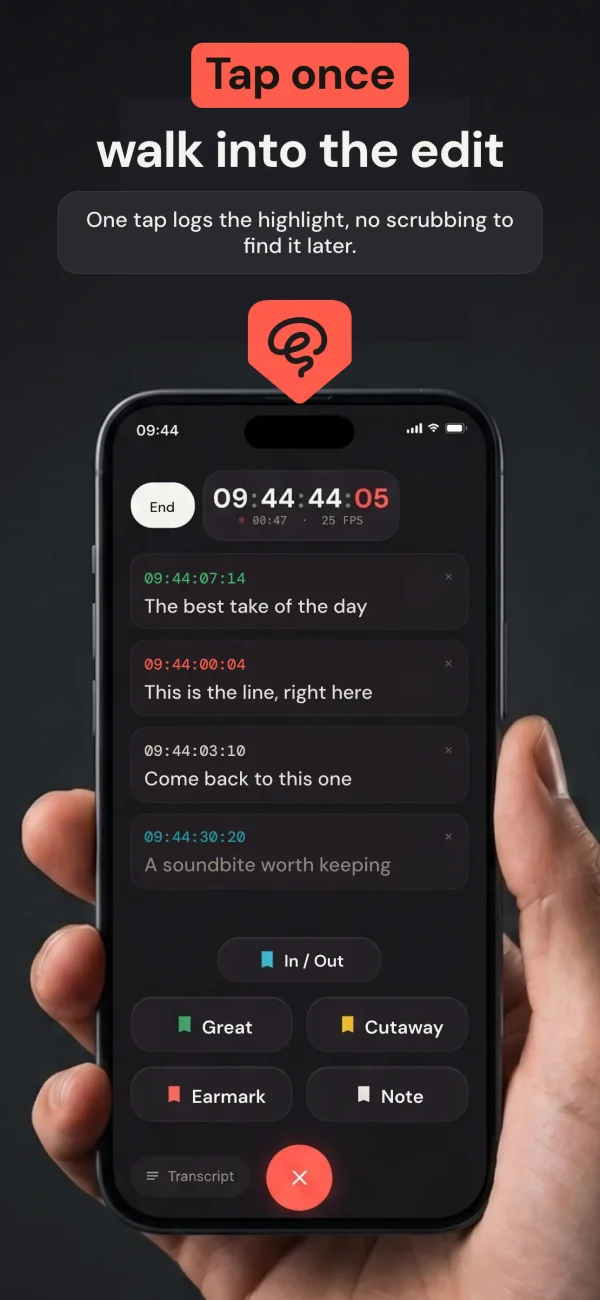
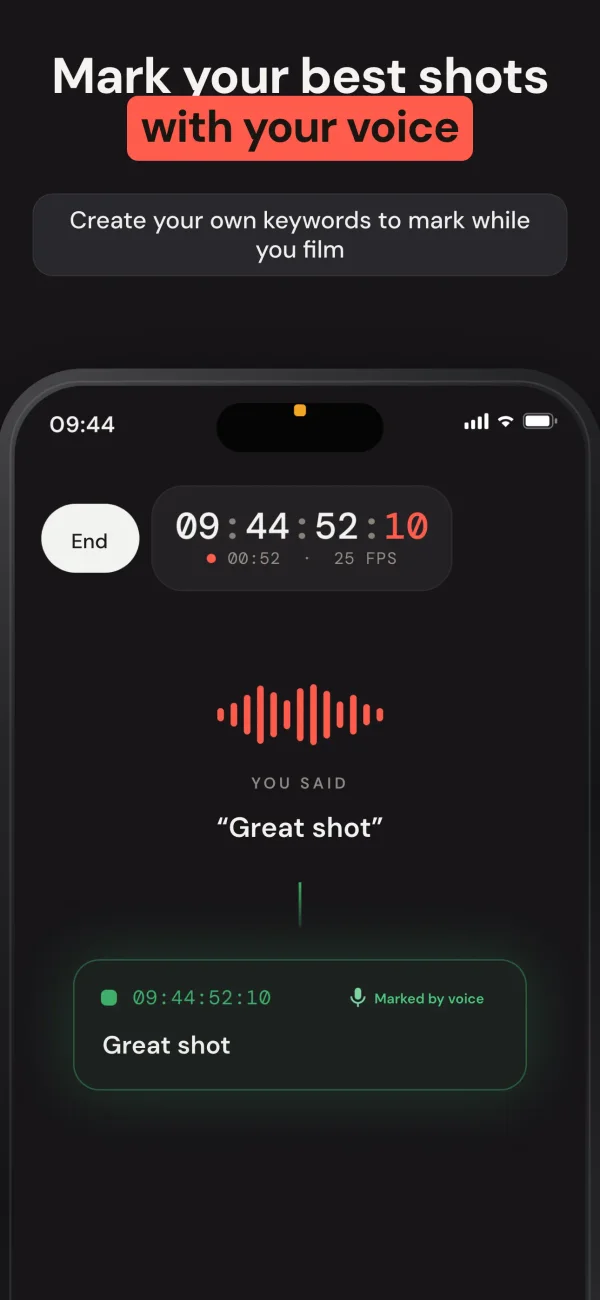
Earwig Marker is for filmmakers who shoot a lot and cut later. Tap, or just say the word, to catch a strong moment as it happens. Earwig transcribes what was said and drops a timecode-accurate marker. Back at your desk, those markers build themselves into an edit-ready timeline in DaVinci Resolve or Premiere Pro.
THE PROBLEM
You shoot for hours. The best line, the take you'll use, the shot you'll need later. Then it all disappears onto a card, and finding it again eats the first day of every edit.
HOW IT WORKS
1. Set up your buttons. One tap for a highlight, a good take, a cutaway, or build your own.
2. Shoot your day. Tap when something good happens, or set a keyword and say it out loud to mark hands-free. Hold In and Out to capture a whole clip, and Earwig sums up what was said in it.
3. Open Earwig Sync on your Mac. Your markers build into a timeline in Resolve or Premiere, lined up with your footage, ready to cut.
WHAT MAKES IT DIFFERENT
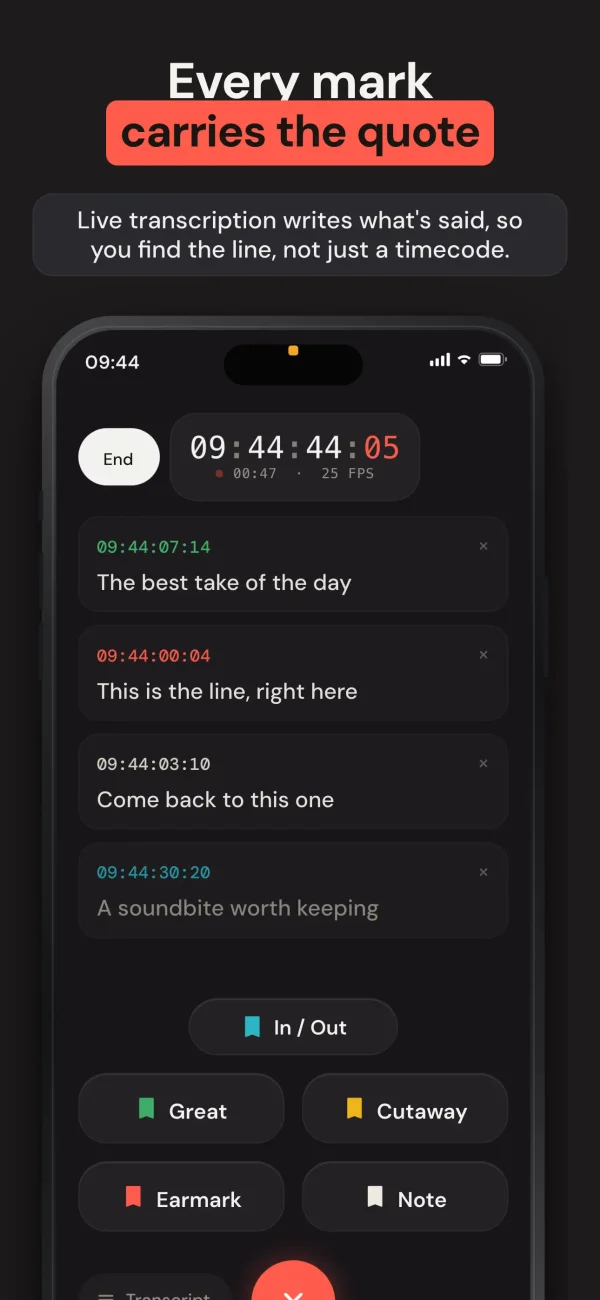
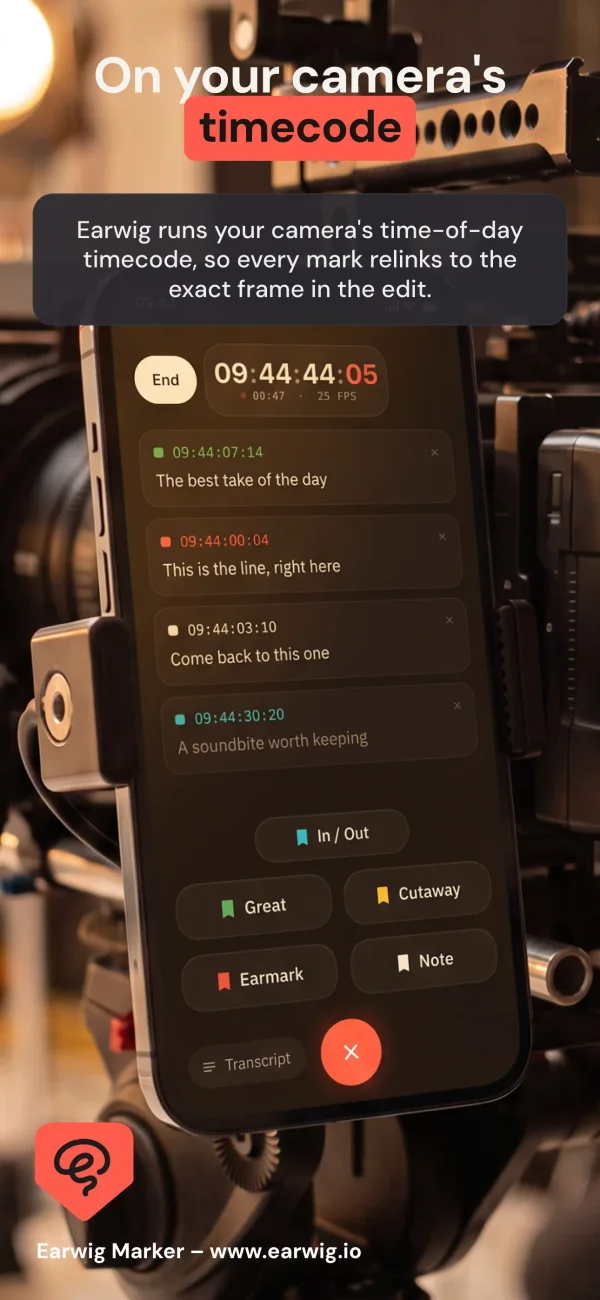
Earwig transcribes while you shoot, so every marker carries the words actually spoken, not just a timecode. Name a speaker once and the name stays across the whole transcript. And Earwig Sync, the free Mac app, lines your markers up to your camera's audio, so each one lands on the exact frame. You open your edit and the good bits are already found and laid down.
That's hours of logging and searching gone. You start where you used to finish.
WHO IT'S FOR
Documentary makers, interviewers, podcasters, multicam and solo shooters. Anyone who shoots more than they can remember and cuts in Resolve or Premiere.
WHAT YOU GET
- A tap, or your own voice, to catch a moment while you shoot
- Custom buttons and colours for takes, cutaways, strong moments and more
- In and Out to mark a clip, with a summary of what was said
- Live transcription, so every marker carries the actual quote
- Speaker names kept across the whole transcript
- Timecode-accurate markers, lined up with your footage
- A free Mac app that builds your markers into a Resolve or Premiere timeline
- No timecode box, no extra hardware
- Works with the camera and edit software you already use
Built by a filmmaker who was tired of losing the best moment in the edit.
Start with a free month. Mark your next shoot and watch the edit take shape before you've touched a clip.
Earwig Sync is a free companion app for Mac. DaVinci Resolve and Premiere Pro belong to their respective owners and are not affiliated with Earwig.
Note: the app's interface and transcription currently work in English.
Pricing: Earwig is a subscription. Friends of Earwig is GBP 9.99 a month with the first month free, for as long as you stay subscribed. Studio is GBP 14.99 a month or GBP 119 a year and includes 10 hours of cloud transcription a month, with top-ups available. Pro, for markers and sync without transcription or AI, is GBP 3.99 a month or GBP 34.99 a year. Your Apple Account is charged when the free month ends, and subscriptions renew each period unless you cancel at least 24 hours before the end of the period. Manage or cancel any time in your Apple Account settings.
Terms of Use (EULA): https://www.apple.com/legal/internet-services/itunes/dev/stdeula/
What’s new
Version 30.25 · Nov 22, 2026
New in this version:
- A quicker start: Begin shoot, scan your timecode, then Record.
- Your shoot report: a PDF of your markers when you wrap, and a link that sends your shoot to your computer for Earwig Sync.
- Every frame rate is now free, including 23.976, 29.97 and drop-frame.
- Choose your language when you sign up, and transcription follows it.
- Wiggy keeps the colour you pick.
App privacy
What harry Winteringham declares on the App Store about how this app handles data.
-
Data linked to you
May be collected and linked to your identity.
- Purchases
- Contact info
- User content
- Identifiers
- Usage data
Privacy practices may vary, for example with the features you use or your age.
Information
- Seller
- harry Winteringham
- Category
- Photo & Video
- Version
- 30.25
- Updated
- Nov 22, 2026
- Released
- Jul 9, 2026
- Size
- 48.1 MB
- Requires
- iOS 17.6 or later
- Age rating
- 4+
- Price
- Free
- In-app purchases
- Yes
- Languages
- English
- Copyright
- © 2026 Harry Winteringham
You might also like
-
 Marker for Creators: TimecodeTimecode Notes while filming
-
 Director ModeMulti-camera monitor & control
-
 Video AssistPro Video Monitor & Recorder
-
 ColourTempColour/Flicker Meter for Video
-
 CHXLST: Gear+Camera ChecklistCamera Settings & Shoot Prep
-
 Prop ScreenPropScreen: Film & TV Phone UI
-
 CineTempColor Temp & Exposure Tool
-
 THE TetherWireless Photo Workflow
-
 CineLog: Film Pre-ProductionPhoto & Video
-
 BlackRAW Studio: Color GradingBRAW, ProRes RAW & LUTs