Video Assist
Pro Video Monitor & Recorder
Designed for iPad
Free · In-app purchases
- Age rating4+
- CategoryPhoto & Video
- DeveloperAuron Studios Pty Ltd
- LanguagesEnglish
- Size160.2 MB
Links to the official App Store page
Download.org hosts no file of Video Assist. The button opens its official App Store page, published by Auron Studios Pty Ltd. Listing last checked on Nov 15, 2026.
Screenshots



About
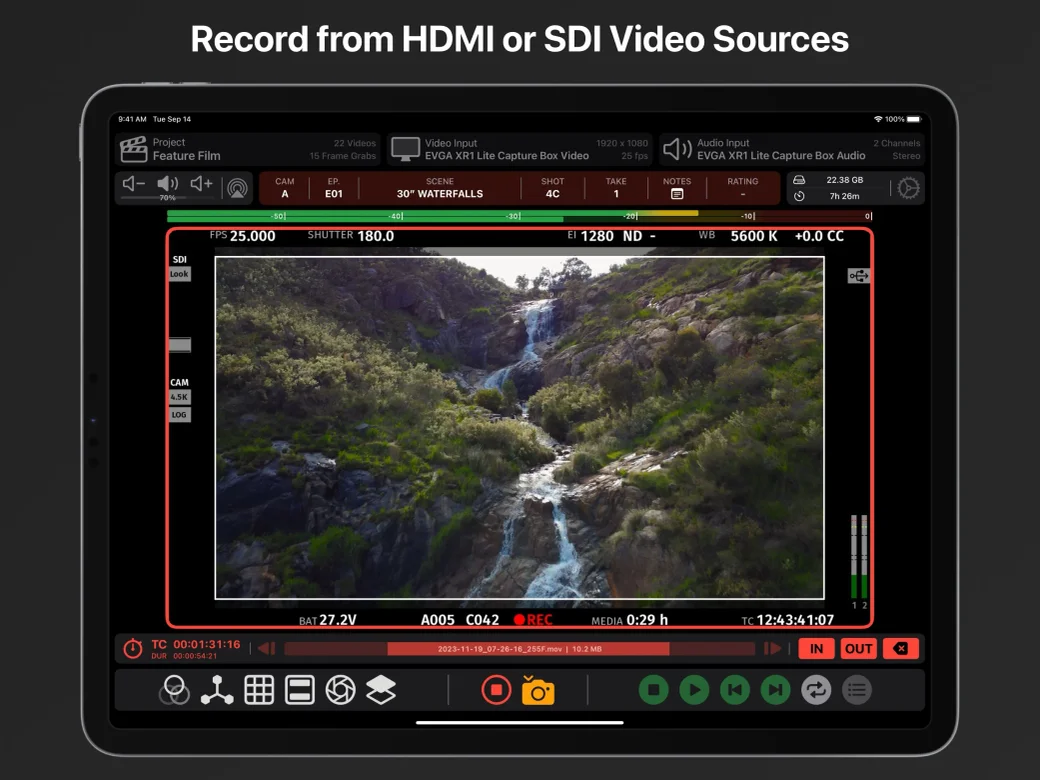
Use your iPad as an external monitor and recording device with compatible USB Capture Cards. Easily record videos or capture frame grabs from any HDMI or SDI Video Source. Streaming Input is supported via NDI®.
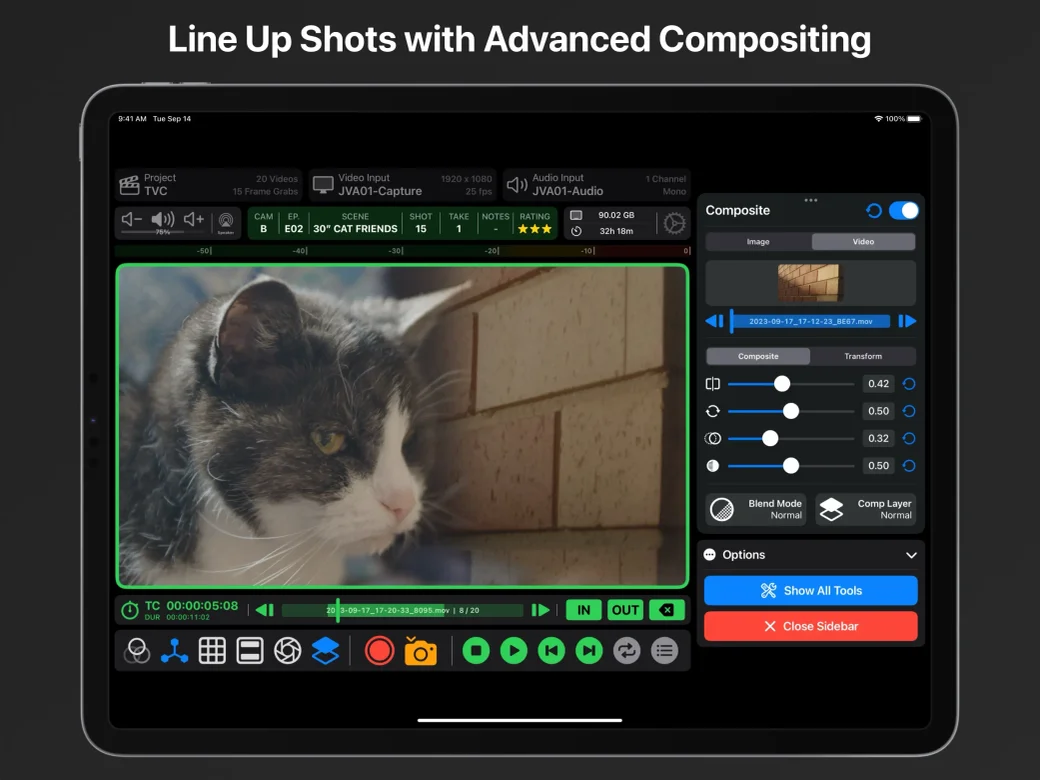
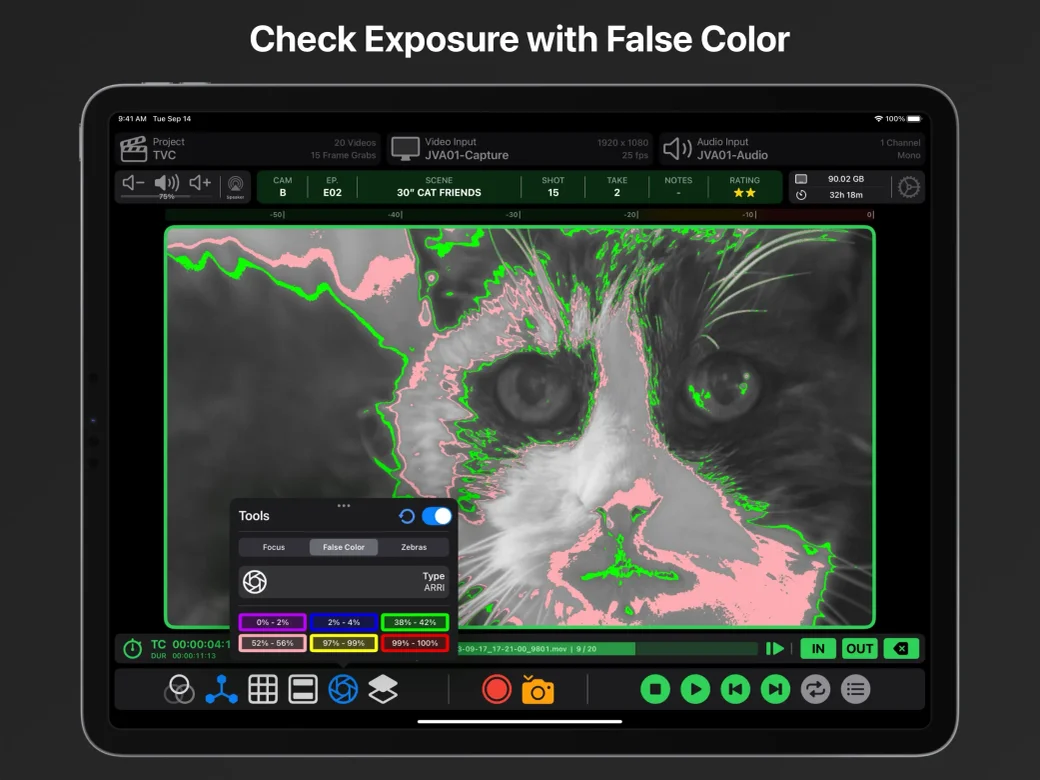
Equipped with professional tools such as LUTs, Compositing, Focus Peaking, False Color, Zebras, Video Transform, Grid Lines, Center Marks, Aspect Ratio Masks, Anamorphic Desqueeze and Audio Meters.
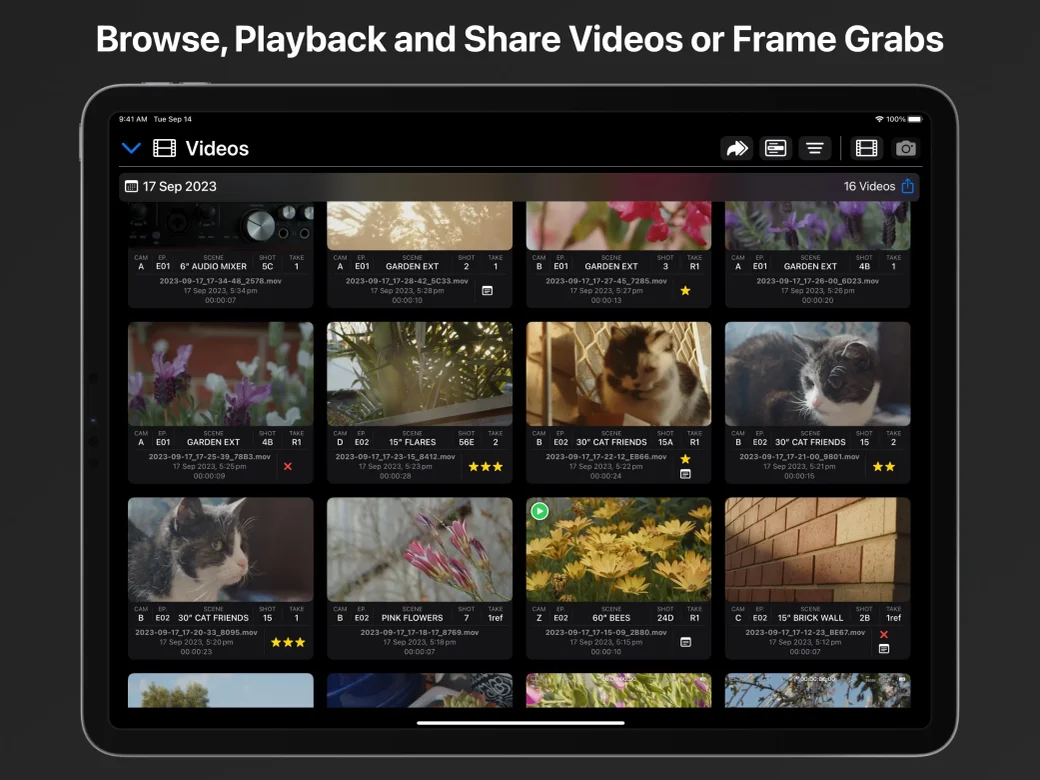
Review captured video with our suite of in-built playback tools. Set multiple in/out points for a video to quickly get an idea of how it will feel in an edit. Our Playback Controls allow you to scrub to any point in time and navigate frame by frame when required. Playback will loop between different in/out points for takes with multiple actions. The Playback Browser makes finding and sharing specific clips via AirDrop a breeze, you can even assign each clip a rating to keep track of preferred takes.
Clean Video Output is supported for both live video and playback. Simply connect an external monitor to your iPad with a USB-C to HDMI/DisplayPort Adaptor or via AirPlay. You’ll then be able to control Video Assist from your iPad while providing a processed video feed to another monitor. When using USB Video Output in tandem with a USB Capture Card you will need to use a USB Hub.
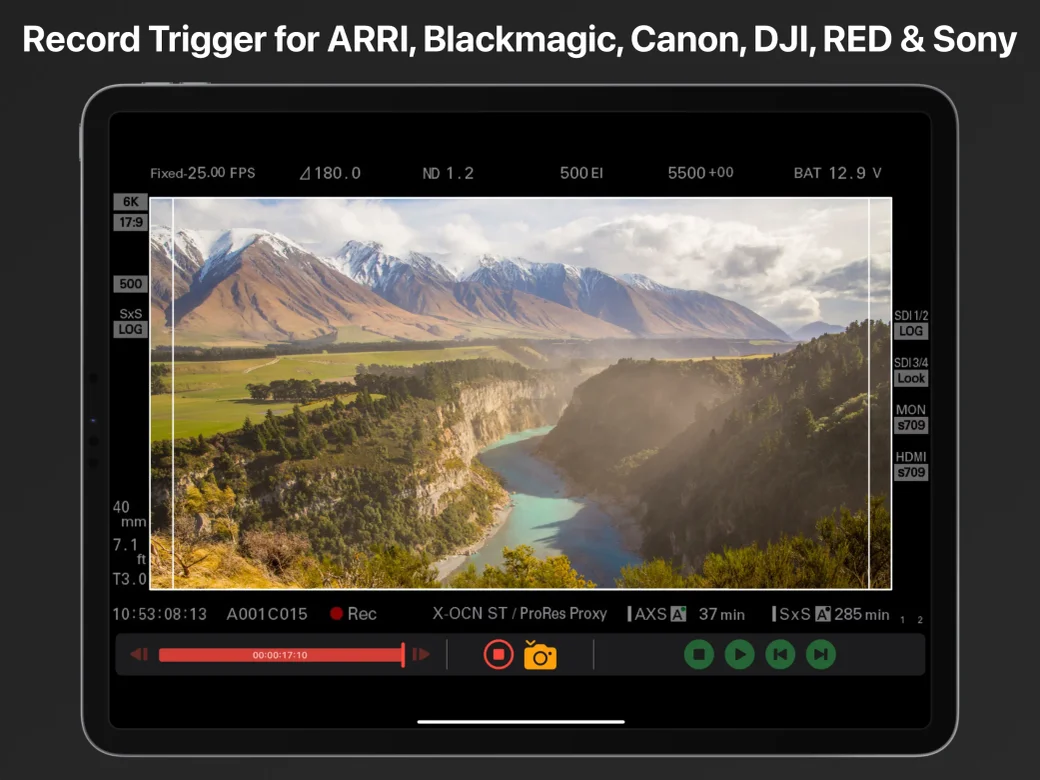
Automatic Record Trigger is supported for ARRI, Blackmagic, Canon, DJI, Kinefinity, Nikon, Panasonic, RED and Sony Cameras via custom built computer vision models. Record Trigger requires status info on your camera output, it will not work on a clean video feed. If we don’t support Record Trigger for a camera you own please get in touch.
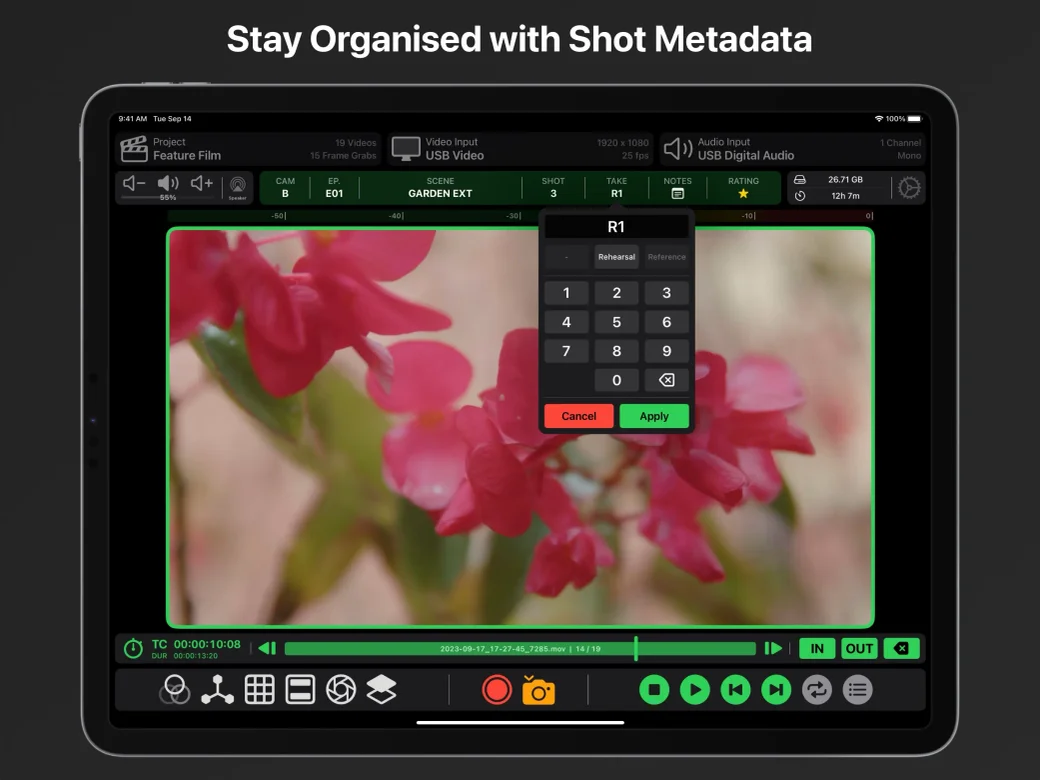
All Videos and Frame Grabs are stored on your iPad and can be accessed from the ‘Files’ App, you can choose if they record ‘On My iPad’, to ‘iCloud Drive’ or on an ‘External Drive’. Create Projects for better organisation when using Video Assist on different jobs or for breaking things down episode to episode on longer projects.
A demo of ‘Video Assist 2.0’ can be viewed here:
https://youtu.be/KehgqY0O1FA
A pre-release demo of ‘Video Assist’ can be viewed here:
https://youtu.be/-KxTDOyLeWQ
Features That Require a ‘Pro’ Subscription:
• LUTs
• Focus Peaking
• False Color
• Zebras
• Compositing
• Metadata Extraction
• NDI® Video Input
• ProRes Recording*
*ProRes is Only Supported on Compatible Devices
Verified HDMI Capture Cards:
Accsoon SeeMo
Accsoon SeeMo 4K
Elgato HD60 X
Elgato HD60 S+
Elgato CamLink 4K
EVGA XR1 Lite
J5 Create JVA01
UGREEN Video Capture Dongle
AverMedia Live Gamer Mini
AverMedia ExtremeCap UV (BU110)
Roland UVC-01
Simplecom DA315
Verified SDI Capture Cards:
Accsoon SeeMo Pro¹
AJA U-Tap SDI
AVMATRIX UC2018
Magewell SDI 4K Plus
Ezcap 327²
Incompatible SDI Capture Cards³:
Blackmagic UltraStudio Recorder 3G
Blackmagic UltraStudio 4K Mini
¹ Accsoon SeeMo Pro Only Works with the Supplied USB-C Cable. Does Not Work with USB Hubs.
² Lowest Frame Rate for the Ezcap 327 is 30fps. 2160p30 Available via HDMI Input.
³ USB Capture Cards must be UVC Compliant to work with Video Assist.
Compatible iPad Models:
iPad Pro 12.9-inch (3rd Generation and Later)
iPad Pro 11-inch (1st Generation and Later)
iPad (10th Generation)
iPad Air (4th Generation and Later)
iPad Mini (6th Generation and Later)
As a general rule, if your iPad has a USB-C or Thunderbolt 3/4/5 Port then it will be compatible.
It is recommend that your iPad has an M1 Chip or newer.
Terms of Use:
https://f004.backblazeb2.com/file/video-assist-public/terms-of-use.pdf
Privacy Policy:
https://f004.backblazeb2.com/file/video-assist-public/privacy-policy.pdf
Apple EULA:
https://www.apple.com/legal/internet-services/itunes/dev/stdeula/
Other:
NDI® is a registered trademark of Vizrt NDI AB
What’s new
Version 2.3.6 · Nov 5, 2026
• Major Performance Improvements! The user interface has been optimised to reduce CPU Usage by 10x during Live/Playback and 4x while Recording. This boosts performance on older iPads and reduces power consumption.
• Faster Playback Switching! Returning to Live from Playback is now instant on most capture cards. Audio will switch after video instead of holding up the video feed.
• Improved Reliability for Live Audio! Audio output now recovers automatically when a connected audio device changes.
• AirPods and Bluetooth Headphones stay connected while switching between Live/Playback when using SeeMo or NDI® Audio.
• If the iPad Microphone was the last used Audio Input it will only be assigned when you have a valid Video Input.
• When using the iPad Camera, the correct video orientation will display when returning to Live if the iPad has been rotated during Playback.
• The initial connection when plugging in a USB Hub with multiple peripherals is faster and no longer freezes the app.
• Added support for the iPad Mini A20 Pro.
• Fixed an issue where the app could briefly freeze at the end of a recording when using Metadata Extraction.
• Fixed an issue where the Rotation Sliders for the Transform and Composite Tools would not accept decimal values.
• Fixed an issue where the Composite Timeline could show ‘No File Loaded’ after selecting a clip to load.
• Fixed an issue where the Status Overlay Sliders could jump when pressing the Reset Button.
• Fixed an issue where popups could appear on their own without being tapped.
• Many other under the hood changes in preparation for exciting new features.
App privacy
What Auron Studios Pty Ltd declares on the App Store about how this app handles data.
-
Data not linked to you
May be collected but is not linked to your identity.
- Usage data
- Diagnostics
Privacy practices may vary, for example with the features you use or your age.
Information
- Seller
- Auron Studios Pty Ltd
- Category
- Photo & Video
- Version
- 2.3.6
- Updated
- Nov 5, 2026
- Released
- Sep 18, 2023
- Size
- 160.2 MB
- Requires
- iOS 17.0 or later
- Age rating
- 4+
- Price
- Free
- In-app purchases
- Yes
- Languages
- English
- Copyright
- © 2026 Bradley Andrew
You might also like
-
 Earwig MarkerMark to timeline in one click
-
 Mavis Camera: Pro CaptureRecord, live stream and LUTs
-
 AccsoonPhoto & Video
-
 NDI MonitorDisplay NDI Streams with Audio
-
 Live for StudioYour studio collaboration app
-
 SiennaLinkRemote Confidence Monitor
-
 Focus PullerBlackmagic camera focus
-
 Louper StreamConnectPhoto & Video
-
 Video PencilCoaching, Calls, Streaming
-
 Cadrage Director's ViewfinderViewfinder for Directors & DPs