
EasyCut: Video Toolkit
Easy Video Editing
Designed for iPhone, iPad
In-app purchases
- Age rating4+
- CategoryPhoto & Video
- Developer小聪 钟
- LanguagesKorean+ 8 more
- Size2.3 MB
Links to the official App Store page
Download.org hosts no file of EasyCut: Video Toolkit. The button opens its official App Store page, published by 小聪 钟. Listing last checked on Nov 14, 2026.
Screenshots
About
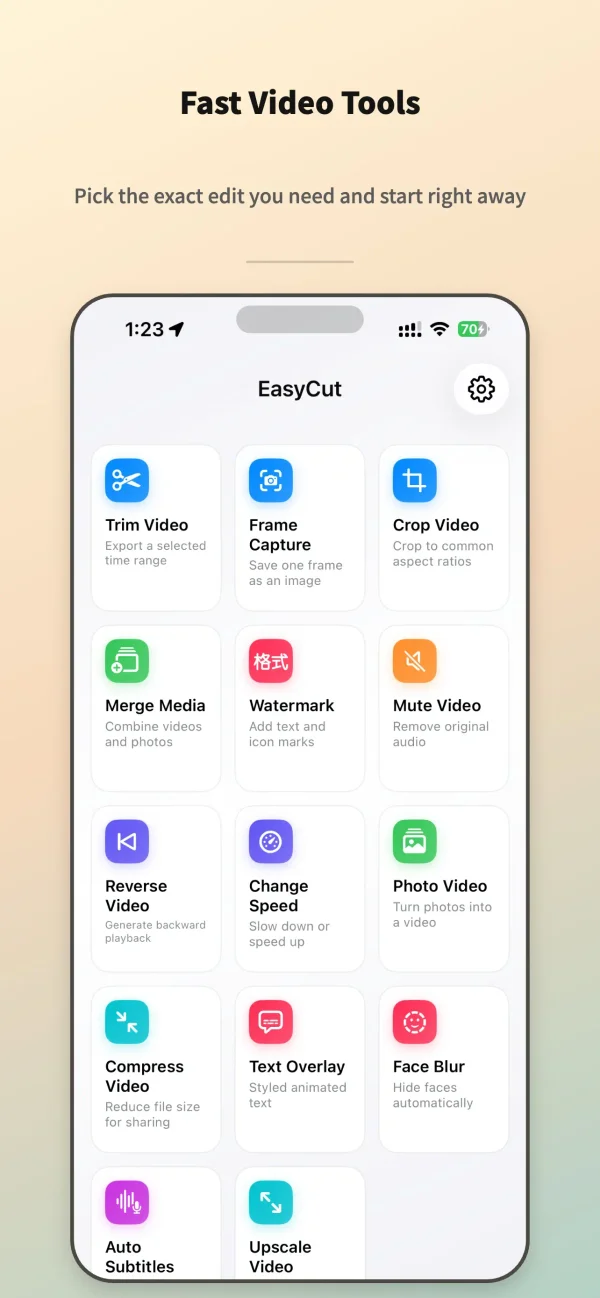
EasyCut is a fast video toolkit for everyday edits. Pick a video or photo, choose the tool you need, adjust a few simple controls, and export a clean result.
Use EasyCut when you want to finish one video task without opening a complicated editor.
What you can do:
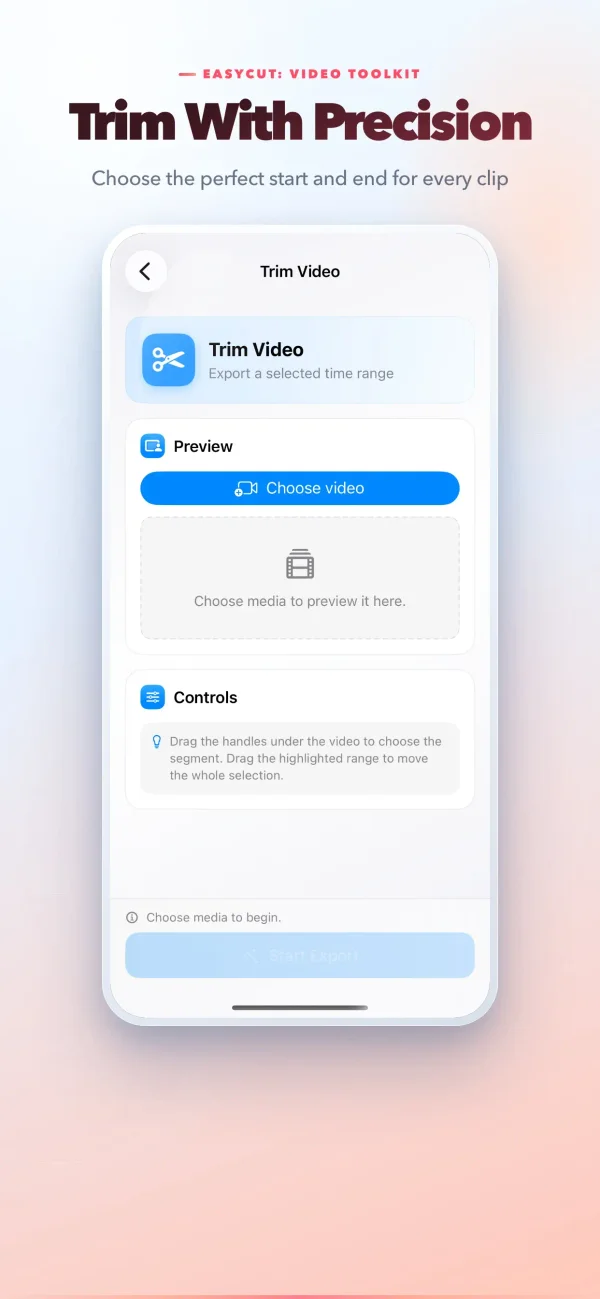
- Trim a video to the exact moment you need
- Capture a frame and save it as an image
- Crop video for square, vertical, landscape, and story formats
- Merge videos and photos into one video
- Add a text or image watermark
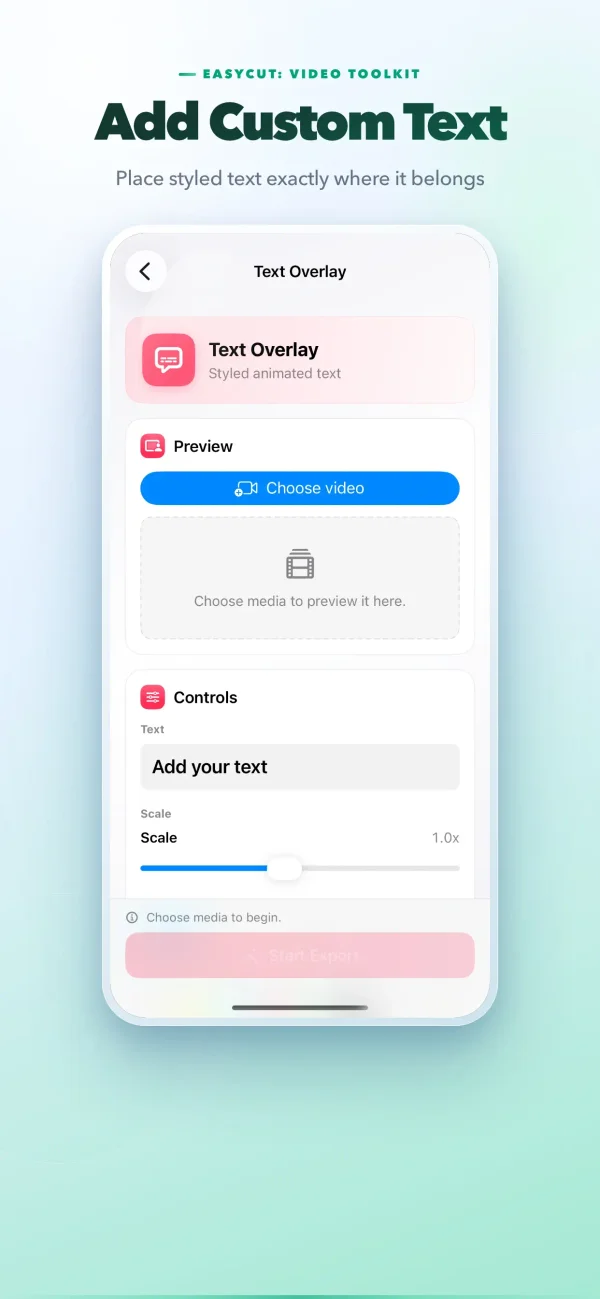
- Add custom text overlays with font, size, color, position, and timing controls
- Generate subtitles automatically with on-device speech recognition, edit every line, and burn them into the video
- Remove audio from a video
- Reverse video playback
- Speed up or slow down a selected section
- Turn photos into a video
- Compress video for easier sharing
- Upscale video resolution up to 2x (up to 4K) with hardware acceleration
- Blur faces with a smooth blur, mosaic, or image cover
EasyCut is designed for quick, practical edits:
- Clean one-screen tools
- Simple previews before export
- No account required
- No subscription required
- No watermark added by the app
- Save finished videos or images to Photos when you are ready
Free to try every tool with full previews. A single one-time purchase unlocks saving and sharing your results — no subscription, ever.
Everything runs locally on your device: video processing and speech recognition never send your media anywhere.
Whether you are preparing a clip for sharing, adding subtitles, reducing file size, hiding private details, grabbing a still image, or adding a quick label to a video, EasyCut helps you get it done with less friction.
Terms of Use (EULA): https://www.apple.com/legal/internet-services/itunes/dev/stdeula/
Privacy Policy: https://easycut.iamdev.me/privacy.html
Terms of Service: https://easycut.iamdev.me/terms.html
Support: support@iamdev.me
What’s new
Version 1.2 · Aug 15, 2026
Bug fixes & small performance improvements.
App privacy
What 小聪 钟 declares on the App Store about how this app handles data.
-
Data not linked to you
May be collected but is not linked to your identity.
- Identifiers
Privacy practices may vary, for example with the features you use or your age.
Information
- Seller
- 小聪 钟
- Category
- Photo & Video
- Version
- 1.2
- Updated
- Aug 15, 2026
- Released
- Jul 16, 2026
- Size
- 2.3 MB
- Requires
- iOS 26.0 or later
- Age rating
- 4+
- In-app purchases
- Yes
- Languages
- Korean, German, Spanish, English, Italian, Japanese, Simplified Chinese, Traditional Chinese, French
- Copyright
- © 2026 IAMDEV
You might also like
-
 Offline AI Auto CaptionsPrivate AI Video Subtitles
-
 Split Long Video To ShortsClip Cutter, Trim Editor reals
-
 Image Studio ProProfessional Photo Editor
-
 Video Compressor: Resize VidCompress Videos & Resizer App
-
 Reniv - Restore & Unblur PicsAI Restoration: Photo Recovery
-
 ImagePro: AI Image EnhancerEnhance, Colorize, Unblur, Fix
-
 VCAP : AI Caption For VideoAuto Caption for Videos
-
 Face Morph: Animal & GIF MakerMerge faces: animation & video
-
 Camvi: Disposable Camera EventShared Photo Album for Guests
-
 VideoReverser: Reverse VideoReverse Audio & Live Wallpaper