EasyLive: Live Wallpaper Maker
Trim Video for Lock Screen
Designed for iPhone, iPad
Free · In-app purchases
- Age rating4+
- CategoryPhoto & Video
- DeveloperDongdong Wang
- LanguagesEnglish+ 19 more
- Size5.0 MB
Links to the official App Store page
Download.org hosts no file of EasyLive: Live Wallpaper Maker. The button opens its official App Store page, published by Dongdong Wang. Listing last checked on Nov 13, 2026.
Screenshots

About
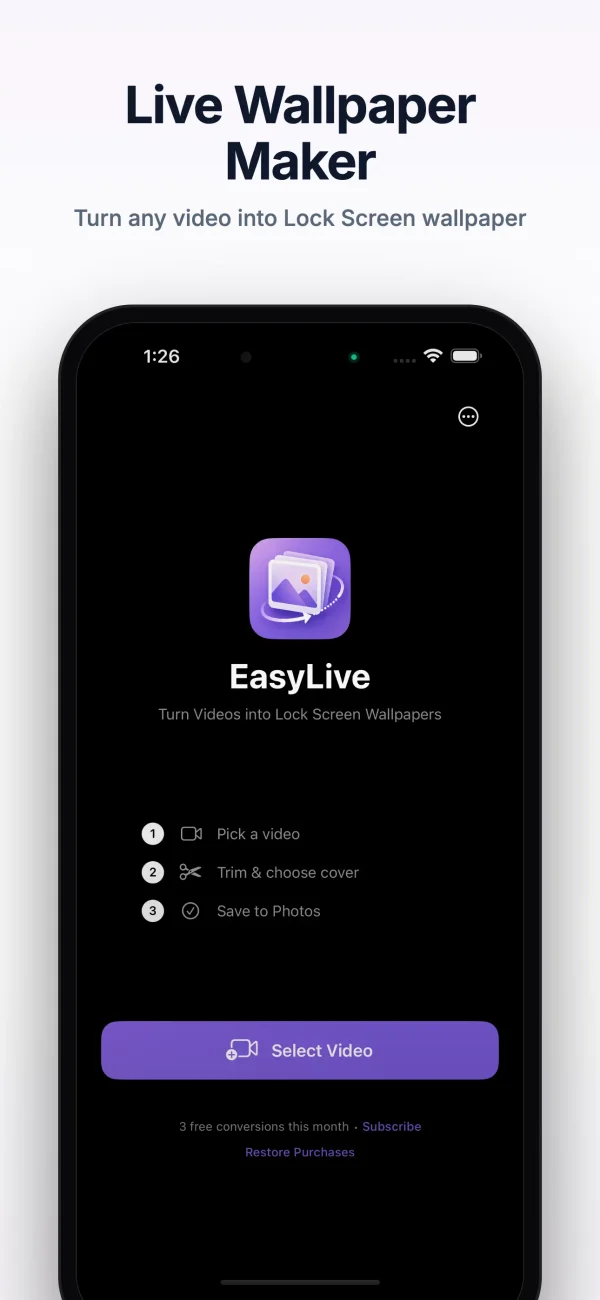
Turn your favorite videos into iPhone wallpapers and shareable motion clips. Pick any clip from your Camera Roll, trim it to the best moment, choose a cover frame. EasyLive turns it into a moving image you can use as Lock Screen wallpaper, send via iMessage and WhatsApp with motion intact, or save for any social app that supports motion playback.
Everything stays on your iPhone. No upload, no sign-in, no watermark.
What you get:
• Wallpaper Maker for any video clip. Trim, pick the key frame, mute the audio
• Lock Screen wallpaper with motion on iOS 17+
• Share via iMessage and WhatsApp with motion and audio intact
• Save moving images for any social app that supports motion playback
• Video to wallpaper converter in seconds
• Works with MP4, MOV and other video formats
• Runs entirely on your iPhone, so clips never leave the device
• Works offline. No internet, no account, no tracking
• No ads, no watermark
• Works with portrait and landscape video
• Universal: iPhone and iPad
• Available in 20 languages
How to set as Lock Screen wallpaper:
1. Pick your video clip in EasyLive
2. Trim to 1-3 seconds and pick your key frame
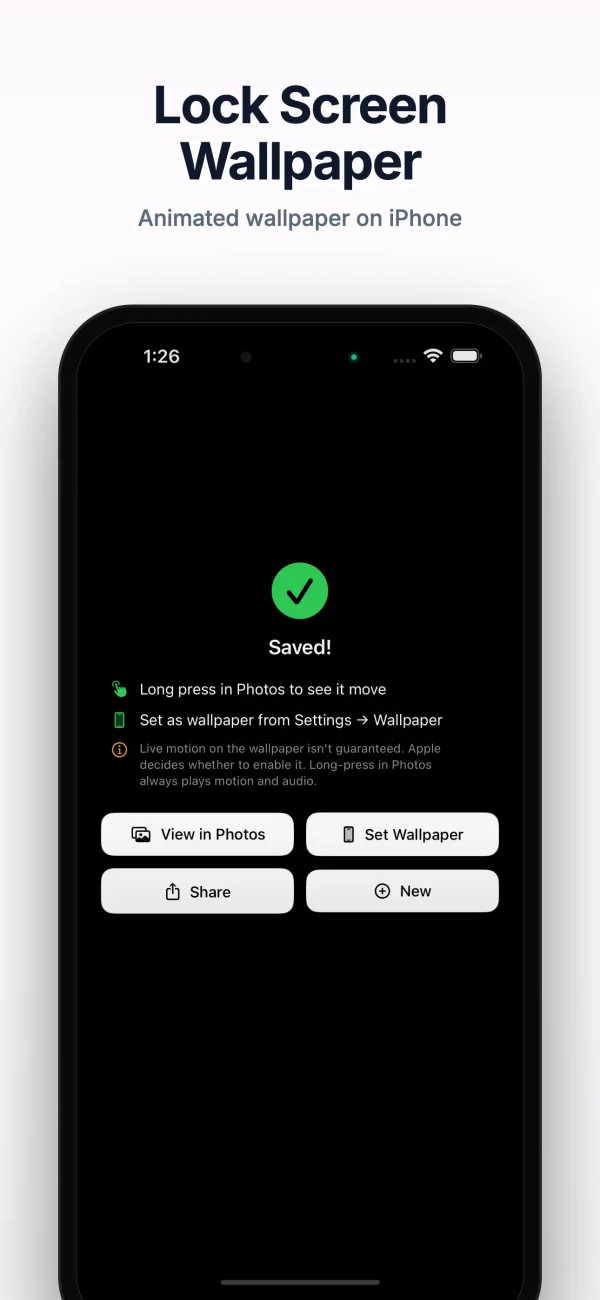
3. Tap Save to Photos
4. Open Settings, then Wallpaper, then Customize Lock Screen, and pick the wallpaper you just made
How to share with motion:
1. Save the result in EasyLive
2. Open Photos, find the new clip
3. Tap Share, then send via iMessage or WhatsApp with motion preserved
Pricing:
3 free conversions every month. Pro unlocks unlimited conversions. Cancel anytime from Settings > [Your Name] > Subscriptions.
Privacy:
Your videos stay private. They never leave the device, never get uploaded, never get tracked. EasyLive runs fully offline and collects no personal data. See https://www.limontech.net/easylive/privacy.html
Subscription terms:
EasyLive Pro is an auto-renewable subscription billed monthly via your Apple ID. It renews unless cancelled at least 24 hours before the end of the period. Manage in App Store account settings.
Terms of Use (EULA): https://www.apple.com/legal/internet-services/itunes/dev/stdeula/
What’s new
Version 1.2.2 · Aug 10, 2026
Your language, everywhere. The upgrade link, the Terms of Use item, the photo permission prompt and the privacy and support pages now all appear in the language you use the app in, instead of English. Also fixes a layout glitch on the home screen in languages with longer text.
App privacy
What Dongdong Wang declares on the App Store about how this app handles data.
-
Data not collected
The developer does not collect any data from this app.
Privacy practices may vary, for example with the features you use or your age.
Information
- Seller
- Dongdong Wang
- Category
- Photo & Video
- Version
- 1.2.2
- Updated
- Aug 10, 2026
- Released
- May 17, 2026
- Size
- 5.0 MB
- Requires
- iOS 17.0 or later
- Age rating
- 4+
- Price
- Free
- In-app purchases
- Yes
- Languages
- English, Arabic, Dutch, French, German, Hindi, Indonesian, Italian, Japanese, Korean, Polish, Portuguese + 8 more
- Copyright
- © 2026 Limon Tech
You might also like
-
 VideoToLive - Wallpaper MakerVideo to Live Maker for iOS17
-
 LiveMotion: Live WallpaperVideo to Live Photo Converter
-
 Liva Photo: Video to LiveVideo to Live Photo & collage
-
 Live Photo StudioPhoto & Video
-
 LivePhotoX-Video to Live PhotoLive Photo & Wallpaper Maker
-
 LiveMax - Live Wallpaper MakerTurn Video into Live Wallpaper
-
 VividLive - Wallpaper MakerCraft Stunning Live Wallpapers
-
 VideoToLive: Live Photo & GIFLive Photos, GIF & Video
-
 Pintaro: Photo Collage MakerLive Video Grid & Pic Layout
-
 Unstill: Video WallpaperLock screen live photo maker