
- Age rating4+
- CategoryDeveloper Tools
- Developer恒俭 董
- LanguagesJapanese+ 4 more
- Size36.7 MB
Links to the official App Store page
Download.org hosts no file of Edit Go. The button opens its official App Store page, published by 恒俭 董. Listing last checked on Nov 12, 2026.
Screenshots

About
Edit Go opens the text and code files your computer writes - and saves them straight back where they came from.
No subscription. No account. No ads. Every editing feature is free.
EDIT THE FILE, NOT A COPY
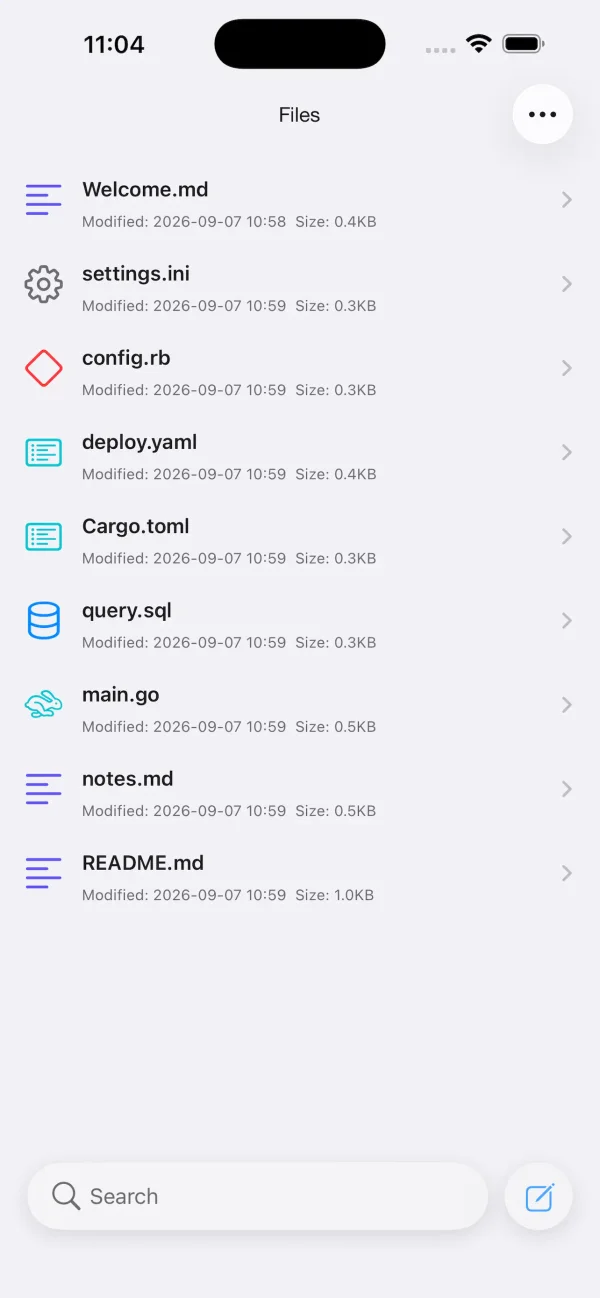
Open documents directly from Files, iCloud Drive, Dropbox, Google Drive or any other file provider. What you save goes back to the original - nothing is imported, nothing is duplicated. The file you edited on your Mac this morning is the same one you just changed on your phone. You can also open a whole folder and work through it without going back to Files each time.
OPENS WHAT YOUR COMPUTER WRITES
Automatic detection for UTF-8, UTF-16, GB18030, GBK, Shift_JIS, EUC-KR, ISO-8859-1 and Windows-1252 - so a config file from a Windows, Chinese, Japanese or Korean machine does not open as a screen of garbage. Switch line endings between LF (Unix), CRLF (Windows) and CR (classic Mac) whenever you need to. Encoding and line ending are remembered per file.
MARKDOWN THAT READS LIKE MARKDOWN
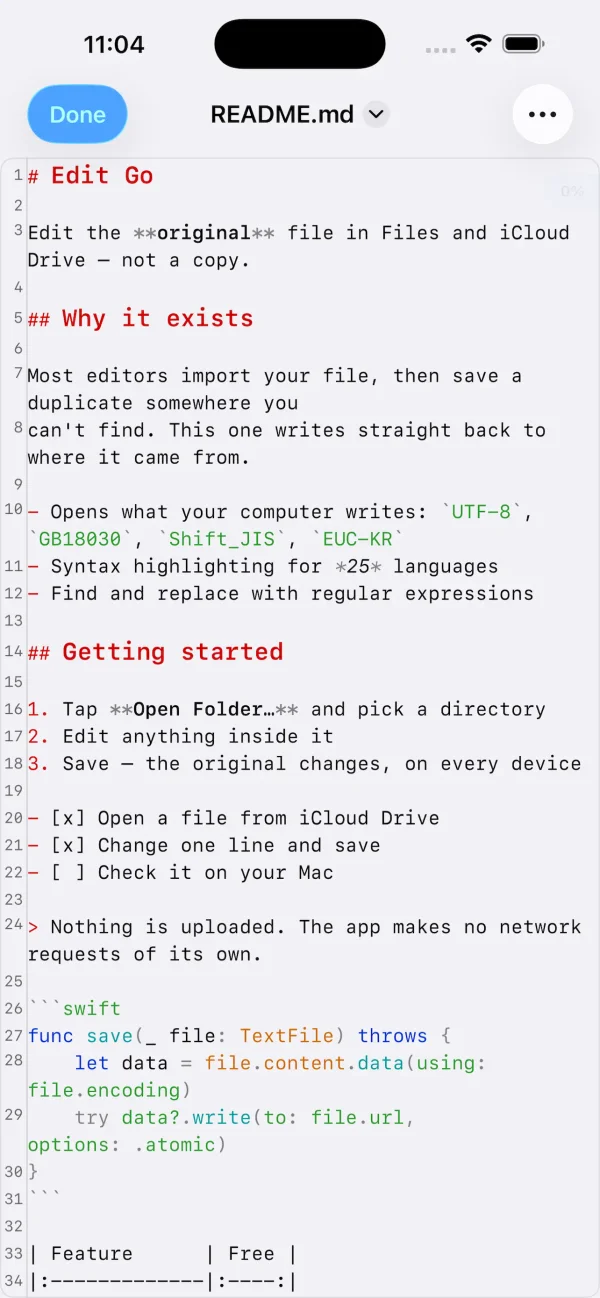
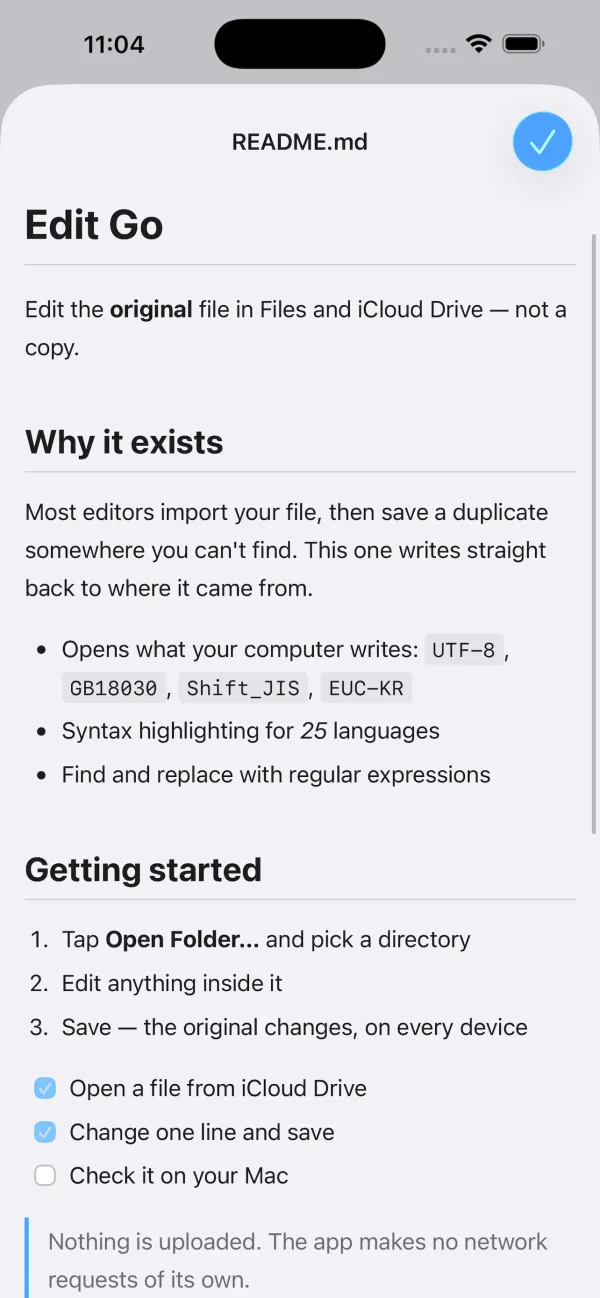
Headings, bold, italic, links, quotes and fenced code blocks are highlighted as you write, and code inside a fenced block is highlighted in its own language. Press return in a list and the next bullet is there waiting - numbered lists count up, task lists stay unchecked, and an empty item ends the list. A rendered preview is one tap away. HTML files preview too.
BUILT FOR BIG SCREENS
On iPad and on an unfolded iPhone Duo, your files sit in a sidebar next to the document you are editing. Open the preview and the sidebar steps aside, so the editor and the rendered page share the screen - side by side when it is wide, one above the other when it is tall. Fold iPhone Duo partway and the editor and preview move to either side of the fold. On iPad you can also open several windows at once.
AN AI THAT NEVER SEES YOUR FILES
Explain a block of config you didn't write. Summarize a log. Describe a pattern in plain words and get a regular expression you can run in Find. Translate a comment. Fix the syntax of a broken JSON or YAML file - you review every change before it is applied.
All of it runs on the device itself - nothing is uploaded, nothing needs an account, and it works in airplane mode. It is also free.
Requires iOS 26 or later on a device that supports Apple Intelligence. If yours doesn't, or Apple Intelligence isn't offered where you are, everything else in Edit Go works exactly the same.
BUILT FOR QUICK, PRECISE EDITS
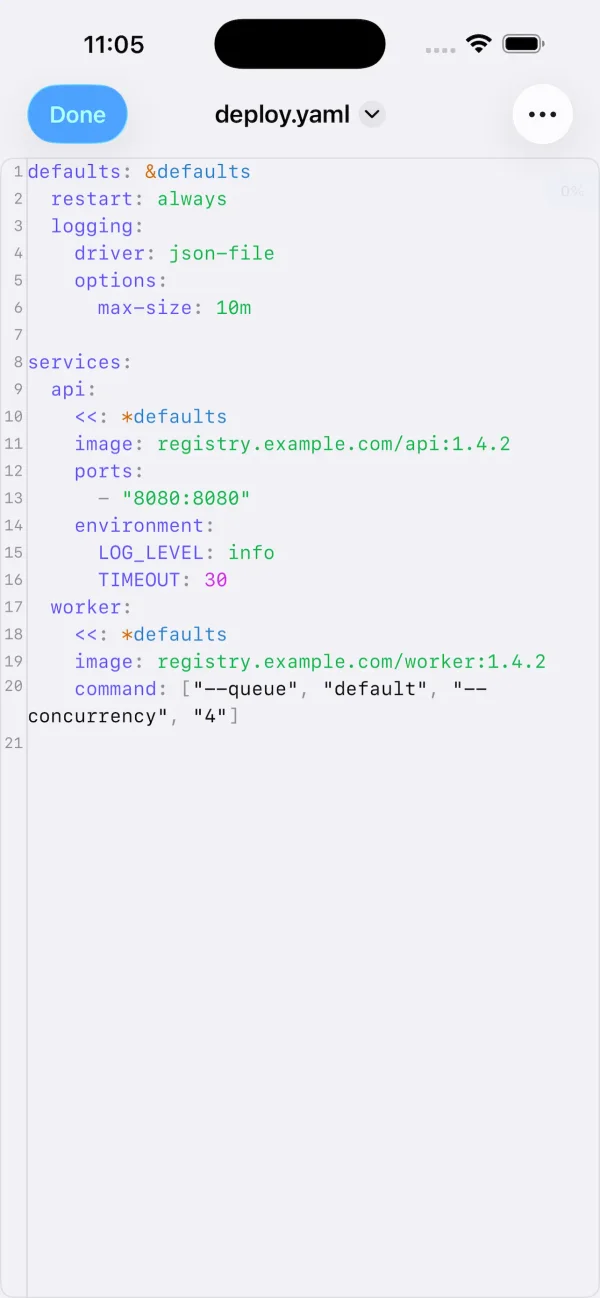
- Syntax highlighting for 25 languages: Swift, JavaScript, TypeScript, Python, Java, C, C++, C#, Go, Rust, Ruby, PHP, Perl, Lua, Haskell, Elixir, shell, HTML, CSS, Markdown, JSON, JSON5, YAML, TOML and SQL
- Dedicated highlighting for .ini, .cfg, .conf and .properties config files
- Find and replace - match case, whole word, regular expressions and replace all
- Go to line, line numbers, current-line highlighting
- Show invisible characters, page guide, line height, soft tabs and indent width
- A keyboard bar you can fill with the characters you actually type
- Undo and redo, adjustable font family and size
- Shortcuts support: append a line to a file, create a file, read one, or open one - without launching the app
- Print, share, duplicate and rename
YOUR WORK IS NOT LOST
Unsaved changes are written to a recovery draft as you type. If iOS reclaims the app while it is in the background, Edit Go offers to restore them the next time you open that file - and tells you when the file was changed somewhere else in the meantime. Deleting a file gives you a few seconds to undo.
MAKE IT YOURS
A free glass theme, plus optional Windows 95 and E-Ink themes if you would rather your editor did not look like everything else.
PRIVACY
Edit Go makes no network requests of its own. There is no account, no analytics and no server - your files stay on your device or in the cloud service you chose.
Available in English, Simplified Chinese, Traditional Chinese, Japanese and Korean.
What’s new
Version 1.2.0 · Oct 29, 2026
Built for iPad and iPhone Duo
On a wide screen your files now sit in a sidebar next to the document you are editing. Open the preview and the sidebar steps aside, so the editor and the rendered page share the screen - side by side when it is wide, one above the other when it is tall. Fold iPhone Duo partway and the editor and preview move to either side of the fold.
Wide screens, used properly
- Settings opens in the main part of the screen at a comfortable reading width, instead of stretching from edge to edge
- The Theme Store shows larger previews, two to a row
Fixes
- On iPhone Duo, the search bar, scroll bar, menus and buttons could slip under the status bar at the side of the screen
- In the Windows 95 theme, the window title could be clipped by the rounded corner of the screen
- The price on a theme's purchase button could be clipped at both ends
App privacy
What 恒俭 董 declares on the App Store about how this app handles data.
-
Data not collected
The developer does not collect any data from this app.
Privacy practices may vary, for example with the features you use or your age.
Information
- Seller
- 恒俭 董
- Category
- Developer Tools
- Version
- 1.2.0
- Updated
- Oct 29, 2026
- Released
- Oct 10, 2025
- Size
- 36.7 MB
- Requires
- iOS 16.6 or later
- Age rating
- 4+
- In-app purchases
- Yes
- Languages
- Japanese, Simplified Chinese, Traditional Chinese, English, Korean
- Copyright
- © 2025 levi
You might also like
-
 CmdForgeManage your command snippets
-
 W&B HiveMindCoding agent observability
-
 Pocket Console: Cloud ToolsCloud Admin for Developers
-
 Pi CompanionRemote for the Pi coding agent
-
 AndwriterText editor for code and notes
-
 Subscribedin Agent LabTrain AI Agents/Compare Models
-
 OmniClassifyAI ML All-In-One Toolkit
-
 Orer: App Update TrackerCategory rank by country
-
 siGit Code & DeploySoftware factory done right
-
 42 Editor: Code & Text EditorEdit code, config & CSV files